Are you tired of slow WiFi and dead zones in your home? Choosing between a Tri Band Router and a WiFi Extender can make a huge difference in your internet experience.
But which one is right for you? This article will help you understand how each device works, so you can boost your WiFi speed and coverage without wasting money. Keep reading to discover the best solution for your home and finally say goodbye to frustrating internet drops.
Tri Band Router Basics
A tri band router is a device that manages internet traffic using three separate bands. It improves WiFi speed and reduces congestion. This makes it ideal for homes with many devices or heavy internet use. Understanding how it works helps in choosing the right router for your needs.
How Tri Band Works
A tri band router uses one 2.4 GHz band and two 5 GHz bands. Each band acts like its own channel for data. This allows multiple devices to connect without slowing down the network. The router automatically assigns devices to the best band. This balance keeps the internet fast and stable for everyone.
Key Features And Benefits
- Increased Bandwidth:Three bands provide more space for data traffic.
- Reduced Interference:Devices spread across bands, lowering signal clashes.
- Better Performance:Supports many devices with fast speeds.
- Improved Range:Covers larger areas with strong WiFi signals.
- Smart Band Steering:Automatically moves devices to the best band.

Credit: m.tvcmall.com
Wifi Extender Essentials
Wifi extenders help expand your internet coverage in larger spaces. They boost your existing wifi signal to reach dead zones. This makes your connection stronger in hard-to-reach areas. Understanding wifi extender basics helps you decide if it fits your needs.
Function And Purpose
Wifi extenders receive your router’s signal and rebroadcast it. They increase the range of your wireless network. This reduces weak signal areas inside your home or office. Extenders do not create a new network but extend the current one. They help devices stay connected farther from the router.
Types Of Wifi Extenders
There are several types of wifi extenders to choose from. Each works differently depending on your home setup.
- Plug-in Extenders:Small devices that plug into wall outlets. Easy to install and move around.
- Desktop Extenders:Larger units that sit on desks or shelves. Often offer more features and stronger signals.
- Powerline Extenders:Use your home’s electrical wiring to carry the internet signal. Good for thick walls or floors.
- Mesh Wifi Systems:Use multiple nodes to cover large areas seamlessly. Act like extenders but create a unified network.
Performance Comparison
Understanding the performance differences between a Tri Band Router and a WiFi Extender is crucial before making any investment. These devices serve different purposes but often get compared because both aim to improve your home network. Let’s break down their performance in key areas to help you decide which fits your needs best.
Speed And Bandwidth
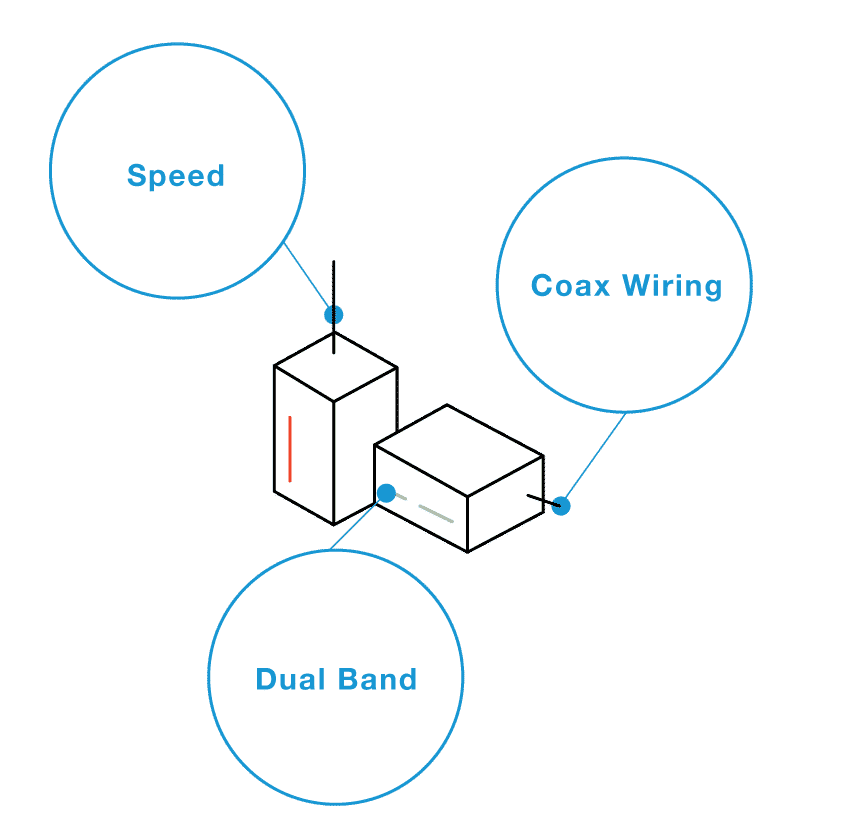
A Tri Band Router offers three separate frequency bands, typically one 2.4 GHz and two 5 GHz bands. This setup allows your devices to spread out across different channels, reducing congestion and maintaining higher speeds. In contrast, a WiFi Extender usually repeats the existing signal on a single or dual band, which often cuts the speed roughly in half because it has to communicate with both your router and your device.
Have you noticed how your video calls or streaming buffer less with a Tri Band Router? That’s because it handles bandwidth more efficiently. If you regularly transfer large files or play online games, the extra bandwidth from a tri-band setup can make a real difference.
Coverage Area
WiFi Extenders are designed to boost your existing signal, extending coverage to areas where your router’s signal is weak or non-existent. They are ideal for smaller dead zones but can struggle to maintain strong, consistent signals over large distances or through thick walls.
On the other hand, Tri Band Routers often come with more powerful antennas and advanced beamforming technology, providing wider and more reliable coverage from a single device. If your home is large or has multiple floors, a Tri Band Router may deliver better overall coverage without needing additional devices.
Device Handling
When multiple devices are connected simultaneously, performance can quickly degrade on simpler setups. Tri Band Routers manage device connections more effectively by distributing them across three bands. This reduces overcrowding and keeps speeds stable even when many gadgets are online.
WiFi Extenders don’t increase the total number of devices your network can support; they simply push the existing signal further. If your household has many smart devices, a Tri Band Router might prevent frustrating slowdowns that extenders can’t fix.
Credit: www.screenbeam.com
Installation And Setup
Choosing between a tri-band router and a WiFi extender impacts installation and setup. Tri-band routers offer simple, centralized setup. WiFi extenders require careful placement to enhance existing networks. Each option affects network performance differently.
Setting up a tri-band router or a Wi-Fi extender can seem daunting, but it doesn’t have to be. Understanding the installation and setup process can make your decision easier. Both options have their own unique processes and considerations.Ease Of Installation
Installing a tri-band router is straightforward. Most modern routers come with a simple app or web interface to guide you through the setup. You just plug in the device, connect it to your modem, and follow the on-screen instructions. Wi-Fi extenders, on the other hand, are often as simple as plugging them into a wall outlet. You connect them to your existing network using WPS (Wi-Fi Protected Setup) or through a web interface. With a few clicks, your extender should be ready to boost your signal.Placement Tips
Where you place your tri-band router can significantly impact performance. Ideally, it should be in a central location to ensure even coverage throughout your space. Avoid placing it near large metal objects or in enclosed spaces, as these can block the signal. For Wi-Fi extenders, placement is equally crucial. The extender should be positioned halfway between your router and the area needing coverage. Make sure it’s within range of the router’s signal, but not too close, to effectively extend your network’s reach. Have you ever wondered why your internet speed drops in certain areas of your home? Proper placement might just be the key to solving this mystery. With these tips, you’re on your way to a stronger, more reliable connection.Cost And Value
Understanding the cost and value of a Tri Band Router versus a WiFi Extender is key to making the right choice for your home or office network. Both options can improve your wireless coverage, but their price tags and benefits differ in important ways. Let’s break down what you’re really paying for upfront and over time.
Initial Investment
Tri Band Routers generally come with a higher price tag than WiFi Extenders. You can expect to spend anywhere from $150 to $400 on a quality tri band router, depending on brand and features.
WiFi Extenders are usually much cheaper, often costing between $30 and $100. This makes them tempting if you want to boost your signal without spending much upfront.
However, the price difference reflects the technology and coverage you get. A tri band router offers multiple frequency bands and better speeds, while extenders simply repeat your existing signal.
Long-term Benefits
Tri Band Routers provide a more stable and faster connection over a wider area. They handle multiple devices better, which is crucial if your household streams, games, or works online simultaneously.
Though extenders cost less initially, they can slow down your network because they share bandwidth between the router and connected devices. Over time, this can lead to frustration and the need for additional devices.
Think about how your network needs might grow. Investing in a tri band router upfront could save you money and hassle later by avoiding dead zones and slow speeds.
What’s more valuable to you: a quick fix or a reliable, long-term solution? Your answer will shape the true cost of your choice.
Best Use Cases
Choosing between a Tri Band Router and a Wifi Extender depends on your specific needs. Each device serves a unique purpose in improving your home or office network. Understanding the best use cases helps pick the right solution.
Ideal Scenarios For Tri Band Routers
Tri Band Routers work best in busy homes or offices with many devices. They offer three separate frequency bands to reduce interference and increase speed.
- Large households with multiple users streaming or gaming simultaneously
- Offices requiring stable connections for many employees
- Homes with smart devices, security cameras, and IoT gadgets
- Areas with heavy network traffic and demand for fast internet
- Users who want the fastest and most reliable WiFi experience
These routers handle high data loads well. They keep connections smooth and reduce lag during peak use.
When To Choose A Wifi Extender
Wifi Extenders suit smaller homes or spaces with weak signals in some areas. They boost the existing network to reach dead zones.
- Houses with thick walls blocking WiFi signals
- Rooms far from the main router with poor coverage
- Users needing to improve WiFi in one or two specific spots
- Budget-friendly option for extending network range
- Simple setup for basic internet needs without heavy traffic
Extenders help expand coverage but may lower speed slightly. They fit well when coverage, not speed, is the priority.
Common Issues And Troubleshooting
Both Tri Band Routers and WiFi Extenders aim to improve your wireless experience, but they can face similar challenges. Understanding common issues and how to troubleshoot them can save you time and frustration. Let’s look closely at some typical problems and how you can fix them effectively.
Connectivity Problems
Are you struggling to keep a stable connection? This is a frequent complaint with both devices. Tri Band Routers might face interference if placed near other electronics, while WiFi Extenders can lose signal if positioned too far from the main router.
Try these tips to improve connectivity:
- Move your router or extender to a central location away from walls and large metal objects.
- Restart your device regularly to clear temporary glitches.
- Check for firmware updates that can fix bugs and improve stability.
- Ensure your devices are using compatible frequencies (2.4 GHz vs. 5 GHz).
Have you noticed that simply changing the placement can boost your signal? Small adjustments often make a big difference.
Performance Drops
Experiencing slow speeds or lag can be frustrating, especially if you rely on your network for work or entertainment. Performance drops often happen during peak usage times or when multiple devices connect simultaneously.
Here are some practical steps to tackle slowdowns:
- Limit the number of devices connected at once or prioritize essential devices using Quality of Service (QoS) settings.
- Switch to a less crowded WiFi channel to avoid interference from neighbors.
- Reset your router or extender to clear memory overload.
- Check if your internet plan matches your network setup; sometimes, the bottleneck is your ISP speed.
Think about your daily internet habits. Are too many devices streaming or gaming at the same time? Adjusting usage patterns can help maintain steady performance.
Future Trends In Home Networking
Home networking is evolving rapidly, and understanding what lies ahead can help you choose the right gear today. Both tri-band routers and WiFi extenders have their place, but the future will bring new options that change how you connect. Staying informed lets you build a network that lasts longer and adapts to your growing needs.
Emerging Technologies
WiFi 6 and WiFi 6E are already reshaping home networks by offering faster speeds and better device management. These standards improve how tri-band routers handle multiple connections without slowing down your network.
Mesh networking is gaining momentum, too. Instead of a single powerful router or an extender, mesh systems use several units spread around your home to provide seamless coverage. This can be a game-changer if you’ve struggled with dead zones.
Another tech to watch is the rise of AI-powered network management. Imagine your router automatically adjusting settings to optimize speed and security based on your usage patterns. This isn’t just futuristic—it’s happening now in some advanced models.
What To Expect Next
Expect home networks to become more intuitive and self-healing. If a device drops off, your system could reroute traffic automatically, keeping your connection steady without manual fixes.
Security will also move to the forefront. With so many smart devices in homes, routers and extenders will likely include stronger built-in protections to guard your data and privacy.
Will tri-band routers remain the top choice? They’ll still be valuable for heavy internet users and gamers. But for most, mesh systems and smarter extenders will offer simpler setup and more consistent coverage.
Think about your own home: How often do you move devices around or add new ones? The next generation of networking gear will adapt to those changes without headaches, saving you time and frustration.
Credit: www.engadget.com
Frequently Asked Questions
What Is A Tri Band Router?
A tri band router has three separate wireless bands. It provides faster speeds and reduces network congestion. Ideal for multiple devices and heavy internet usage.
How Does A Wifi Extender Work?
A WiFi extender boosts your existing WiFi signal. It repeats the signal to cover dead zones. It improves coverage but may reduce speed slightly.
Tri Band Router Vs Wifi Extender: Which Is Better?
Tri band routers offer better speed and capacity. WiFi extenders improve coverage but can lower speeds. Choose based on your home size and device needs.
Can A Wifi Extender Support Multiple Devices?
Yes, WiFi extenders support multiple devices. However, performance depends on the extender’s quality and bandwidth. High traffic may cause slower speeds.
Conclusion
Choosing between a tri band router and a WiFi extender depends on your needs. Tri band routers offer faster speeds and handle many devices well. WiFi extenders increase the range of your existing network. Small homes may do fine with a WiFi extender.
Larger homes or heavy internet users benefit more from tri band routers. Think about your space and device use before deciding. Both tools can improve your internet experience in different ways. Choose what fits your home and budget best.