Are you tired of your internet slowing down every time someone in your home starts streaming or gaming? You might be wondering if a gaming router can really handle multiple devices without dropping your connection.
Imagine having smooth gameplay, fast downloads, and seamless streaming—all at the same time. You’ll discover how gaming routers work when juggling multiple devices and whether they’re the solution you need to keep your whole household connected and happy. Keep reading to find out if your router can keep up with your busy digital life.

Credit: www.amazon.com
Gaming Routers Basics
Understanding the basics of gaming routers is essential if you want to know how well they can handle multiple devices. These routers are designed to meet the demands of gamers who need fast, reliable connections without lag or interruptions. But what exactly sets them apart from the regular routers you might already have at home?
Key Features Of Gaming Routers
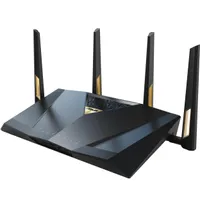
Gaming routers come loaded with features that prioritize your gaming experience. One of the most important is Quality of Service (QoS), which lets you control bandwidth allocation. This means your game traffic gets priority over other activities like streaming or downloads.
Other key features include:
- Low latency optimization:Reduces delays, keeping your gameplay smooth.
- Multiple antennas and advanced beamforming:Enhances signal strength and coverage across your home.
- High-speed processors:Handles multiple connections without slowing down.
- Customizable settings:Lets you tweak performance based on your specific gaming needs.
When I switched to a gaming router, I noticed immediate improvements in game responsiveness, even with my family streaming videos on other devices.
How Gaming Routers Differ From Standard Routers
Standard routers are built for general use, handling everyday tasks like browsing and video calls. They often struggle when many devices connect simultaneously, causing slowdowns and lag.
Gaming routers, however, are engineered to manage heavy traffic efficiently. They use advanced hardware and software to reduce interference and maintain stable connections. This difference means your gaming sessions won’t suffer just because multiple devices are active in your home.
Think about your current router—does it prioritize your gaming traffic, or does it treat all data equally? If it’s the latter, you might experience frustrating delays during crucial gaming moments.

Credit: www.ign.com
Multiple Device Connectivity
Multiple device connectivity is a common challenge in modern homes. Many gadgets connect to one network at the same time. This includes phones, laptops, smart TVs, and gaming consoles. Managing all these devices needs a strong router. Gaming routers are designed to handle heavy traffic. But can they keep up when many devices are connected? Understanding how multiple devices affect network performance is key.
Impact Of Multiple Devices On Network Performance
Each device uses bandwidth. More devices mean more bandwidth is needed. When many devices connect, the network can slow down. This causes lag and buffering. Gaming routers have features to reduce this issue. They prioritize gaming traffic over other uses. Still, too many devices can strain any router. The result is slower speeds and higher ping times. Quality of service (QoS) settings help manage device priority. This keeps gaming smooth even with many devices online.
Device Types And Their Network Demands
Not all devices use the same amount of data. Streaming devices like smart TVs consume large bandwidth. Gaming consoles need low latency and steady speeds. Phones and laptops often use moderate data for browsing and apps. Smart home devices use minimal bandwidth but add to the count. Understanding each device’s demand helps in managing the network. Gaming routers allow setting priorities based on device type. This way, gaming gets the best connection possible.
Performance Factors
Understanding the performance factors of gaming routers is key to knowing how well they handle multiple devices. These factors directly impact your gaming experience, especially when many gadgets are connected at once. Let’s break down how bandwidth allocation, signal strength, and latency influence router performance.
Bandwidth Allocation And Qos
Bandwidth is the maximum data your router can send and receive at a time. When multiple devices connect, they share this bandwidth. Without proper management, your game might lag because other devices hog the connection.
Quality of Service (QoS) lets you prioritize gaming traffic over other types, like streaming or downloads. You can set your router to give your console or PC more bandwidth, ensuring smoother gameplay. Have you tried adjusting QoS settings on your router? It often makes a noticeable difference.
Signal Strength And Range
Signal strength determines how well your devices stay connected as you move around your home. Thick walls and distance can weaken the signal, causing lag spikes and disconnections. A gaming router with strong antennas or mesh network support helps maintain stable connections even in large spaces.
Think about where you place your router. Is it in a central spot or tucked away in a corner? Positioning affects signal range, so placing your router where it can “see” all your devices makes a big difference.
Latency And Ping Optimization
Latency is the delay between your action and the server’s response. Low latency means faster reaction times, crucial in competitive gaming. Routers designed for gaming often have features to reduce ping, like gaming servers routing and traffic prioritization.
Some routers offer built-in ping testers to monitor your connection in real-time. Have you noticed how a small increase in ping can turn a winning match into a frustrating one? Optimizing latency should be a top priority if you want consistent performance across multiple devices.
Router Technologies That Boost Performance
Router technologies play a crucial role in managing multiple devices smoothly, especially in busy households or gaming setups. These technologies help reduce lag, improve speed, and ensure every device gets the bandwidth it needs. Understanding the key features can help you choose a router that truly supports your gaming and daily internet demands.
Mu-mimo And Ofdma Explained
MU-MIMOstands for Multi-User, Multiple Input, Multiple Output. It allows your router to communicate with several devices at once, rather than one at a time. Imagine a room where your router talks to multiple gamers simultaneously without making anyone wait—this cuts down on delays and boosts overall performance.
OFDMA(Orthogonal Frequency Division Multiple Access) takes this a step further by dividing channels into smaller parts. This means your router can send data to many devices in smaller chunks, increasing efficiency and reducing interference. If you’ve noticed slower connections when many devices are online, OFDMA can help keep everything running smoothly.
Both MU-MIMO and OFDMA are essential for gaming routers to handle multiple devices effectively. They ensure your streaming, gaming, and smart home gadgets don’t compete for bandwidth the wrong way.
Dual-band Vs Tri-band Routers
Choosing between dual-band and tri-band routers depends on how many devices you want to connect and what you use them for. Dual-band routers offer two frequency bands: 2.4 GHz and 5 GHz. The 2.4 GHz band covers longer distances but is slower, while the 5 GHz band is faster but works best over shorter ranges.
Tri-band routers add an extra 5 GHz band to the mix. This third band can separate traffic more effectively, giving devices dedicated channels to avoid congestion. If your home has many active devices or you run multiple high-demand activities like gaming and streaming at the same time, tri-band routers can keep things running without hiccups.
Think about your current device load and internet usage patterns. Would adding another band reduce your slowdowns, or is dual-band enough for your needs? Sometimes, investing in tri-band technology pays off by future-proofing your network.
Choosing The Right Gaming Router
Choosing the Right Gaming Router Gaming routers can efficiently handle multiple devices. They ensure a smooth connection without lag. This helps in providing stable performance for all connected gadgets.
Choosing the right gaming router can make a massive difference in your gaming experience, especially when you’re dealing with multiple devices. With the growing number of smart gadgets in homes today, it’s crucial to ensure your router can handle the load without compromising on performance. So, how do you select the ideal gaming router that suits your needs? Let’s dive into some key considerations.Assessing Your Device Load
Think about how many devices are connected to your network at any given time. Beyond your gaming console, there might be smartphones, tablets, smart TVs, and even a fridge that needs Wi-Fi. Each device consumes bandwidth, affecting your gaming performance. To properly assess your device load, list all internet-connected devices in your home. Note the primary use of each device—streaming, browsing, gaming, or smart home functions. This will help you understand the kind of load your router needs to manage effectively. A gaming router with advanced features like MU-MIMO (Multi-User, Multiple Input, Multiple Output) can handle several devices simultaneously without dropping the connection. This ensures your game doesn’t lag when someone else is streaming a movie.Budget Vs Performance Trade-offs
When choosing a gaming router, balancing budget and performance is crucial. A high-performance router might be tempting, but it’s essential to ensure it fits your budget and needs. Consider what features are non-negotiable for you. Do you need the latest Wi-Fi 6 technology, or is Wi-Fi 5 sufficient? Perhaps a router with customizable settings for gaming is worth the extra cost for you. On the flip side, some budget routers offer excellent performance for small to medium households. Read reviews and seek recommendations from fellow gamers. Sometimes, a mid-range router with robust features can outperform a pricier model. Invest time in research to find a router that offers the best bang for your buck.Optimizing Router Settings
Optimizing your gaming router settings is key to managing many devices smoothly. Proper settings help reduce lag and avoid connection drops. Simple tweaks can improve speed and stability for all users on the network.
Focus on keeping your router updated and secure. Adjust Quality of Service (QoS) settings to prioritize gaming traffic. Choose the best wireless channel to cut down interference and boost performance.
Firmware Updates And Security
Router firmware updates fix bugs and add new features. They also improve security against hackers. Check for updates regularly through your router’s admin page. Use strong passwords and enable encryption like WPA3. These steps protect your network from outside threats and keep your devices safe.
Custom Qos Settings For Multiple Devices
QoS allows you to set priorities for different devices or apps. Assign higher priority to gaming consoles or PCs. Lower priority to streaming or downloads. This ensures gaming traffic gets enough bandwidth and stays smooth. Many routers have easy QoS setup options. Customizing these settings helps balance speed among many devices.
Channel Selection And Interference Reduction
Wireless channels carry your Wi-Fi signals. Some channels are crowded with other networks nearby. This causes interference and slows down connections. Use your router’s tools to scan for the least busy channel. Switch to that channel for better speed and stability. Keep routers away from microwaves and cordless phones to reduce interference further.
Real-world Performance Tests
Real-world performance tests show how gaming routers handle multiple devices in everyday settings. These tests measure speed, stability, and latency under different device loads. They reveal how well routers manage traffic during gaming and streaming.
Such tests help find routers that keep connections smooth and fast. They highlight routers that struggle when many devices connect at once. This information guides users to pick routers fitting their home setup.
Testing With Various Device Loads
Tests involve connecting different numbers of devices to the router. Devices include gaming consoles, smartphones, laptops, and smart home gadgets. The goal is to see if the router can keep good speed and low lag.
Performance is checked at low, medium, and high device counts. Low load means 2-3 devices active. Medium load tests 5-7 devices. High load involves 10 or more devices running together.
- Speed tests check download and upload rates for each load level.
- Ping tests measure delay, critical for gaming responsiveness.
- Packet loss is monitored to detect connection drops.
Routers that maintain strong speed and low ping under heavy loads show good multi-device handling. Those with lag spikes or slow speeds struggle with many devices.
Comparing Popular Gaming Routers
Popular gaming routers are tested side by side under the same conditions. This comparison highlights differences in hardware and software performance.
| Router Model | Max Devices Tested | Average Speed (Mbps) | Average Ping (ms) | Stability Score |
|---|---|---|---|---|
| Router A | 12 | 450 | 15 | 9/10 |
| Router B | 10 | 400 | 20 | 8/10 |
| Router C | 15 | 430 | 18 | 9/10 |
The results show some routers handle more devices without speed loss. Others have higher ping or occasional drops with many connections. This helps identify routers best suited for busy homes with many users.
Troubleshooting Common Issues
Troubleshooting common issues with gaming routers is essential to keep your network running smoothly, especially when multiple devices compete for bandwidth. Identifying the root causes of problems like slow speeds or dropped connections can save you hours of frustration. Let’s look at practical ways to tackle these challenges head-on.
Handling Network Congestion
Network congestion happens when too many devices try to use the router simultaneously, causing slowdowns. You can manage this by prioritizing traffic through Quality of Service (QoS) settings. Have you checked if your router lets you prioritize gaming packets or specific devices? This can drastically improve your gaming experience even if others are streaming or downloading.
Another tip is to reduce unnecessary background activity on your devices. Apps running updates or cloud backups can silently hog bandwidth. Make it a habit to schedule such tasks during off-peak hours when gaming is not a priority.
Resolving Connectivity Drops
Connectivity drops are frustrating and can ruin your gaming sessions. Often, these drops are caused by interference or outdated firmware. Have you tried updating your router’s firmware recently? Manufacturers frequently release updates to fix bugs and improve stability.
Physical placement matters too. Placing your router in a central location away from thick walls or electronic devices can reduce signal interference. If your router supports both 2.4 GHz and 5 GHz bands, switching to 5 GHz can offer a more stable and faster connection, especially in crowded households.
Credit: www.pcgamer.com
Frequently Asked Questions
Can Gaming Routers Support Many Devices Simultaneously?
Yes, gaming routers are designed to handle multiple devices at once. They prioritize gaming traffic and optimize bandwidth. This ensures smooth performance even with many connected gadgets.
Do Gaming Routers Improve Connection For Multiple Users?
Absolutely, gaming routers enhance connections by reducing lag and interference. They use advanced technologies like QoS to allocate bandwidth fairly among users. This results in a better experience for everyone online.
Are Gaming Routers Better Than Regular Routers For Homes?
Gaming routers offer faster speeds and better device management than regular routers. They handle heavy traffic efficiently, making them ideal for busy households with many devices.
How Do Gaming Routers Manage Bandwidth For Several Devices?
Gaming routers use Quality of Service (QoS) to prioritize traffic. This allocates bandwidth to critical applications first, ensuring gaming and streaming remain smooth. It balances network load effectively.
Conclusion
Gaming routers can support many devices at the same time. They manage traffic well to reduce lag and slowdowns. Choosing a router with strong features helps keep connections stable. Not all routers handle multiple devices equally. Some models work better for busy homes or gaming setups.
Check the router’s specs before buying. A good router means smoother gameplay and faster internet for all. This helps everyone enjoy online activities without interruptions. Keep your network balanced and devices connected. Gaming routers can meet your needs when chosen wisely.