Are you tired of slow hotel Wi-Fi or juggling multiple devices on shaky connections when you travel? You might have heard about travel routers but wondered if they’re really worth the investment.
Imagine having a steady, secure internet connection wherever you go, without the hassle of constantly reconnecting or worrying about safety. You’ll discover how travel routers can change the way you stay connected on the road—and whether they’re the right choice for your trips.
Keep reading to find out if a travel router is exactly what you need to make your travels smoother and stress-free.
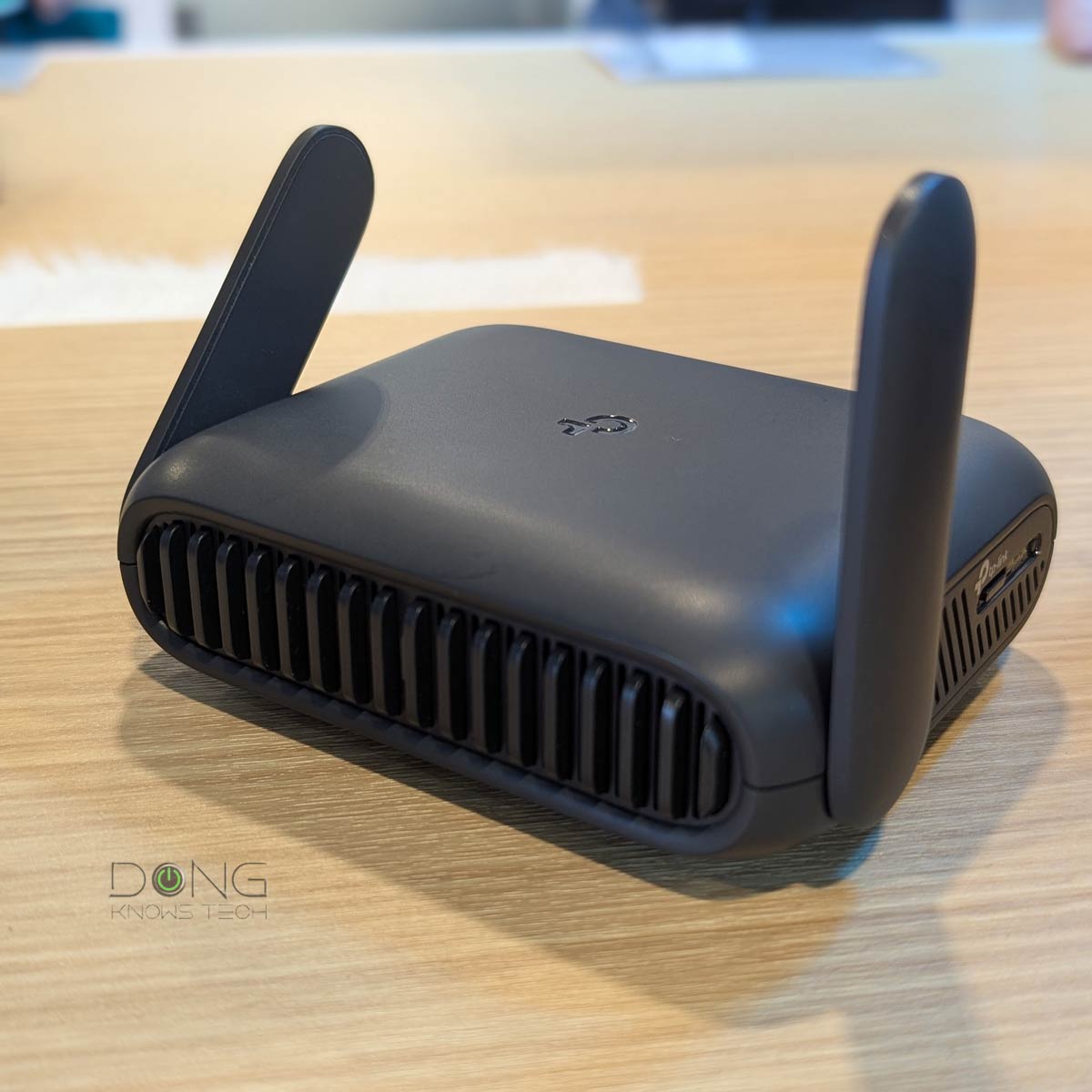
Credit: dongknows.com
Benefits Of Travel Routers
Travel routers offer many benefits for people who move often or stay in different places. They provide stable internet access and improve connectivity in areas with weak Wi-Fi signals. These devices make travel easier by allowing several gadgets to connect at once and keep data safe. Their small size means they fit easily in any bag or pocket. Below are some key advantages of using travel routers.
Improved Connectivity On The Go
Travel routers boost internet signals in hotels, airports, and cafes. They create a stronger Wi-Fi network for better browsing and streaming. These devices help avoid slow or unreliable connections. Users get smoother video calls and faster downloads anywhere.
Multiple Device Support
Travel routers let many devices connect at the same time. Phones, tablets, and laptops share one internet source easily. This saves data costs and prevents disconnects. Groups or families can stay online together without problems.
Enhanced Security Features
Travel routers protect your information on public Wi-Fi networks. They use encryption to keep data safe from hackers. Users control who joins the network with passwords. This adds a layer of security when using unknown internet spots.
Compact And Portable Design
Travel routers are small and lightweight. They fit in pockets, purses, or carry-on bags. This makes them easy to bring anywhere. Despite their size, they provide reliable internet access on the move.
Types Of Travel Routers
Travel routers come in various types, each designed to suit different travel needs and connectivity situations. Choosing the right one depends on how you plan to use it during your trips, the devices you’ll connect, and the kind of internet access you require. Understanding the main types helps you make an informed choice and avoid carrying unnecessary gadgets.
Standalone Travel Routers
Standalone travel routers are compact devices that create a Wi-Fi network by connecting to an existing wired or wireless internet source. They don’t have built-in modems, so you need to plug them into hotel Ethernet ports or connect them to a public Wi-Fi network. These routers are great if you want to share a single internet connection with multiple devices securely.
I once used a standalone travel router in a remote guesthouse with just a single Ethernet outlet. It allowed me to connect my phone, laptop, and tablet without constantly switching networks. This type keeps your connection stable and your devices protected from public Wi-Fi vulnerabilities.
Travel Routers With Built-in Modems
Travel routers with built-in modems combine the functions of a router and a cellular modem. They accept SIM cards from mobile carriers, turning cellular data into a personal Wi-Fi hotspot. This is ideal if you’re traveling to areas without reliable Wi-Fi or want to avoid paying for expensive hotel internet.
Think about your last trip to a rural area or a country with limited internet infrastructure. Having a travel router with a built-in modem means you can stay connected wherever your phone gets signal. It also supports multiple devices, so everyone in your group can enjoy fast internet on the go.
Battery-powered Vs. Plug-in Models
Battery-powered travel routers offer portability and convenience, especially when you’re constantly on the move or in places without easy access to power outlets. They usually have rechargeable batteries that last several hours, perfect for long flights or outdoor activities. However, you might need to monitor battery life closely to avoid losing connection unexpectedly.
Plug-in models rely on continuous power from an outlet, providing a more stable and faster connection but limiting where you can use them. If you’re mostly staying in hotels or places with power access, these models deliver consistent performance. Which one fits your travel style better—freedom from cords or steady power supply?
Key Features To Look For
Choosing the right travel router means focusing on a few key features. These features impact how well the router performs and how easy it is to use. Paying attention to them helps you get the best value and convenience during your trips.
Speed And Bandwidth
Speed affects how fast your devices connect to the internet. Bandwidth controls how many devices can use the router at once. A good travel router offers fast speeds and enough bandwidth for multiple users. Look for routers that support modern Wi-Fi standards like Wi-Fi 5 or Wi-Fi 6. This ensures smoother streaming and quicker downloads.
Security Protocols
Security protects your data while using public or hotel Wi-Fi networks. A strong travel router supports up-to-date security protocols like WPA3 or WPA2. These keep your connection safe from hackers and intruders. Some routers include built-in VPN support for extra privacy. Always choose a router with strong encryption features.
Ease Of Setup
Travel routers should be simple to set up without technical knowledge. Look for devices with clear instructions or an easy app for configuration. Quick setup saves time and reduces frustration. Some routers offer plug-and-play features or pre-configured settings. This helps users connect faster and start using the internet right away.
Compatibility With Various Networks
Travel routers must work with different network types worldwide. They should support Ethernet, Wi-Fi, and even mobile data connections. This flexibility helps you connect in hotels, airports, or cafes. Check if the router can switch between network modes easily. Compatibility ensures seamless internet access no matter where you are.

Credit: www.cnet.com
Common Use Cases
Travel routers serve many purposes across different types of trips. They help improve internet access and security. Understanding common use cases clarifies their value for travelers.
Business Travel
Business travelers need reliable internet for work tasks. Travel routers create a private network from hotel Wi-Fi. This ensures safer connections for emails and video calls. Multiple devices can connect without slowing down. Carrying a travel router reduces stress during important trips.
Family Vacations
Families often share one hotel Wi-Fi connection. Travel routers allow many devices to connect at once. Kids can watch videos while adults check emails or browse. It helps avoid connection limits or extra fees. A travel router keeps everyone connected easily.
Backpacking And Remote Locations
Backpackers may stay in places with weak or shared Wi-Fi. Travel routers boost signals from public hotspots or mobile data. They create a stable network for phones, tablets, and laptops. It gives access to maps, bookings, and communication. Travel routers add convenience in less connected areas.
Hotels And Public Wi-fi
Public Wi-Fi networks often lack security and speed. Travel routers offer a safer way to connect by encrypting data. They reduce risks of hackers on open networks. Travelers can enjoy faster and more reliable internet. Travel routers improve the experience in hotels and cafes.
Pros And Cons
Deciding if a travel router fits your needs means weighing its pros and cons carefully. These devices offer unique benefits but also come with some downsides that might affect your travel experience. Let’s break down what makes travel routers stand out and where they might fall short, helping you make a smart choice for your next trip.
Advantages Over Mobile Hotspots
Travel routers often provide better flexibility than mobile hotspots. You can connect multiple devices simultaneously without sacrificing speed, which is great if you travel with family or colleagues.
They also offer enhanced security features like VPN support and firewall controls, giving you peace of mind when using public Wi-Fi networks. Plus, travel routers can share wired connections and create private networks, something most mobile hotspots can’t do.
Think about the last time you struggled with slow Wi-Fi in a hotel room. A travel router can boost weak signals and extend coverage, making your connection more reliable.
Potential Limitations
Travel routers require more setup compared to mobile hotspots, which might be inconvenient if you want quick internet access. Some models are bulkier and need power sources, limiting portability.
Compatibility issues can arise, especially if the router doesn’t support certain network types or frequencies in your destination country. Battery life is another factor; many travel routers don’t have built-in batteries, so you’ll depend on external power.
Would you trade a little extra setup time for better control over your internet connection? Consider how much you value convenience versus performance.
Cost Considerations
Travel routers generally cost more upfront than basic mobile hotspots. However, if you travel often or connect multiple devices, the investment might pay off through better connectivity and security.
Keep in mind additional expenses like buying compatible SIM cards or paying for separate data plans. Some travel routers are budget-friendly, but premium models with advanced features can be pricey.
Ask yourself how often you’ll use the router and whether the benefits justify the cost. Sometimes spending a bit more upfront saves you frustration and extra charges later.
Top Travel Router Recommendations
Travel routers help share internet with multiple devices during trips. They improve Wi-Fi security and make connections more stable. Choosing the right one depends on your travel needs and budget.
Navigating the digital world while traveling can be a challenge, which is why travel routers have become an essential gadget for many globetrotters. Whether you’re a budget traveler or a luxury seeker, finding the right travel router can make your trips more connected and enjoyable. Let’s dive into some top travel router recommendations, tailored to fit different needs and budgets.Budget-friendly Options
If you’re looking to save some bucks without compromising on connectivity, there are excellent budget-friendly travel routers available. The TP-Link TL-WR902AC is a compact and affordable choice, offering dual-band Wi-Fi and a lightweight design that easily fits in your pocket. Another great option is the GL.iNet GL-MT300N-V2, known for its simple setup and reliable performance, making it perfect for those who value ease of use.High-end Models
For those willing to invest a bit more for premium features, high-end travel routers offer superior speed and security. The Netgear Nighthawk M1 is a powerhouse, providing lightning-fast internet with 4G LTE connectivity, ideal for streaming and gaming on the go. The HooToo TripMate Titan is another top-tier model, offering a built-in power bank, which adds a layer of convenience for charging your devices while staying connected.Best For Frequent Travelers
Frequent travelers need a router that’s both versatile and robust. The RAVPower Filehub AC750 stands out with its ability to bridge Ethernet connections and create a secure Wi-Fi network, a must for those hopping between hotels and airports. With its media sharing capabilities, it’s perfect for sharing files and streaming media among multiple devices. The compact size also ensures it won’t take up precious luggage space. Choosing the right travel router depends on your specific needs and travel habits. Do you prioritize speed, security, or portability? Consider what matters most to you and let these recommendations guide you to a more connected travel experience.Tips For Optimizing Travel Router Use
Using a travel router can transform your trips, but only if you know how to get the most out of it. Small adjustments in setup and care can boost your experience significantly. Here are practical tips to help you optimize your travel router use, ensuring smooth, secure, and long-lasting connectivity wherever you go.
Securing Your Network
Keeping your network safe is crucial, especially in public places like airports or hotels. Start by changing the default router password to something strong and unique. Avoid simple passwords like “12345678” or “password.”
Enable WPA3 or at least WPA2 encryption on your router settings to protect your data from hackers. Disable features you don’t use, such as WPS, which can be a security risk. Regularly update your router’s firmware to patch vulnerabilities and improve performance.
Have you ever wondered if others on the same network could be spying on your online activities? A secure network gives you peace of mind and keeps your sensitive information private.
Maximizing Battery Life
Travel routers often run on batteries, and conserving power is key for extended use. Lower the transmission power if you don’t need a wide coverage area. This simple change can stretch your battery life by hours.
Turn off the router when you’re not using it, even if it’s just for a short break. Consider carrying a portable power bank designed for routers, especially during long trips where charging options are limited.
Adjusting your router’s settings to disable guest networks or extra features can also save energy. Think about how long you really need the connection active—can you disconnect during downtime?
Troubleshooting Connectivity Issues
Encountering connection drops or slow speeds can be frustrating. First, check if your router is placed in an open area, away from thick walls and electronic interference. Simple repositioning can improve signal strength dramatically.
Restart your router regularly to clear temporary glitches. If the problem persists, reset the router to factory settings and reconfigure it. Keep a backup of your settings to make this easier.
Are your devices connecting but not accessing the internet? This often means an issue with the hotel or public Wi-Fi source, not your router. Try connecting your travel router to another network to isolate the problem.

Credit: www.yahoo.com
Frequently Asked Questions
What Is A Travel Router And How Does It Work?
A travel router is a compact device that creates a secure Wi-Fi network. It connects to existing internet sources like hotel Ethernet or public Wi-Fi. This allows multiple devices to share one connection safely while enhancing speed and security on the go.
Are Travel Routers Better Than Using Hotel Wi-fi?
Yes, travel routers offer improved security and privacy compared to hotel Wi-Fi. They create a private network, protecting your data from potential hackers. Additionally, they often provide more stable connections and allow multiple devices to connect simultaneously without bandwidth issues.
Can Travel Routers Improve Internet Speed While Traveling?
Travel routers can improve speed by optimizing network traffic and reducing interference. They use advanced antennas and technology to boost weak signals. However, the overall speed still depends on the original internet source quality at your location.
Are Travel Routers Compatible With All Devices?
Most travel routers support common devices like smartphones, tablets, and laptops. They use standard Wi-Fi protocols, making them compatible with nearly all modern electronics. This ensures seamless connectivity during travel without worrying about device restrictions.
Conclusion
Travel routers offer reliable internet access on the go. They protect your data and connect multiple devices easily. Small and portable, they fit well in any travel bag. Using one can save money on hotel Wi-Fi fees. They work best for frequent travelers or remote workers.
Consider your needs and budget before buying one. Overall, travel routers provide convenience and security during trips. A simple tool that keeps you connected anywhere. Worth trying if staying online matters to you.