Are you frustrated with your portable router’s weak signal that cuts off your connection just when you need it most? You’re not alone.
Whether you’re working remotely, streaming your favorite shows, or staying connected on the go, a limited Wi-Fi range can hold you back. But what if you could boost your router’s reach without buying expensive new equipment? You’ll discover simple, effective ways to extend the range of your portable router and enjoy stronger, more reliable internet wherever you are.
Keep reading to unlock easy tips that put you back in control of your connection.
Common Range Issues
Understanding why your portable router’s range might be limited is the first step to fixing the problem. Several common issues can reduce the strength and reach of your signal, making it tough to stay connected in every corner of your space. Identifying these issues helps you take practical steps to boost your router’s performance.
Signal Interference
Wireless signals can get crowded. Other devices like cordless phones, microwaves, and even neighboring Wi-Fi networks can interfere with your router’s signal. If you notice sudden drops or slow speeds, interference might be the culprit.
Try changing your router’s channel to avoid overlapping with nearby networks. Many routers have settings to scan for the least crowded channel automatically. Have you checked if your router supports 5 GHz? It usually faces less interference than 2.4 GHz.
Physical Barriers
Walls, floors, and furniture block Wi-Fi signals more than you might expect. Thick walls or metal objects can drastically reduce your router’s range. Even glass and mirrors reflect signals, weakening them further.
Think about your home layout. Are there many walls between your router and the devices? Moving your router to a more open area can make a big difference. Sometimes, even small changes like moving the router off the floor can improve coverage.
Router Placement
Your router’s position is crucial. Placing it in a corner or inside a cabinet limits how far the signal travels. Central locations usually provide the best coverage.
Try placing your router higher up, like on a shelf or mounted on a wall. Avoid placing it near large metal objects or electronics that might cause interference. Ask yourself: Is your router where you spend most of your time using the internet?
Optimal Router Positioning
Optimal router positioning greatly improves your portable router’s range. Placing the router correctly helps the signal spread evenly across your space. Small changes in location can increase connection strength and reduce dead zones.
Central Location Benefits
Placing the router in a central spot boosts coverage. The signal reaches all corners more easily from the middle. Avoid placing the router near walls or at the edges of your home. This setup reduces weak signal areas and improves overall speed.
Elevation Importance
Positioning the router at a higher level helps the signal travel farther. High placement avoids furniture and other objects blocking the signal. Try placing the router on shelves or mounting it on a wall. This simple step can increase your network’s reach significantly.
Avoiding Obstacles
Physical barriers weaken Wi-Fi signals. Keep the router away from thick walls, metal objects, and large appliances. These obstacles absorb or reflect signals, causing slow connections. Clear the area around the router to allow better signal flow.
Antenna Adjustments
Adjusting your portable router’s antenna can significantly boost its range. Small changes in antenna type, position, or quality impact signal strength. Understanding these factors helps you get better coverage and fewer dropouts.
Types Of Antennas
Portable routers usually have internal or external antennas. Internal antennas are built inside the device and look neat. External antennas stick out and can be moved. Some common types include:
- Dipole Antennas – Simple, straight rods that offer wide coverage.
- Omnidirectional Antennas – Send signals in all directions equally.
- Directional Antennas – Focus signals in one direction for longer range.
Choosing the right antenna type depends on where you want better signal.
Antenna Orientation
Changing the angle of your antenna affects signal reach. Most antennas work best when vertical. Sometimes tilting them slightly helps cover dead zones. For routers with two antennas, try positioning them perpendicular to each other. This can improve signal stability and range.
Test different positions to find the strongest signal. Avoid placing antennas near metal objects or thick walls.
Upgrading Antennas
Upgrading to higher-gain antennas can improve range. High-gain antennas focus the signal more, reaching further distances. Look for antennas compatible with your router model. Replace stock antennas with ones offering better gain, measured in dBi.
External antennas are easier to upgrade than internal ones. Sometimes, you can buy antennas with longer cables to place them in better spots. This helps avoid obstacles and increase signal coverage.
Credit: www.youtube.com
Firmware And Settings
Optimizing your portable router’s firmware and settings can significantly boost its range. Update the firmware regularly for the latest improvements. Adjust settings like frequency band and channel to reduce interference, enhancing the router’s performance and coverage.
Boosting the range of your portable router can be a game-changer, especially when you’re working remotely or enjoying a weekend getaway. The key lies in tweaking the firmware and settings of your router. These adjustments can significantly enhance performance, ensuring you stay connected wherever you are. Let’s dive into some practical steps that can help you optimize your router’s range.Updating Firmware
Updating your router’s firmware is like giving it a new lease on life. Manufacturers frequently release updates that improve performance and fix bugs. Regular updates can enhance your router’s capabilities, making it more efficient in extending its range. To update, access your router’s admin page through a web browser. Check for the latest firmware version and initiate the update process. It’s a straightforward task that can yield significant benefits in terms of connectivity.Channel Selection
Choosing the right channel can make a world of difference. Routers often operate on default channels that may be crowded, especially in densely populated areas. This congestion can lead to interference and reduced range. Consider switching to a less crowded channel. Many routers offer an automatic channel selection feature, or you can manually select one after analyzing which channels have less traffic. This simple adjustment can improve both speed and range.Transmit Power Settings
Adjusting the transmit power settings can directly impact your router’s range. Most routers allow you to modify this setting, enhancing the reach of your network. However, higher power settings can also consume more energy and may interfere with other devices. Experiment with different power levels to find the optimal setting for your environment. A balanced approach can ensure you maximize your router’s range without overwhelming your other gadgets.Using Range Extenders
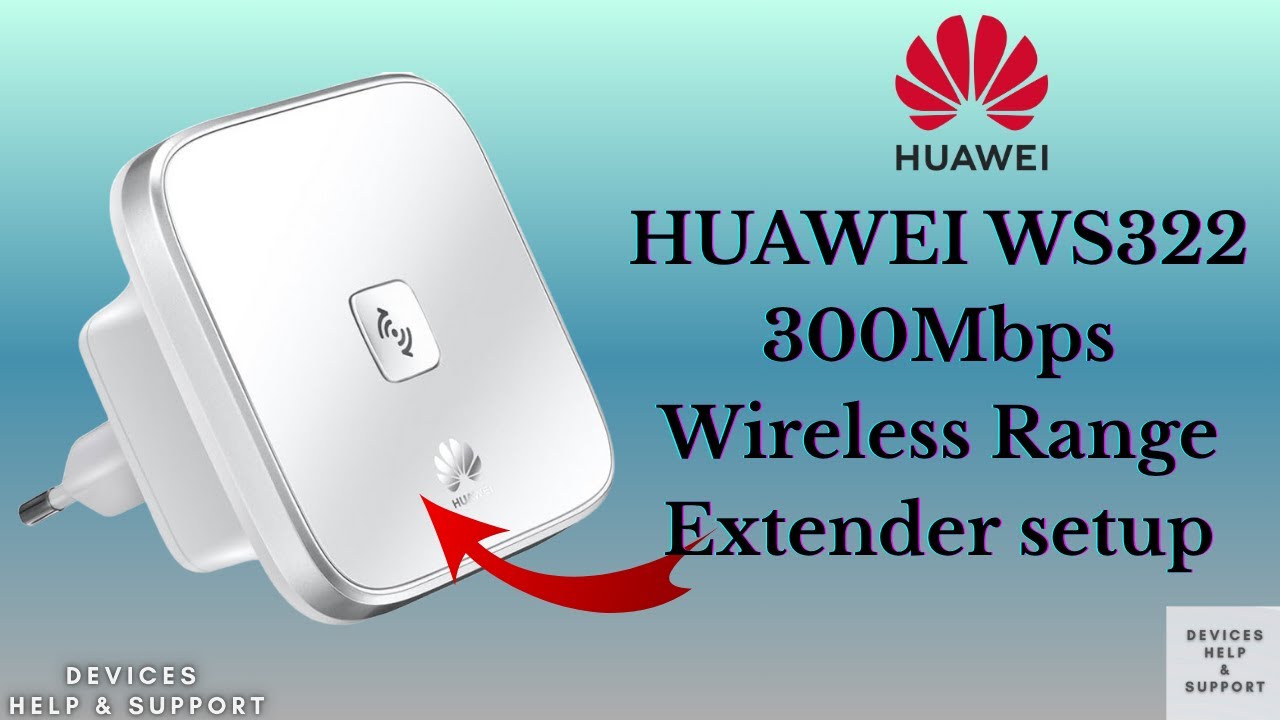
Using range extenders can improve your portable router’s coverage. These devices catch the signal from your router and spread it further. They help reduce dead zones and keep your connection stable in bigger areas.
Wi-fi Repeaters
Wi-Fi repeaters boost the existing wireless signal. They receive the router’s Wi-Fi and send it out again. This doubles the coverage area without wires. Place the repeater where the signal is still strong. It cannot create new speed but keeps the connection alive in weak spots.
Mesh Networks
Mesh networks use several devices to cover your space evenly. Each device talks to the others, forming a single network. This creates smooth and fast Wi-Fi everywhere. Mesh systems are easy to add and manage. They work well for large homes or offices.
Powerline Adapters
Powerline adapters send internet through electrical wiring. Plug one adapter near your router and connect it by cable. Plug the second adapter where you need better Wi-Fi. It turns your power cables into a network. This method avoids signal loss from walls and floors.
Credit: www.boltontechnical.co.za
External Boosting Tools
External boosting tools enhance the signal strength of a portable router. These tools help extend coverage beyond usual limits. They reduce dead zones and improve internet speed. Using the right tool depends on your specific needs and environment.
Signal Boosters
Signal boosters capture weak signals and amplify them. They work well in areas with low signal strength. These devices connect to your router and increase its range. Installation is simple, and they require low maintenance. A good signal booster can improve both speed and reliability.
Directional Antennas
Directional antennas focus the wireless signal in one direction. This concentrates the signal power toward the area you want to cover. They offer better range and signal quality than regular antennas. Mount the antenna pointing toward the target zone for best results. These antennas are ideal for long-distance connections.
Diy Reflectors
DIY reflectors redirect and focus Wi-Fi signals using simple materials. Aluminum foil or metal sheets work as effective reflectors. Shape the reflector behind your router’s antenna to boost signal strength. This low-cost method can improve coverage in specific directions. Reflectors are easy to make and customize for your space.
Environmental Adjustments
Improving the range of a portable router involves smart environmental adjustments. Small changes in the surroundings can boost signal strength and reduce disruptions. These tweaks help the router work better without extra hardware.
Reducing Interference Sources
Interference can weaken your router’s signal. Common sources include microwaves, cordless phones, and baby monitors. Keep the router away from these devices. Choose a room with fewer electronic gadgets. Walls made of metal or concrete also block signals. Avoid placing the router near thick walls or metal objects.
Minimizing Electronic Noise
Electronic noise comes from many household devices. Fluorescent lights, power strips, and other electronics create background noise. This noise disrupts wireless signals. Turn off unused electronics near the router. Use power strips with noise filters. Keep cables organized to reduce electrical interference. Clean power sources help the router send clearer signals.
Optimizing Device Placement
Where you place your router matters a lot. Position it high, like on a shelf or table. Avoid placing the router on the floor. Place it near the center of your home for even coverage. Keep it away from thick furniture and metal items. Facing the router’s antennas outward can improve reach. Open spaces help the signal move freely.

Credit: www.youtube.com
Power Management Tips
Managing power effectively is key to extending the range of your portable router. Without the right approach, your device may run out of juice quickly, cutting your connection short when you need it most. Let’s look at some practical power management tips that help keep your router running longer and stronger.
Using External Power Sources
Relying solely on your router’s internal battery limits your range and uptime. Plugging your portable router into an external power source like a power bank or USB wall adapter can keep it running without interruptions.
Choose a power bank with at least 10,000mAh capacity to ensure several hours of continuous operation. I once used a compact solar charger during a weekend trip, which kept my router powered all day while I worked remotely.
Have you considered whether your outdoor or travel setup can support a small power station? This small adjustment can drastically improve your router’s reach and reliability.
Battery Life Considerations
Battery health is often overlooked but plays a big role in how long your router lasts. Avoid letting the battery drain completely before recharging—it’s better to top it off regularly.
Keep your router in a cool place; heat can degrade battery performance quickly. If your router supports removable batteries, carrying a spare can be a lifesaver when you’re on the move.
How often do you check your router’s battery status during use? Setting reminders can prevent unexpected shutdowns.
Power Saving Modes
Many portable routers come with built-in power-saving settings that reduce energy use without sacrificing performance. Activating these modes can extend battery life and maintain a stable connection.
- Lower the Wi-Fi signal strength if you don’t need full coverage all the time.
- Set the router to sleep or standby mode during periods of inactivity.
- Disable unused features like guest networks or USB sharing.
I found that adjusting signal strength based on my environment saved a surprising amount of power during long days outdoors. Could tweaking your router’s settings help you stay connected longer?
Frequently Asked Questions
How Can I Boost My Portable Router’s Signal Range?
Use a high-gain external antenna or position the router centrally. Avoid obstructions and interference for better signal strength and coverage.
What Devices Help Extend Portable Router Range Effectively?
Wi-Fi extenders, repeaters, or mesh networks can increase your portable router’s coverage. Choose devices compatible with your router for best results.
Does Router Placement Affect Portable Router Range?
Yes, placing the router higher and away from walls improves signal reach. Central locations reduce dead zones and enhance overall connectivity.
Can Firmware Updates Improve Portable Router Range?
Updating firmware often enhances performance and fixes bugs. Regular updates ensure your router operates efficiently and may extend its effective range.
Conclusion
Extending your portable router’s range helps you stay connected everywhere. Small changes like moving the router higher can improve signal strength. Using external antennas or Wi-Fi extenders also boosts coverage. Keep the router away from thick walls and electronics that block signals.
Regularly updating your router’s firmware keeps it running smoothly. These easy steps make your internet faster and more reliable. Enjoy better Wi-Fi without extra costs or complicated setups. Stay connected, work, and play with less worry about weak signals.