Are you worried that your dual band router might be slowing down your internet? It’s frustrating when your connection isn’t as fast as you expect, especially when you’ve invested in better technology.
But could the very device meant to boost your speed actually be holding you back? Keep reading to uncover the surprising truth about dual band routers and learn simple tips that could make your internet faster right now. Don’t settle for slow—find out how to get the most out of your connection today.
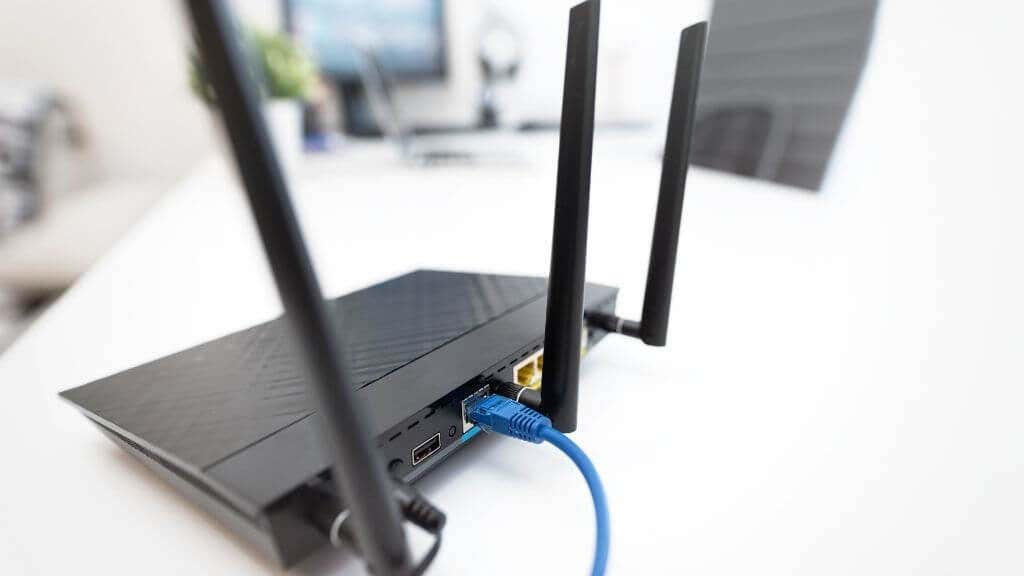
Credit: helpdeskgeek.com
How Dual Band Routers Work
Understanding how dual band routers work can help you make smarter choices about your home or office internet setup. These routers use two different frequency bands to send and receive data. This allows them to balance speed and coverage, but how exactly do they do it? Let’s break it down.
Differences Between 2.4 Ghz And 5 Ghz Bands
The 2.4 GHz band travels farther and can pass through walls better. This makes it ideal for larger spaces or places with many obstacles. However, it tends to be slower and more crowded because many devices use this frequency.
On the other hand, the 5 GHz band offers faster speeds and less interference. Its range is shorter, so it works best in smaller areas or when you’re close to the router. If you’ve ever noticed faster internet when sitting near your router, that’s likely because you’re connected to the 5 GHz band.
Benefits Of Dual Band Technology
- Better Performance:By splitting devices between 2.4 GHz and 5 GHz, your network avoids congestion and runs smoother.
- Flexibility:You can choose which band to connect based on your distance from the router and internet needs.
- Reduced Interference:Dual band routers handle crowded environments better, especially if neighbors also have Wi-Fi networks.
Think about your own home: you might have smart devices scattered around and a laptop or gaming console close to the router. Dual band routers let you connect each device to the frequency that suits it best, improving your overall experience. Have you noticed slow internet in certain rooms but blazing fast speeds in others? That’s the practical impact of these two bands at work.
/images/2022/08/12/can-a-router-increase-internet-speed-2g_and_5g_wi-fi_screenshot_resized.jpg)
Credit: allaboutcookies.org
Factors Affecting Router Speed
Several factors can affect the speed of your dual band router. Understanding these helps identify why your internet might feel slow. Each factor can impact performance differently depending on your setup and environment.
Interference And Signal Congestion
Wireless signals can face interference from other devices like microwaves, cordless phones, or baby monitors. These devices operate on similar frequencies and cause signal disruption. Congestion occurs when many networks use the same channel nearby. This crowding reduces the available bandwidth and slows connections.
Device Compatibility Issues
Older devices may not support the latest Wi-Fi standards. This mismatch can limit the router’s speed and range. Devices with weak antennas also struggle to maintain strong connections. Compatibility issues often cause inconsistent speeds or dropped signals.
Distance And Physical Obstacles
The farther a device is from the router, the weaker the signal becomes. Walls, floors, and furniture block or weaken wireless signals. Materials like metal, concrete, and thick wood cause the most signal loss. Positioning the router in an open, central place helps improve coverage and speed.
When Dual Band Routers Can Slow Internet
Dual band routers offer two frequency bands for devices to connect. These are usually 2.4 GHz and 5 GHz. The idea is to balance traffic and improve speed. Yet, there are cases when dual band routers can slow down your internet. Understanding these situations helps avoid common problems.
Improper Band Selection
Choosing the wrong band for your device can reduce speed. The 2.4 GHz band is slower but covers more distance. The 5 GHz band is faster but has shorter range. Devices far from the router might struggle on 5 GHz. Using 2.4 GHz in crowded areas causes interference. This slows down internet for all devices on that band.
Firmware And Software Problems
Outdated router firmware can cause performance issues. Bugs or glitches in software affect speed. Routers need regular updates to fix problems. Some routers fail to switch bands properly. This leads to devices stuck on slower bands. Poor software design can also limit traffic handling.
Overloaded Network Traffic
Too many devices on one band cause congestion. Streaming, gaming, and downloads compete for bandwidth. This overload slows down the entire network. Dual band routers help but are not immune. If most devices connect to one band, it clogs. Balancing devices across bands is key to fast internet.
Troubleshooting Slow Speeds On Dual Band Routers
Dual band routers can sometimes slow down internet due to interference or wrong settings. Checking the router’s channel and placement often helps fix speed issues. Using the right frequency band for your devices improves performance.
Troubleshooting slow speeds on dual band routers can be frustrating. Dual band routers offer two frequency bands, 2.4 GHz and 5 GHz. Each has its own advantages. Yet, sometimes users experience slow internet speeds. This could be due to several reasons. Let’s explore how to troubleshoot these issues.Optimizing Band Settings
Each frequency band serves different purposes. The 2.4 GHz band covers a wider area. However, it’s more prone to interference. The 5 GHz band offers faster speeds. But it has a shorter range. Choose the right band for your needs. Use 5 GHz for activities like streaming and gaming. Switch to 2.4 GHz for general browsing. Adjust the settings in your router’s admin panel. This can improve performance.Updating Router Firmware
Outdated firmware can slow your router. Manufacturers release updates regularly. These updates fix bugs and enhance performance. Check your router’s admin page for updates. Follow the instructions to update the firmware. This process is usually quick. It can significantly boost your internet speed. Always keep your firmware up to date.Managing Connected Devices
Too many devices can overload your network. Limit the number of active devices. Disconnect devices not in use. Use your router’s admin panel to monitor connections. Consider setting up guest networks. This keeps your main network less crowded. Managing devices can help maintain good speeds.Alternatives To Improve Internet Speed
If your internet feels sluggish despite using a dual band router, there are several practical ways to boost your connection speed. Sometimes, tweaking your setup or upgrading hardware can make a noticeable difference. Here are some effective alternatives to consider for improving your internet speed.
Upgrading To Tri-band Routers
Tri-band routers add an extra 5 GHz band, which helps reduce network congestion. If many devices compete for bandwidth on a dual band router, a tri-band model can distribute traffic more efficiently.
Think about a busy household where multiple people stream, game, or work online simultaneously. Switching to a tri-band router can keep speeds steady by giving each device more dedicated bandwidth.
Using Wired Connections
Wi-Fi signals can weaken due to walls, distance, or interference. Plugging devices directly into your router with Ethernet cables often delivers faster and more reliable speeds.
If you work from home or game competitively, a wired connection can prevent frustrating lag or dropouts. Have you tried testing your speed with a wired connection to see the difference?
Employing Wi-fi Extenders
Wi-Fi extenders boost signal strength in areas where your router’s coverage is weak. They can be especially helpful in larger homes or buildings with thick walls.
Placing an extender strategically can eliminate dead zones and give you a stronger connection in every room. Just remember, extenders may reduce maximum speed slightly, so choose one with good reviews and features.

Credit: www.reddit.com
Frequently Asked Questions
Can A Dual Band Router Cause Internet Slowdown?
A dual band router itself does not slow down your internet. However, interference, device overload, or poor setup can reduce speeds. Proper configuration and placement optimize performance and prevent slowdowns.
Does Dual Band Improve Internet Speed?
Yes, dual band routers can improve speed by separating devices on 2. 4 GHz and 5 GHz bands. This reduces congestion and enhances overall network performance.
Why Is My Dual Band Wi-fi Slower Than Expected?
Slower Wi-Fi can result from interference, distance, outdated firmware, or network congestion. Check router settings and update firmware to boost speeds effectively.
Can Dual Band Routers Handle Multiple Devices Efficiently?
Yes, dual band routers manage multiple devices better by distributing connections across two bands. This reduces traffic and improves speed for all users.
Conclusion
A dual band router can sometimes slow down your internet speed. This happens when many devices connect at once. Interference from other electronics can also cause issues. Choosing the right band for your needs helps a lot. The 2. 4 GHz band covers more distance but is slower.
The 5 GHz band is faster but covers less space. Setting up your router properly can improve speed and connection. Keep your router’s firmware updated for best performance. Understanding these points helps you avoid slow internet problems.