Are you wondering if your portable router can support a VPN? If you rely on a portable router to stay connected, knowing whether it can work with a VPN is crucial for your online privacy and security.
Imagine browsing the internet without worrying about hackers or trackers. This article will clear up any confusion and help you make the most out of your portable router. Keep reading to discover how to protect your data and enjoy a safer online experience wherever you go.
Portable Routers And Vpn Compatibility
Understanding how portable routers interact with VPNs is crucial if you want secure and flexible internet access on the go. Portable routers can extend your network while keeping your data private, but not all models handle VPNs the same way. Let’s dive into how these devices work with VPN technology and what types of VPNs they typically support.
How Portable Routers Work
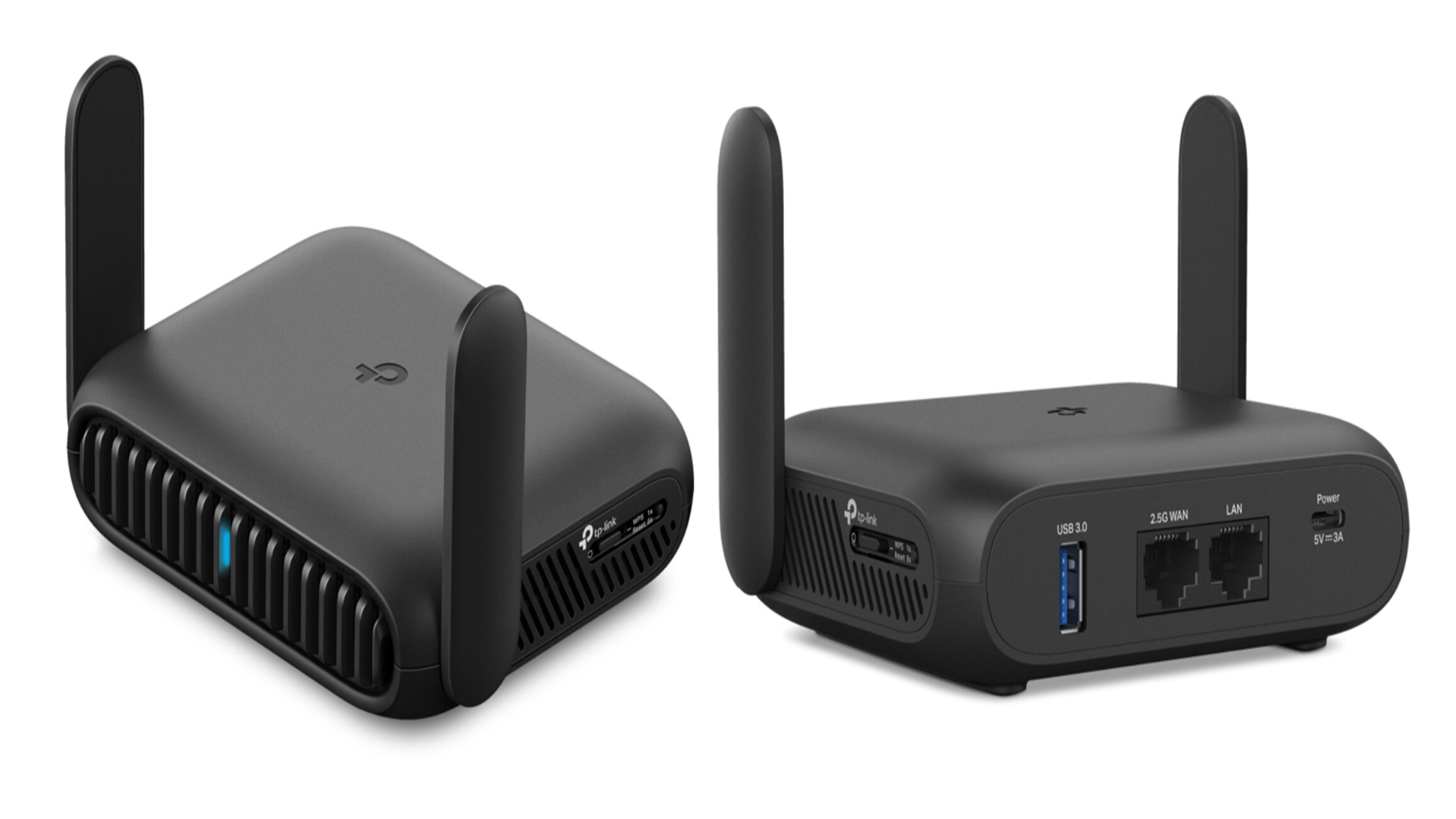
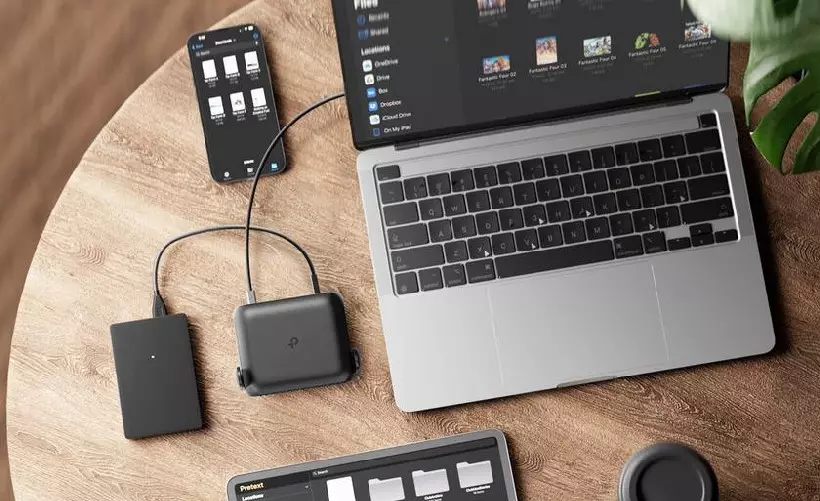
Portable routers create a small, wireless network by connecting to a wired or wireless internet source. They allow multiple devices—like your phone, laptop, or tablet—to share that connection wherever you are. Because of their compact size and battery options, you can carry them on trips or use them in places without traditional Wi-Fi.
Some portable routers have built-in software that lets you manage settings easily through a web interface. This setup can include parental controls, network security, and sometimes VPN configuration. Knowing your router’s capabilities helps you decide if it fits your VPN needs.
Vpn Basics For Routers
A VPN (Virtual Private Network) encrypts your internet traffic and routes it through a server in another location. This process hides your real IP address and secures your data from prying eyes. When you use a VPN on a router, every device connected to that router benefits from the VPN protection automatically.
Setting up a VPN on your portable router means you don’t have to install VPN apps on each device. However, not all routers support VPN connections natively, so you might need to check if your router’s firmware supports VPN client mode or if you can install third-party firmware like OpenWRT or DD-WRT.
Types Of Vpn Supported
Portable routers typically support several common VPN protocols, but compatibility varies by model. Here’s a quick overview:
| VPN Protocol | Description | Router Compatibility |
|---|---|---|
| OpenVPN | Open-source, highly secure, widely used. | Supported by many advanced routers and custom firmware. |
| PPTP | Older, faster but less secure. | Supported by most routers but generally not recommended. |
| L2TP/IPsec | More secure than PPTP, often built into routers. | Commonly supported on both stock and custom firmware. |
Does your portable router list VPN support in its specs? If not, look for options with OpenVPN compatibility or consider routers that allow firmware upgrades. This small step can dramatically improve your privacy and browsing freedom wherever you go.
Credit: www.techradar.com
Setting Up Vpn On Portable Routers
Setting up a VPN on a portable router can boost your online privacy wherever you go. It allows you to secure all devices connected to the router without installing VPN apps on each one. However, not every portable router supports VPNs out of the box, so knowing how to choose and configure the right setup is key.
Choosing The Right Vpn Service
Not all VPN services work well with portable routers. You need a VPN that supports router connections and offers clear setup guides. Look for features like strong encryption, fast servers, and reliable customer support.
Consider VPN providers that allow multiple simultaneous connections. This way, your whole network stays protected without hitting connection limits. Some popular choices include ExpressVPN, NordVPN, and Surfshark, known for their router compatibility.
Ask yourself: Does the VPN provide easy-to-use configuration files or apps designed for routers? If not, setting it up might become frustrating or impossible on your device.
Configuring Vpn On Router Firmware
If your portable router’s firmware supports VPN settings, you can configure it directly through the admin panel. Typically, you’ll find options to add OpenVPN or PPTP credentials provided by your VPN service.
Start by logging into your router’s interface using its IP address. Then navigate to the VPN section and enter the server address, your username, and password supplied by your VPN provider.
Keep a backup of your original settings before making changes. This helps you restore your connection if something goes wrong during the setup.
Using Third-party Firmware
Some portable routers don’t support VPNs natively, but you can install third-party firmware like DD-WRT, OpenWrt, or Tomato. These firmwares add advanced features, including full VPN compatibility.
Installing third-party firmware requires caution and some technical know-how. It involves downloading the correct firmware version and flashing it onto your router, which can void warranties or brick the device if done incorrectly.
Once installed, you’ll have access to robust VPN configuration options. This method often opens doors to better security and customization, but ask yourself if you’re comfortable with the added complexity before proceeding.
Benefits Of Using Vpn On Portable Routers
Using a VPN on a portable router offers many benefits. It protects your data and improves internet access. This setup is ideal for travelers, remote workers, and anyone needing secure internet on the go.
A portable router with VPN can secure all connected devices. It also helps bypass location limits and keeps your online activity private.
Enhanced Security On Public Wi-fi
Public Wi-Fi networks are often unsafe. Hackers can steal your information easily. A VPN encrypts your data, making it unreadable to outsiders. This keeps your passwords and personal info safe. Using a portable router with VPN adds a strong security layer for all devices connected.
Bypassing Geo-restrictions
Many websites block access based on location. A VPN changes your IP address to a different country. This lets you access blocked content and services. Portable routers with VPN allow all devices to bypass these limits without extra setup on each device.
Maintaining Privacy On Multiple Devices
Multiple devices can connect to a portable router at once. VPN on the router protects every device automatically. It hides your real IP and browsing activity from ISPs and trackers. This means better privacy for your phone, laptop, tablet, and more.
Challenges And Limitations
Portable routers may struggle with VPNs due to limited processing power and slower speeds. Some models lack built-in VPN support, requiring extra setup. Battery life can also shorten when running a VPN continuously.
Portable routers supporting VPNs face several challenges and limitations. These can affect user experience and device efficiency. Understanding these challenges helps in making informed decisions.Speed And Performance Impact
VPNs can slow down internet speeds. This is due to data encryption processes. Portable routers often have limited processing power. They may struggle to handle these tasks efficiently. This can lead to lag or buffering during usage. Users may experience slower downloads and uploads. Streaming quality might also decrease.Compatibility Issues
Not all portable routers support VPNs. Some may lack necessary features or firmware. Users must check for VPN compatibility before purchase. Configuring VPNs on some routers can be complex. It might require technical expertise or additional software. This can be challenging for non-tech savvy users.Battery Life Considerations
Portable routers often run on battery power. VPNs can drain the battery faster. This is due to extra processing and network activity. Users may need to charge devices more frequently. Extended use can lead to quicker battery wear. This can reduce the device’s lifespan over time.Best Portable Routers For Vpn
Choosing the right portable router that supports VPN can transform how you secure your internet connection on the go. With so many options available, it’s important to find a device that balances performance, ease of use, and reliable VPN compatibility. Let’s look at some of the best portable routers designed to protect your privacy without compromising speed or convenience.
Top Models With Vpn Support
- GL.iNet GL-AR750S-Ext (Slate): This router stands out with built-in OpenVPN and WireGuard support. It’s compact, easy to set up, and perfect for travelers who want strong encryption without hassle.
- TP-Link TL-WR902AC: While budget-friendly, it supports VPN passthrough and can be configured manually for VPN connections. Its small size makes it ideal for quick, secure setups anywhere.
- Netgear Nighthawk M1 (MR1100): A mobile hotspot router with solid VPN support, suitable for those needing both speed and security on cellular networks.
Features To Look For
VPN compatibility is crucial, but there’s more to consider. Look for routers that offer:
- Pre-installed VPN clients:This saves time and reduces setup complexity.
- Multiple VPN protocols:OpenVPN and WireGuard support give flexibility depending on your needs.
- Strong processor and memory:VPN encryption can be resource-heavy, so a capable CPU ensures smooth performance.
- Easy firmware updates:Security patches keep your connection safe from emerging threats.
Budget-friendly Options
Good VPN support doesn’t have to cost a fortune. Some routers deliver excellent protection without breaking your budget.
- GL.iNet GL-MT300N-V2: Affordable and lightweight, it supports OpenVPN and WireGuard, making it a smart choice for casual users.
- TP-Link TL-WR902AC: As mentioned earlier, it’s both cost-effective and versatile for VPN use, especially if you don’t require advanced features.
Are you willing to trade a bit of speed for better security? Knowing your priorities helps narrow down your choices quickly.

Credit: www.amazon.com
Tips For Secure Browsing With Portable Routers
Using a portable router with a VPN enhances your online privacy and safety. Secure browsing requires more than just turning on a VPN. It demands careful attention to your device’s settings and security features. Following simple tips helps protect your data from hackers and unwanted tracking.
Keeping Firmware Updated
Firmware updates fix bugs and patch security holes. They improve your router’s performance and keep threats away. Check for updates regularly on your router’s admin panel. Enable automatic updates if the option is available. Outdated firmware leaves your device open to attacks.
Choosing Strong Vpn Protocols
VPN protocols affect your connection speed and security. Use protocols like OpenVPN or WireGuard for better protection. Avoid outdated protocols like PPTP, which are less secure. Strong protocols encrypt your data and keep it private. Ensure your portable router supports these protocols before use.
Additional Security Measures
- Change default router passwords to strong, unique ones.
- Disable remote management to prevent outside access.
- Use WPA3 or WPA2 encryption for Wi-Fi security.
- Turn off WPS to avoid easy hacking methods.
- Limit connected devices to reduce security risks.
These steps create layers of protection around your browsing activities. Secure settings complement your VPN for safe internet use.
Credit: hi-tech.ua
Frequently Asked Questions
Can A Portable Router Handle Vpn Connections?
Yes, many portable routers support VPN connections. They allow secure internet access by encrypting your data. Check the router’s specifications for VPN compatibility before purchase.
How To Set Up Vpn On A Portable Router?
Access the router’s admin panel via a web browser. Enter VPN credentials and server details in the VPN section. Save settings and connect for secure browsing.
Do Portable Routers Improve Vpn Speed?
Portable routers can affect VPN speed depending on hardware. High-quality models with strong processors maintain faster VPN connections. Lower-end routers may reduce overall internet speed.
Are All Portable Routers Compatible With Vpn?
Not all portable routers support VPN. Compatibility depends on the router’s firmware and features. Look for routers labeled VPN-capable or supporting OpenVPN for best results.
Conclusion
Portable routers can support VPNs, but it depends on the model. Some routers have built-in VPN features, while others need manual setup. Using a VPN on a portable router adds security and privacy. It helps protect your data on public Wi-Fi networks.
Check the router’s specifications before buying. Choose one that fits your VPN needs. This way, you stay safe and connected wherever you go. A portable router with VPN support offers more control over your internet connection. It’s a smart choice for travelers and remote workers.