Are you wondering if your travel router can connect seamlessly with satellite internet? Whether you’re working remotely from a remote cabin or staying connected during a road trip, knowing how these two technologies work together is key.
Imagine having reliable Wi-Fi wherever you go, even in places where traditional internet fails. You’ll discover how travel routers interact with satellite internet, what to expect, and how to make the most of your setup. Keep reading to unlock the secrets to staying connected no matter where your adventures take you.
How Travel Routers Operate
Understanding how travel routers operate helps in knowing their role with satellite internet. These devices create a local Wi-Fi network by sharing an internet connection. Travelers rely on them to connect multiple devices securely and easily.
Basic Functions
Travel routers receive internet from a wired or wireless source. They then broadcast a Wi-Fi signal to nearby devices like phones and laptops. This allows several gadgets to share one internet connection.
They often include security features such as password protection and encryption. This keeps your data safe on public or open networks. Some models also have extra functions like file sharing and VPN support.
Connectivity Options
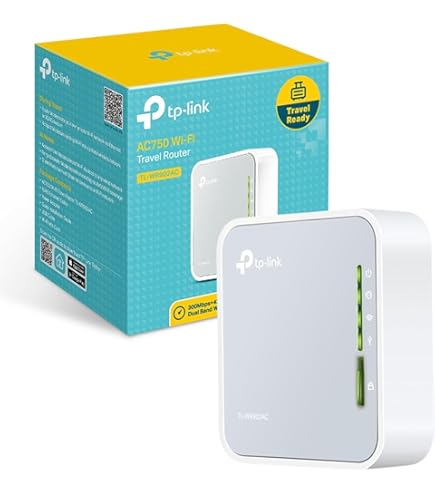
Travel routers support various connection types. Commonly, they connect through Ethernet cables to wired internet sources. They can also pick up Wi-Fi signals from hotels or cafes and rebroadcast them.
Many travel routers have USB ports for cellular dongles or modems. This offers another way to access the internet. Some can connect directly to satellite modems, making them compatible with satellite internet setups.
Credit: www.amazon.ca
Satellite Internet Essentials
Satellite internet brings connectivity to remote areas without traditional cables. It uses signals from orbiting satellites to deliver internet service. This technology is vital for travelers and those living in rural locations. Understanding satellite internet helps decide if travel routers can work well with it.
Key Features
- Wide Coverage: Satellite internet reaches places without cable or fiber.
- Latency: Signals travel long distances, causing slight delays.
- Speed: Offers decent speeds, enough for browsing and streaming.
- Data Limits: Some plans have monthly data caps or fair use policies.
- Setup: Requires a satellite dish and a modem for connection.
- Weather Impact: Heavy rain or storms can affect signal quality.
Common Providers
| Provider | Coverage Area | Speed Range | Data Plans |
|---|---|---|---|
| Viasat | North America, parts of Europe | Up to 100 Mbps | Varied, with data caps |
| HughesNet | United States | Up to 25 Mbps | Monthly data limits apply |
| Starlink | Global (select regions) | 50 to 250 Mbps | Unlimited data in most plans |
Compatibility Factors
Understanding the compatibility factors between travel routers and satellite internet is key to ensuring a smooth connection wherever you go. Not all travel routers are built to handle the unique demands of satellite internet, which differs significantly from traditional broadband or cellular networks. Focusing on specific technical aspects can help you choose the right device and avoid frustrating connectivity issues.
Frequency Bands
Travel routers operate on different frequency bands, mainly 2.4 GHz and 5 GHz. Satellite internet providers may use specific bands that your router must support to connect effectively. If your router lacks the necessary band support, you might experience weak signals or no connection at all.
Check your satellite internet’s frequency requirements before buying a travel router. Some routers offer dual-band capabilities, allowing them to switch between 2.4 GHz and 5 GHz for better compatibility. Have you ever tried connecting a device only to find out it doesn’t support the network’s frequency? That’s a common pitfall to avoid.
Latency And Speed
Satellite internet is known for higher latency compared to terrestrial connections. Travel routers need to manage this latency efficiently to maintain a stable connection. Not all routers are designed to handle the delay, which can lead to slow or dropped connections.
Speed is another critical factor. Satellite connections often have variable speeds, and your router should be able to support the maximum speed your service offers. Picking a router with outdated hardware could bottleneck your internet speed, making your satellite connection feel sluggish.
Network Protocols
Satellite networks sometimes use different network protocols or require specific settings such as PPPoE or DHCP configurations. Your travel router must support these protocols or allow you to customize settings accordingly. Without this flexibility, the router might fail to establish a proper connection.
Additionally, some satellite internet providers use proprietary authentication methods. A travel router that cannot handle these protocols will leave you offline. Have you checked if your router’s firmware can be updated to support new protocols? Staying updated can make a big difference in compatibility.
Credit: www.walmart.com
Setting Up Travel Routers With Satellite Internet
Travel routers can connect with satellite internet to share Wi-Fi easily. They help create a local network for multiple devices during travel. Setting up is simple and improves internet access on the go.
Setting up a travel router with satellite internet can seem daunting at first, but it opens up a world of connectivity, especially in remote areas. Imagine being able to extend your satellite internet connection to multiple devices while camping in a secluded national park or during a road trip across the country. With a little know-how, you can easily create a mobile network that serves your needs no matter where you are. But how exactly do you set up a travel router with satellite internet? Let’s break it down.Configuration Steps
Getting started is simpler than you might think. Begin by connecting your travel router to the satellite modem using an Ethernet cable. Ensure that the router is powered on and properly connected to your device, such as a laptop or smartphone, to access the router’s configuration page. Next, open a web browser and enter the router’s IP address, usually found on the device’s label. Log in using the default username and password, often listed in the router’s manual. Once logged in, navigate to the network settings and select the option to set up a new internet connection. Ensure that the connection type is set to “Dynamic IP” or “DHCP,” as most satellite modems automatically assign an IP address. Save the settings and reboot the router to apply the changes. You should now be able to connect multiple devices to the internet through your travel router.Troubleshooting Tips
Encountering issues is normal, but they can be resolved with a few simple strategies. If your devices aren’t connecting to the internet, check the Ethernet cable connection between the router and satellite modem first. A loose connection can often be the culprit. If the internet speed seems slower than expected, try adjusting the router’s position. Satellite signals can be sensitive, and moving the router closer to a window or open space might improve connectivity. Still having problems? Reset the router to its factory settings and reconfigure the connection. It’s a bit like hitting the reset button on your connectivity woes. Does your travel router support the latest firmware? Keeping your device updated can solve many connectivity issues. Setting up a travel router with satellite internet doesn’t have to be a hassle. With these straightforward steps and troubleshooting tips, you’ll be surfing the web from virtually anywhere. What adventures will your newfound connectivity support?Pros And Cons
Travel routers can work with satellite internet, but there are important pros and cons. Knowing these helps decide if a travel router fits your needs. Consider benefits and limitations carefully before buying.
Benefits
- Travel routers create a secure Wi-Fi network from satellite connections.
- They allow multiple devices to connect at once.
- Easy to set up and carry on trips.
- Help manage and control your internet usage.
- Can improve Wi-Fi signal inside your hotel or RV.
Limitations
- Satellite internet often has high latency, affecting speed.
- Travel routers cannot fix slow satellite speeds.
- Some routers may not support certain satellite modem types.
- Internet drops can happen due to weather or signal issues.
- Power sources might be limited in remote areas.
Best Travel Routers For Satellite Links
Choosing the best travel router for satellite internet is key to a smooth connection. Satellite links often face high latency and slower speeds. A reliable travel router helps manage these challenges. It improves signal sharing and device connectivity during your trips. Compact size and easy setup add convenience.
Travel routers designed for satellite internet combine strong features with portability. They ensure better network stability and security. Power efficiency matters for longer use without frequent charging. Understanding the best options helps travelers stay connected anywhere.
Top Models
- GL.iNet GL-MT300N-V2:Small, easy to use, supports multiple devices.
- TP-Link TL-WR902AC:Dual-band, good speed, compact design.
- Netgear Nighthawk M1:High performance, works with various networks, including satellite.
- RAVPower FileHub:Multi-functional router with USB and SD card support.
- HooToo TripMate Titan:Portable, strong battery, supports file sharing and media streaming.
Features To Look For
- Dual-Band Support:Allows better speed and less interference.
- Multiple Device Connections:Supports many devices without lag.
- Easy Setup:Simple steps to connect and configure on the go.
- Battery Life:Long-lasting battery for travel without constant charging.
- VPN Support:Adds security and privacy on public or satellite networks.
- Compact Size:Lightweight and small to fit in any bag.
- Stable Firmware:Regular updates for performance and security fixes.
Optimizing Performance
Optimizing the performance of a travel router when using satellite internet is key to enjoying a smooth online experience. Satellite connections often come with higher latency and variable signal strength, so fine-tuning your setup can make a big difference. Let’s look at practical ways you can boost your signal and manage data effectively to get the most out of your connection.
Signal Boosting
Positioning your travel router in an open area near a window can significantly improve signal reception. Walls and other obstacles weaken satellite signals, so even small adjustments can lead to better speeds.
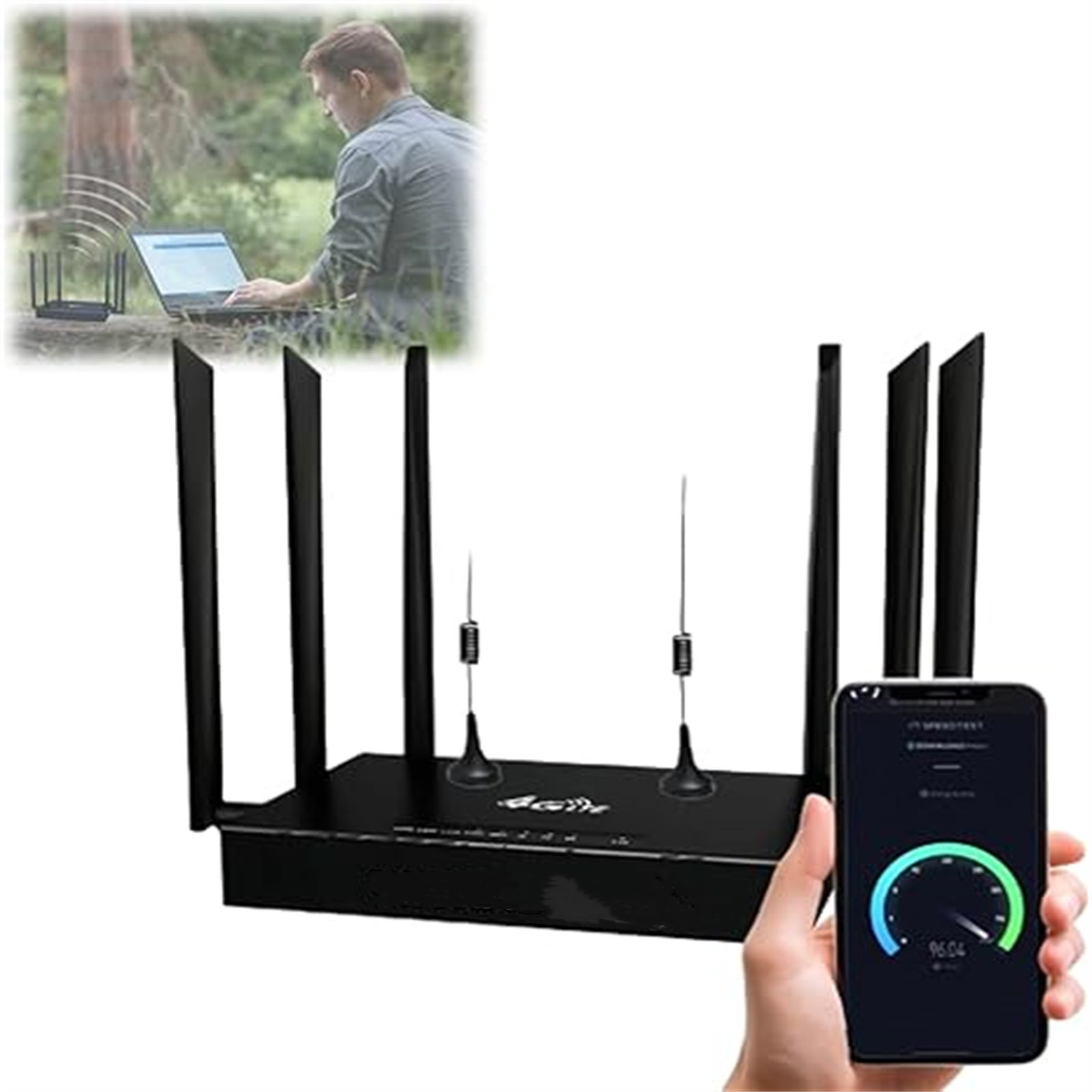
Using external antennas compatible with your travel router can also help. These antennas capture and amplify the signal, reducing dropouts and enhancing stability.
Have you tried using Wi-Fi extenders or repeaters? They can extend your router’s coverage within your space, ensuring consistent connectivity, especially in larger rooms or vehicles.
Data Management
Satellite internet often has data caps or slower speeds after certain limits. Managing your data usage is crucial to avoid unexpected slowdowns or extra charges.
Prioritize your activities by setting your travel router to limit bandwidth-heavy applications like video streaming or large downloads. Many routers allow you to create rules that allocate bandwidth efficiently.
Consider scheduling automatic updates and backups during off-peak hours. This way, you prevent these tasks from eating up your data during your most important online moments.
Do you monitor your data usage regularly? Keeping an eye on consumption helps you adjust your habits and settings before you hit limits.

Credit: www.cnet.com
Common Myths And Misconceptions
Many people have wrong ideas about travel routers and satellite internet. These myths can cause confusion and stop users from trying travel routers with satellite connections.
Clearing up these myths helps understand how travel routers actually work. It also shows what to expect from using them with satellite internet.
Travel Routers Cannot Handle Satellite Internet
Some believe travel routers fail with satellite internet. This is not true. Travel routers can work well by sharing the satellite connection. They do not create the internet signal but manage and share it.
Satellite Internet Is Too Slow For Travel Routers
People often think satellite internet is always slow. Speeds vary by provider and plan. Many satellite services offer fast enough speeds for travel routers to handle multiple devices smoothly.
Travel Routers Need Special Satellite Compatibility
A myth says travel routers must be special to work with satellite internet. Actually, most travel routers connect like any other internet source. No unique compatibility is needed.
Using Travel Routers Will Increase Satellite Internet Costs
Some assume travel routers add extra fees to satellite internet bills. Travel routers do not affect billing. They only share the existing internet connection without extra charges.
Travel Routers Reduce Satellite Internet Quality
There is a belief travel routers weaken satellite signal quality. Travel routers do not lower signal strength. They only distribute the connection to devices without loss in quality.
Future Trends In Travel And Satellite Connectivity
Travel routers can connect with satellite internet to provide Wi-Fi on the go. This helps travelers stay online in remote areas without regular signals. Combining these devices offers more reliable internet access during trips.
The future of travel and satellite connectivity is rapidly evolving, promising exciting advancements for digital nomads and frequent travelers. With the rise of satellite internet, staying connected in remote locations is becoming more accessible. The integration of travel routers with satellite internet is paving the way for seamless connectivity, no matter where your adventures take you.Increasing Accessibility Of Satellite Internet
Satellite internet is becoming more affordable and widespread, reaching areas that were previously disconnected. Companies like SpaceX with their Starlink project are leading the charge, aiming to provide global internet coverage. This means your travel router could soon connect you to reliable internet even in the most secluded locations.Enhanced Travel Router Capabilities
Travel routers are becoming more sophisticated, with features that support satellite internet. These devices now offer stronger security, faster speeds, and greater bandwidth to handle satellite connections. Imagine streaming a movie from a mountain cabin or video calling from a desert camp—it’s becoming a reality.Hybrid Connectivity Solutions
Hybrid solutions are emerging, combining satellite internet with other technologies like 5G. This ensures you have the best possible connection by automatically switching networks based on availability and speed. Your travel router could soon act as a smart device, optimizing your connection seamlessly as you move.Eco-friendly Connectivity Options
With growing awareness about environmental impact, eco-friendly connectivity solutions are on the rise. Travel routers are being designed to consume less energy and work efficiently with solar-powered satellite setups. This not only reduces your carbon footprint but ensures connectivity in off-the-grid locations.Personalized Travel Experiences
As connectivity becomes more reliable, personalized travel experiences are more feasible. Imagine receiving real-time recommendations and local insights based on your location and preferences. How will this change the way you explore new destinations? The future of travel and satellite connectivity is not just about staying online; it’s about enhancing your travel experience. As these technologies develop, what innovations are you most excited about integrating into your travel adventures?Frequently Asked Questions
Can Travel Routers Improve Satellite Internet Connectivity?
Yes, travel routers can enhance satellite internet by creating a stable Wi-Fi network. They help share the connection with multiple devices efficiently.
Are Travel Routers Compatible With All Satellite Internet Providers?
Most travel routers work with major satellite internet providers. Compatibility depends on router features and the provider’s equipment requirements.
Do Travel Routers Reduce Satellite Internet Latency Issues?
Travel routers do not reduce satellite internet latency. Latency is caused by satellite signal travel time, not by the router’s performance.
How Do Travel Routers Benefit Satellite Internet Users On The Go?
Travel routers offer portable Wi-Fi access, easy setup, and device connectivity. They make satellite internet more convenient for travelers and remote users.
Conclusion
Travel routers can work well with satellite internet in many cases. They help share the internet signal with multiple devices easily. Setup is usually simple and quick. Some models handle satellite connections better than others. Check compatibility before buying to avoid issues.
This setup suits travelers needing stable Wi-Fi on the go. It brings more flexibility and convenience to your internet use. Overall, travel routers offer a useful solution for satellite internet users. They make staying connected easier, no matter where you are.