Are you tired of slow internet or hunting for Wi-Fi spots when you’re on the move? Imagine having a reliable internet connection anywhere you go, simply by using a small device that fits in your pocket.
But here’s the question: can a portable router work with a SIM card to give you that freedom? If you’ve ever wondered how to stay connected without relying on public Wi-Fi or complicated setups, this article will clear things up for you.
Keep reading to discover how a portable router with a SIM card could change the way you access the internet, making your life easier and more connected wherever you are.
How Portable Routers Use Sim Cards
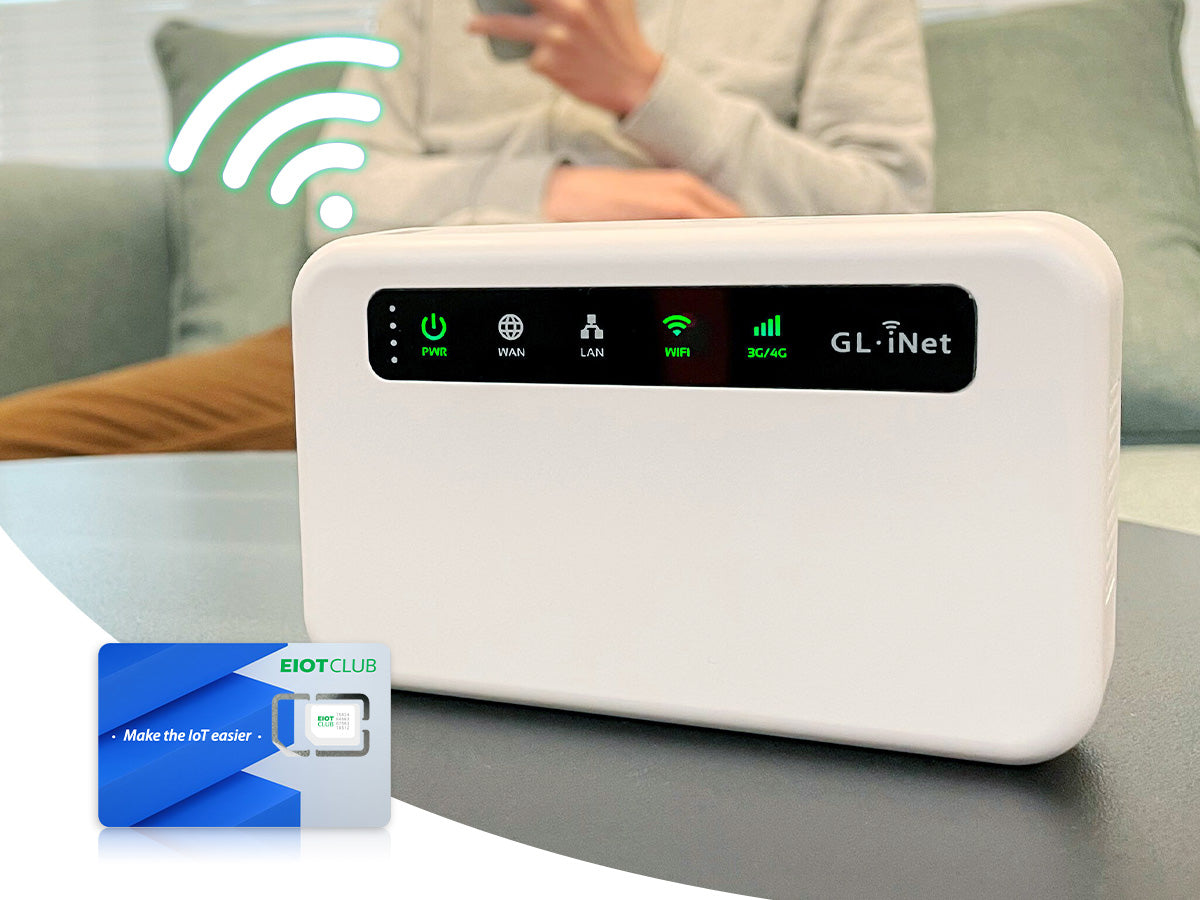
Portable routers with SIM card slots provide internet access on the go. They work by connecting to mobile networks using the SIM card. This allows users to have Wi-Fi anywhere with cellular coverage. Understanding how these devices use SIM cards helps in choosing the right router.
Sim Card Technology Basics
A SIM card stores data that identifies a user on a mobile network. It holds subscriber information and authentication keys. This enables the device to access internet services securely.
There are different SIM card sizes: standard, micro, and nano. The size depends on the router’s SIM slot design. The card connects the portable router to 3G, 4G, or 5G networks. This connection lets the router share internet with multiple devices via Wi-Fi.
Types Of Sim-compatible Portable Routers
Portable routers vary based on network compatibility and features. Some support only 4G LTE, while others include 5G technology.
- Basic 4G Routers:Offer stable internet on 4G networks. Ideal for everyday browsing and streaming.
- 5G Portable Routers:Provide faster speeds and lower latency. Suitable for heavy data users and gamers.
- Dual SIM Routers:Allow switching between two SIM cards. Useful for better coverage or cost savings.
- Unlocked Routers:Work with SIM cards from any carrier. Provide flexibility across regions.
Choosing the right type depends on network availability and usage needs. Each router uses the SIM card to connect and share mobile data efficiently.
Setting Up A Sim Card In A Portable Router
Setting up a SIM card in a portable router is a straightforward process that opens up the convenience of mobile internet wherever you go. This setup enables your router to connect to cellular networks, turning a simple device into a powerful hotspot. Let’s break down the essential steps to get your SIM card working smoothly with your portable router.
Inserting The Sim Card
First, locate the SIM card slot on your portable router. It’s often found under the battery or behind a small cover on the side. Use gentle pressure to slide the SIM card into the slot, ensuring the metal contacts face down and the cut corner aligns properly.
If you’re unsure, check your router’s manual or look for tiny icons near the slot. Improper insertion can prevent the router from detecting the SIM card, so take your time here. Have you ever tried to force a SIM card only to realize it was upside down? Avoid that frustration by double-checking before closing the cover.
Configuring Network Settings
After inserting the SIM card, power on your router and access its configuration page via a web browser. Usually, this involves typing the router’s IP address into your browser’s address bar. Login credentials are often found in the user manual or on a sticker on the device.
Once logged in, navigate to the mobile network or cellular settings. Here, you’ll need to select the correct network mode (3G, 4G, LTE) and input your carrier’s APN (Access Point Name) details. These settings connect your router to your mobile provider’s network, so accuracy matters.
Can you find your carrier’s APN easily online? It’s usually listed on their support pages. If you skip this step, your router might connect but fail to access the internet, making the setup incomplete.
Common Setup Issues
Even with careful steps, you might face issues like the SIM card not being recognized or weak signal strength. A common cause is a locked SIM card requiring a PIN code; make sure to enter it correctly or disable the lock via your phone first.
Another frequent problem is outdated firmware on the router, which can disrupt compatibility with newer SIM cards or network bands. Check your router manufacturer’s website for updates and apply them if available.
If the router connects but internet access is unstable, consider moving to a location with better signal or trying a different network mode. Have you noticed your portable router working better near a window? Small adjustments often make a big difference in connectivity.
Benefits Of Using A Sim Card In Portable Routers
Using a SIM card in a portable router brings a host of advantages that can enhance your internet experience significantly. It allows you to tap into mobile networks directly, freeing you from reliance on fixed broadband connections. This flexibility can be a game changer, especially if you travel frequently or work from various locations.
Mobility And Convenience
With a SIM card, your portable router becomes truly mobile. You can connect to the internet wherever there’s cellular coverage, whether you’re in a café, on a train, or at a remote site. This means no more hunting for Wi-Fi hotspots or worrying about finding a wired connection.
Imagine working on a project outdoors or during a road trip. Your portable router with a SIM card keeps you online effortlessly, making your digital life smoother and more flexible.
Cost Efficiency
Using a SIM card in a portable router can save you money. Instead of paying for expensive wired broadband or public Wi-Fi, you can choose a data plan that fits your usage. Many providers offer prepaid or pay-as-you-go options, so you only pay for what you use.
This setup is especially useful if your internet needs fluctuate. You avoid long-term contracts and can easily switch providers to find the best deal. Have you checked if your current mobile plan supports tethering or data sharing? It might be a budget-friendly way to stay connected.
Network Coverage Advantages
Portable routers with SIM cards leverage cellular networks, which often cover areas where traditional internet doesn’t reach. Whether you’re in a suburban neighborhood or a less populated rural area, mobile networks can provide reliable connectivity.
This can be crucial during emergencies or when traveling off the beaten path. Some routers even support multiple SIM cards, allowing you to switch between carriers for the best signal. Have you ever experienced frustration with spotty Wi-Fi that a SIM-based router could have solved?

Credit: www.amazon.ca
Choosing The Right Sim Card For Your Router
A portable router can work with a SIM card for internet access. Choosing a SIM card depends on coverage, data plans, and compatibility with your device. Picking the right one ensures steady and fast connection on the go.
Choosing the right SIM card for your portable router is crucial to ensuring seamless connectivity and optimal performance. The SIM card acts as the gateway to the internet, making it essential to select one that suits your needs and your router’s specifications. Let’s explore the key aspects you need to consider when choosing a SIM card for your portable router.Sim Card Sizes And Compatibility
Portable routers come with different SIM card slot sizes, typically nano, micro, or standard. Before purchasing a SIM card, check your router’s specifications to determine the correct size. If you already have a SIM card that’s not the correct size, you can use an adapter or request a new card from your provider. Using the wrong size can lead to connectivity issues or damage the SIM slot. Therefore, always ensure compatibility to avoid unnecessary hassles.Data Plans And Providers
Choosing the right data plan is just as important as selecting the right SIM card. Consider how much data you will need based on your internet usage patterns. Heavy streaming or remote work may require a larger data plan. Research various providers to find the best deals and network coverage in your area. Some providers offer special packages for portable routers that could save you money.Prepaid Vs Postpaid Options
Decide whether a prepaid or postpaid plan suits your lifestyle better. Prepaid plans offer flexibility, allowing you to control your spending and avoid unexpected bills. They are ideal if your data usage varies month to month. On the other hand, postpaid plans might offer more data at a lower monthly cost, which is beneficial for consistent users. Weigh the pros and cons of each to make an informed decision. Choosing the right SIM card can significantly enhance your portable router experience. Have you considered all these factors before purchasing your SIM card? Making an informed choice can transform your connectivity experience, ensuring you stay online whenever and wherever you need.Performance Factors For Sim-based Portable Routers
Understanding the performance of a SIM-based portable router is key to getting the most out of your device. Several factors influence how well these routers work in real-world scenarios, from the strength of your mobile signal to how long the battery lasts on the go. Paying attention to these elements can make a noticeable difference in your internet experience.
Signal Strength And Speed
Your router’s performance depends heavily on the signal strength from your mobile carrier. A strong signal means faster speeds and more stable connections. If you’re in an area with weak coverage, your browsing and streaming can slow down or drop unexpectedly.
Think about times you’ve been indoors or in a crowded place where the signal fluctuates. Using a portable router with an external antenna or choosing a model that supports multiple frequency bands can help maintain better connectivity. Ask yourself: have you tested your router in different spots to find the best signal?
Battery Life Considerations
Battery life is crucial since these routers are designed for mobility. A router that lasts only a couple of hours can disrupt your work or entertainment, especially during travel. Look for routers with larger batteries or power-saving modes to extend usage.
Remember, features like constant signal searching or multiple connected devices drain the battery faster. It’s useful to carry a portable charger or opt for routers with USB power support. How often do you find your router running out of power when you need it most?
Security Features
Security should never be overlooked when using a portable router. Since you’re often connecting in public places or on unfamiliar networks, robust security protocols protect your data from potential threats.
Check if your router supports WPA3 encryption and offers built-in firewall options. Some models even let you create guest networks, keeping your main connection safer. Are you confident your router’s security settings shield your personal information effectively?
Credit: www.eiotclub.com
Troubleshooting Common Sim Card Issues
Troubleshooting SIM card issues in a portable router can help restore connection quickly. Problems often appear as no network, slow speeds, or the SIM card not being recognized. Understanding common errors and simple fixes saves time and frustration.
No Network Connection
No network usually means the router cannot find the cellular signal. Check the SIM card is properly inserted. Restart the router to refresh the connection. Confirm the SIM card is active and has no service outages in your area. Try placing the router near a window to improve signal strength.
Slow Internet Speeds
Slow speeds can result from weak signals or network congestion. Move the router to a location with better reception. Limit devices connected to the router to reduce traffic. Check if your data plan has speed limits or restrictions. Restarting the router may also clear temporary issues affecting speed.
Sim Card Not Recognized
The router may fail to read the SIM card due to poor contact or damage. Remove and clean the SIM card gently with a soft cloth. Reinsert the card ensuring it fits correctly. Test the SIM card in another device to confirm it works. Update the router’s firmware to fix compatibility problems.
Future Trends For Portable Routers With Sim Cards
Portable routers with SIM card slots are evolving rapidly, promising better connectivity and convenience. The future holds exciting possibilities that could change how you stay online on the go. Let’s look at some key trends shaping this technology.
5g Integration
5G is already making a difference in smartphone speeds, and portable routers are next in line. With 5G support, these routers will offer faster downloads and smoother streaming, even in crowded areas.
Imagine working remotely from a café with nearly no lag or buffering. This could soon be your reality, making slow connections a thing of the past.
Esim Technology
eSIMs remove the need for physical SIM cards, making your router setup simpler and more flexible. You can switch carriers or plans without swapping cards, saving time and hassle.
This feature also means smaller router designs and better water or dust resistance. Have you thought about how much easier travel could be with instant network changes on your device?
Improved Battery And Hardware Designs
Battery life is a constant concern for portable devices. Future routers will likely feature longer-lasting batteries, so you won’t need to hunt for power outlets during your day.
On top of that, expect lighter, more compact designs that fit easily in your bag or pocket. This makes staying connected less of a burden and more of a seamless part of your routine.

Credit: www.amazon.ca
Frequently Asked Questions
Can A Portable Router Use Any Sim Card?
Yes, most portable routers support standard SIM cards from various carriers. Ensure your router is unlocked and compatible with your SIM’s network frequency for seamless connectivity.
How Does A Portable Router With Sim Card Work?
A portable router uses the SIM card to access cellular networks. It converts mobile data into Wi-Fi, allowing multiple devices to connect wirelessly on the go.
Are Portable Routers With Sim Cards Faster Than Hotspots?
Portable routers often provide more stable connections than mobile hotspots. Their advanced antennas and better hardware can result in faster and more reliable internet speeds.
Can I Use A Prepaid Sim In A Portable Router?
Yes, prepaid SIM cards work well in portable routers. Just ensure the SIM plan includes data and the router supports the SIM’s network bands.
Conclusion
A portable router with a SIM card offers easy internet access anywhere. It connects multiple devices without wires or cables. This makes it great for travel, work, or home use. You just need to insert the SIM card and turn it on.
No complicated setup is required. Keep in mind, network coverage affects speed and reliability. Overall, a SIM card router provides a flexible and simple internet solution. It suits people who want internet on the go without hassle. A smart choice for staying connected anytime, anywhere.