Are you tired of your portable router’s weak signal slowing you down? You’re not alone.
A poor connection can disrupt your work, streaming, and even simple browsing. But the good news is, you don’t have to live with spotty Wi-Fi anymore. You’ll discover easy, practical tips to boost your portable router’s signal strength right now.
Keep reading, and you’ll learn how to get faster, more reliable internet wherever you go. Your frustration ends here.
Common Signal Issues
Portable routers offer great convenience but often face signal issues. These problems reduce internet speed and cause frequent disconnections. Understanding common signal issues helps improve your router’s performance. Three main factors affect signal strength: interference, physical barriers, and device limitations. Each plays a key role in how well your portable router works.
Interference Sources
Wireless signals can get blocked or weakened by various electronic devices. Microwaves, cordless phones, and Bluetooth gadgets create interference. Many Wi-Fi networks nearby also cause signal overlap and slowdowns. Interference happens mostly on the 2.4 GHz frequency, which is common for many devices. The 5 GHz band faces less interference but has shorter range.
Physical Barriers
Walls, floors, and furniture block or absorb Wi-Fi signals. Thick walls made of concrete, brick, or metal cause the most trouble. Even glass and mirrors can reflect signals away from your device. The farther your device is from the router, the weaker the signal becomes. Open spaces allow better signal flow, while cluttered rooms reduce it.
Device Limitations
Not all portable routers have the same range or power. Older models may not support newer Wi-Fi standards, limiting speed and coverage. Battery life and antenna design also affect signal strength. Devices with weak antennas struggle to send strong signals. Check your router’s specs to understand its limits. Upgrading to a newer model can improve your signal.
Optimal Router Placement
Finding the best spot for your portable router can boost its signal strength. Good placement helps the signal travel farther and reach more devices. Small changes in position make a big difference in coverage and speed.
Central Location Benefits
Place the router near the center of your home or workspace. This helps the signal spread evenly in all directions. Avoid placing it near windows or outside walls, as the signal may weaken outside your living space. A central spot reduces dead zones and keeps connections stable.
Avoiding Obstacles
Keep the router away from thick walls, metal objects, and large furniture. These items block the signal and cause slow speeds. Avoid placing the router near microwaves or cordless phones, which cause interference. Open spaces allow the signal to move freely, improving coverage.
Height And Orientation Tips
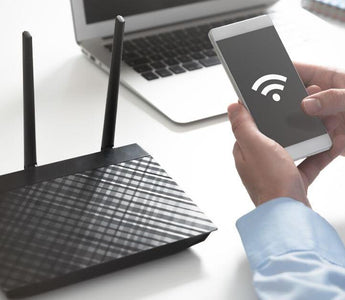
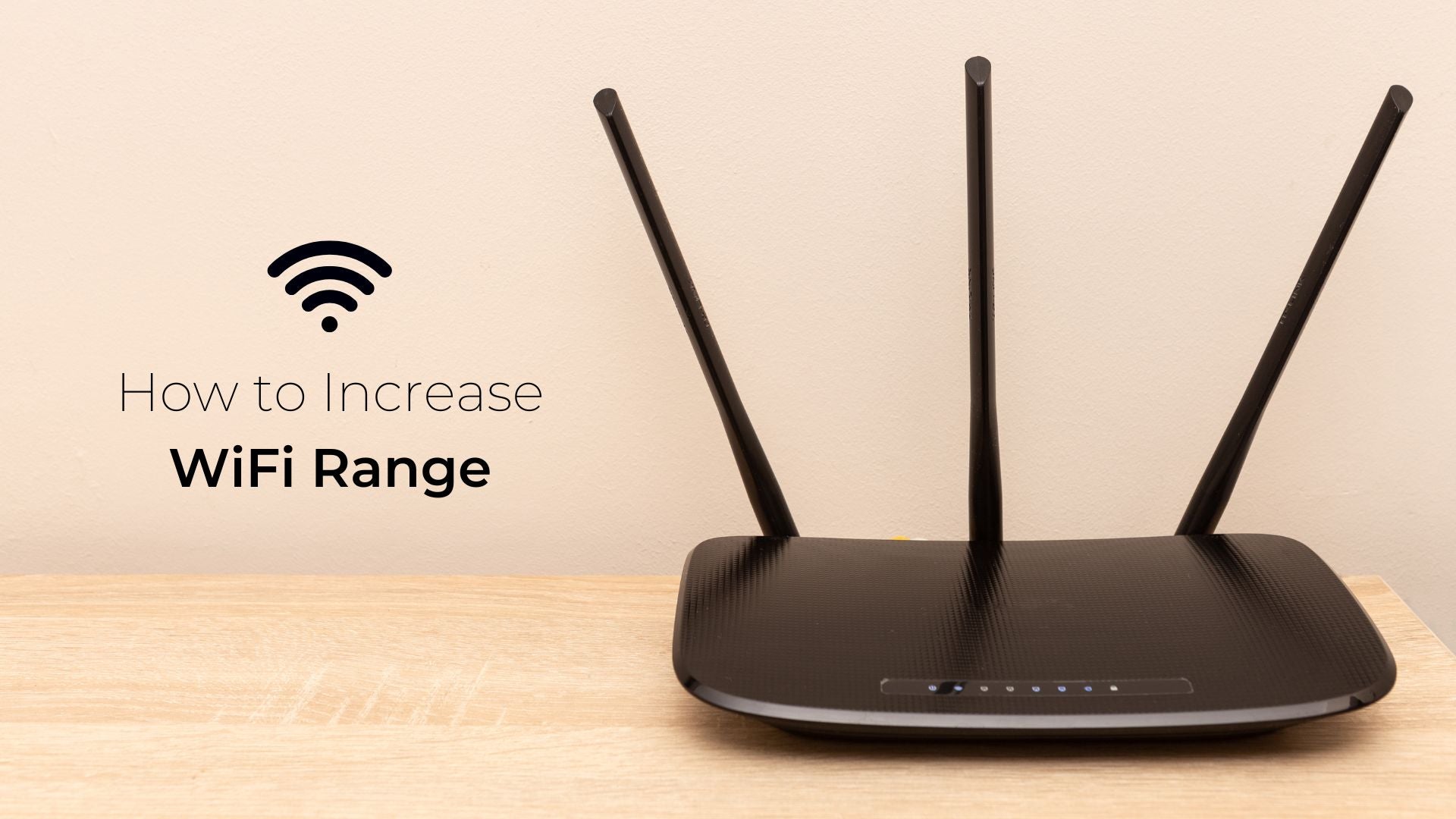
Set the router on a shelf or table, not on the floor. Higher placement reduces signal loss from furniture and other objects. Position the antennas upright or angled slightly for better reach. Experiment with different angles to find the strongest signal direction.
Upgrade Antennas
Upgrading the antennas on your portable router can dramatically boost your signal strength and coverage. Stock antennas are often limited in power and range, so swapping them out opens up new possibilities. You don’t need to be a tech expert to improve your setup—just a few smart upgrades can make a big difference.
External Antenna Options
External antennas come in various shapes and sizes, each designed to enhance your signal in different ways. Some common types include:
- Dipole antennas:These are standard and offer a good balance of range and coverage.
- High-gain antennas:These focus the signal more effectively, increasing range but sometimes reducing coverage area.
- Yagi antennas:These are directional and ideal if you want to target a specific area or source.
Choosing the right external antenna depends on your environment and where you need the signal to go. Have you noticed certain spots in your home or office where your signal fades? An external antenna can help fill those gaps.
Directional Vs Omnidirectional
Directional antennas send the signal in one main direction, which can greatly increase range if your router faces the device directly. They’re perfect for targeting a specific area, like a distant room or outdoor space.
Omnidirectional antennas, on the other hand, spread the signal evenly in all directions. This is useful when you need consistent coverage around the router, such as in a small apartment or open office.
Think about your typical router placement and where your devices are. Would focusing the signal in one direction improve your connection, or do you need coverage all around?
Installation Tips
Installing a new antenna might sound tricky, but it’s often a straightforward process. Most portable routers use standard connectors like SMA or RP-SMA, making it easy to swap antennas.
- Turn off your router before changing antennas to avoid any damage.
- Unscrew the existing antenna gently and attach the new one firmly but without over-tightening.
- Adjust the angle of the antenna for the best signal; sometimes even small changes improve performance.
- Keep antennas away from large metal objects or thick walls that can block signals.
Have you tried repositioning your router or antenna lately? Small tweaks can sometimes provide noticeable signal improvements without new hardware.
Adjust Router Settings
Adjusting your router’s channel and frequency can reduce interference and boost signal strength. Changing settings like transmit power also helps extend the portable router’s range.
Adjusting your router settings can significantly enhance the signal strength of your portable router. Have you ever felt the frustration of a weak internet connection just when you’re about to send that important email? Tweaking a few settings can transform your browsing experience, making it smoother and more reliable. Let’s dive into some actionable steps to boost your portable router signal.Channel Selection
Selecting the right channel can dramatically impact your router’s performance. Many routers default to the same channels, leading to congestion and interference. By accessing your router’s settings, you can choose a less crowded channel. Experiment with different channels to find the one that provides the best performance. Tools like Wi-Fi analyzers can help identify which channels are most crowded. A less crowded channel can lead to a noticeable improvement in speed and reliability.Frequency Bands
Routers typically offer two frequency bands: 2.4GHz and 5GHz. Each has its strengths and weaknesses. The 2.4GHz band covers a larger area and better penetrates walls, but it’s also more crowded. The 5GHz band, on the other hand, offers faster speeds but over a shorter range. If your devices are close to the router, switching to 5GHz can increase speed and reduce interference. Consider your specific needs and adjust the bands accordingly.Power Output
Increasing your router’s power output can enhance its reach, but it’s not always the best solution for everyone. Higher power settings can mean better coverage, but it could also lead to more interference with neighboring networks. Adjust the power output through your router’s settings, and test the changes in different areas of your space. Balance is key—find a power level that provides good coverage without causing unnecessary interference. By making these adjustments, you can optimize your portable router for better performance. What’s one small change you can make today to improve your connection?Use Signal Boosters
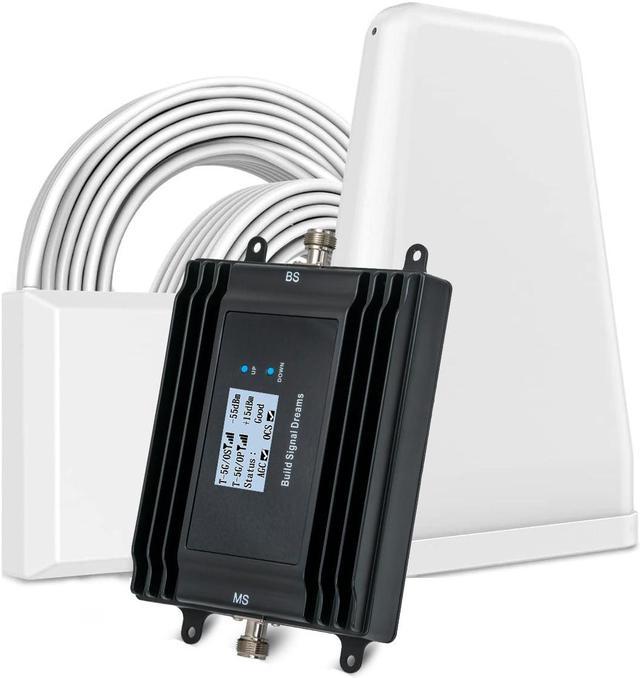
Use signal boosters to strengthen your portable router’s signal. These devices help extend coverage and reduce dead zones. Signal boosters improve connection quality, especially in larger or obstructed spaces.
Range Extenders
Range extenders pick up your router’s signal and amplify it. Place them halfway between the router and weak signal areas. They create a stronger, wider coverage area for better internet access.
Repeaters
Repeaters receive the wireless signal and retransmit it. They help fill gaps where the router’s signal is weak or blocked. Use repeaters in rooms far from your portable router to boost the signal.
Mesh Network Integration
Mesh networks link multiple devices to form one large wireless network. Each node works together to provide seamless coverage. Adding mesh nodes helps cover large areas with a steady and strong signal.
Credit: www.thethirdeye-photography.com
Minimize Device Load
Minimizing the load on your portable router is a simple yet powerful way to boost its signal strength and overall performance. Every device connected to your router shares its bandwidth, which can slow down your connection and weaken the signal. Reducing this load helps your router focus its energy on fewer devices, delivering a stronger and more stable connection to each one.
Limit Connected Devices
Think about how many devices are constantly linked to your portable router. Too many connections can strain the router’s capacity and drag down signal quality.
Start by disconnecting devices that aren’t actively in use. You might be surprised how many gadgets silently connect in the background—smart TVs, old phones, or tablets you rarely touch.
Ask yourself: Do all these devices need internet access right now? Cutting down to only essential devices can make a noticeable difference.
Manage Bandwidth Usage
Not all activities use the internet equally. Streaming videos or downloading large files consumes much more bandwidth than checking emails or browsing websites.
Identify the apps or devices hogging your bandwidth and pause or limit their activity when signal strength matters most. You can also schedule heavy downloads during off-peak hours when fewer devices are connected.
Have you ever noticed your connection slowing down just when you need it most? Managing bandwidth can prevent these frustrating slowdowns.
Prioritize Traffic
Some routers allow you to prioritize certain types of internet traffic or specific devices. This means your router will give preference to important tasks like video calls or work-related browsing.
Look into your router’s settings for Quality of Service (QoS) options. Setting your priority can ensure a smoother experience on essential devices, even if others are connected.
Imagine having a video meeting without freezing or lag because your router knows to treat that traffic as more important. Doesn’t that sound worth setting up?
Regular Maintenance
Keeping your portable router in top shape isn’t just about where you place it or the type of antenna you use. Regular maintenance plays a crucial role in ensuring a strong and stable signal. Small habits like updating firmware or monitoring device temperature can make a big difference in your router’s performance.
Firmware Updates
Firmware updates are like tune-ups for your router’s software. They fix bugs, improve security, and sometimes even boost signal strength. Ignoring updates can leave your device vulnerable and slow.
Check your router’s settings or manufacturer’s website regularly for the latest firmware. Updating can be quick and often solves connectivity issues you didn’t even realize were caused by outdated software.
Restart Schedule
Have you noticed your internet slowing down after hours of use? Restarting your router clears temporary glitches and refreshes the connection. Setting a regular restart schedule—daily or weekly—can keep your signal sharp without manual effort.
Try restarting at times you don’t use the internet much, like late at night. This simple habit can reduce lag and improve overall speed, especially if your router has been running non-stop for days.
Check For Overheating
Overheating can silently degrade your router’s performance. If your device feels hot or the signal suddenly weakens, overheating might be the cause. Make sure your router has enough ventilation and isn’t tucked away in a cramped space.
Think about how often you place your router on soft surfaces like beds or carpets. These can block air vents and trap heat. Moving it to a cool, open area can prevent overheating and keep your signal stable.
Credit: www.boltontechnical.co.za
Credit: www.boltontechnical.co.za
Frequently Asked Questions
How Can I Boost My Portable Router Signal Strength?
Place your portable router in a central, elevated spot. Avoid walls and metal objects. Use external antennas if available. Updating firmware also helps enhance signal strength effectively.
What Is The Best Location For A Portable Router?
Choose an open area, away from thick walls or electronic devices. Elevate the router for better signal coverage. Centralizing the router improves overall connectivity across your space.
Can A Wi-fi Extender Improve Portable Router Signal?
Yes, a Wi-Fi extender can expand your signal range. It boosts coverage in weak signal areas. Use it to eliminate dead zones and improve internet speed.
How Often Should I Update Portable Router Firmware?
Update firmware regularly to fix bugs and improve performance. Check the manufacturer’s website monthly. Keeping firmware current ensures optimal signal strength and security.
Conclusion
Improving your portable router signal is easier than it seems. Place the router in an open, central spot for better reach. Keep it away from thick walls or metal objects. Adjust the antennas to find the strongest signal direction. Using a signal booster or repeater can help in larger areas.
Regularly update your router’s firmware to keep it running well. Small changes can make a big difference in your internet speed. Stay patient and test different setups until you find what works best. Stronger Wi-Fi means smoother browsing and better connections everywhere you go.