Are you tired of your game freezing at the worst moments? Lag can turn an exciting match into a frustrating experience.
But what if your router could help fix that? A gaming router is designed to reduce lag and give you smoother, faster gameplay. You’ll discover exactly how a gaming router works to cut down delays and keep your connection strong.
Keep reading to find out how you can take control of your gaming performance and leave lag behind.
Causes Of Lag In Online Gaming
Lag in online gaming can turn a thrilling match into a frustrating experience. Understanding what causes lag is the first step to reducing it. Several factors affect your gaming performance, and knowing these can help you make smarter choices for your setup and gameplay.
Network Congestion
Network congestion happens when too many devices compete for the same internet bandwidth. If you live in a busy household or use multiple apps at once, your connection can slow down. Imagine trying to have a conversation in a noisy room—your messages get delayed or lost.
You might notice lag spikes during peak hours when everyone is online. Gaming routers often prioritize your game traffic to keep you ahead, but identifying congestion helps you manage your overall internet usage better.
High Latency
Latency measures the time it takes for data to travel from your device to the game server and back. High latency means more delay between your actions and the game’s response. Even a small delay can cost you a match in fast-paced games.
Distance from the server plays a big role here. Servers located far away increase latency, but poor routing and slow internet also add to the problem. Reducing latency often requires a mix of a better connection and a smarter router.
Packet Loss
Packet loss occurs when data packets fail to reach their destination. This results in missing or delayed information during gameplay. It’s like sending pieces of a puzzle but never getting all of them back.
Packet loss can cause stuttering, freezing, or disconnects. Bad cables, faulty hardware, or overloaded networks are common culprits. Gaming routers help by managing traffic more efficiently, reducing the chances of lost packets.
Interference And Signal Issues
Wireless connections are vulnerable to interference from walls, other electronics, and even microwaves. Signal strength can weaken over distance, causing unstable gaming experiences. Have you ever noticed your Wi-Fi dropping when you move to another room?
Using a gaming router with better antennas and signal management can reduce interference. Sometimes, switching to a wired connection is the simplest way to eliminate these issues and enjoy smooth gameplay.

Credit: www.youtube.com
Key Features Of Gaming Routers
Gaming routers come packed with features designed specifically to reduce lag and improve your gaming experience. Understanding these features can help you choose the right router that fits your gaming style and environment. Let’s break down the key features that make gaming routers stand out from regular routers.
Quality Of Service (qos)
Quality of Service (QoS) is a game-changer for managing your network traffic. It lets you prioritize gaming packets over other types of data, like video streaming or downloads. This means your game data gets faster treatment, reducing lag and preventing interruptions during intense moments.
Think about how frustrating it is when your stream buffers just as you’re about to win a match. QoS helps avoid that by giving your game the priority it deserves.
Dual-band And Tri-band Support
Dual-band and tri-band support allow your router to operate on multiple frequency bands simultaneously. This helps spread out the devices on your network, reducing congestion and interference.
For example, you can connect your gaming console to the 5GHz band while other devices use the 2.4GHz band. This separation keeps your gaming connection stable and fast, even if others are streaming or downloading on the same network.
Advanced Antenna Design
Antennas are not just for show—they directly impact your wireless signal strength and coverage. Gaming routers often feature advanced antenna designs that boost signal range and focus the connection toward your gaming device.
This means fewer dead zones and more reliable connections, especially if your gaming setup is far from the router. Have you ever noticed how a small change in router placement can improve your ping? Advanced antennas take that effect to the next level.
High-speed Processors
Behind the scenes, gaming routers use powerful processors to handle heavy network loads without slowing down. These processors manage data packets more efficiently, reducing lag caused by router overload.
When multiple devices are connected, a high-speed processor ensures your gaming data isn’t stuck in a bottleneck. It’s like having a traffic controller that keeps everything running smoothly even during peak times.
How Gaming Routers Optimize Network Traffic
Gaming routers are designed to handle the unique demands of online gaming by optimizing how your network traffic flows. They focus on making sure your gaming data gets the best possible treatment compared to other types of internet use. This optimization helps reduce lag and gives you a smoother gaming experience.
Prioritizing Gaming Data
Gaming routers identify and prioritize game-related data packets over less urgent traffic like downloads or video streaming. This means your router knows which data needs to get through fastest. By giving priority to gaming, you avoid delays that can ruin critical moments in your gameplay.
Have you noticed your game lagging when someone else is streaming videos at home? A gaming router actively prevents this by putting your game’s data at the front of the line.
Reducing Packet Loss
Packet loss happens when data sent from your device doesn’t reach the game server properly, causing lag and stuttering. Gaming routers use advanced error correction and stable connections to lower packet loss rates.
This helps keep your connection stable even during intense online battles. It’s like making sure every message you send actually arrives without getting lost along the way.
Minimizing Latency
Latency is the delay between your action and the game’s response, and every millisecond counts. Gaming routers cut down this delay by choosing the fastest path for your data.
They often include features like geo-filtering, which helps connect you to the nearest game server. This reduces the distance your data has to travel, trimming off precious milliseconds.
Managing Bandwidth Allocation
Not all devices in your home need the same amount of bandwidth at all times. Gaming routers smartly allocate bandwidth so your game gets enough speed without starving other devices.
- This means your streaming service won’t choke your game’s connection.
- Your router balances the load dynamically based on what you’re doing.
- It ensures smooth gameplay even if others are browsing or downloading files.
Think about the last time your game froze because someone started a big download—wouldn’t it be great if your router could prevent that automatically?
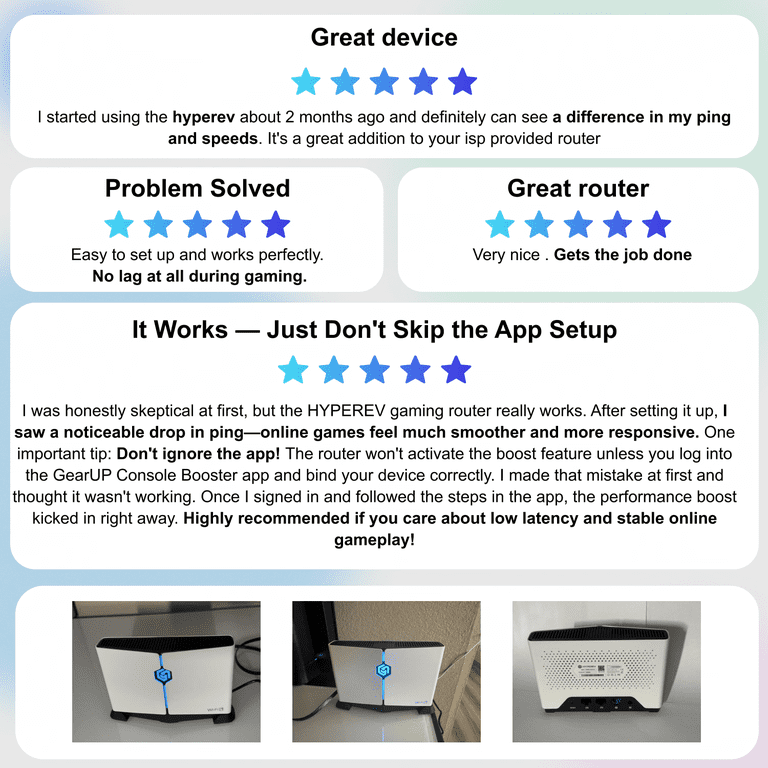
Credit: www.walmart.com
Benefits Of Using A Gaming Router
Using a gaming router can greatly enhance your gaming experience. It offers several benefits that make online gaming smoother and more enjoyable. Let’s explore how a gaming router can improve your connection and gameplay.
Improved Connection Stability
A gaming router provides a stable connection by prioritizing gaming traffic. It reduces interference from other devices on your network. This stability ensures fewer disconnections and interruptions during gameplay.
Faster Response Times
Gaming routers often have advanced technology like Quality of Service (QoS). This feature allocates bandwidth to gaming applications, ensuring quicker response times. Faster response times mean your actions in the game happen in real-time.
Reduced Ping Spikes
Ping spikes can be frustrating during intense gaming sessions. Gaming routers minimize these spikes by offering a consistent connection. With reduced ping spikes, your game runs smoothly, without unexpected delays.
Better Multiplayer Experience
Playing multiplayer games requires a reliable connection. Gaming routers enhance this experience by reducing lag and latency. A better connection means you can play with friends without disruptions.
Setting Up Your Gaming Router For Best Performance
Setting up your gaming router correctly can greatly reduce lag during gameplay. A well-tuned router manages internet traffic efficiently. This ensures smoother connections and less delay. Small adjustments make a big difference in performance.
Configuring Qos Settings
Quality of Service (QoS) controls how bandwidth is shared. Prioritize gaming devices to get higher priority over other traffic. This reduces lag caused by downloads or streaming. Set rules that favor your gaming console or PC. Keep other devices from using too much bandwidth during play.
Choosing The Right Frequency Band
Most routers offer 2.4 GHz and 5 GHz bands. The 2.4 GHz band covers larger areas but is slower. The 5 GHz band is faster but has a shorter range. Use 5 GHz for gaming if near the router. Switch to 2.4 GHz if far away or through walls. This balances speed and coverage.
Firmware Updates And Security
Regular firmware updates fix bugs and improve speed. Check the router’s settings for updates often. Updated firmware can protect against hacks and malware. Secure your network with a strong password. This keeps unwanted users from slowing your connection.
Optimizing Placement And Environment
Place your router in a central, open spot. Avoid placing it near walls or metal objects. Keep it away from microwaves and cordless phones. These cause signal interference and reduce speed. Elevate the router on a shelf for better coverage. Clear space around the device improves wireless signals.
Comparing Gaming Routers With Standard Routers
Gaming routers and standard routers serve the same basic purpose: connecting devices to the internet. Yet, they handle network traffic very differently. This difference affects online gaming experiences, especially lag and speed. Comparing these two types reveals why gaming routers often perform better for gamers.
Performance Differences
Gaming routers offer faster speeds and lower latency than standard routers. They prioritize gaming data packets to reduce lag. Standard routers spread bandwidth evenly, which can slow games during heavy usage. Gaming routers use advanced technology to keep connections stable and quick.
Feature Set Comparison
Gaming routers include features like Quality of Service (QoS), game traffic prioritization, and multiple antennas. They often support the latest Wi-Fi standards and have better security options. Standard routers lack these gaming-focused features. Their settings are simpler but less effective for fast, stable gaming.
Price Vs. Value
Gaming routers cost more than standard routers. The higher price reflects better hardware and specialized features. For casual users, a standard router may be enough. For serious gamers, the extra cost can improve gameplay and reduce frustration.
User Experience
Gaming routers provide better control over network settings. They often come with easy-to-use apps for monitoring and adjusting performance. Standard routers have basic interfaces with limited customization. Gamers benefit from the detailed control gaming routers offer for an optimized experience.
Troubleshooting Common Gaming Router Issues
Gaming routers are designed to reduce lag and provide a smooth gaming experience. However, even the best routers can face issues that interrupt your gameplay. Troubleshooting these problems quickly helps you get back into the game without frustration.
Connection Drops
Connection drops can ruin your gaming session in seconds. They often happen due to weak signals, outdated router hardware, or ISP problems. Check your router’s placement—avoid hiding it inside cabinets or behind thick walls.
Sometimes, simply restarting your router fixes temporary glitches. If drops persist, test your internet speed at different times to see if your provider is the issue.
Lag Despite Optimization
It’s frustrating to have lag even after setting your router for gaming. This can happen if other devices on your network are using heavy bandwidth. Streaming videos or downloading large files simultaneously can slow your game.
Try limiting bandwidth for non-gaming devices or enabling Quality of Service (QoS) settings on your router to prioritize gaming traffic. Have you noticed lag spikes during specific hours? That might indicate network congestion outside your control.
Firmware Glitches
Firmware controls your router’s performance, so glitches here can cause lag or connection problems. Keep your router’s firmware updated to get security patches and performance improvements. Check the manufacturer’s website regularly for updates.
If your router behaves strangely after a firmware update, try resetting it to factory settings and reconfiguring your preferences. Sometimes, a clean start resolves hidden bugs.
Interference From Other Devices
Wireless signals can get mixed up due to interference from other electronics like microwaves, cordless phones, or Bluetooth gadgets. This noise disrupts your router’s signal, causing lag or connection drops.
Place your router away from these devices and switch to less crowded Wi-Fi channels if possible. Have you experimented with the 5 GHz band? It’s often less congested and faster for gaming than the standard 2.4 GHz.

Credit: www.privateinternetaccess.com
Frequently Asked Questions
What Is A Gaming Router And How Does It Work?
A gaming router is designed to prioritize gaming traffic. It reduces lag by managing bandwidth and lowering latency. This ensures smoother and faster online gameplay compared to regular routers.
How Does A Gaming Router Reduce Internet Lag?
Gaming routers optimize data flow by prioritizing gaming packets. They use Quality of Service (QoS) settings to minimize delays. This prioritization reduces lag spikes during intense gaming sessions.
Can A Gaming Router Improve Wi-fi Stability?
Yes, gaming routers offer stronger, more stable Wi-Fi signals. They reduce interference and maintain consistent connections. This stability lowers lag and prevents disconnections during online gaming.
Do Gaming Routers Support Multiple Devices Without Lag?
Gaming routers handle multiple devices better by managing bandwidth efficiently. They prevent congestion by prioritizing gaming traffic. This reduces lag even when many devices are connected.
Conclusion
A gaming router helps lower lag by giving priority to game data. It reduces delays and keeps your connection steady. This means smoother gameplay and less frustration. With less lag, you react faster and enjoy the game more. Choosing the right router can improve your online experience.
It’s a smart step for serious gamers. No more waiting or freezing during matches. Just better speed and reliable play. Simple, effective, and worth considering.