Are you tired of slow internet or constant interruptions when streaming, gaming, or working from home? Choosing the right connection can make all the difference.
Should you go for a dual band router or stick with a wired Ethernet connection? Understanding the pros and cons of each can save you from frustration and improve your online experience. Keep reading to discover which option fits your needs best and how to boost your internet speed right now.
Dual Band Router Basics
A dual band router is a device designed to transmit wireless signals over two different frequency bands. Understanding the basics of how these routers function helps you decide if they fit your home or office network needs. Knowing the difference between these bands and their uses can improve your internet experience.
Frequency Bands Explained
Dual band routers operate on two main frequency bands: 2.4 GHz and 5 GHz. The 2.4 GHz band offers longer range but slower speeds, making it ideal for simple browsing and devices far from the router. The 5 GHz band provides faster speeds but covers a shorter distance, perfect for activities like streaming or gaming close to the router.
Have you noticed your video calls or downloads slow down when multiple devices connect? This is often because many devices crowd the 2.4 GHz band. Switching some devices to the 5 GHz band can reduce interference and improve performance.
Advantages Of Dual Band Routers
- Better Speed Management:You can separate devices by their bandwidth needs, reducing traffic jams on your network.
- Less Interference:The 5 GHz band faces less interference from other household electronics, improving connection stability.
- Greater Flexibility:Supports more devices efficiently by balancing the load across both bands.
- Improved Gaming and Streaming:The faster 5 GHz band helps reduce lag and buffering for a smoother experience.
From my own experience, after setting up a dual band router, I noticed my smart TV and laptop streaming on the 5 GHz band had fewer interruptions, even while others used the 2.4 GHz band for simpler tasks.
Common Use Cases
Dual band routers are perfect for households or offices with multiple users and devices. If you work from home and share your network with family members, splitting devices between bands keeps everyone connected smoothly. They are also useful in environments with many Wi-Fi networks nearby, where the 5 GHz band helps avoid congestion.
Think about your own setup: are your devices all in one room, or spread out across the house? The dual band router’s ability to handle various distances and speeds can be a game changer. It’s especially beneficial if you have smart home devices, laptops, smartphones, and entertainment systems all online at once.
Ethernet Connection Essentials
Ethernet connections form the backbone of many home and office networks. They provide a reliable way to connect devices directly to the internet or local networks. Understanding Ethernet basics helps in choosing the right setup for fast and stable internet access. This section covers the essentials of Ethernet connections, focusing on the fundamental concepts, cable types, and key benefits.
Wired Network Fundamentals
A wired network connects devices using physical cables. This setup reduces interference and signal loss. Devices like computers, printers, and routers connect through Ethernet ports. The connection uses a protocol called Ethernet to send data. It ensures data reaches its destination quickly and securely.
Types Of Ethernet Cables
Different cables fit different network needs. Common types include:
- Cat5:Supports speeds up to 100 Mbps, suitable for basic tasks.
- Cat5e:Enhanced version, handles speeds up to 1 Gbps.
- Cat6:Offers up to 10 Gbps speeds, best for heavy data use.
- Cat6a:Improved shielding for better performance over longer distances.
Choosing the right cable depends on speed and distance requirements.
Benefits Of Ethernet
- Stable Connection:Wired links avoid common wireless drops.
- Fast Speeds:Ethernet often outperforms Wi-Fi in speed tests.
- Low Latency:Ideal for gaming and video calls.
- Security:Physical connections reduce hacking risks.
- Consistent Performance:Less affected by walls or interference.
Speed Comparison
Dual band routers offer flexible connections, suitable for different devices. Ethernet connections provide consistent speed and reliability. Understanding these options helps in choosing the right setup for your needs.
Speed is crucial in choosing between a dual band router and an Ethernet connection. Understanding how each option performs helps make informed decisions. Let’s explore their speed differences.Maximum Speeds Of Dual Band Wi-fi
Dual band routers use two frequency bands: 2.4 GHz and 5 GHz. The 2.4 GHz band offers wider coverage but lower speeds. The 5 GHz band provides faster speeds but shorter range. Maximum speed can reach up to 1 Gbps on the 5 GHz band. However, actual speeds vary depending on interference and distance.Ethernet Speed Capabilities
Ethernet connections deliver stable and consistent speeds. Modern Ethernet cables, like Cat 6, support up to 10 Gbps. This speed remains unaffected by obstacles or interference. Ethernet is ideal for activities needing stable, high-speed connections. Think online gaming or streaming in high definition.Real-world Performance Factors
Wi-Fi speeds can fluctuate due to walls and other devices. Interference from neighboring networks also affects performance. Ethernet provides a more reliable speed, unaffected by such factors. But, Ethernet requires physical cables, which can limit device mobility. On the other hand, Wi-Fi offers flexibility and easy setup. Each option has its strengths, depending on user needs and environment.Reliability And Stability
Reliability and stability are key factors when choosing between a dual band router and an Ethernet connection. Both affect how steady and dependable your internet feels. Understanding how each handles common issues helps pick the right option for your needs.
Interference And Signal Issues
Dual band routers use wireless signals that can face interference. Other devices, walls, and distance can weaken the signal. This may cause slower speeds or dropped connections. Ethernet cables avoid this problem by using a direct wired link. The connection stays strong without interruptions from outside signals.
Connection Consistency
Ethernet offers a steady and consistent connection. It delivers the same speed and quality over time. Dual band routers can vary in performance due to signal strength changes. Wireless devices might experience fluctuations, especially in busy networks. Wired connections stay reliable during high traffic or many connected devices.
Impact On Gaming And Streaming
Stable connections matter most for gaming and streaming. Ethernet reduces lag and buffering with low latency and steady speed. Dual band routers may struggle with sudden signal drops, causing delays or poor video quality. Gamers and streamers often prefer Ethernet for smooth and uninterrupted experiences.
Setup And Convenience
Choosing between a dual band router and an Ethernet connection often boils down to how easily you can set them up and how convenient they are in daily use. Your setup experience can affect everything from getting online quickly to managing multiple devices without headaches. Let’s break down what you should expect when installing and using each option.
Installation Process
Setting up a dual band router usually involves plugging it into your modem and following a simple setup wizard through a web interface or app. Most routers come with clear instructions that guide you through naming your networks and setting passwords.
Ethernet connections require physically plugging in cables from your router or modem directly to your device. While this sounds straightforward, it can become tricky if your devices are far from your router or if you need multiple cables running across your room.
Think about your space: Is running cables practical? Or would a wireless setup save you time and effort?
Mobility And Flexibility
A dual band router offers unmatched mobility. You can move around your home or office with your laptop or phone and stay connected without interruption. This flexibility supports multiple devices simultaneously without needing to be tethered to a cable.
In contrast, Ethernet connections lock you to a specific spot. Your device’s range depends entirely on cable length. While this limits movement, it guarantees a stable and fast connection, ideal for activities like gaming or large file transfers.
Ask yourself: Do you prioritize freedom of movement or a constant, reliable connection?
Device Compatibility
Dual band routers work seamlessly with any Wi-Fi-enabled device, including smartphones, tablets, laptops, smart TVs, and even some smart home gadgets. This broad compatibility makes them a great choice for households with diverse tech.
Ethernet connections are compatible with devices that have an Ethernet port or support adapters. Many modern tablets and smartphones lack these ports, so you might need additional accessories to connect them.
Consider your current devices and any you plan to add. Will your setup support all of them without extra hassle?

Credit: www.reddit.com
Security Considerations
Security is a major factor when deciding between a dual band router and an Ethernet connection. Both options have their own risks and safety features that you should understand. Knowing these can help you protect your data and keep your network safe from unwanted intrusions.
Wireless Security Risks
Wireless networks, like those using dual band routers, are more vulnerable to hacking. Signals can be intercepted by anyone within range if proper security isn’t set up. This makes it easier for attackers to access your personal information or slow down your connection.
Many people overlook how often their router’s default password remains unchanged. I once saw a friend’s Wi-Fi hacked simply because they never updated the password or enabled encryption. Are you sure your wireless network settings are strong enough to stop intruders?
- Unsecured Wi-Fi networks can allow unauthorized access.
- Older encryption methods like WEP are easy to crack.
- Public Wi-Fi spots increase the risk of data theft.
Wired Network Safety
Ethernet connections offer a natural layer of security because they require physical access. This means hackers can’t just tune in from a distance. Your data travels through cables, making it much harder to intercept compared to wireless signals.
However, wired networks are not completely immune. If someone gains access to your physical network, they can still cause damage. Think about who has access to your home or office space—are you confident that only trusted people can plug in devices?
- Physical access limits who can connect to your network.
- Less susceptibility to signal interception and interference.
- Still important to use firewalls and strong passwords on devices.
Best Practices For Protection
Securing your network starts with strong passwords and updated firmware on your router. Regularly changing your Wi-Fi password reduces the chance of unauthorized users gaining access. Enabling WPA3 encryption provides the latest and strongest wireless security.
For Ethernet users, consider setting up network segmentation. This limits what connected devices can access, protecting sensitive information. Don’t forget to keep your devices’ software up to date and run antivirus programs.
- Use complex, unique passwords for your router and devices.
- Update firmware regularly to patch security holes.
- Enable the strongest encryption protocol available.
- Limit physical access to your network hardware.
- Monitor connected devices and network activity frequently.
How confident are you that your current setup protects your network? Taking these steps can give you peace of mind and better security whether you rely on wireless or wired connections.
Cost And Value
Cost and value are key factors when choosing between a dual band router and an Ethernet connection. Understanding both helps you decide which option fits your needs and budget. Each choice has different upfront costs and ongoing expenses. Consider how much you pay now and what you get for your money over time.
Price Comparison
Dual band routers vary in price from budget to high-end models. Basic routers start around $40 to $70. More advanced models can cost $100 or more. Ethernet cables and adapters are usually cheaper. A good quality Ethernet cable costs about $10 to $30. However, you may need extra cables depending on your setup.
Long-term Investment
Dual band routers offer wireless convenience but may need replacement every few years. Technology changes fast, making older routers slower. Ethernet connections tend to last longer and are more reliable. They do not require frequent upgrades. Investing in quality Ethernet cables can save money over time.
Which Option Suits Your Budget
- Choose a dual band router if you want easy wireless access.
- Pick Ethernet if you need stable, high-speed connections.
- For low budgets, Ethernet cables cost less initially.
- For flexible setups, dual band routers offer more freedom.
- Consider future needs and potential upgrades before buying.
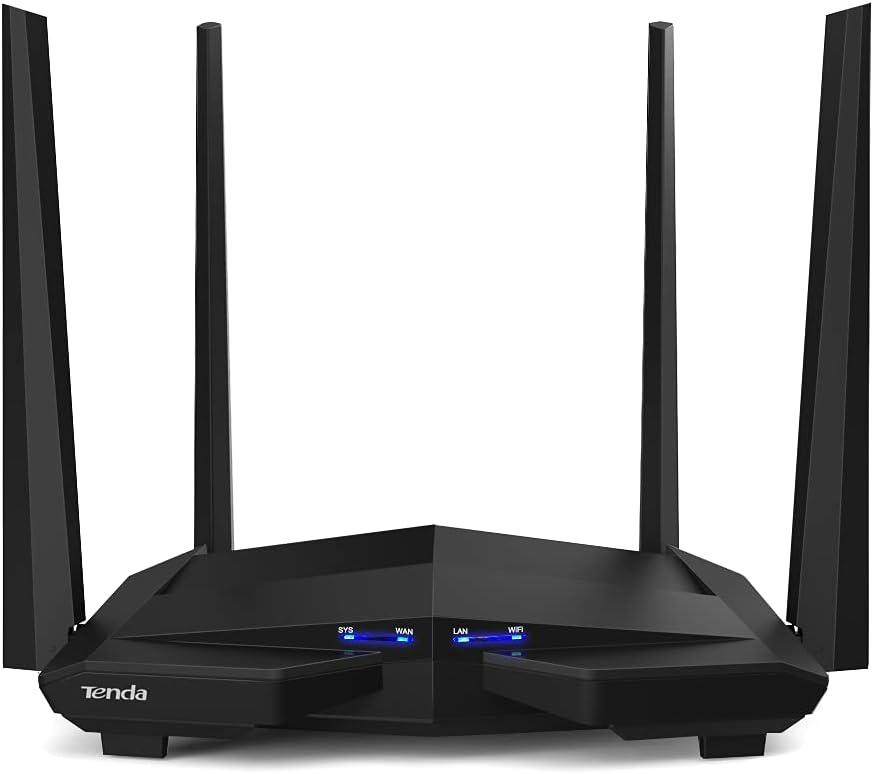
Credit: blog.jazzcybershield.com
Choosing The Right Connection
Choosing the right connection for your network can significantly impact your internet experience. Whether you lean towards a dual band router or prefer a wired Ethernet connection, understanding your specific needs and environment helps you make the best choice. Let’s break down the key factors that should guide your decision.
Assessing Your Needs
Think about what you use your internet for most. Are you streaming movies, gaming online, or just browsing and checking emails? Each activity demands different speeds and stability.
For example, gaming and video calls need low latency and consistent connection, which Ethernet often provides. On the other hand, dual band routers offer flexibility for multiple devices and moderate speed needs.
Ask yourself: How many devices will be connected at once? Do you need mobility within your home or office? Your answers will steer your choice.
Environment And Usage
Your physical environment plays a big role. Thick walls, multiple floors, and interference from other electronics can reduce Wi-Fi signal strength. Ethernet cables bypass these issues by delivering a direct connection.
However, if you have an open layout or prefer wireless convenience, a dual band router can cover your space effectively. Dual band routers operate on both 2.4 GHz and 5 GHz frequencies, helping to reduce interference.
Consider where your devices are located and how often you move them. This practical look at your surroundings helps avoid frustration later.
Future-proofing Your Network
Technology moves fast. Choosing a connection that can grow with your needs saves hassle and money down the line. Ethernet connections are generally more stable and faster, suitable for future high-demand applications.
At the same time, newer dual band routers support advanced standards like Wi-Fi 6, which improve speed and device management. This means your wireless network can handle more devices without slowing down.
Think about upcoming devices or smart home gadgets you might add. Will your connection keep up with them? Planning ahead ensures your network remains reliable for years to come.
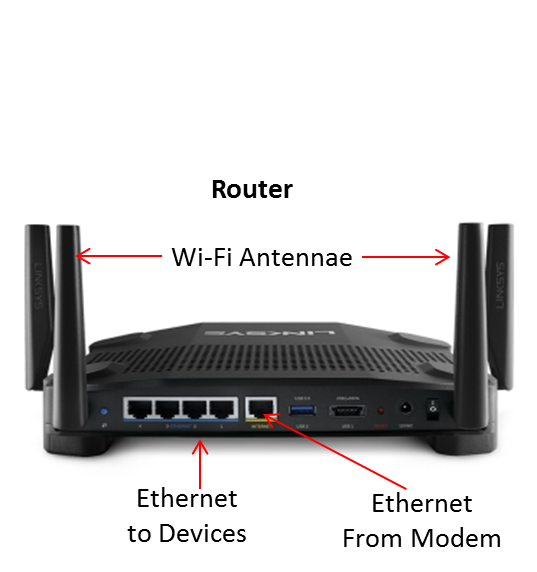
Credit: en.community.sonos.com
Frequently Asked Questions
What Is A Dual Band Router?
A dual band router operates on two frequencies: 2. 4 GHz and 5 GHz. It provides better speed and reduces interference. This helps multiple devices connect smoothly. It’s ideal for home and office use where wireless connectivity is crucial.
How Does Ethernet Connection Differ From Wi-fi?
Ethernet uses cables for direct internet access, offering stable and faster speeds. Wi-Fi is wireless, convenient but can face interference. Ethernet suits gaming and streaming, while Wi-Fi offers mobility. Both have unique advantages depending on user needs.
Is Ethernet Faster Than A Dual Band Router?
Yes, Ethernet generally offers faster, more stable connections than Wi-Fi. It’s less prone to interference and latency. Dual band routers improve wireless speed but can’t always match Ethernet’s reliability. For speed-critical tasks, Ethernet is preferred.
Can Dual Band Routers Replace Ethernet Cables?
Dual band routers improve wireless experience but cannot fully replace Ethernet cables. Ethernet provides consistent, high-speed connections. Routers offer convenience and mobility but may suffer from interference. Both have distinct roles in network setups.
Conclusion
Choosing between a dual band router and an Ethernet connection depends on your needs. Dual band routers offer wireless freedom and decent speed. Ethernet connections provide stable and faster internet for heavy tasks. Consider your devices and internet use before deciding.
Wired connections suit gaming and streaming best. Wireless suits casual browsing and mobile devices. Both have strengths, so pick what fits your lifestyle. This helps you get the best internet experience every day.