Setting up a pop-up shop comes with many challenges, but staying connected shouldn’t be one of them. Imagine having fast, reliable internet wherever you go, without worrying about complicated setups or expensive plans.
That’s exactly what a portable router can do for you. You’ll discover simple, practical steps to use a portable router for your pop-up shop. By the end, you’ll feel confident about keeping your business online and serving your customers smoothly—no matter the location.
Ready to unlock seamless connectivity? Let’s dive in.

Credit: www.zdnet.com
Choosing The Right Portable Router
Choosing the right portable router can make or break your pop-up shop’s connectivity. It’s not just about having internet access but ensuring it’s reliable, fast, and compatible with your setup. Think about what your shop really needs before picking one.
Key Features To Look For
Look for routers with strong signal range and fast data speeds. You want a device that handles multiple connections smoothly without lagging, especially if you expect many customers using Wi-Fi simultaneously.
Security features like WPA3 encryption protect your transactions and customer data. Also, consider routers with easy setup options and intuitive controls so you can manage your network without hassle.
Battery Life And Portability
How long will your router run without a power source? Battery life is crucial if your pop-up shop is outdoors or in a location without easy access to outlets.
Choose a lightweight, compact router that fits in your bag. I once brought a bulky router that drained power quickly, which interrupted my sales. Don’t let your router hold you back.
Compatibility With Devices
Your portable router should work seamlessly with your payment systems, laptops, and smartphones. Check the router supports the Wi-Fi standards your devices need.
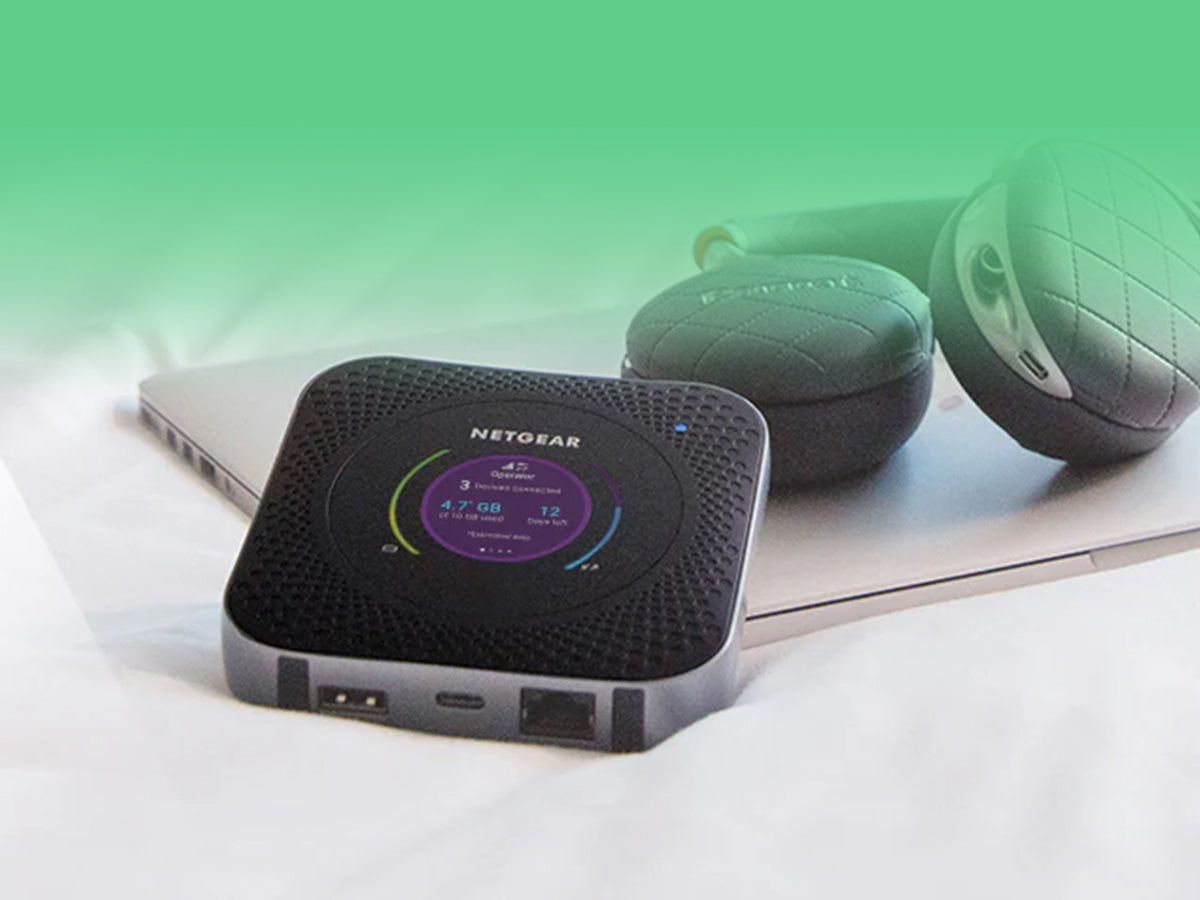
Some routers also offer USB ports or Ethernet connections for added flexibility. Ask yourself: will this router handle all my devices without frequent disconnects?
Setting Up Your Portable Router
Setting up your portable router properly is key to keeping your pop up shop connected and running smoothly. This process ensures your network is ready to handle multiple devices securely and delivers a strong, reliable signal throughout your selling space. Let’s break down how to get your portable router up and running quickly and efficiently.
Initial Configuration Steps
Start by powering on your portable router and connecting it to your primary internet source, whether that’s a mobile hotspot or wired connection. Access the router’s settings through your web browser using the IP address provided in the manual—usually something like 192.168.0.1.
Create a unique network name (SSID) that’s easy for your customers and devices to recognize. Then, set up the network password to prevent unauthorized access. Don’t forget to update the router’s firmware if a new version is available; this can improve performance and fix bugs.
Securing Your Network
Security is crucial when you’re handling sensitive transactions and customer data. Use WPA3 encryption if your router supports it; if not, WPA2 is the next best option. Avoid using simple passwords like “password123” — instead, combine letters, numbers, and symbols to make it harder for others to guess.
Also, consider turning off features like WPS (Wi-Fi Protected Setup) as they can be vulnerable to attacks. Enable a guest network if you want to separate customer access from your business devices, reducing the risk of security breaches. Have you thought about how many devices will connect? Limiting access can improve security and performance.
Optimizing Signal Strength
Where you place your portable router makes a big difference. Position it in a central, elevated spot away from metal objects or large electronics that can interfere with the signal. Portable routers often have external antennas—adjust these to point vertically to maximize coverage.
If your pop up shop has multiple rooms or booths, consider using a Wi-Fi extender or mesh system to avoid dead zones. Check your signal strength on various devices and move the router if some areas receive weak signals. Have you noticed customers complaining about slow internet? Adjusting router placement might solve that issue right away.
Maximizing Connectivity At Your Pop Up Shop
Strong and steady internet is vital for any pop up shop. Portable routers offer flexible connectivity, but using them right makes all the difference. Maximizing your router’s signal can keep sales smooth and customers happy. Focus on placement, managing device connections, and boosting signal strength. These small steps help maintain fast and reliable internet throughout your shop.
Positioning For Best Coverage
Place your portable router in a central spot. Avoid walls and metal objects that block signals. Higher positions often catch better signals. Keep it away from other electronics that cause interference. Test signal strength in different areas of your shop. Move the router until you find the strongest and most stable coverage.
Managing Multiple Connections
Limit the number of devices connected at once. Too many devices slow down the internet speed. Prioritize payment systems and customer devices. Use router settings to control bandwidth per device. Disconnect unused devices to free up space. Monitor usage to avoid slowdowns during busy times.
Using External Antennas
External antennas improve signal range and strength. Check if your portable router supports antenna attachments. Choose antennas designed for your router’s frequency bands. Position antennas for wider coverage or to reach specific areas. This simple upgrade can extend your internet’s reach outside or deeper inside the shop.
Troubleshooting Common Issues
Common issues with portable routers include weak signals and connection drops. Restart the device and check settings to fix these problems quickly. Keep the router close to your shop to ensure strong, stable internet access.
Running a pop-up shop is exciting, but it comes with its tech challenges—like ensuring your portable router runs smoothly. Whether you’re new to using portable routers or a seasoned pro, encountering issues can be frustrating. Understanding how to troubleshoot common problems can save you time and keep your business running efficiently.Dealing With Interference
Interference can be a major headache for your portable router, especially in busy areas with multiple networks. First, check if nearby devices or networks are causing interference. You can change your router’s channel to a less crowded one to improve connection quality. Consider using the 5GHz band if your router supports it, as it usually experiences less interference than 2.4GHz. Remember, placing your router in an elevated, central location can also reduce interference.Resetting And Firmware Updates
Sometimes, a simple reset can solve connectivity issues. Power off your router, wait a few seconds, and power it back on. This can help resolve temporary glitches. Don’t forget about firmware updates. Keeping your router’s firmware up-to-date ensures it has the latest features and security patches. Check the manufacturer’s website for updates and follow their instructions for a smooth installation process.Handling Slow Speeds
Slow internet speeds can disrupt your sales and customer experience. Start by testing your internet speed to see if it matches your plan. If not, try repositioning your router or removing physical obstructions. Limit the number of connected devices if possible, as too many can slow down your network. If you’re still facing issues, consider contacting your internet service provider to discuss potential upgrades or solutions. When troubleshooting, patience and persistence are key. Have you encountered other challenges with your portable router? Share your experiences and solutions in the comments below!Enhancing Security On The Go
Running a pop-up shop means using the internet in different places. Protecting your network is very important. A portable router helps, but you must keep security strong. This prevents hackers from stealing data or slowing your connection.
Using simple and clear steps boosts security on the go. It keeps your sales and customer information safe. Follow these tips to secure your portable router easily.
Setting Strong Passwords
Choose a password that is hard to guess. Use a mix of letters, numbers, and symbols. Avoid common words like “password” or “123456.” Change the default password that came with your router.
Keep your password private. Do not share it with many people. Update your password regularly to stay safe.
Using Vpns For Protection
A VPN hides your online activities from others. It creates a secure tunnel between your device and the internet. This stops hackers from spying on your data. Use a trusted VPN service to keep information private.
VPNs work well with portable routers. They add an extra layer of protection. This is important in public or busy places.
Monitoring Network Access
Check which devices connect to your router. Most routers have a dashboard to see connected devices. Remove unknown or suspicious devices immediately. This stops unwanted users from using your network.
Set limits on how many devices can connect. This keeps your connection fast and secure. Regularly monitor your network to catch problems early.

Credit: www.zdnet.com
Additional Tips For Pop Up Shop Success
Running a pop-up shop smoothly means thinking beyond just setting up your portable router. Small details can make a big difference in customer experience and your peace of mind. Here are some practical tips that help you stay prepared and efficient during your event.
Backup Connectivity Options
Relying solely on your portable router can be risky if the signal drops or the device malfunctions. Always have a backup plan like a mobile hotspot or a second portable router ready to go. This way, your transactions and communications won’t stall, even if one connection fails.
Consider testing your backup options before the event. Have you checked if your backup device works well in the exact location of your pop-up shop? Signal strength can vary, so knowing your options in advance saves you from last-minute panic.
Integrating With Payment Systems
Your portable router must support smooth payment processing. Make sure it can handle the data load from your payment system, whether it’s a card reader, mobile payment app, or POS device. Slow or dropped connections can frustrate customers and slow down checkout.
Try running a few test transactions before your pop-up day. Do your payment devices stay connected without lag? If you spot any issues, adjust your router settings or try different configurations. A quick payment process keeps customers happy and sales flowing.
Keeping Devices Charged
Nothing kills momentum like a dead device. Keep all your gadgets—phones, tablets, card readers—fully charged and ready. Invest in portable power banks or a power strip to keep everything powered up throughout the day.
Plan charging breaks during slow periods or delegate charging duties to a team member. Have you considered how long your devices last on a full charge? Knowing this helps you avoid unexpected downtime and keeps your shop running without interruptions.
Credit: www.eiotclub.com
Frequently Asked Questions
What Is A Portable Router For Pop Up Shops?
A portable router is a compact device that creates a Wi-Fi network. It enables internet access in temporary locations like pop up shops. It ensures reliable connectivity for transactions and customer interactions. Portable routers are easy to set up and carry, making them ideal for mobile businesses.
How Do I Set Up A Portable Router Quickly?
To set up a portable router, first insert the SIM card or connect to an existing internet source. Power it on and use a smartphone or laptop to connect to the router’s Wi-Fi. Configure settings via the router’s app or web interface for security and optimization.
Can A Portable Router Support Multiple Devices?
Yes, portable routers can support multiple devices simultaneously. Most models handle 10 to 20 connections efficiently. This allows staff and customers to access the internet without slowdowns, ensuring smooth business operations and customer satisfaction in your pop up shop.
Is A Portable Router Secure For Business Use?
Portable routers offer security features like WPA3 encryption and password protection. These features protect your data and customer information from unauthorized access. Regularly update the router’s firmware and use strong passwords to maintain security at your pop up shop.
Conclusion
Using a portable router can make your pop-up shop more connected and efficient. It helps you accept payments and stay online without trouble. Setting it up is easy and quick. Keep your device charged and secure for the best use.
Small steps like this improve your customer service and sales. Try it out to keep your shop running smoothly anywhere. Technology can be simple and helpful when chosen right. Your pop-up shop deserves reliable internet every time.