Are you tired of unreliable Wi-Fi when working remotely? Imagine having a steady internet connection wherever you go, without worrying about spotty signals or security risks.
Travel routers might be the simple solution you’ve been searching for. But are travel routers really good for remote work? You’ll discover how these compact devices can transform your work setup, boost your productivity, and keep your data safe on the move.
Keep reading to find out if a travel router is the game-changer your remote work routine needs.
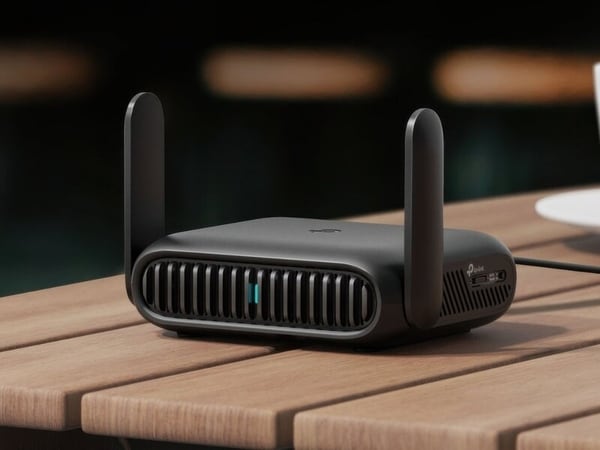
Credit: www.trendhunter.com
Benefits Of Travel Routers For Remote Work
Travel routers offer several advantages that make remote work smoother and more reliable. They address common connectivity issues while providing added security and convenience. If you often work from cafes, hotels, or co-working spaces, a travel router can change the way you stay connected and protect your data.
Enhanced Connectivity On The Go
Travel routers help you get a stable internet connection wherever you are. Instead of relying on spotty public Wi-Fi, you can create your own private network. This means fewer interruptions and faster speeds, which is crucial when you’re on a deadline or joining video calls.
Imagine working in a busy airport lounge where everyone’s devices slow down the network. A travel router keeps your connection steady and reduces lag. Have you noticed how frustrating it is when your video call freezes just as you’re about to speak? A travel router helps avoid that.
Improved Network Security
Public Wi-Fi can leave your data vulnerable to hackers. A travel router adds a layer of security by encrypting your internet traffic. This protects sensitive information like passwords, emails, and work files from prying eyes.
Using a travel router is like locking your office door, even when you’re working remotely. It ensures that your online activity stays private, which is especially important if you handle confidential information. Would you risk your company’s data on an unsecured network?
Multiple Device Support
Travel routers allow multiple devices to connect simultaneously without slowing down the network. You can link your laptop, smartphone, and tablet all at once, streamlining your workflow. This is helpful when you switch between devices or need to share your connection with colleagues.
Think about how often you juggle different gadgets during the workday. A travel router manages the connections efficiently so you don’t have to choose which device gets priority. Have you ever struggled with slow internet because too many devices were connected? A travel router solves that problem.
Key Features To Look For In Travel Routers
Choosing the right travel router matters for remote work success. Key features affect performance, ease of use, and convenience. The best travel routers combine several qualities to keep you connected anywhere. Focus on factors that fit your travel style and work needs.
Portability And Design
Travel routers must be small and lightweight. Compact size fits easily in bags or pockets. A sturdy design protects against bumps and drops. Simple controls and clear indicators make setup quick. Look for models with minimal buttons and easy-to-read lights.
Battery Life And Power Options
Long battery life ensures hours of uninterrupted work. Some models offer rechargeable batteries for multiple uses. Power options include USB charging or replaceable batteries. Choose routers that support charging from power banks or laptops. This flexibility helps when outlets are scarce.
Speed And Range
Fast internet speed supports video calls and file sharing. Check if the router supports the latest Wi-Fi standards like Wi-Fi 5 or Wi-Fi 6. A strong signal range covers large rooms or outdoor spaces. Dual-band routers reduce interference and improve connection quality. Reliable speed and range keep work smooth and efficient.
How Travel Routers Boost Productivity
Travel routers can change how you work remotely by making your internet connection more reliable and secure. They help reduce interruptions that often come with public or hotel Wi-Fi, letting you focus on your tasks without constant frustration. Let’s look at how they directly improve your productivity during remote work.
Stable Internet Connections
A travel router creates a private network that connects to the hotel or public Wi-Fi and then redistributes the signal to your devices. This often results in a stronger and more consistent connection compared to connecting each device separately.
Imagine working on an important project, and suddenly your connection drops. With a travel router, these drops happen less often, so you lose less time fixing connection issues. You get smoother browsing, faster uploads, and downloads, which means you can finish your work quicker.
Seamless Video Calls
Video calls are essential for remote work, but unstable Wi-Fi can cause choppy video and audio lag. A travel router minimizes these issues by prioritizing bandwidth and reducing interference.
Think about your last video meeting where your screen froze or your voice cut out. A travel router helps prevent that, making your calls clearer and more professional. This stability makes it easier to communicate ideas and collaborate without distractions.
Secure Data Transmission
Public Wi-Fi networks are often unsecured, putting your sensitive work information at risk. Travel routers add an extra layer of security by encrypting your data and creating a private network.
How important is it for you to keep your work files safe while traveling? Using a travel router helps protect your data from hackers and unauthorized access, giving you peace of mind. This security lets you focus on your work instead of worrying about potential breaches.
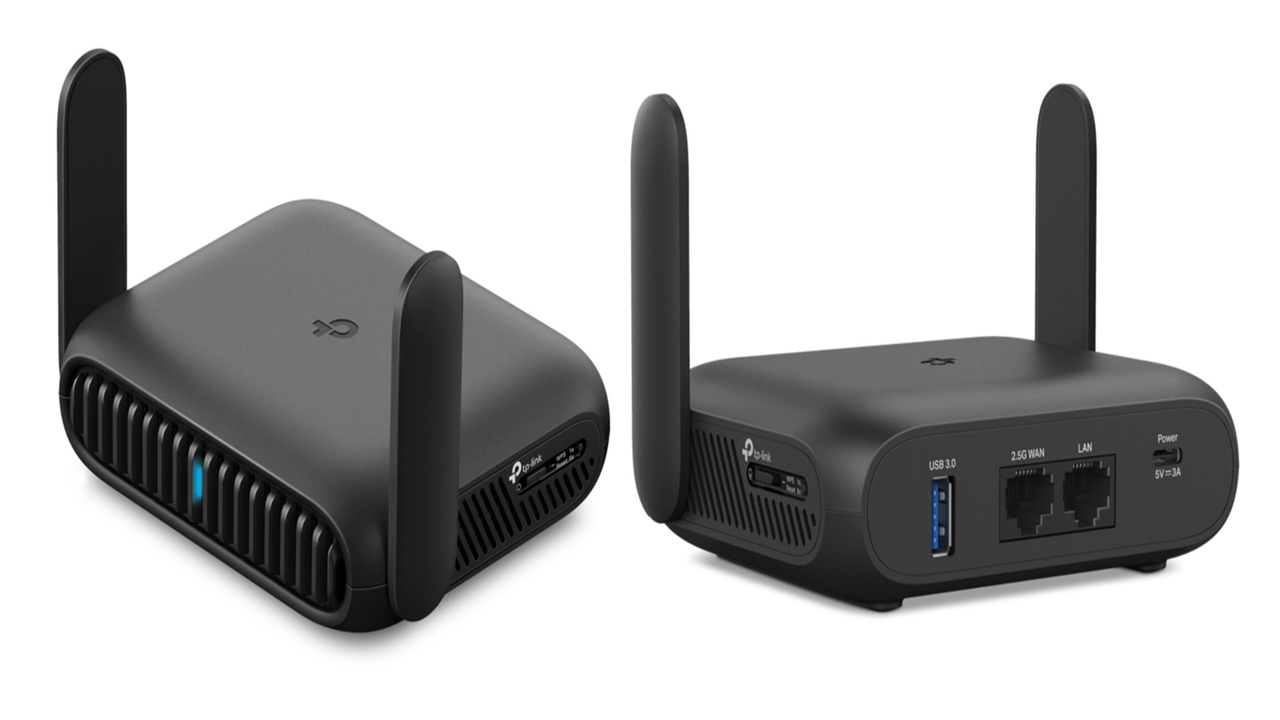
Credit: www.inkl.com
Setting Up A Travel Router For Remote Work
Travel routers offer stable internet connections, making remote work easier during travel. They create a secure Wi-Fi network from wired or public sources. Small and portable, they fit well in any travel setup.
Setting up a travel router for remote work can be a game-changer for professionals who are constantly on the move. With the right setup, a travel router can provide a stable and secure internet connection, enabling you to work efficiently from anywhere. It empowers you to turn any location into your personal office space, ensuring you’re always connected and productive.Connecting To Various Networks
Connecting your travel router to different networks is straightforward but requires a bit of know-how. Begin by turning on your router and accessing its interface through your device. Most travel routers come with a simple setup wizard that guides you through connecting to available Wi-Fi networks. This flexibility allows you to switch between hotel Wi-Fi, public hotspots, or even tether to your phone’s data.Configuring Security Settings
Security is paramount, especially when working remotely. Set up a strong password for your travel router to prevent unauthorized access. Enable WPA3 encryption if your device supports it; otherwise, WPA2 is a reliable alternative. Consider turning on the router’s firewall and disabling any unnecessary services to further safeguard your connection.Optimizing Performance
A well-optimized travel router can significantly enhance your remote work experience. Ensure the router’s firmware is up to date for the best performance and security. Position the router strategically to avoid interference and maximize signal strength. Adjust the router’s settings to prioritize bandwidth for work-related applications, ensuring seamless video calls and file transfers.Popular Travel Routers For Remote Workers
Choosing the right travel router can make a huge difference in your remote work experience. Popular travel routers cater to different needs, budgets, and technical skills. Whether you want something simple and cost-effective or a device packed with advanced features, there’s a travel router out there for you.
Top Budget-friendly Options
Budget-friendly travel routers offer solid performance without breaking the bank. Devices like the TP-Link TL-WR902ACprovide reliable Wi-Fi sharing and are easy to set up, making them perfect for frequent travelers who need quick connectivity.
The GL.iNet GL-AR300Mis another great pick. It’s compact, supports VPN connections, and even allows you to extend existing Wi-Fi networks. You don’t have to sacrifice security or speed just because you’re watching your expenses.
Have you ever struggled with slow hotel Wi-Fi? These affordable options can help you create your own secure hotspot, improving speed and stability wherever you work.
High-end Models With Advanced Features
If you need more control and enhanced security, high-end travel routers offer features like dual-band support, multiple Ethernet ports, and built-in VPN clients. The Netgear Nighthawk M1is popular among remote workers who require fast mobile broadband and the ability to connect several devices simultaneously.
Another powerful option is the Asus ROG Rapture GT-AC2900. Though larger than typical travel routers, it delivers exceptional speed and advanced QoS settings to prioritize work-related traffic. It’s ideal if you want to run video calls, file transfers, and cloud backups without interruptions.
Would investing in a high-end model change how productive you feel when working remotely? Sometimes, spending a bit more upfront can save hours of frustration later.

Credit: www.eiotclub.com
Potential Drawbacks And Limitations
Travel routers can be a handy tool for remote work, but they come with their own set of challenges. Understanding these potential drawbacks helps you decide if a travel router fits your specific work needs and travel style. Let’s take a closer look at some common limitations you might face.
Compatibility Issues
Not all travel routers play well with every network or device. Some routers may struggle to connect with hotel Wi-Fi systems that require additional login steps or use uncommon security protocols.
Think about your devices too. Older laptops or smartphones might not support the latest wireless standards, causing slower connections or even failure to connect. Have you ever been stuck trying to connect a device that just wouldn’t cooperate? That frustration is real and can disrupt your workflow.
Battery Constraints
Many travel routers rely on batteries, which can limit how long you stay connected without access to power. If you’re working in a café or airport lounge without easy charging options, your router might die at a critical moment.
Even models with large batteries need time to recharge. You may find yourself juggling between charging your phone and your router, which can be inconvenient. How often do you plan for your router’s battery life when setting up your remote workspace?
Cost Considerations
Travel routers come in a range of prices, but the better-performing models often carry a higher price tag. Investing in a reliable router with good security features can be costly upfront.
Additionally, if you travel frequently, replacing or upgrading your router to keep up with new technology adds to your expenses. It’s worth asking yourself if the convenience and security benefits justify the cost for your remote work needs.
Tips To Maximize Travel Router Efficiency
Maximizing the efficiency of your travel router can make a huge difference in your remote work experience. Small adjustments in how you manage your device can improve speed, security, and overall connectivity. Let’s dive into some practical tips that can help you get the most out of your travel router.
Regular Firmware Updates
Keeping your travel router’s firmware up to date is crucial. Manufacturers often release updates to fix bugs, improve performance, and patch security vulnerabilities. Ignoring updates can leave you exposed to cyber threats or slow down your connection without you realizing it.
Check your router’s settings at least once a month for available updates. Some models allow automatic updates, which can save you time and ensure you never miss an important patch. Have you ever experienced sudden drops in connection speed? Updating firmware can often resolve such issues.
Using Vpn With Travel Routers
Using a VPN on your travel router adds a layer of security, especially when you’re working from public Wi-Fi hotspots. It encrypts your data, protecting sensitive work files from hackers. However, VPNs can sometimes slow down your internet speed if not set up properly.
Choose a VPN service that offers fast and reliable connections. You might want to test the speed with and without the VPN to find the best balance between security and performance. Have you noticed slow loading times when connected to a VPN? Adjusting VPN settings or switching servers can help.
Managing Bandwidth Usage
Bandwidth can be a limited resource, especially when multiple devices connect to your travel router. Prioritize essential work tasks by managing how bandwidth is used. For example, pause automatic updates or streaming services during critical meetings or deadlines.
Many travel routers have Quality of Service (QoS) settings that let you allocate bandwidth to specific devices or applications. This ensures your work laptop gets priority over less important devices. How often do you find your connection lagging at crucial moments? Taking control of bandwidth can prevent frustrating delays.
Frequently Asked Questions
What Are The Benefits Of Using Travel Routers For Remote Work?
Travel routers provide secure, stable internet connections while traveling. They improve Wi-Fi range and allow multiple devices to connect. This ensures consistent productivity and protects sensitive data on public networks, making them ideal for remote workers on the go.
Can Travel Routers Enhance Wi-fi Security During Remote Work?
Yes, travel routers offer better security by enabling encrypted connections. They create private networks, reducing risks associated with public Wi-Fi. This protects your work data from hackers and unauthorized access, ensuring safer remote work environments.
Do Travel Routers Support Multiple Devices Simultaneously?
Travel routers typically support multiple devices at once. This allows you to connect laptops, smartphones, and tablets without losing speed or stability. It’s perfect for remote workers who use various gadgets during their workday.
How Portable And Convenient Are Travel Routers For Remote Workers?
Travel routers are small, lightweight, and easy to carry. They fit in any bag, making them highly portable. Their plug-and-play setup saves time, offering convenience for remote workers who frequently change locations.
Conclusion
Travel routers offer reliable internet on the go. They help keep your work steady and safe. Small and easy to carry, they fit well in any bag. Setting them up takes just minutes. A good travel router can save you from slow hotel Wi-Fi.
This makes remote work smoother and less stressful. They also protect your data on public networks. For anyone working away from home, travel routers prove useful. Simple, effective, and affordable—these devices support your mobile office needs. Consider one for your next trip to stay connected.