Are you thinking about upgrading your home internet but worried that a budget router might not have all the features you need? One key feature many look for is a guest network—a separate Wi-Fi connection for visitors that keeps your main network secure.
But do budget routers really offer this? If you want to keep your personal data safe while still letting guests online, understanding whether an affordable router has a guest network is crucial. Keep reading to find out what budget routers can do and how to choose the right one for your home.
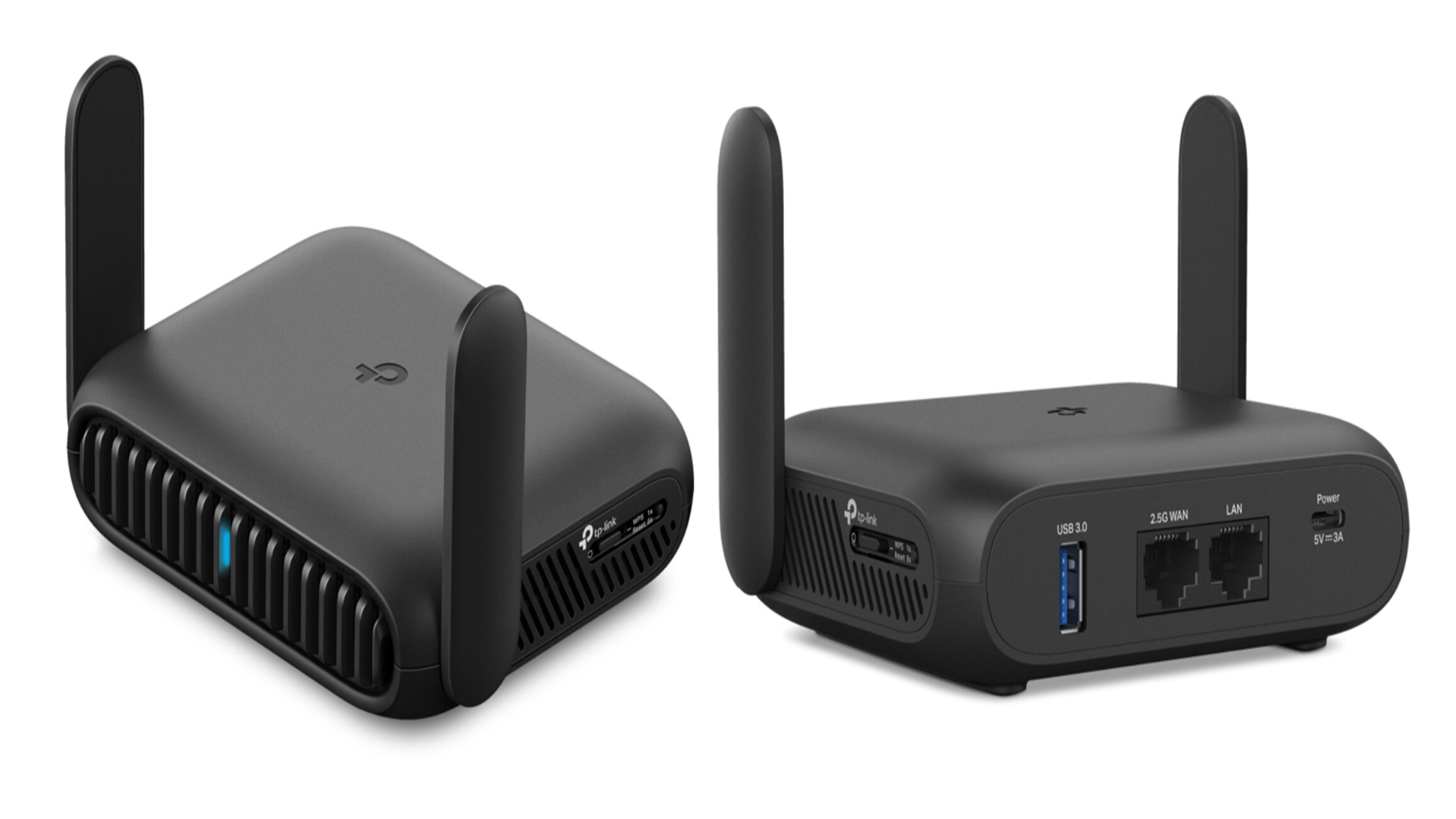
Credit: www.techradar.com
Budget Routers And Guest Networks
Budget routers often raise questions about their features. One common query is whether they support guest networks. Guest networks let visitors access the internet without reaching your main devices. This feature adds extra security and convenience. Understanding how budget routers handle guest networks helps make better buying choices.
What Are Guest Networks?
Guest networks are separate Wi-Fi connections for visitors. They keep your main network private and secure. Guests can use the internet without seeing your files or devices. This separation protects your personal data and home devices. Most guest networks have their own name and password. This makes it easy to control who can join.
Importance Of Guest Networks
Guest networks improve security by isolating visitors from your main network. They reduce the risk of hacking or malware spreading. Guests get internet access without affecting your network speed. It also keeps your smart devices safe from unknown users. For homes and small offices, guest networks add peace of mind. This feature is valuable, even on budget routers.
Features Of Budget Routers
Budget routers often come with a basic set of features aimed at providing essential connectivity without breaking the bank. These devices are designed to cover everyday internet needs, but they may not include all the bells and whistles found in higher-end models. Understanding what features are typically available can help you decide if a budget router fits your home or small office setup.
Common Limitations
One common limitation of budget routers is their hardware capability. Many have lower processing power and less memory, which can slow down your network when multiple devices are connected.
Another drawback is the limited range. Budget models often struggle to cover larger homes or spaces with thick walls, leading to weak signals in some rooms.
Additionally, these routers might support fewer simultaneous connections, which could be a problem if you have many smart devices or frequent guests using your network.
Security Capabilities
Security is a critical feature, even for budget routers. Most offer basic encryption standards like WPA2 to protect your network from unauthorized access.
However, advanced security features such as automatic firmware updates, intrusion detection, or built-in firewalls are often missing or less robust in budget models.
Some budget routers include guest network support, but the implementation can vary in terms of isolation and control. Have you checked if your budget router lets you create a separate guest network to keep your main network secure?
Availability Of Guest Networks In Budget Routers
When choosing a budget router, one key feature many look for is the availability of a guest network. Guest networks provide a separate Wi-Fi connection for visitors, keeping your main network secure and private. But not all budget routers offer this feature, so knowing which models include it can save you time and frustration.
Models That Include Guest Networks
Several budget-friendly routers now come with guest network support. Brands like TP-Link, Netgear, and ASUS often include this feature even in their lower-priced models.
- TP-Link Archer A6:This router offers a simple setup for guest networks and reliable speeds for everyday use.
- Netgear R6080:Besides guest network support, it provides solid coverage for small homes or apartments.
- ASUS RT-AC53:Known for easy guest network configuration and decent security options.
These routers let you create a separate Wi-Fi name and password for guests, preventing them from accessing your personal devices. You can even limit bandwidth on the guest network to keep your main connection fast.
Models Without Guest Network Support
Not all budget routers include guest network features. Some entry-level models focus on basic connectivity and skip this extra layer of security.
- Older or very low-cost routers:These may only allow one network SSID, which means no separate guest access.
- Generic or no-brand routers:Often lack advanced firmware options, including guest networks.
If you have a router without guest network support, you might be exposing your devices to unnecessary risks. Would you feel comfortable sharing your Wi-Fi password with every visitor? If not, it’s worth checking your router’s capabilities before guests arrive.

Credit: www.amazon.ca
Setting Up Guest Networks On Budget Routers
Many budget routers offer guest network options for added security. These networks keep your main Wi-Fi private while allowing visitors internet access. Setting up guest networks on low-cost routers is usually simple and quick.
Setting up guest networks on budget routers can enhance security and convenience. A guest network allows visitors to use the internet without accessing your main network. This keeps your data safe and your main network secure. Many budget routers offer this feature, making it accessible for everyone. Let’s explore how to set up these guest networks effectively.Step-by-step Setup Guide
Creating a guest network on a budget router is simple. First, log in to your router’s web interface. Use a browser and type the router’s IP address. Commonly, it’s something like 192.168.1.1. Enter your admin username and password. Navigate to the wireless settings section. Look for an option named “Guest Network” or similar. Enable it. Next, set a name for the guest network. This is often called the SSID. Choose something easy to recognize. Set a password to secure the guest network. This prevents unauthorized access. Select the security type, usually WPA2 is recommended. Save the settings and restart the router. Your guest network should now be active. Test it by connecting a device to ensure it’s working. It’s that straightforward!Troubleshooting Common Issues
Sometimes, setting up a guest network may encounter issues. If the guest network doesn’t appear, double-check if it’s enabled in settings. Ensure the router firmware is updated. Outdated firmware can cause problems. If guests can’t connect, verify the password. Make sure it’s entered correctly. Also, check the number of connected devices. Some routers limit the number of connections. If the connection is slow, check the bandwidth settings. Ensure the guest network isn’t using too much bandwidth. Restarting the router can fix many issues. If problems persist, consult the router’s manual or support website.Benefits Of Guest Networks On Budget Routers
Guest networks on budget routers offer more than just a separate Wi-Fi name. They provide practical benefits that improve how you manage your home or small office internet. Understanding these advantages can help you decide if setting up a guest network is worth the effort.
Enhancing Security
Guest networks keep your main network safe. By isolating visitors from your personal devices, you reduce the risk of malware or hackers accessing your sensitive information.
Imagine a friend visiting and connecting to your Wi-Fi with a virus-infected phone. Without a guest network, your devices are vulnerable. With one, their device stays on a separate network, protecting your data.
This simple separation adds a strong security layer without extra cost. It’s a smart move for anyone using a budget router.
Managing Bandwidth
Guest networks help control how much internet speed visitors use. This means your main devices keep running smoothly even when guests stream videos or download files.
Some budget routers let you limit bandwidth on the guest network. This feature ensures your work or gaming isn’t interrupted by heavy guest usage.
Have you ever lost connection during an important call because someone else was binge-watching? A guest network can prevent that frustration by managing traffic effectively.
Alternatives When Guest Networks Are Not Available
Budget routers often lack built-in guest network features. This can limit the ability to safely share internet with visitors. Luckily, some alternatives can help create a separate network for guests, protecting your main connection and devices.
Using Third-party Firmware
Installing third-party firmware can add guest network support to many budget routers. Popular options like DD-WRT and OpenWRT offer advanced features not found in basic router software. These firmwares enable you to create isolated guest networks easily.
Be aware that flashing firmware requires some technical skill. Follow detailed guides carefully to avoid damaging your device. Once installed, you get more control over network settings and security options.
Upgrading To Mid-range Models
Mid-range routers usually include guest network functions by default. These models offer better performance and more features at a reasonable price. You gain options such as multiple SSIDs, bandwidth control, and improved security.
Investing in a mid-range router can save time and effort. It ensures a safer and more flexible network environment for both family and visitors.
Tips For Choosing Budget Routers With Guest Networks
Choosing a budget router with a guest network can improve your home Wi-Fi experience. A guest network keeps your main network secure. It allows visitors to connect without accessing your personal devices. Knowing what to look for helps make the right choice. Focus on features that match your needs and budget. Consider brands known for reliable and affordable routers.
Key Features To Look For
- Guest Network Support: Ensure the router offers a separate guest Wi-Fi network.
- Security Options: Look for WPA3 or WPA2 encryption for safe connections.
- Easy Setup: Choose routers with simple setup processes and user-friendly apps.
- Good Coverage: Check the router’s range fits your home size.
- Speed: Match the router speed with your internet plan for smooth use.
- Parental Controls: Useful for managing guest access and times.
- Firmware Updates: Regular updates keep your router secure and stable.
Popular Budget Router Brands
- TP-Link: Known for affordable and reliable routers with guest network features.
- Netgear: Offers budget models that balance speed and security well.
- D-Link: Provides easy-to-use routers with solid guest network options.
- ASUS: Good for budget users who want extra features like parental controls.
- Linksys: Known for stable connections and simple guest network setups.
Credit: www.theglobeandmail.com
Frequently Asked Questions
Do Budget Routers Support Guest Networks?
Yes, many budget routers offer guest network features. This allows visitors to access the internet without reaching your main network. However, the performance and security options may be limited compared to premium models.
How Secure Are Guest Networks On Budget Routers?
Guest networks on budget routers provide basic security like WPA2 encryption. However, advanced security features may be missing. It’s best to check specific router models for detailed security capabilities before purchasing.
Can Guest Networks Improve Home Wi-fi Security?
Yes, guest networks help protect your main Wi-Fi by isolating visitor devices. This reduces the risk of unauthorized access to personal files and devices. Budget routers with guest networks offer this valuable security layer.
Are Guest Networks Easy To Set Up On Budget Routers?
Most budget routers have user-friendly interfaces for quick guest network setup. The process typically involves enabling the feature and setting a separate password. This makes it accessible even for non-technical users.
Conclusion
Budget routers often include guest network features for extra security. These networks keep your main connection safe from visitors. Setting up a guest network is usually simple and quick. It helps protect your personal data and devices. Not all budget routers have this feature, so check before buying.
A guest network adds convenience without extra cost. It also controls visitor access easily. Small homes or offices benefit from this feature a lot. Overall, guest networks on budget routers improve safety and usability. Worth considering for anyone needing basic internet protection.