Are you tired of slow internet and constant buffering? Your router could be the reason.
A dual band router might be just what you need to boost your online experience. Imagine streaming your favorite shows without interruptions, gaming without lag, and connecting all your devices smoothly at the same time. You’ll discover how a dual band router can transform your home network, giving you faster speeds, better coverage, and less interference.
Keep reading to unlock the full potential of your internet connection.
Dual Band Router Basics
A dual band router offers two separate wireless signals. This helps improve internet speed and connection quality. It lets devices connect on either the 2.4 GHz or 5 GHz band. Understanding these basics helps you get the best from your home network.
What Is A Dual Band Router
A dual band router sends two Wi-Fi signals at the same time. One signal works on the 2.4 GHz band. The other works on the 5 GHz band. This means more devices can connect without slowing down the network. It also helps reduce interference from other electronics.
Difference Between 2.4 Ghz And 5 Ghz Bands
The 2.4 GHz band covers a larger area. It can pass through walls and obstacles better. But it is slower and more crowded. Many devices, like microwaves and Bluetooth gadgets, use this band.
The 5 GHz band is faster and less crowded. It supports higher data speeds and better video streaming. Its range is shorter and less able to pass through walls. This band is best for devices near the router.
| Feature | 2.4 GHz Band | 5 GHz Band |
|---|---|---|
| Range | Longer, better through walls | Shorter, less range |
| Speed | Slower | Faster |
| Interference | More crowded | Less crowded |
| Best Use | Devices far from router, simple tasks | Devices close to router, high-speed tasks |

Credit: ubiqcom.in
Speed Advantages
Speed advantages are a key reason many people upgrade to a dual band router. These routers allow your devices to communicate faster and more efficiently, reducing lag and buffering. If you’ve ever been frustrated by slow internet during a video call or gaming session, the speed benefits of dual band routers can make a noticeable difference.
Faster Data Transmission
Dual band routers transmit data on two frequencies: 2.4 GHz and 5 GHz. The 5 GHz band supports higher data rates, which means faster downloads and smoother streaming for your devices.
This can be a game changer when multiple devices are connected. While the 2.4 GHz band handles basic tasks like emails and web browsing, the 5 GHz band speeds up high-demand activities like HD video streaming or online gaming.
Have you ever noticed your video buffering less or your game lag dropping after switching to a 5 GHz connection? That’s the faster data transmission at work.
Optimizing Band Usage For Speed
Dual band routers allow you to optimize which devices connect to each band. You can assign bandwidth-heavy devices to the 5 GHz band to maximize speed.
Meanwhile, devices that don’t need as much speed can stay on the 2.4 GHz band. This separation prevents network congestion and ensures everyone gets the best possible speed.
- Smartphones and laptops often benefit from 5 GHz for faster browsing and downloads.
- Smart home devices, which usually require less bandwidth, work fine on 2.4 GHz.
- Streaming devices can be prioritized on 5 GHz to avoid interruptions.
By managing your devices this way, you can maintain smooth internet performance even when your household is full of active users. What devices in your home could benefit from switching bands to boost their speed?
Interference Reduction
Interference is a common issue that can disrupt your Wi-Fi experience, causing slow speeds and dropped connections. A dual band router helps reduce this problem by allowing your devices to switch between two separate frequency bands. This flexibility can make a noticeable difference in maintaining a smooth and reliable internet connection.
Avoiding Congested Channels
The 2.4 GHz band is often crowded because many household devices use it, from microwaves to baby monitors. A dual band router lets you connect to the 5 GHz band, which is typically less congested and offers more available channels.
By choosing the less crowded 5 GHz band, your devices face less interference from neighbors and other electronics. Have you ever noticed your Wi-Fi slowing down during peak hours? Switching bands can solve this without any extra equipment.
Improved Signal Stability
Interference causes your signal to drop or fluctuate, which can be frustrating during video calls or streaming. Dual band routers provide more stable connections by reducing the chance of overlapping signals.
Devices that support 5 GHz enjoy clearer signals with fewer interruptions. This means fewer buffering moments and a more consistent internet experience, especially in homes with many connected devices.
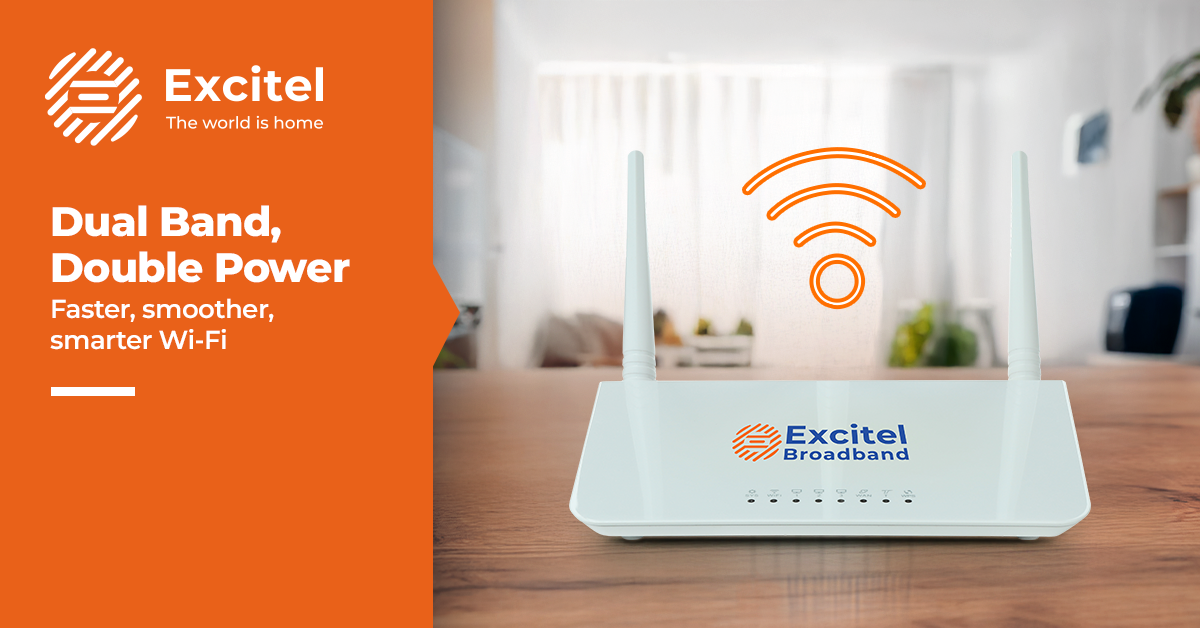
Credit: www.excitel.com
Enhanced Device Connectivity
Enhanced device connectivity is a key benefit of a dual band router. It allows many devices to connect without slowing down the network. This makes it easier to manage all your gadgets at home or in the office. A dual band router splits the connection into two bands, which helps keep everything running smoothly.
Supporting Multiple Devices
Dual band routers support more devices at the same time. The 2.4 GHz band handles devices that need less speed but longer range. The 5 GHz band is for devices that need faster speeds and less interference. This separation reduces network traffic and keeps all devices working well together.
- Connect smartphones, tablets, laptops, and smart home devices.
- Reduce slowdowns caused by many devices using the same band.
- Improve overall network stability and speed.
Seamless Streaming And Gaming
Streaming movies and gaming require strong, steady connections. Dual band routers provide the bandwidth needed for smooth video and fast gameplay. The 5 GHz band offers less interference, which helps avoid buffering and lag. This means a better experience with fewer interruptions during your favorite activities.
- Enjoy high-definition video without pauses.
- Play online games with minimal delay.
- Switch bands automatically for the best connection.
Setup And Compatibility
Dual band routers connect to both 2. 4 GHz and 5 GHz networks, supporting more devices smoothly. They work well with various gadgets, making setup simple and flexible.
Setting up a dual-band router can feel daunting, but it doesn’t have to be. With a few easy steps, you can enjoy faster internet and better connectivity. The great news is that modern routers are designed with user-friendly interfaces, making the process much more straightforward.Easy Configuration Tips
Configuring your dual-band router is simpler than you might think. Start by plugging it in and connecting to your computer or smartphone. Most routers come with an intuitive web interface or app that guides you through the setup process. Make sure to set unique names for your 2.4 GHz and 5 GHz networks. This helps you easily identify which network to connect to based on your needs. For example, the 5 GHz band is ideal for streaming and gaming, while the 2.4 GHz band is better for devices further from the router.Compatibility With Modern Devices
Dual-band routers are designed to work with a wide range of devices. From smartphones and tablets to smart TVs and gaming consoles, your router can handle them all. If you’re wondering whether your older devices will work, don’t worry. Most dual-band routers are backward compatible, meaning they support older standards while offering the latest technology. In today’s connected world, having a router that can keep up with multiple devices is crucial. Imagine streaming your favorite show on your TV, while your kids play online games and your partner works on a video call—all without a hitch. That’s the power of a dual-band router. Have you ever struggled with your internet slowing down when everyone’s online? A dual-band router might just be the solution you need. With easy setup and broad compatibility, it’s a smart investment for any modern household.
Credit: blog.jazzcybershield.com
Cost Vs. Performance
Balancing cost and performance is key when choosing a dual band router. The price difference between single band and dual band models can be notable. Yet, performance gains often justify this investment. Knowing what you get helps make the right choice.
Is Upgrading Worth It
Dual band routers offer both 2.4 GHz and 5 GHz frequencies. This means better speed and less interference. The 5 GHz band handles high data tasks smoothly. Streaming, gaming, and video calls become more stable. The cost is higher but so is the user experience.
Older routers may struggle with many devices. Dual band supports multiple users without slowing down. It helps in busy homes or small offices. The upgrade cost pays off in faster, more reliable connections.
Long-term Benefits
Investing in a dual band router can save money over time. Fewer dropped connections reduce frustration and wasted time. It also supports newer technology and devices better. This means the router stays useful longer.
Energy efficiency improves with better hardware. This can lower electricity bills slightly. You avoid frequent replacements due to outdated technology. A good dual band router provides value beyond initial cost.
Frequently Asked Questions
What Is A Dual Band Router?
A dual band router transmits data over two frequencies: 2. 4 GHz and 5 GHz. This improves network speed and reduces interference.
How Does A Dual Band Router Improve Wi-fi Speed?
It separates devices between bands, minimizing congestion. The 5 GHz band offers faster speeds, enhancing overall Wi-Fi performance.
Are Dual Band Routers Better For Multiple Devices?
Yes, they manage multiple devices efficiently by distributing them across bands. This reduces lag and maintains stable connections.
Can Dual Band Routers Reduce Wi-fi Interference?
Yes, using two bands reduces interference from other wireless devices. The 5 GHz band is less crowded, improving signal quality.
Conclusion
A dual band router offers clear benefits for home and office use. It helps reduce slow internet and cuts down on signal interference. You get better speed and more reliable connections for all your devices. Switching between bands can keep your network smooth and stable.
This simple upgrade improves your online experience every day. Consider a dual band router for faster, more consistent Wi-Fi. It makes managing multiple devices easier and more efficient. A smart choice for stronger, better wireless coverage.