Are you frustrated when your smart TV struggles to connect to hotel Wi-Fi or shared networks while traveling? You might have heard that travel routers can solve this problem, but do they really work with smart TVs?
If you want a seamless streaming experience on the go, understanding how travel routers interact with your smart TV is key. Keep reading to discover how these devices can transform your travel entertainment and what you need to know before buying one.

Credit: www.yahoo.com
How Travel Routers Connect To Smart Tvs
Travel routers provide a handy way to share internet with smart TVs on the go. They create a small, private Wi-Fi network by connecting to existing internet sources. This lets your smart TV access online apps and streaming services through the travel router’s network.
Understanding how travel routers link with smart TVs helps you set up devices correctly. It also ensures smooth streaming and fewer connection problems. Below are the main points about how travel routers connect to smart TVs.
Types Of Travel Routers
- Portable Wi-Fi Routers:Small devices that create Wi-Fi from wired or wireless internet.
- Mi-Fi Devices:Use cellular data to provide internet access anywhere.
- Repeater Routers:Boost an existing Wi-Fi signal to extend coverage.
Connecting Methods
- Wi-Fi Connection:The smart TV connects wirelessly to the travel router’s network.
- Ethernet Cable:Some smart TVs can connect directly to the travel router using a cable.
- Bridge Mode:The travel router links to a hotel or public Wi-Fi, then shares it.
Compatibility Factors
- Wi-Fi Standards:Both devices should support common standards like 802.11n or ac.
- Frequency Bands:Dual-band routers (2.4 GHz and 5 GHz) work better with most smart TVs.
- Network Security:Supported security types (WPA2, WPA3) ensure safe connections.
- IP Address Assignment:The router must provide IP addresses via DHCP to the TV.
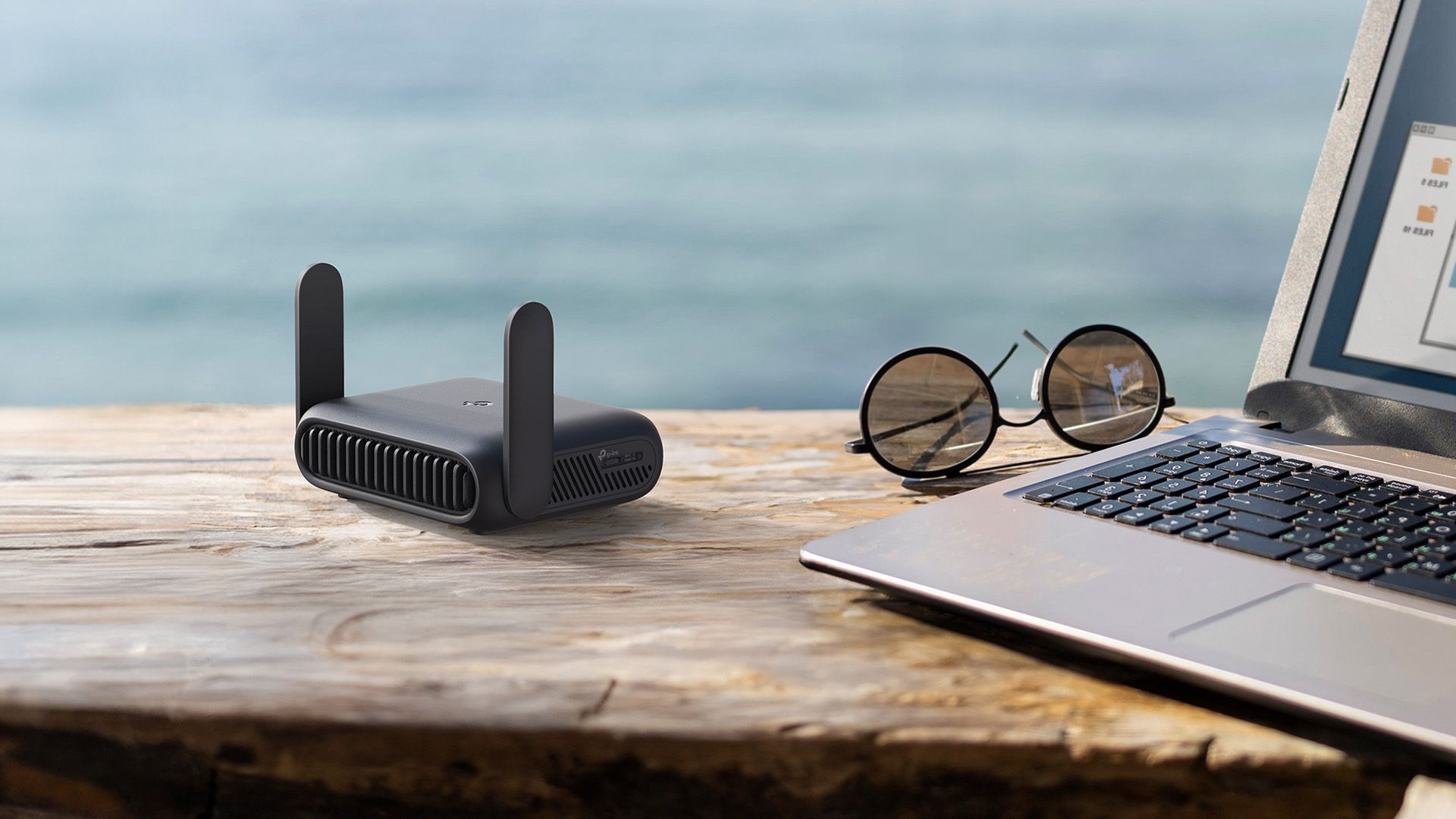
Credit: www.howtogeek.com
Benefits Of Using Travel Routers With Smart Tvs
Travel routers help connect smart TVs to the internet easily while traveling. They improve Wi-Fi signals and offer secure, stable connections for streaming. Using a travel router with a smart TV ensures smoother online viewing anywhere.
Travel routers can be a game-changer for those who love their Smart TVs. They offer a seamless viewing experience, even while you’re on the go. Whether you’re in a hotel room or a vacation rental, a travel router ensures you never miss your favorite shows or movies. But how exactly does this work, and what are the specific benefits?Improved Wi-fi Stability
Travel routers can significantly stabilize your Wi-Fi connection. Unlike public Wi-Fi, which is often overcrowded and unreliable, a travel router provides a dedicated connection for your Smart TV. This means fewer interruptions during your movie nights. Picture yourself settling in after a long day of exploring, only to have your streaming session ruined by constant buffering. With a travel router, you can avoid this frustration and enjoy uninterrupted entertainment.Enhanced Security
Security is a top concern when connecting devices like Smart TVs to the internet. Public networks are notorious for being breeding grounds for hackers and data breaches. A travel router acts as a shield, protecting your Smart TV from potential threats. It creates a secure network that encrypts your data, keeping your viewing habits and personal information safe. Imagine the peace of mind you’ll have, knowing your privacy isn’t compromised while enjoying your favorite shows.Bypassing Network Restrictions
Have you ever tried to access a streaming service only to find it’s blocked due to regional restrictions? This is where a travel router can be incredibly useful. By setting up a virtual private network (VPN) through your travel router, you can bypass these pesky restrictions. This means you can enjoy your usual streaming services, no matter where you are in the world. It’s like bringing a piece of home with you, making any place feel familiar and comfortable. Travel routers can enhance your Smart TV experience in more ways than one. So, next time you pack for a trip, consider adding a travel router to your list. Wouldn’t it be worth it to have the same quality entertainment on the road as you do at home?Setting Up A Travel Router For Your Smart Tv
Setting up a travel router for your smart TV can turn a frustrating hotel or public Wi-Fi experience into seamless streaming. This small device acts as a middleman, giving your TV a stable and private connection. Let’s break down how you can get your travel router ready and connect it to your smart TV without hassle.
Initial Configuration Steps
Start by plugging your travel router into a power source. Use a laptop or smartphone to access the router’s setup page, typically via a web browser at a specific IP address like 192.168.0.1. You’ll be asked to create a new Wi-Fi network name (SSID) and password—choose something easy to remember but secure.
Make sure to update the router’s firmware if prompted. This ensures better performance and compatibility. Have you ever tried streaming on a slow network? Setting up your router properly can save you from that frustration.
Connecting To Hotel Or Public Wi-fi
Most travel routers have a mode to connect to existing Wi-Fi networks. Select the option to join a hotel or public Wi-Fi and enter the credentials provided by the venue. Some hotels use a captive portal where you need to log in via a browser—your router will handle this login through its interface.
If the public Wi-Fi requires frequent re-authentication, check if your travel router supports auto-login features. This can save you from repeatedly entering passwords or access codes. How much easier would your trip be with one reliable connection?
Linking Your Smart Tv
Once your travel router is connected to the internet, switch your smart TV’s Wi-Fi settings to the network you created on the travel router. Enter the password you set earlier, and your TV should connect smoothly. This setup avoids the need to log into the hotel’s Wi-Fi on multiple devices.
Test your connection by streaming a video or running a speed test app on your TV. If buffering occurs, try repositioning the router closer to your TV or adjusting the router’s settings for better signal strength. Getting this right means you can enjoy your favorite shows anywhere without interruptions.

Credit: tech.yahoo.com
Troubleshooting Common Issues
Travel routers can face issues when connecting with smart TVs. These problems can interrupt streaming or cause slow connections. Troubleshooting common issues helps maintain a smooth connection. Understanding these problems saves time and improves your experience.
Connection Drops
Connection drops happen when the signal weakens or the router loses contact. This can occur due to interference from other devices or walls blocking the signal. To fix this, try moving the travel router closer to the smart TV. Avoid placing it near microwaves or cordless phones. Restarting the router can also clear temporary glitches. Regularly check for obstacles that reduce signal strength.
Ip Address Conflicts
IP address conflicts occur when two devices use the same address on the network. This causes one or both devices to lose connection. To solve this, access the router settings and assign a unique IP address to your smart TV. Enabling DHCP on the router helps assign addresses automatically. If conflicts persist, reset the network settings on the TV and router.
Firmware Updates
Outdated firmware can cause compatibility issues between travel routers and smart TVs. Firmware updates fix bugs and improve performance. Check the router manufacturer’s website regularly for updates. Apply updates through the router’s admin panel. Also, keep your smart TV’s software up to date for the best experience. Updated devices connect more reliably and offer better security.
Best Travel Routers For Smart Tvs
Travel routers help connect smart TVs to the internet in places with weak or no Wi-Fi. They create a private network using a wired or wireless connection. This setup allows smooth streaming and reduces buffering. Choosing the right travel router improves your TV’s online experience anywhere you go.
Top Models Reviewed
- TP-Link TL-WR902AC:Compact and easy to use. Supports dual-band Wi-Fi for stable connections.
- GL.iNet GL-AR750S:Strong security features and good speed. Works well with multiple devices.
- Netgear Nighthawk M1:High performance with 4G support. Great for areas without wired internet.
- HooToo TripMate Titan:Combines power bank and router. Offers reliable connections and extra battery life.
Price Vs Performance
Budget travel routers provide basic features and decent speed. They fit casual streaming needs. Mid-range models offer better range and faster data transfer. These work well for HD streaming and gaming. Premium routers deliver top speed and extra features like VPN support. They suit heavy users or business travelers.
Portability And Features
Lightweight routers are easy to carry in a bag or pocket. Small size does not always mean less power. Look for routers with USB charging for travel convenience. Extra features like guest networks and parental controls add value. Battery life matters for use without power outlets. Choose models that balance size, power, and functionality.
Tips For Optimizing Streaming Performance
Optimizing streaming on a travel router ensures smooth video playback on your smart TV. Small changes can reduce buffering and improve picture quality. Follow these tips to enhance your streaming experience wherever you go.
Positioning Your Router
Place the travel router in an open space, away from walls and metal objects. Higher placement often improves signal strength. Keep the router close to your smart TV for a stable connection. Avoid areas with many electronic devices that cause interference.
Adjusting Network Settings
Set your travel router to use the 5 GHz band for faster speeds and less interference. Choose a less crowded Wi-Fi channel to reduce signal clashes. Enable Quality of Service (QoS) to prioritize streaming traffic on your smart TV. Update the router’s firmware regularly for better performance.
Managing Bandwidth Usage
Limit the number of devices connected to the travel router. Pause downloads or updates while streaming to free up bandwidth. Close apps and devices that use the internet in the background. Use lower video quality settings if your connection is slow to avoid constant buffering.
Frequently Asked Questions
Do Travel Routers Improve Smart Tv Connectivity?
Yes, travel routers create a stable Wi-Fi network that enhances smart TV connectivity. They boost signal strength in weak Wi-Fi areas, ensuring smoother streaming and fewer interruptions.
Can Smart Tvs Connect Directly To Travel Routers?
Smart TVs can connect directly to travel routers via Wi-Fi. Travel routers act as a bridge, providing internet access when regular networks are unavailable or unreliable.
Are Travel Routers Compatible With All Smart Tv Brands?
Most travel routers are compatible with major smart TV brands. They use standard Wi-Fi protocols, making them universally effective for streaming and online apps on smart TVs.
Do Travel Routers Require Special Setup For Smart Tvs?
Travel routers typically need simple setup via a smartphone or laptop. After setup, smart TVs connect to the router’s Wi-Fi like any other network.
Conclusion
Travel routers can help your smart TV connect to the internet easily. They work well in hotels or places with weak Wi-Fi. Setting up is simple and does not need much tech knowledge. This small device creates a private network for your TV.
It helps reduce connection problems and buffering. Smart TVs stay online for streaming, gaming, or browsing. Travel routers offer a flexible way to enjoy your TV anywhere. Give it a try to improve your TV’s internet experience on the go.