Are you tired of hunting for power outlets every time you travel? Imagine having a device that keeps your internet connection strong, no matter where you are, without needing to be plugged in all the time.
That’s exactly why you might be wondering: do travel routers have batteries? Understanding this can change the way you stay connected on the go. Keep reading, and you’ll discover how a travel router’s power source can make your trips smoother and your online experience hassle-free.
What Are Travel Routers
Travel routers are small devices that create a private Wi-Fi network from a public internet source. They help travelers connect multiple devices securely. These routers are compact and easy to carry, making them ideal for trips.
Travel routers provide better control over internet connections. They can improve security and share internet with friends or family. Many models support various connection types, including Ethernet and Wi-Fi.
Key Features Of Travel Routers
- Compact and lightweight design for easy portability
- Ability to convert wired or wireless internet into a private Wi-Fi network
- Supports multiple device connections simultaneously
- Enhanced security options like VPN support and password protection
- Easy setup with user-friendly interfaces
- Some models include built-in batteries for use without power outlets
Common Uses While Traveling
- Sharing hotel Wi-Fi with multiple devices securely
- Creating a private network to protect data on public Wi-Fi
- Connecting devices in places with only wired internet ports
- Using VPNs to access region-restricted content safely
- Extending Wi-Fi range in large hotels or rental homes
- Maintaining a stable internet connection for work or entertainment
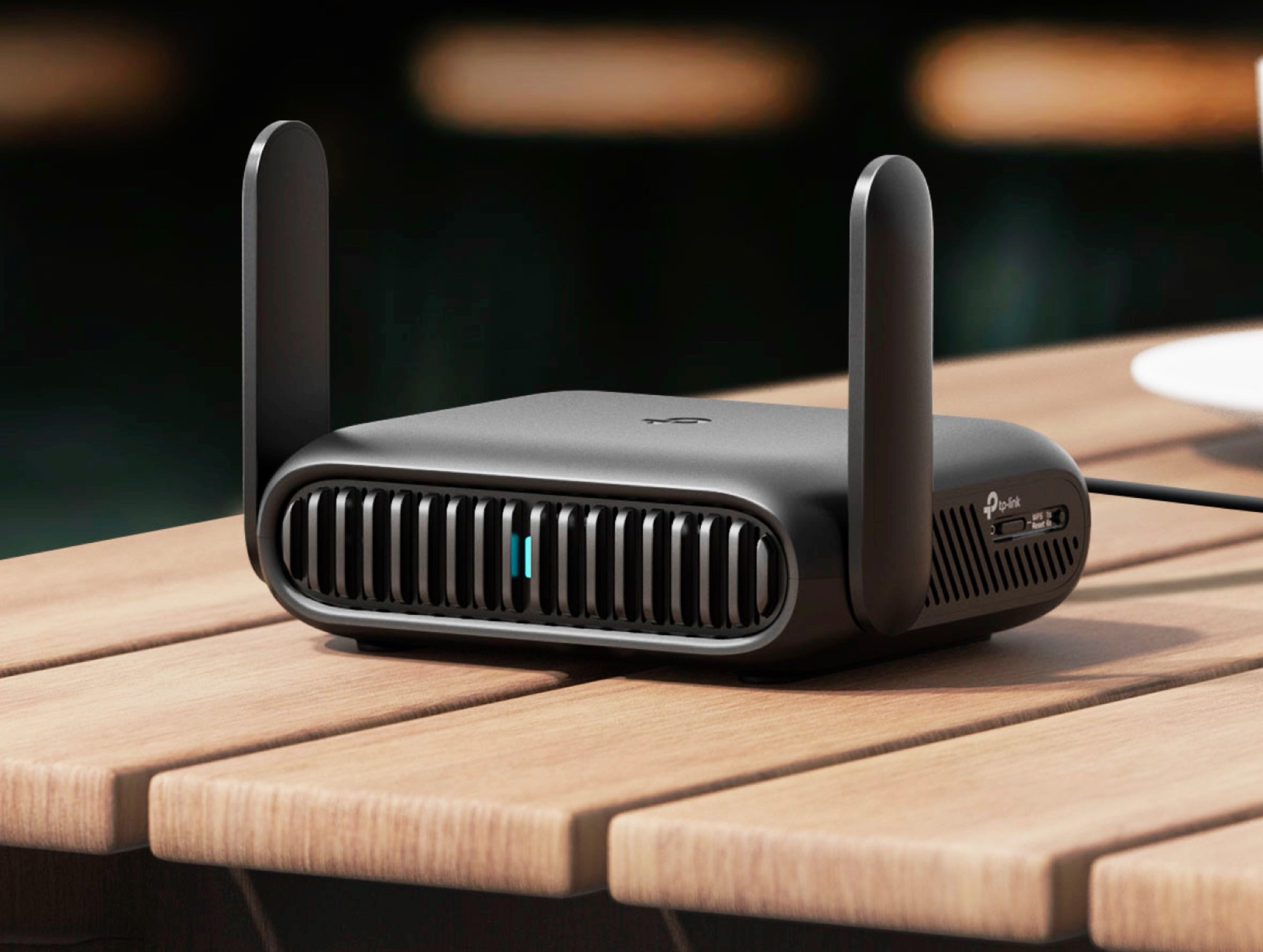
Credit: www.notebookcheck.net
Battery Options In Travel Routers
Travel routers offer different battery options to suit various travel needs. Some models come with built-in batteries, allowing users to stay connected without plugging in. Others need external power sources to function. Understanding these options helps travelers pick the right router for their trips.
Models With Built-in Batteries
Travel routers with built-in batteries provide true portability. You can use them anywhere without searching for an outlet. These routers usually have rechargeable lithium-ion batteries. Battery life varies by model but often lasts between 6 to 12 hours.
Built-in batteries make these routers ideal for outdoor activities, flights, or places with no power. They are compact and easy to carry. Some popular models even allow charging other devices through USB ports.
Routers Requiring External Power
Some travel routers need an external power source to work. They depend on USB charging or wall adapters. These routers are usually smaller and lighter since they lack batteries.
They work well in hotels, cafes, or locations with available power outlets. Users must stay near a power source for continuous use. These routers often cost less than battery-powered ones and can offer more stable connections.
Benefits Of Battery-powered Travel Routers
Battery-powered travel routers bring a new level of freedom to your internet access on the go. They eliminate the need to hunt for power outlets, giving you more control over your connectivity. This convenience makes them a smart choice for travelers who demand reliable Wi-Fi anywhere.
Portability And Convenience
Having a travel router with a built-in battery means you can carry your own Wi-Fi hotspot without extra cables or chargers. Imagine sitting in a park or a café without worrying about finding a plug. This lightweight device fits easily in your bag, making it perfect for spontaneous trips or long flights.
You can also share your connection with multiple devices effortlessly. This avoids the hassle of juggling multiple SIM cards or hotspot plans. Isn’t it great to have a stable network wherever you are?
Power Backup During Outages
Power outages can strike unexpectedly, especially in remote or unfamiliar places. A battery-powered travel router keeps your internet alive even when the electricity is out. This backup can be a lifesaver if you rely on the internet for work or staying connected with loved ones.
Think about having a continuous connection during a blackout at your hotel or campsite. It allows you to maintain productivity, access important information, or simply stay entertained. Wouldn’t you prefer to be prepared rather than scrambling for solutions?
How To Choose A Travel Router
Choosing the right travel router makes your trips easier and more connected. Consider key factors that affect performance and convenience. Focus on battery life, connectivity, size, and weight. These points help you find a router that fits your travel style.
Battery Life And Capacity
Battery life is crucial for travel routers. A longer battery means more hours of internet without charging. Check the battery capacity, measured in milliampere-hours (mAh). Higher mAh usually means longer use. Think about how many hours you need the router to work each day. Some routers offer fast charging, which is useful on the go.
Connectivity Features
Connectivity options impact your router’s flexibility. Look for support of various Wi-Fi standards, like 802.11ac or 802.11ax. These provide faster speeds and better range. A router with multiple Ethernet ports lets you connect wired devices. Some models include SIM card slots for mobile data. Dual-band support (2.4 GHz and 5 GHz) helps avoid network congestion.
Size And Weight Considerations
Travel routers should be compact and lightweight. Small size fits easily in a backpack or purse. A light router reduces the load during travel. Check the dimensions and weight before buying. Some models are designed to be pocket-friendly. Choose a router that balances size with performance.
Extending Battery Life On The Go
Some travel routers come with built-in batteries for use without power outlets. Others need external power sources or power banks to keep running. Choosing the right type helps extend internet access during trips.
Travel routers can be a lifesaver when you’re on the move, offering a reliable connection wherever you are. But, like any tech device, they can run out of juice when you need them most. Extending your travel router’s battery life is crucial for uninterrupted connectivity. Whether you’re heading on a business trip or exploring remote destinations, understanding how to efficiently manage your router’s power can make all the difference.Power Saving Settings
Many travel routers come with built-in power-saving features. Make sure to activate these settings to conserve energy. Lowering the brightness of any indicator lights and reducing the Wi-Fi range can significantly extend battery life. Additionally, disabling unnecessary features like Bluetooth when not in use is another effective way to save power. Remember, every little bit counts when you’re trying to keep your devices running longer.Using Power Banks
A power bank can be your best friend when your travel router’s battery starts to dwindle. Choose a power bank with a capacity that suits your travel needs. Look for one that can charge your router multiple times before needing a recharge itself. Consider its size and weight, especially if you’re packing light. Having a portable power source ensures that your router remains functional even during long travel days. Have you ever thought about how a simple power bank could be the key to keeping you online throughout your adventures? Incorporating these practical tips into your travel routine ensures that your connectivity remains uninterrupted, no matter where your journey takes you.
Credit: www.theverge.com
Popular Battery-powered Travel Routers
Battery-powered travel routers are perfect for travelers who need internet access on the go. These devices combine portability with wireless connectivity. They work without plugging into a power outlet, using built-in batteries. This makes them ideal for flights, road trips, and remote locations.
Many models offer strong signals, easy setup, and multiple device connections. They also provide secure networks to protect your data. Battery life varies, but most last for several hours on a single charge. Let’s explore some popular brands and models that travelers trust.
Top Brands And Models
- TP-Link M7350:Compact, supports 4G LTE, up to 10 devices, battery lasts about 8 hours.
- GL.iNet GL-MT300N-V2:Small, lightweight, runs on a rechargeable battery, supports VPN.
- RAVPower FileHub:Combines travel router with a file hub, has a 6700mAh battery.
- HooToo TripMate Titan:Offers 6000mAh battery, media streaming, and file sharing features.
- Netgear Nighthawk M1:High-performance, supports fast 4G speeds, battery lasts up to 24 hours.
Price And Performance Comparison
| Model | Price Range | Battery Life | Max Devices | Key Feature |
|---|---|---|---|---|
| TP-Link M7350 | $80 – $120 | 8 hours | 10 | 4G LTE support |
| GL.iNet GL-MT300N-V2 | $40 – $60 | 6 hours | 10 | VPN support |
| RAVPower FileHub | $60 – $90 | 8 hours | 5 | File sharing |
| HooToo TripMate Titan | $70 – $100 | 10 hours | 5 | Media streaming |
| Netgear Nighthawk M1 | $250 – $300 | 24 hours | 20 | High-speed 4G |
Troubleshooting Battery Issues
Battery problems can quickly turn a handy travel router into a frustrating device. If your travel router’s battery isn’t performing well, troubleshooting is essential to keep your connection smooth on the go. Understanding what causes these issues and how to fix them will save you time and stress during your travels.
Common Problems
One frequent issue is the battery not holding a charge as long as it used to. This often happens because batteries degrade over time or due to improper charging habits.
Another problem is the device not powering on even when connected to a charger. This might be caused by a faulty charging cable, port damage, or a dead battery.
Sometimes, the battery indicator shows incorrect readings, leading you to believe the battery is full when it’s not. This can confuse you about how much usage time is left.
Maintenance Tips
To keep your travel router’s battery healthy, charge it regularly but avoid overcharging. Unplug the router once it reaches 100% to prevent battery stress.
Use the original charger or a high-quality replacement that matches the device’s specifications. Cheap chargers can harm the battery or cause slow charging.
Store your router in a cool, dry place when not in use. Excess heat or moisture can degrade the battery faster and reduce its lifespan.
Have you checked if your travel router has a removable battery? If so, cleaning the contacts gently with a dry cloth can improve the connection and performance.
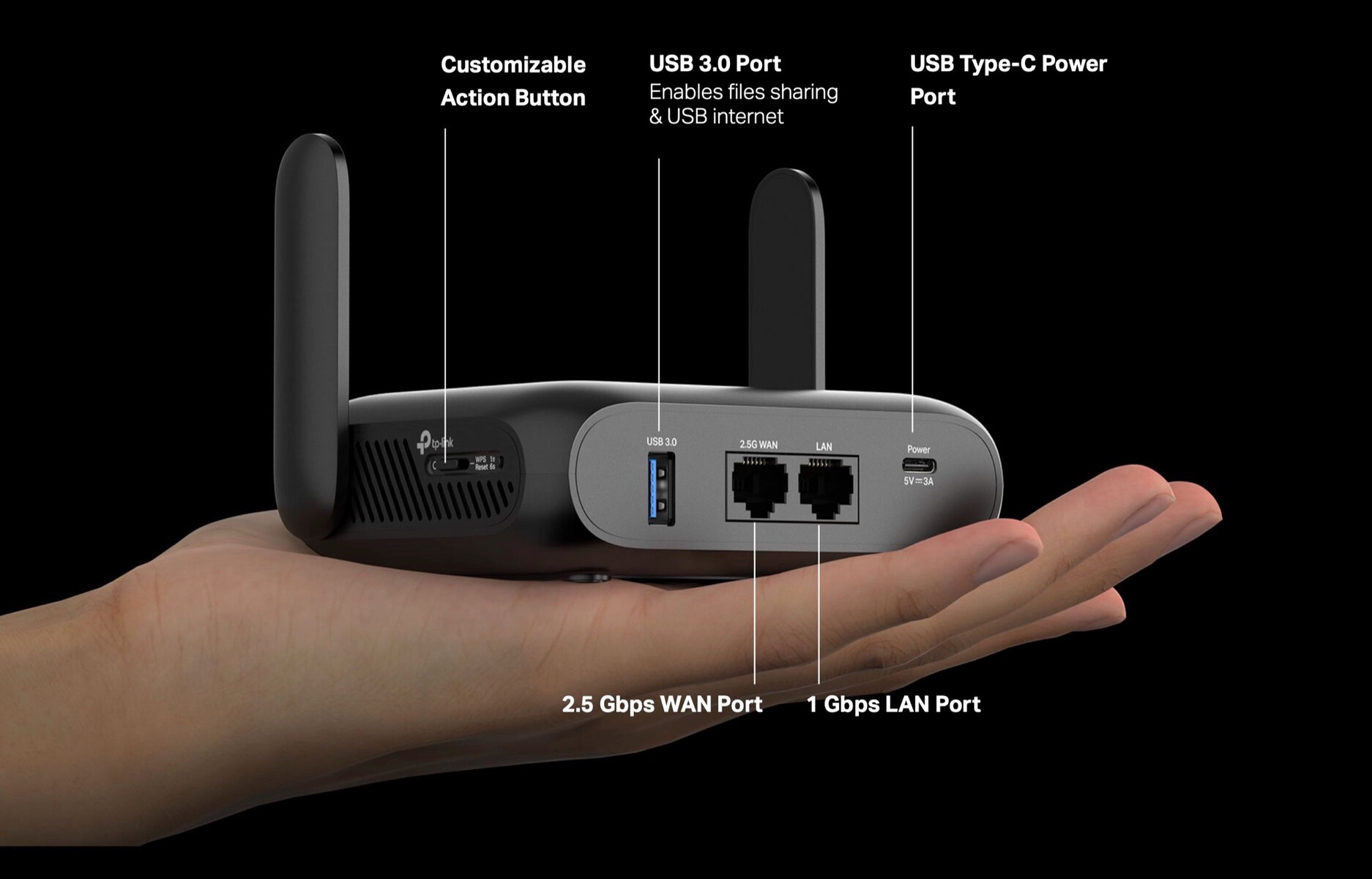
Credit: www.notebookcheck.net
Future Trends In Travel Router Power
Many travel routers now come with built-in batteries for easy use on the go. This trend allows travelers to stay connected without needing constant power sources. Battery life and portability remain key focuses for future travel router designs.
The future of travel routers is undoubtedly exciting, especially when considering how they are powered. As technology evolves, so does the demand for more efficient and sustainable power solutions for our devices. Let’s explore the upcoming trends that could redefine how you keep your travel router charged and ready for adventure.Advancements In Battery Technology
Battery technology is advancing rapidly. You might soon find travel routers with batteries that last significantly longer than current models. Imagine being able to stream, connect, and work seamlessly without worrying about recharging frequently. Manufacturers are exploring solid-state batteries, which offer higher energy density and faster charging times. This means you could get more browsing time with less charging downtime. And who doesn’t love a travel gadget that keeps up with your adventures without tethering you to a power outlet?Solar-powered Options
The idea of solar-powered travel routers is gaining traction. Picture yourself on a beach, your router soaking up the sun while keeping you connected. It’s a perfect blend of convenience and sustainability. Some companies are already experimenting with integrating small solar panels into router designs. This could be a game-changer for those traveling to remote locations with limited access to electricity. But would you trust your connectivity to the whims of the weather? As solar technology improves, so too will the reliability of solar-powered routers, making them a viable option for eco-conscious travelers. As these trends unfold, the way you power your travel router might just become as adventurous as the journeys you take.Frequently Asked Questions
Do Travel Routers Come With Built-in Batteries?
Most travel routers do not have built-in batteries. They usually require external power via USB or adapters. Some models include rechargeable batteries, offering portability. Always check product specifications before buying if you need a battery-powered router for travel convenience.
How Long Do Travel Router Batteries Last?
Battery life varies by model and usage. Typical travel router batteries last between 4 to 8 hours. Usage, signal strength, and device connections affect battery duration. Choose a router with a longer battery life for extended travel or outdoor use.
Can Travel Routers Work Without Batteries?
Yes, travel routers can work without batteries if powered via USB or AC adapter. Batteries add portability but are not mandatory. You can connect them to power banks, laptops, or wall outlets for continuous operation during travel.
Are Battery-powered Travel Routers Worth Buying?
Battery-powered travel routers offer convenience and mobility. They are ideal for travelers without reliable power sources. However, they may cost more and have limited battery life. Consider your travel needs before choosing a battery-powered model.
Conclusion
Travel routers sometimes have built-in batteries for easy use. This helps you connect without needing a power outlet. Not all models include batteries, so check before buying. Battery life varies by brand and usage time. A router with a battery offers more freedom while traveling.
It keeps your devices online in hotels or cafes. Choose one that fits your travel needs and budget. Staying connected on the go becomes simple with the right router. Remember to charge it fully before your trip. This small device can make travel internet easier and faster.