Have you ever struggled with slow or unreliable Wi-Fi during your hotel stay? You’re not alone.
Many travelers face this problem, and that’s where travel routers come in. But do travel routers really work in hotels? If you want a faster, more secure internet connection on the road, understanding how these devices perform in hotel settings is key.
Keep reading to discover if a travel router is the solution you’ve been looking for and how it can change your travel experience for the better.
How Travel Routers Operate
Travel routers create a private Wi-Fi network using the hotel’s internet connection. They act as a bridge between your devices and the hotel’s often shared or limited Wi-Fi. These routers improve security and can boost signal strength in your room.
Understanding how travel routers work helps you use them effectively in hotels. They connect to the hotel’s Ethernet or Wi-Fi and share internet with your devices. This process often makes the connection faster and safer.
Basic Functionality
Travel routers take one internet source and create a local wireless network. Your phone, laptop, or tablet connects to this new network instead of the hotel’s public Wi-Fi. This setup helps protect your data from hackers on open networks.
The router also manages traffic between your devices and the internet. It can block unwanted access and keep your connection stable. This way, your internet use remains private and smoother.
Types Of Travel Routers
- Wired Travel Routers:Connect to a hotel’s Ethernet port to share internet.
- Wireless Travel Routers:Capture hotel Wi-Fi and rebroadcast it as a private network.
- Portable 4G/5G Routers:Use mobile data to create a Wi-Fi hotspot anywhere.
Choosing the right type depends on the hotel’s internet options and your needs.
Setup Process
Start by plugging the travel router into power. Connect it to the hotel’s internet source, either Ethernet or Wi-Fi. Use your device to access the router’s setup page through a web browser.
Follow simple instructions to name your network and set a password. Some routers offer apps for easier setup. Once configured, connect your devices to the new secure Wi-Fi.
Hotel Wi-fi Challenges
Hotel Wi-Fi often creates frustrating moments for travelers. The connection may be slow, unstable, or even unsafe. These challenges can affect work, entertainment, and communication during your stay. Understanding common hotel Wi-Fi problems helps to decide if a travel router can improve your experience.
Common Connectivity Issues
Hotel Wi-Fi often struggles with many devices connected at once. This overload causes slow speeds and frequent drops. Signal strength can vary from room to room. Walls and distance from the router can weaken connections. Some hotels use old equipment that cannot handle modern internet demands. Guests may need to reconnect frequently or face long loading times.
Security Risks
Public Wi-Fi networks, like those in hotels, often lack strong security. Hackers can intercept data on unsecured connections. Personal information, passwords, and credit card details may be at risk. Many hotels use open networks without passwords or use shared passwords. This setup increases the chance of cyberattacks. Using a travel router can create a private network to protect your data.
Bandwidth Limitations
Hotels usually limit the bandwidth to avoid overloading their systems. This means slower internet speeds during busy hours. Streaming videos, video calls, or downloading files can become difficult. Some hotels charge extra fees for higher speeds or unlimited data. Travelers may find these limits frustrating, especially for work or entertainment needs. A travel router can help manage bandwidth better for personal devices.
Benefits Of Using Travel Routers In Hotels
Using a travel router in hotels offers several key benefits. It can improve your internet experience and provide more control over your connection. Travel routers create a private network, which helps you stay safer and more connected. They also allow multiple devices to join the network without extra fees. These advantages make travel routers a smart choice for hotel stays.
Improved Connection Stability
Travel routers often boost signal strength inside hotel rooms. They help reduce connection drops and slow speeds. The router manages the hotel’s Wi-Fi better than most devices. This creates a smoother and more reliable internet experience. Streaming, video calls, and browsing become easier and faster.
Enhanced Security
Hotels usually offer public Wi-Fi, which is less secure. Travel routers add a layer of protection by creating a private network. This helps block hackers and unwanted access. They encrypt your data, keeping personal information safe. Using a travel router is a simple way to protect your online activity.
Multiple Device Support
Many hotel Wi-Fi plans charge extra for each device. Travel routers let you connect all your gadgets through one network. Phones, laptops, tablets, and more can share the connection. This saves money and keeps all devices online at once. It also makes managing your network easier during your stay.

Credit: www.youtube.com
Compatibility With Hotel Networks
Travel routers can help connect multiple devices to hotel Wi-Fi. Compatibility with hotel networks varies by the type of connection and network rules. Understanding these factors ensures better internet access during your stay. This section explains how travel routers interact with hotel networks.
Wired Vs Wireless Connections
Hotels may offer wired Ethernet ports or wireless Wi-Fi. Travel routers often support both types of connections. A wired connection is usually more stable and faster. Plug the travel router into the Ethernet port to share internet with devices. Wireless connections depend on the hotel’s Wi-Fi signal strength. Some routers can connect wirelessly to the hotel network and create a private network for your devices. Check your travel router’s features for compatibility with both connection types.
Captive Portals And Login Screens
Many hotels use captive portals to control internet access. Guests must enter a room number or password on a login screen. Travel routers may not automatically show these screens. Connect one device directly to the hotel Wi-Fi first. Complete the login on that device. Then connect the travel router to share the internet. Some routers offer built-in support for captive portals. These models simplify the login process and avoid repeated logins on every device.
Dealing With Network Restrictions
Hotels often limit the number of devices per room. Travel routers help bypass this restriction by acting as one device. The hotel network sees only the router, not each gadget. Some networks block routers to prevent sharing. Test your travel router before relying on it. Use VPNs or proxy settings cautiously, as hotels may block them. Always check hotel policies on network use to avoid problems during your stay.
Setting Up A Travel Router In A Hotel
Setting up a travel router in a hotel can greatly improve your internet experience, giving you more control and security. Whether you’re connecting through the hotel’s Ethernet port or using their Wi-Fi, a travel router helps create a private network for your devices. Let’s break down how to get your travel router up and running smoothly in a hotel environment.
Connecting To Hotel Ethernet
If your hotel room has an Ethernet port, you can plug your travel router directly into it. This connection often provides faster and more stable internet than Wi-Fi. Simply connect the Ethernet cable from the wall to your router’s WAN or Internet port.
Once connected, power on your router and access its setup page through a browser on your device. Some hotels require you to log in on their splash page, so open a browser and complete any necessary authentication steps. After this, your travel router will share the internet connection with all your devices.
Using Hotel Wi-fi As Wan
If no Ethernet port is available, many travel routers can use the hotel’s Wi-Fi as a WAN (wide area network) source. Your router will connect to the hotel’s Wi-Fi and create a private network for your devices. This method can help you avoid multiple login screens on different devices.
To set this up, enter your router’s configuration page and select the option to connect via Wi-Fi as the WAN source. Scan for the hotel’s Wi-Fi network, enter the password if required, and connect. Your router will then handle all device connections, making your online experience smoother and more consistent.
Configuring Security Settings
Security is crucial when using public or semi-public internet like in hotels. After setup, change the default network name (SSID) and password of your travel router to something unique. This prevents others from easily accessing your network.
Enable WPA3 or WPA2 encryption if available, as these provide stronger protection than older protocols. Also, consider turning on your router’s firewall and disabling features like WPS, which can be vulnerable. Have you checked your router’s security settings lately to make sure your data stays safe?
Troubleshooting Common Issues
Travel routers may face issues like weak signals or login page blocks in hotels. Restarting the router or checking settings often solves these problems quickly. Sometimes, contacting hotel staff helps to access the internet smoothly.
When using travel routers in hotels, you may encounter a few issues that can hinder your internet experience. Addressing these problems effectively can enhance your connectivity and ensure a smoother online experience during your stay. Let’s dive into some common challenges and explore practical solutions.Connection Drops
Frequent connection drops can be frustrating, especially if you’re in the middle of an important video call or trying to stream your favorite show. Often, this issue arises due to interference from other devices or thick walls in the hotel. To tackle this, try relocating your travel router closer to the hotel’s access point or near a window. Another tip is to switch your router to a less crowded channel. Many routers allow you to change channels through their settings interface, which can significantly reduce interference.Authentication Problems
Authentication issues are common in hotels where you need to log in to a network. The hotel’s network might require you to authenticate through a captive portal, a page where you enter your room number or last name. If your travel router isn’t connecting properly, try connecting a device directly to the hotel network first. Once authenticated, connect your travel router. This often allows the router to bypass the captive portal, maintaining the connection for all your devices.Slow Speeds
Experiencing slow internet speeds can be a real dampener on your hotel stay. This problem might be due to bandwidth throttling or too many users on the same network. One effective solution is to use a travel router that supports dual-band frequencies. This allows you to switch between 2.4GHz and 5GHz bands, optimizing your speed based on current network conditions. Additionally, closing background applications that consume bandwidth can help improve your browsing speed. Remember, tackling these issues not only improves your hotel internet experience but also enhances your overall travel experience. Have you ever faced any of these challenges? How did you solve them?Top Travel Routers For Hotel Use
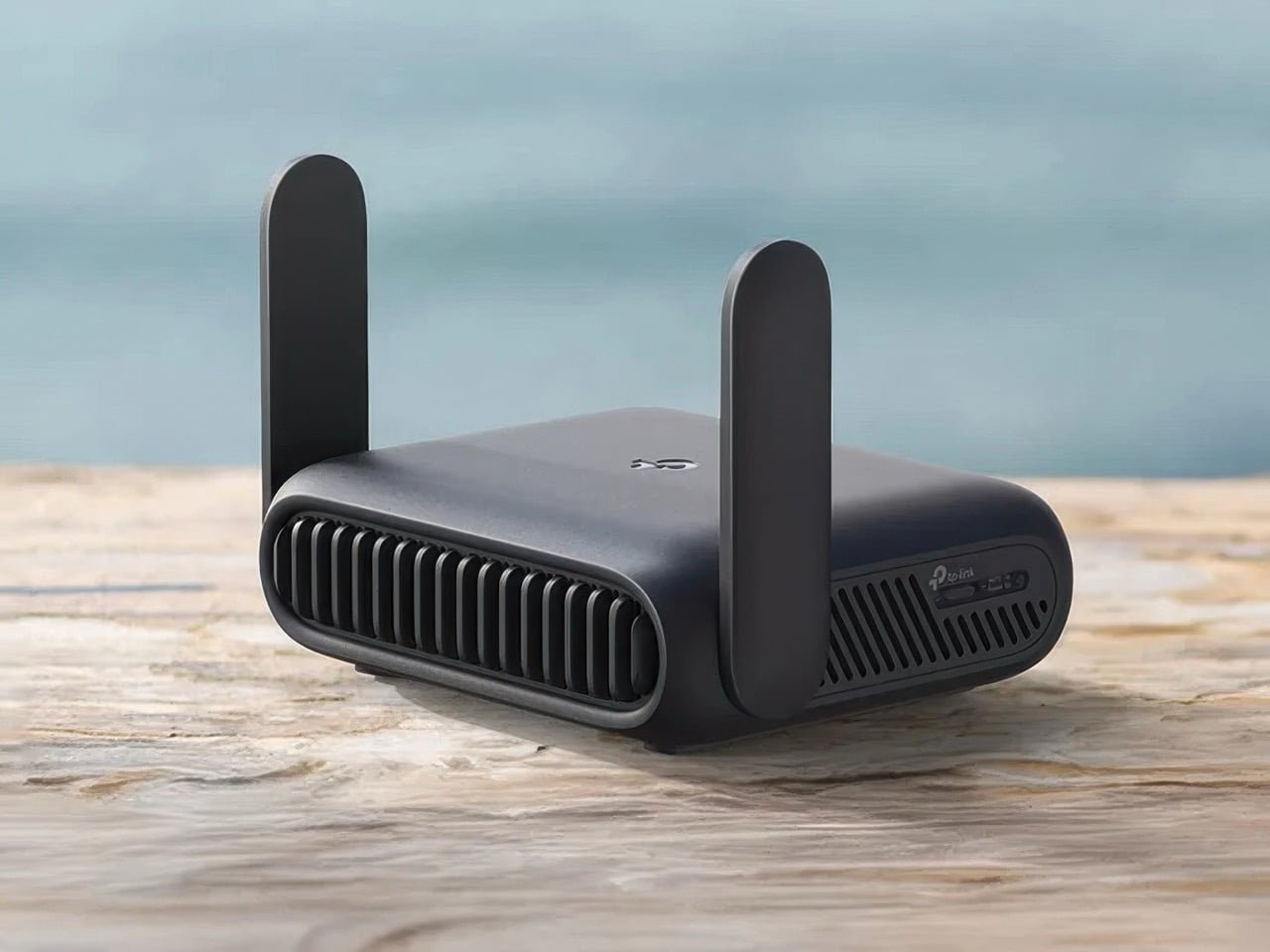
Travel routers offer a great way to stay connected in hotels. They provide secure, reliable internet without relying on hotel Wi-Fi alone. But which travel routers work best for hotel use? Here are some top choices to consider.
Compact And Portable Models
Compact travel routers are easy to carry. They fit in your bag without taking much space. Their small size doesn’t affect their performance. These models offer a strong connection for your devices.
- TP-Link TL-WR902AC: This model is tiny but powerful. It supports dual-band Wi-Fi.
- GL.iNet GL-AR750S: Lightweight and compact with multiple connection options.
Budget Options
You don’t need to spend much on a reliable travel router. Budget models offer good features at lower prices. They still provide a secure connection in hotels.
- TP-Link TL-WR802N: Affordable and easy to set up. It offers stable Wi-Fi.
- GL.iNet GL-MT300N-V2: Compact and cost-effective with basic security features.
High-performance Devices
High-performance travel routers deliver excellent speed and range. They are ideal for streaming or heavy internet use. These models ensure a seamless experience in hotels.
- Netgear Nighthawk M1: Offers fast speeds and supports multiple devices.
- HooToo TripMate Titan: Provides power bank features along with strong Wi-Fi.
Credit: www.yankodesign.com
Tips For Maximizing Hotel Wi-fi With Travel Routers
Maximizing hotel Wi-Fi with your travel router can transform your stay from frustrating to seamless. It’s not just about plugging in and hoping for the best; a few smart moves can boost your connection speed and security. Let’s look at practical ways to get the most out of your travel router in any hotel setting.
Positioning Your Router
Where you place your travel router makes a big difference. Try to position it near the hotel room’s window or an open space to catch a stronger signal from the hotel’s main Wi-Fi source.
Avoid hiding it behind furniture or inside cabinets, as walls and objects block the signal. In one of my trips, moving the router just a few feet closer to the window doubled my internet speed.
Think about the layout of your room and experiment with different spots. Have you noticed a quiet corner with less interference? That might be your best bet.
Regular Firmware Updates
Keeping your travel router’s firmware up to date is crucial. Manufacturers release updates to fix bugs and improve performance, which can enhance your connection stability in hotels.
Before you travel, check the router’s website or app for any available updates. It only takes a few minutes but can prevent headaches like dropped connections or slow speeds.
Also, some routers offer automatic update options—turn these on if you want hassle-free security and better performance. Are you currently checking for updates regularly?
Using Vpns For Security
Hotel Wi-Fi networks are often public and can leave your data vulnerable. Using a VPN with your travel router adds a strong layer of security by encrypting your internet traffic.
This protects sensitive information, such as passwords and credit card details, from hackers lurking on shared networks. On a recent trip, my VPN stopped a suspicious login attempt—proof that security matters.
Choose a reliable VPN service and configure it on your router to cover every device automatically. Have you set up your travel router to keep your data safe?
Credit: medium.com
Frequently Asked Questions
Do Travel Routers Improve Hotel Wi-fi Security?
Yes, travel routers add a personal firewall and encryption. They protect your devices from hotel network vulnerabilities and hackers, enhancing your online safety during your stay.
Can Travel Routers Increase Hotel Wi-fi Speed?
Travel routers can optimize signal strength and reduce interference. However, your speed depends on the hotel’s internet bandwidth and connection quality.
Are Travel Routers Easy To Set Up In Hotels?
Most travel routers are user-friendly with simple setup guides. You usually connect them to the hotel’s Ethernet or Wi-Fi and configure settings quickly.
Do Travel Routers Work With Hotel Ethernet Connections?
Yes, travel routers can share hotel Ethernet connections wirelessly. This lets multiple devices connect securely through the router’s network.
Conclusion
Travel routers can improve hotel Wi-Fi experience. They help create a private network for your devices. Many hotels allow their use, but check rules first. Setup is usually quick and simple. This tool offers better security and stable connections. Carrying one adds convenience during your travels.
Choose a model that fits your needs and budget. Overall, travel routers work well in most hotels. They make online tasks easier and safer. Consider using one for your next trip.