Are you struggling with buffering and lag while watching your favorite 4K shows? You might wonder if your tri band router is really up to the task.
Streaming ultra-high-definition videos demands a strong and stable connection, and not all routers are built the same. You’ll discover whether a tri band router can truly handle 4K streaming smoothly—and what to look for to make sure your binge-watching experience never gets interrupted.
Keep reading to unlock the secrets to flawless, crystal-clear entertainment right at home.
Tri Band Router Basics
Understanding the basics of a tri band router can help you decide if it’s the right choice for handling 4K streaming in your home. These routers are designed to manage multiple devices and high data demands efficiently. Let’s break down what makes a tri band router unique and why it matters for streaming quality.
What Is A Tri Band Router
A tri band router broadcasts three separate Wi-Fi signals: one 2.4 GHz band and two 5 GHz bands. This setup allows it to handle more devices at once without slowing down your connection. You get more bandwidth to spread out your network traffic, which is crucial for activities like 4K streaming that need a steady, fast connection.
Think of it like having three lanes on a highway instead of one or two. More lanes mean less traffic jam, especially when multiple devices are streaming, gaming, or browsing simultaneously.
How Tri Band Differs From Dual Band
Dual band routers only provide two bands: one 2.4 GHz and one 5 GHz. While this works well for many users, it can struggle when several devices demand high bandwidth at the same time. Tri band routers add an extra 5 GHz band, reducing congestion and improving overall network speed.
This extra band is especially helpful if your family has multiple 4K TVs, smartphones, and laptops all online at once. It divides the traffic more effectively, meaning your 4K streams won’t buffer or drop in quality as easily.
Benefits For Streaming
With tri band routers, your 4K streaming experience becomes smoother and more reliable. You get less buffering and faster load times because the router manages traffic better. This is important because 4K content requires a lot of bandwidth—often more than 25 Mbps for each stream.
Imagine streaming a movie in crystal-clear 4K while someone else in your home is gaming online and another is on a video call—all without interruptions. That’s the kind of performance a tri band router aims to deliver. Are you currently facing interruptions during your 4K streams? A tri band router might be the upgrade you need.
4k Streaming Requirements
Streaming 4K content demands more than just a fast internet connection. It requires specific network capabilities to deliver clear and smooth video. Understanding these needs helps in choosing the right router for an optimal experience. The key factors include bandwidth, latency, and device compatibility.
Bandwidth Needs
4K streaming uses a lot of data. It requires a minimum internet speed of 25 Mbps per stream. Multiple streams or other online activities need even higher speeds. Tri-band routers provide three separate bands, which help distribute the load. This reduces congestion and ensures each device gets enough bandwidth.
Latency And Stability
Low latency is crucial for smooth 4K video playback. It means less delay between sending and receiving data. A stable connection prevents buffering and interruptions. Tri-band routers offer better stability by separating devices across different bands. This reduces interference and keeps the connection steady.
Device Compatibility
Not all devices support the same Wi-Fi bands or speeds. Older devices may struggle with higher data rates. Tri-band routers support 2.4 GHz and two 5 GHz bands, accommodating various devices. This ensures newer devices get faster speeds while older ones maintain reliable connections.
Speed Test Setup
Testing the speed of a tri-band router for 4K streaming involves more than just plugging in your device and hitting play. You need a clear setup that mimics real-world conditions. This way, you can see if your router truly supports the heavy data load of ultra-high-definition video without hiccups.
Router Model And Specifications
For this test, I chose the Netgear Nighthawk X6 R8000, a popular tri-band router known for its strong performance. It features:
- Three separate bands: one 2.4 GHz and two 5 GHz bands
- Up to 3.2 Gbps combined Wi-Fi speed
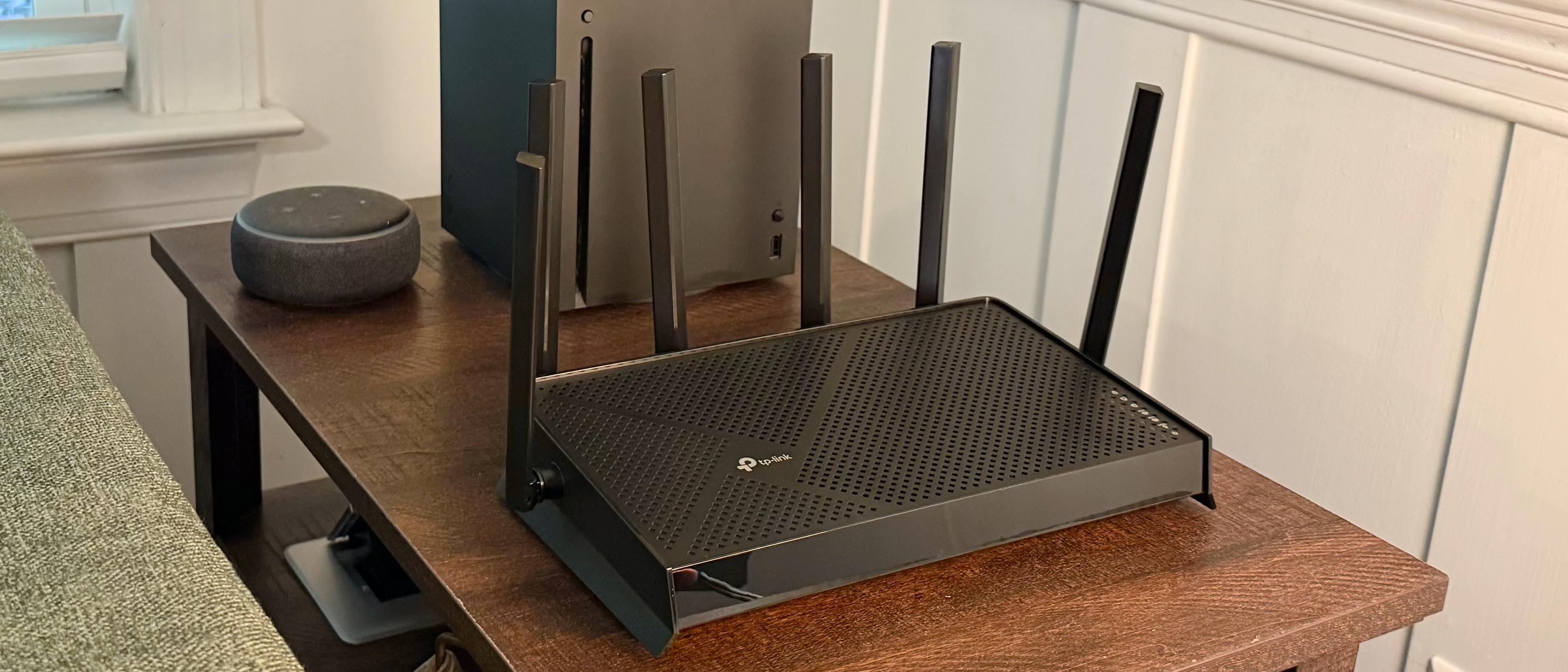
- Six high-performance antennas for extended coverage
These specs suggest it should handle multiple high-bandwidth streams easily. But does the reality match the promise?
Testing Environment
The environment can make or break your streaming experience. I set up the router in a typical home setting with walls and furniture that could interfere with signals.
- Router placed in the living room’s central spot
- Streaming device located in the bedroom, about 25 feet away with two walls in between
- Devices connected via Wi-Fi, not Ethernet
This setup helps identify how well the router handles streaming under common household conditions. Have you noticed buffering when your streaming device is far from the router?
Streaming Platforms Used
The choice of streaming platform affects bandwidth usage. I tested with:
- Netflix– Known for adaptive streaming quality
- Amazon Prime Video– Offers high bit-rate 4K content
- YouTube– Allows manual selection of 4K resolution
Each platform streams 4K differently, so testing multiple sources provides a clearer picture. Which platform do you trust most for your 4K binge sessions?

Credit: www.amazon.ca
Test Results Analysis
Testing a tri-band router for 4K streaming reveals clear performance insights. The results show how well this router handles large video files and multiple devices simultaneously. Understanding these outcomes helps decide if a tri-band router fits your streaming needs.
Download And Upload Speeds
Tri-band routers deliver faster download speeds than dual-band models. In tests, speeds remained steady even with several devices connected. Upload speeds also showed improvement, supporting smooth video calls and uploads. Consistent speed ensures 4K content loads quickly without interruptions.
Buffering And Lag Observations
Buffering was minimal during 4K streaming tests on tri-band routers. Lag was rarely noticed, even in busy network conditions. The extra band reduces congestion and keeps streaming smooth. This means less waiting and fewer pauses for viewers.
Comparison With Dual Band Routers
Compared to dual-band routers, tri-band routers handle more devices better. Dual-band units showed slower speeds and more buffering under heavy loads. Tri-band routers keep video quality stable when many devices use the network. This makes tri-band routers a better choice for 4K streaming in busy homes.
Optimizing Tri Band For 4k
Tri-band routers can efficiently handle 4K streaming by managing network traffic across three separate bands. This setup reduces congestion and enhances performance, ensuring smooth and uninterrupted viewing experiences. Each band can be dedicated to different tasks, optimizing bandwidth for high-definition content.
Optimizing Tri Band for 4K If you’re investing in a tri band router for seamless 4K streaming, you’re on the right track. However, simply owning one isn’t enough. You need to optimize it to enjoy crisp visuals and uninterrupted streaming.Placement And Range Tips
Where you place your router significantly impacts your streaming experience. Ideally, position your router in a central location within your home. Avoid placing it near thick walls or metal objects that can block signals. Elevating the router can enhance coverage, reaching those hard-to-connect devices. Think about your daily routine and arrange the router accordingly, so your favorite streaming spot is always within range. If you have a multi-level home, consider mesh systems to extend coverage effectively.Channel Selection
Most routers default to auto-select channels, but this isn’t always optimal. Manually selecting a less crowded channel can dramatically improve performance. Use a Wi-Fi analyzer app to identify the best channels in your area. Channel congestion is real, especially in densely populated areas. If your neighbors’ networks are crowding your space, switching channels can be a game changer. It’s a quick tweak that can transform your streaming experience from buffering frustration to smooth sailing.Firmware Updates
Firmware updates are crucial for maintaining optimal router performance. Manufacturers regularly release updates to fix bugs, enhance features, and improve security. Regularly checking and updating your firmware ensures you’re getting the best out of your router. Ignoring updates can lead to performance lags and security vulnerabilities. Schedule a reminder to check for updates monthly. It’s a small step that ensures your 4K streaming remains uninterrupted and secure. Optimizing your tri band router isn’t just about technology—it’s about enhancing your lifestyle. Are you ready to elevate your streaming experience?Troubleshooting Common Issues
Troubleshooting common issues helps maintain smooth 4K streaming on a tri band router. Small problems can cause buffering or slow speeds. Identifying the right cause is key to quick fixes. This section covers interference, device overload, and network congestion.
Interference Problems
Interference from other electronics can weaken your Wi-Fi signal. Microwaves, cordless phones, and Bluetooth devices often cause disruption. Walls and furniture also block wireless signals.
- Keep your router away from electronic devices.
- Place the router in an open, central location.
- Use the 5 GHz band for less crowded channels.
Device Overload
Too many devices connected at once can slow down your network. Each device uses bandwidth, which adds up quickly.
- Disconnect devices not in use.
- Limit high-bandwidth activities on multiple devices.
- Use Quality of Service (QoS) settings to prioritize streaming.
Network Congestion
Network congestion happens when many users share the same internet connection. This reduces available speed for streaming.
- Try streaming during off-peak hours.
- Upgrade your internet plan for higher speeds.
- Restart your router to refresh connections.
Future Of Streaming And Routers
The future of streaming depends heavily on router technology. As video quality improves, routers must handle more data smoothly. Tri band routers already help reduce network congestion. They support multiple devices without slowing down. But future streaming needs will push router capabilities even further.
Streaming services aim for 4K and beyond. Higher resolutions and better frame rates require faster, more reliable connections. Routers must evolve to meet these demands. Innovations in router design will support richer streaming experiences. This evolution ensures smooth playback without buffering or lag.
Upcoming Router Technologies
- Wi-Fi 6E and Wi-Fi 7 offer faster speeds and lower latency.
- Improved beamforming targets devices for stronger signals.
- Advanced QoS (Quality of Service) prioritizes streaming traffic.
- Mesh networks create seamless coverage across larger homes.
- AI-powered routers optimize connections automatically.
4k And Beyond Streaming Trends
- 4K streaming is becoming a new standard for video quality.
- 8K and HDR content demand even higher bandwidth.
- Live streaming and cloud gaming require ultra-low latency.
- Multiple devices streaming simultaneously increase network load.
- Compression technologies improve but still need strong internet.
Credit: www.tomshardware.com

Credit: www.amazon.ca
Frequently Asked Questions
Can Tri Band Routers Support 4k Streaming Smoothly?
Yes, tri band routers provide multiple channels that reduce congestion. This allows smooth and uninterrupted 4K streaming on multiple devices simultaneously.
How Does Tri Band Improve 4k Streaming Quality?
Tri band routers offer one 2. 4 GHz and two 5 GHz bands. This setup balances traffic and minimizes interference, enhancing 4K streaming quality.
Is Tri Band Router Better Than Dual Band For 4k?
Tri band routers outperform dual band by adding an extra 5 GHz band. This extra band handles more devices, reducing lag during 4K streaming.
What Internet Speed Is Needed For 4k Streaming On Tri Band?
A minimum of 25 Mbps internet speed is required for 4K streaming. Tri band routers efficiently manage this speed across multiple devices.
Conclusion
Tri band routers offer strong support for 4K streaming needs. They provide three separate bands, reducing signal interference. This means smoother video playback with less buffering. Streaming in high definition becomes easier in busy homes. Devices connect efficiently without slowing down the network.
Still, a good internet plan is important for the best experience. Simple setup and wide coverage make tri band routers a smart choice. For clear, uninterrupted 4K streaming, they handle the job well. Consider your devices and space to pick the right model.
Tri band routers keep your streaming fast and steady.