Are you tired of lag ruining your mobile gaming experience? You might have heard that a gaming router can fix this problem.
But does a gaming router really work for mobile gaming? If you want smoother gameplay, faster speeds, and fewer interruptions, this article is for you. Keep reading to find out how the right router can change the way you play on your phone—and whether it’s worth the investment for your mobile games.
Gaming Router Basics
Understanding the basics of gaming routers is key if you want smoother mobile gaming sessions. These specialized routers aren’t just about faster speeds; they focus on reducing lag and keeping your connection steady during intense gameplay. Knowing what makes a router gaming-friendly helps you decide if it’s worth investing in one for your mobile setup.
What Makes A Router Gaming-friendly
A gaming-friendly router is designed to prioritize gaming traffic and reduce interruptions. Unlike standard routers, it manages bandwidth smartly to ensure your game data is sent and received with minimal delay.
- Quality of Service (QoS):This feature lets you prioritize gaming devices or apps over others on the network, so your mobile game gets the best connection.
- Low Latency:Gaming routers aim to keep latency—the delay between your action and the game’s response—as low as possible.
- Advanced Firmware:Customizable settings allow you to tweak performance specifically for gaming needs.
- Strong and Stable Wi-Fi:They often support the latest Wi-Fi standards to provide fast and reliable wireless connections.
Think about how often your game lags or disconnects. Could a router that actively manages traffic and reduces delay make a noticeable difference? Many gamers report a smoother experience once they switch to a gaming router, especially in crowded Wi-Fi environments.
Key Features For Mobile Gaming
Mobile gaming relies heavily on a strong wireless connection, so a router’s wireless capabilities matter a lot. Features that improve Wi-Fi range and stability can have a direct impact on your gameplay quality.
- Dual-Band or Tri-Band Support:More bands mean less congestion and better chances your mobile device stays on a less crowded channel.
- MU-MIMO Technology:This allows the router to communicate with multiple devices at the same time, preventing bottlenecks when others are using the network.
- Beamforming:It focuses the Wi-Fi signal directly to your device, enhancing connection strength.
- Mobile App Control:Easy access to router settings lets you prioritize your mobile gaming device quickly without technical hassle.
Have you noticed your mobile game suddenly stuttering when someone else starts streaming video or downloading files? A gaming router with these features can help keep your gameplay smooth even during heavy network use.
Mobile Gaming Requirements
Mobile gaming demands certain conditions to ensure smooth play. Devices need fast and steady connections to avoid interruptions. Meeting these needs is crucial for enjoying games without lag or disconnection issues. Understanding network speed, stability, and latency helps improve mobile gaming experiences.
Network Speed And Stability
Mobile games often require quick data transfer for real-time actions. A high network speed reduces waiting times and load screens. Stability means the connection does not drop or fluctuate during play. A stable network stops sudden interruptions that can spoil gameplay. Both speed and stability work together to keep games running smoothly.
Latency And Ping Importance
Latency measures the delay between sending and receiving data. Ping is the time it takes for data to travel from your device to the game server. Low latency and ping are vital for fast response times. High latency causes lag, making controls feel slow or unresponsive. Mobile gaming needs minimal delay to ensure fair and fun competition.
How Gaming Routers Improve Mobile Play
Gaming routers can significantly enhance your mobile gaming experience by optimizing how data flows between your device and the game servers. These routers are designed to handle high-demand traffic efficiently, giving your mobile games a smoother and more responsive connection. Understanding how they improve mobile play helps you decide if upgrading your router is worth it.
Prioritizing Game Traffic
Gaming routers use a feature called Quality of Service (QoS) to prioritize game data over other types of internet traffic. This means your router recognizes when you’re playing a game and ensures that gaming packets get sent and received first.
Imagine you’re streaming a video or downloading files while gaming on your phone. A gaming router prevents these activities from slowing your game by allocating more bandwidth to your mobile gameplay.
Have you noticed lag spikes when others in your home are using the internet heavily? Prioritizing game traffic reduces this issue, making your mobile gaming more stable and enjoyable.
Reducing Lag And Packet Loss
Lag and packet loss can ruin any mobile gaming session. Gaming routers minimize these problems by maintaining a steady connection and reducing interruptions.
These routers often come with features that monitor your network in real-time, detecting and fixing issues like dropped packets quickly. This proactive approach keeps your gameplay smooth, even during intense online battles.
Think about the frustration of missing a critical move due to lag. A gaming router helps you avoid that by ensuring data reaches your mobile device reliably and on time.
Setup Tips For Optimal Mobile Gaming
Setting up a gaming router for mobile gaming needs care and attention. Small changes can improve your connection and reduce lag. The right setup helps your mobile games run smoothly. Here are key tips to get the best from your gaming router.
Router Placement And Settings
Place your router in an open, central spot in your home. Avoid walls and metal objects that block signals. Keep the router high, like on a shelf or table. This spreads the Wi-Fi evenly to your mobile device.
Use the 5 GHz band for faster speeds and less interference. Many routers allow switching between 2.4 GHz and 5 GHz. Turn off unused features like guest networks to focus bandwidth on gaming.
Using Qos For Mobile Devices
Quality of Service (QoS) helps prioritize gaming traffic on your network. Set your mobile device or game app to high priority in the router’s QoS settings. This cuts down delays caused by other devices using the internet.
Adjust bandwidth limits for non-gaming devices during playtime. This keeps your mobile game smooth and responsive. Test your settings and tweak them to find the best balance for your home network.
Comparing Gaming Routers To Standard Routers
When considering routers for mobile gaming, many wonder about the differences between gaming routers and standard routers. Both types serve the basic function of connecting devices to the internet. Yet, they differ significantly in features and performance. Understanding these differences can help you decide which router best suits your mobile gaming needs.
Performance Differences
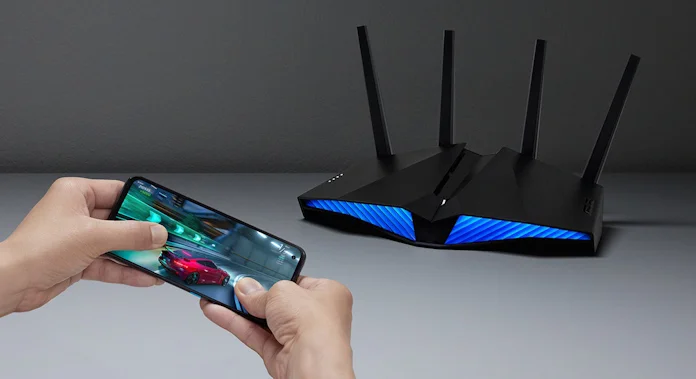
Gaming routers typically provide faster speeds and lower latency. They often have advanced Quality of Service (QoS) settings. These prioritize gaming traffic over other types of data. Standard routers may not offer such features, potentially leading to lag during gameplay. Gaming routers also often have better hardware. This includes more powerful processors and more RAM, which help manage multiple connections.
Cost Vs. Benefit Analysis
Gaming routers usually come with a higher price tag. The cost reflects their advanced features and performance capabilities. For avid gamers, the investment can be worthwhile. It can mean smoother gameplay and less frustration. But for casual gamers, a standard router might suffice. Consider your gaming habits and budget when choosing.
Credit: edgeup.asus.com
Common Issues And Fixes
Gaming routers can significantly improve your mobile gaming experience, but they are not without their challenges. Even the best routers can face issues like sudden connection drops or outdated firmware that affects performance. Understanding these common issues and knowing how to fix them can keep your mobile gaming smooth and lag-free.
Troubleshooting Connection Drops
Connection drops can be frustrating, especially in the middle of a heated game. Start by checking the placement of your router. Walls, furniture, and other electronic devices can interfere with the signal.
Try moving your router to a more open and central location. Also, check if your mobile device is too far from the router or if it’s switching between Wi-Fi and mobile data, which can cause interruptions.
Another tip is to limit the number of devices connected to your network while gaming. Too many connections can overload the router and cause lag or disconnections.
- Restart your router regularly to clear temporary glitches.
- Use the 5 GHz band instead of 2.4 GHz for faster and more stable connections.
- Check for interference from other wireless devices nearby.
Firmware Updates And Security
Firmware updates are crucial for your router’s performance and security. Manufacturers release updates to fix bugs and improve speed, which directly benefits your gaming experience.
Ignoring updates can leave your router vulnerable to security threats and cause compatibility issues with new devices or games.
Set your router to update automatically if possible. If not, regularly check the manufacturer’s website for the latest firmware and install it yourself.
- Update your router firmware to patch security holes.
- Use strong passwords to protect your network from unauthorized access.
- Enable built-in security features like firewalls or guest networks to keep your gaming data safe.
Have you ever experienced a sudden drop in game quality only to find out a simple firmware update fixed it? Keeping your router’s software current can save you hours of frustration and improve your mobile gaming performance significantly.
Future Trends In Mobile Gaming Networks
Mobile gaming is rapidly evolving with new network technologies. These advances shape how gamers play on their devices. Future trends in mobile gaming networks focus on faster speeds and better connections. These improvements help reduce lag and enhance gameplay experience.
5g And Wi-fi 6 Integration
5G offers faster data speeds and lower latency. It supports smooth online gaming even in busy areas. Wi-Fi 6 improves wireless connections with higher capacity and efficiency. Combining 5G and Wi-Fi 6 creates a strong, stable network for mobile games. Players enjoy seamless gameplay without interruptions or delays.
Ai-driven Network Optimization
Artificial intelligence manages network traffic smartly. It predicts and fixes potential connection issues before they affect gamers. AI adjusts bandwidth to prioritize gaming data over other uses. This leads to less lag and better game performance. Networks become smarter and more reliable for mobile gaming users.

Credit: www.pcmag.com
Credit: helpdeskgeek.com
Frequently Asked Questions
Does A Gaming Router Improve Mobile Gaming Performance?
Yes, a gaming router can reduce lag and improve connection stability for mobile gaming by prioritizing traffic and reducing interference.
Can A Gaming Router Reduce Mobile Gaming Latency?
Gaming routers feature Quality of Service (QoS) settings that minimize latency, ensuring smoother and faster responses during mobile gameplay.
Is A Gaming Router Necessary For Mobile Gamers?
While not essential, a gaming router enhances mobile gaming by providing better speed, reliability, and network management compared to standard routers.
How Does A Gaming Router Benefit Mobile Gaming Wi-fi?
It optimizes Wi-Fi signals, reduces congestion, and prioritizes gaming data, resulting in a stronger, more stable connection for mobile games.
Conclusion
A gaming router can improve your mobile gaming experience. It reduces lag and keeps your connection stable. You get faster speeds and less interruption during play. Not every mobile gamer needs one, but it helps in crowded networks. Investing in the right router depends on your gaming habits and budget.
Overall, a good router supports smoother and more reliable mobile gaming. Try one if you want better performance and less frustration. Gaming feels better with a steady internet connection.