Are you tired of your game lagging at the worst moments? Jitter—the annoying, unpredictable delay in your connection—can ruin your gaming experience.
You might have heard that gaming routers can fix this problem, but do they really make a difference? If you want smoother gameplay and fewer interruptions, understanding how gaming routers affect jitter is key. Keep reading to find out if upgrading your router is the secret to leveling up your gaming performance.
What Causes Jitter In Online Gaming
Jitter in online gaming can turn a thrilling match into a frustrating experience. It causes uneven delays in data transmission, making your gameplay choppy and unpredictable. Understanding what triggers jitter helps you tackle it effectively and enjoy smoother gaming sessions.
Network Latency And Packet Loss
Network latency is the time it takes for data to travel from your device to the game server and back. High latency creates lag, but jitter happens when this delay varies constantly. Packet loss, where some data packets never reach their destination, worsens jitter by forcing the system to resend information, disrupting the flow.
Have you noticed your character freezing or teleporting suddenly? That’s often jitter caused by these unstable delays. Fixing packet loss and keeping latency steady can drastically reduce jitter.
Impact Of Bandwidth Fluctuations
Bandwidth is your connection’s capacity to handle data. If other devices or apps use a lot of bandwidth, the available data flow for your game drops suddenly. These fluctuations make your connection inconsistent, causing jitter during intense gameplay moments.
Imagine streaming videos or downloading files while gaming. These activities compete for bandwidth and can spike jitter without warning. Managing your bandwidth, like pausing downloads or limiting other devices, keeps your gaming smooth.
Interference From Other Devices
Wireless signals can get tangled when many devices operate nearby on similar frequencies. Microwaves, cordless phones, and even neighbors’ Wi-Fi can interfere with your connection. This interference disrupts data packets and results in jitter during online matches.
Wired connections often reduce this problem, but if you must use Wi-Fi, consider changing your router’s channel or upgrading to a gaming router designed to handle interference better. Have you checked if your connection suffers from such interference lately?
Credit: www.techedt.com
How Gaming Routers Differ
Gaming routers offer features that standard routers usually lack. These features help reduce jitter and improve your gaming experience. Understanding how gaming routers differ can clarify their role in stabilizing connections.
Quality Of Service (qos) Features
QoS is key for managing internet traffic. It controls which devices or apps get more bandwidth. Gaming routers have advanced QoS settings. These settings reduce lag by giving priority to games over other activities.
Prioritizing Gaming Traffic
Gaming routers identify game data packets. They prioritize these packets to reach their destination faster. This reduces delays and jitter during gameplay. The router avoids congestion from other devices on the network.
Advanced Hardware Specifications
Gaming routers use stronger processors and more RAM. This hardware handles data faster and more efficiently. They also have better antennas for stronger signals. These specs reduce interruptions and maintain steady connections.
Ways Gaming Routers Reduce Jitter
Gaming routers help reduce jitter by improving how data moves through your network. They use smart technology to keep your connection steady and fast. This lowers delays and stops sudden changes in data speed. Here are some ways gaming routers reduce jitter to make gameplay smoother.
Stabilizing Connection Speeds
Gaming routers keep your internet speed steady. They manage traffic smartly, so no device slows down others. This balance avoids sudden speed drops that cause jitter. A stable speed helps data packets arrive evenly, reducing lag spikes.
Minimizing Packet Loss
Packet loss causes delays and jitter in online games. Gaming routers reduce this by prioritizing gaming data. They send important packets first, making sure they reach the game server. This lowers the chance of losing data and keeps gameplay smooth.
Reducing Network Interference
Interference from other devices can disrupt your connection. Gaming routers use advanced signals to avoid this noise. They select the best channels and use stronger signals. This reduces interruptions and keeps your game data flowing clearly.

Credit: www.reddit.com
Choosing The Right Gaming Router
Choosing the right gaming router plays a big role in reducing jitter. A good router manages your internet traffic smoothly. It keeps your connection stable during intense gaming sessions. Picking the right device means less lag and better gameplay. Focus on routers designed for gaming to get the best results.
Key Features To Look For
- Low latency and fast processing power
- Quality of Service (QoS) for prioritizing gaming traffic
- Dual-band or tri-band support for better device management
- Strong Wi-Fi range and signal stability
- Advanced firmware with frequent updates
- Multiple Ethernet ports for wired connections
Comparing Popular Models
| Router Model | Latency Control | Speed (Mbps) | Price Range |
|---|---|---|---|
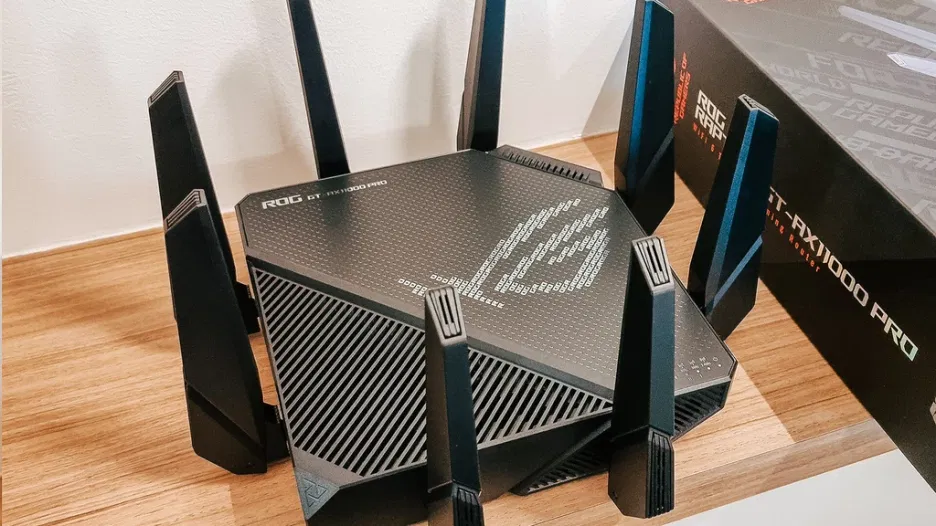
| ASUS ROG Rapture | Excellent | Up to 5300 | High |
| Netgear Nighthawk Pro | Good | Up to 3200 | Medium |
| TP-Link Archer AX50 | Moderate | Up to 3000 | Low |
Budget Vs Performance
High-end routers offer better jitter control and faster speeds. Mid-range models balance price and performance well. Budget routers may lack features that reduce jitter effectively. Choose based on your gaming needs and budget limits. Investing in a solid router pays off during critical games.
Optimizing Your Network Setup
Optimizing your network setup can significantly improve gaming performance. A well-configured setup helps reduce jitter, ensuring a smoother gaming experience. Each step in optimizing your network can lead to noticeable improvements. Let’s explore some key areas to focus on for better results.
Placement And Signal Strength
Place your router in a central location for better coverage. Avoid obstructions like walls and metal objects. These can weaken the signal. Elevate your router if possible. Higher placement often means stronger signals. Check for interference from other devices. Microwaves and cordless phones can disrupt Wi-Fi signals. Consider changing the Wi-Fi channel to reduce interference.
Firmware Updates And Settings
Regularly update your router’s firmware. Updates fix bugs and improve performance. Access the router’s settings through a web browser. Look for Quality of Service (QoS) settings. QoS can prioritize gaming traffic over other activities. Adjust settings to limit bandwidth usage by non-essential devices. This can help reduce lag and jitter during gaming sessions.
Using Wired Connections
Wired connections are often more stable than wireless. Use an Ethernet cable to connect your gaming device directly to the router. This reduces interference and provides a steady connection. Check the quality of your Ethernet cables. Damaged cables can affect performance. Consider upgrading to Cat 6 cables for better speed and reliability.
Real User Experiences
Many gamers wonder if investing in a gaming router truly helps reduce jitter during their intense online battles. Real user experiences provide valuable insights beyond technical specs and marketing claims. By hearing directly from those who have tested these routers in real gaming environments, you can better understand what to expect and how to optimize your setup.
Reported Improvements In Jitter
Several gamers report noticeable drops in jitter after switching to gaming routers designed for low latency. They often mention smoother gameplay, especially in fast-paced shooters and competitive titles.
- One user shared that their jitter dropped from 20ms to under 5ms during peak hours, resulting in fewer sudden lag spikes.
- Another gamer noticed that prioritizing gaming traffic through Quality of Service (QoS) settings helped keep jitter consistent even when others in the house were streaming videos.
- Some users highlighted that routers with advanced firmware and gaming-specific features, like packet prioritization, made a visible difference in reducing jitter and improving ping stability.
Have you ever experienced sudden lag spikes just when the match was about to end? These routers might help you avoid those frustrating moments.
Common Challenges And Solutions
Despite these successes, not everyone sees dramatic jitter improvement right away. Some users face challenges that can affect results.
- Placement issues:Routers placed far from the gaming device or behind thick walls can struggle to maintain a stable connection, increasing jitter.
- ISP limitations:No router can fully fix jitter caused by poor internet service or overloaded networks outside your home.
- Incorrect settings:Failing to properly configure QoS or firmware updates can limit the router’s potential benefits.
Many gamers found solutions by:
- Placing the router in a central, open location to improve signal strength.
- Regularly updating router firmware to access the latest performance improvements.
- Manually setting QoS rules to prioritize gaming devices or specific game traffic.
Are you willing to tweak your setup to see if a gaming router can truly cut down your jitter? Sometimes, small adjustments make a big difference.

Credit: wifi-guy.net
Frequently Asked Questions
Can Gaming Routers Reduce Jitter Effectively?
Yes, gaming routers can reduce jitter by prioritizing gaming traffic. They offer Quality of Service (QoS) features that stabilize ping and minimize packet loss. This results in smoother online gameplay with less lag and interruptions.
How Do Gaming Routers Improve Network Stability?
Gaming routers improve stability by managing bandwidth and reducing interference. They use advanced technologies like MU-MIMO and beamforming to maintain strong connections. This helps lower jitter and provides a consistent gaming experience.
Are Gaming Routers Better Than Regular Routers For Gaming?
Yes, gaming routers are optimized for low latency and minimal jitter. They prioritize gaming packets over other traffic, reducing delays. Regular routers lack these specialized features, which can lead to higher jitter during gameplay.
Does Reducing Jitter Enhance Online Gaming Performance?
Reducing jitter enhances online gaming by ensuring consistent data flow. It prevents sudden spikes in latency, which can disrupt gameplay. Lower jitter means smoother movements and more accurate controls during multiplayer sessions.
Conclusion
Gaming routers can help reduce jitter for a smoother experience. They manage traffic better and prioritize gaming data. This means fewer delays and less lag during play. Still, a good internet connection matters too. Regular routers might work fine, but gaming routers add extra benefits.
Choosing the right router depends on your needs and budget. Overall, a gaming router can improve your online game quality. Simple steps like this make gaming more fun and fair.