Are you tired of slow internet when you’re on the go? You might have heard about travel routers and wondered if they support the faster 5GHz band.
This matters because 5GHz can give you better speed and less interference compared to the common 2. 4GHz band. But do travel routers really deliver on this? Keep reading to find out how choosing the right travel router can change the way you connect, no matter where you are.
Your smooth, fast internet experience starts here.
Travel Router Basics
Travel routers are small devices that help you connect multiple gadgets to the internet. They are handy for trips, hotels, or places with limited Wi-Fi. Understanding the basics of travel routers helps you choose the right one for your needs.
What Is A Travel Router
A travel router is a compact router designed for portability. It creates a private Wi-Fi network using a wired or wireless internet source. This lets you share internet with phones, laptops, and tablets.
They often have a rechargeable battery or can plug into USB power. This makes them easy to use anywhere. Travel routers improve security by creating a safer connection. They also help bypass restrictions on public Wi-Fi networks.
Key Features To Look For
- Dual-Band Support:Ability to use both 2.4GHz and 5GHz Wi-Fi bands.
- Portability:Small size and lightweight design for easy packing.
- Battery Life:Long-lasting battery for use without power outlets.
- Multiple Device Support:Connect several devices at once without slowing down.
- Security Options:Strong encryption and password protection features.
- Easy Setup:Simple interface for quick installation and use.

Credit: www.reddit.com
Frequency Bands Explained
Frequency bands define how wireless devices communicate. They determine speed, range, and connection quality. Travel routers often use two main frequency bands: 2.4GHz and 5GHz. Understanding these bands helps you choose the best option for your travel needs.
Differences Between 2.4ghz And 5ghz
- 2.4GHz:Offers longer range but slower speeds.
- 5GHz:Provides faster speeds but shorter range.
- 2.4GHz penetrates walls better than 5GHz.
- 5GHz has more channels, reducing interference.
- 2.4GHz is more common in older devices.
- 5GHz works best in less crowded areas.
Benefits Of 5ghz For Travel
- Faster internet speeds improve streaming and downloads.
- Less interference from other devices and networks.
- Better performance in hotels and airports with many networks.
- Supports high-bandwidth activities like video calls.
- Ideal for short-range connections in your hotel room.
5ghz Support In Travel Routers
Understanding whether travel routers support the 5GHz band can make a huge difference in your connectivity experience on the go. The 5GHz frequency offers faster speeds and less interference compared to the more common 2.4GHz band. But not every travel router includes this feature, so knowing what to look for helps you pick the right device for your needs.
Common 5ghz Compatibility
Many modern travel routers now include 5GHz support as a standard feature. This band is especially useful in busy environments like hotels or airports where the 2.4GHz band can get crowded and slow. However, some budget models might still only support 2.4GHz to keep costs low.
When shopping, check the specifications carefully. A simple way to confirm is to look for terms like “dual-band” or “5GHz support” in the product description. Without this, you might miss out on faster and more stable connections.
Models With Dual-band Capability
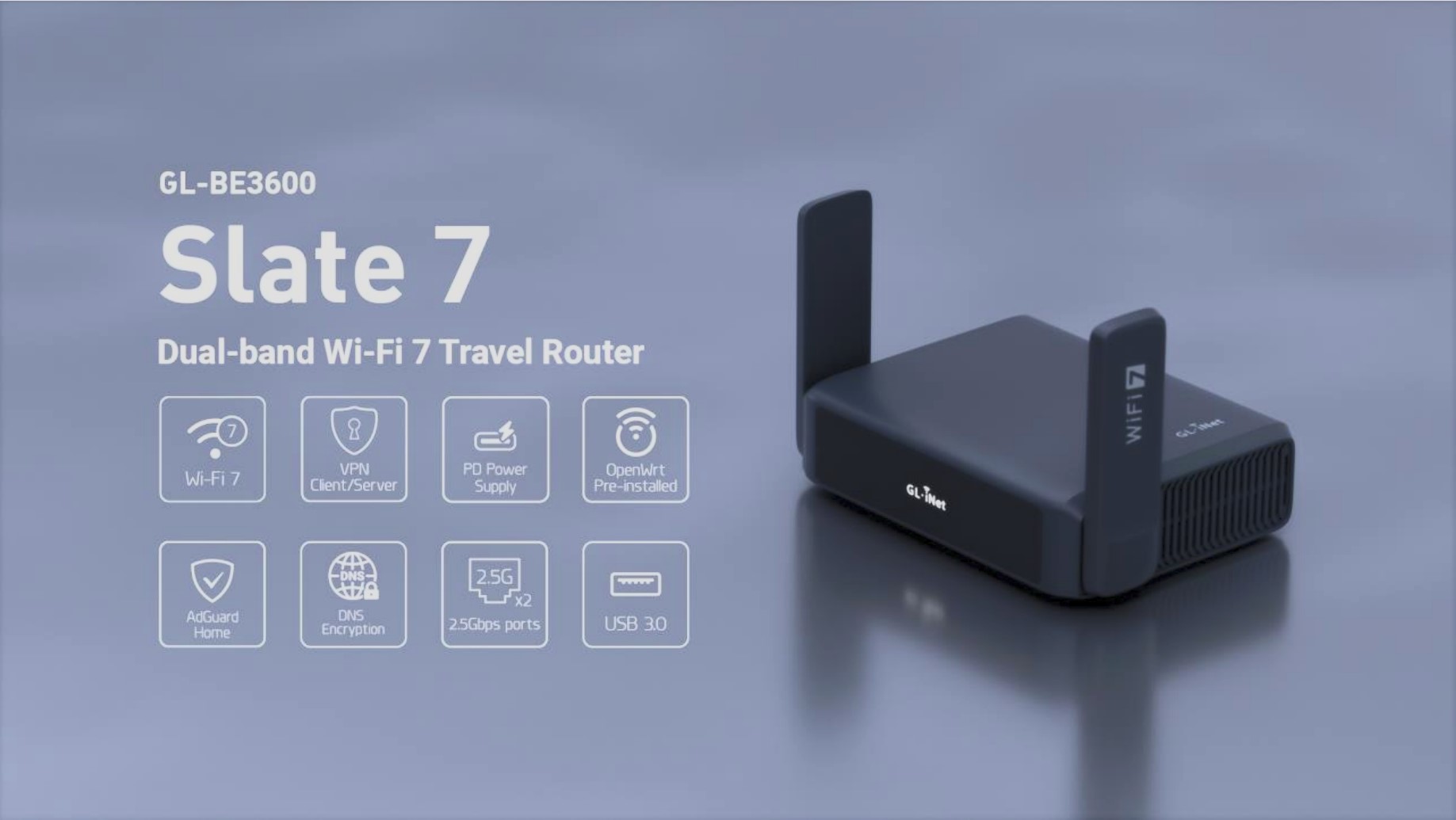
Travel routers with dual-band capability let you switch between 2.4GHz and 5GHz bands. This flexibility can improve your internet speed and reduce interference, adapting to wherever you are. For example, the TP-Link TL-WR902AC and GL.iNet GL-AR750S are popular models known for reliable dual-band support.
Using a dual-band travel router, you can connect older devices on 2.4GHz and newer devices on 5GHz, optimizing your network performance. Have you ever noticed slower Wi-Fi in crowded places? Dual-band routers can help you avoid that frustration by providing a cleaner channel on 5GHz.
Credit: pouaridis.com
Speed And Performance Factors
Speed and performance are key factors when choosing a travel router. These devices must provide fast and reliable internet access on the go. The support for the 5GHz band plays a major role in enhancing these aspects. Understanding how 5GHz affects speed and connection quality helps travelers make smart choices.
Impact Of 5ghz On Speed
The 5GHz band offers higher data rates than the 2.4GHz band. This means faster downloads, smoother streaming, and better video calls. Travel routers using 5GHz can handle more devices at once without slowing down. This band is less crowded, reducing network traffic and improving overall speed.
Many travel routers support dual-band operation. They switch between 2.4GHz and 5GHz depending on the situation. This flexibility ensures consistent speed in different environments. Users benefit from a faster connection during busy hours or in crowded places.
Range And Interference Considerations
The 5GHz band has a shorter range compared to 2.4GHz. It struggles to penetrate walls and obstacles. This limits its coverage area, especially in larger spaces. Users might notice weaker signals in distant rooms or behind thick walls.
On the upside, 5GHz faces less interference from other electronics. Devices like microwaves and Bluetooth gadgets mainly use 2.4GHz. This reduces connection drops and improves stability on 5GHz. Travel routers often balance these factors to provide the best performance.
Choosing a travel router that supports both bands allows users to adapt. They can use 5GHz for speed and 2.4GHz for range. This balance leads to a better overall internet experience while traveling.
Choosing The Right Travel Router
Choosing the Right Travel Router Ensure your travel router supports the 5GHz band for faster and more reliable internet connections. This band reduces interference, giving you a smoother browsing experience. Ideal for streaming and online activities while traveling.
Choosing the Right Travel Router Finding the perfect travel router can feel like searching for a needle in a haystack, especially with the rapid pace of technology advancements. The key lies in understanding what you truly need. Whether you’re a digital nomad needing reliable internet on the go or a casual traveler wanting to stream your favorite shows seamlessly, the right travel router can make all the difference.Assessing Your Needs
Begin by asking yourself what you need from a travel router. Are you looking for speed, range, or ease of use? If you’re frequently staying in hotels, a router that supports the 5GHz band could help avoid crowded networks. Picture yourself unwinding after a long day, streaming a movie without frustrating buffering—this is where a 5GHz band excels. Consider your usual travel destinations and the typical internet quality there. Do you often find yourself in areas with weak signals? A dual-band router might be your best bet to ensure connectivity.Budget Vs Features
Balancing budget with features is a common dilemma. On one hand, you might be tempted to go for the cheapest option. But ask yourself, will it meet your needs? Investing a bit more in a router with features like dual-band support could save you headaches in the long run. Think of it as purchasing peace of mind. Compare different models, read reviews, and weigh the cost against the benefits each offers. Remember, a slight bump in price might mean faster speeds, better connectivity, and ultimately, a smoother travel experience. Choosing wisely can transform your travel tech game. So, what features do you value most in a travel router?Setting Up 5ghz On Travel Routers
Setting up the 5GHz band on travel routers enhances internet speed and reduces interference. Many travel routers support dual bands, including 2.4GHz and 5GHz. Activating the 5GHz band helps access faster connections, ideal for streaming and video calls during travel.
Most travel routers have a simple interface to switch bands. Users can log into the router’s settings through a web browser or app. Enabling 5GHz often involves selecting the band and setting a network name and password. This process helps create a dedicated, faster Wi-Fi network for devices.
Configuration Tips
- Access the router’s settings by typing its IP address in a browser.
- Look for wireless settings or Wi-Fi options in the menu.
- Enable the 5GHz band and assign a unique network name (SSID).
- Choose a strong password to secure the network.
- Set the channel to auto or select a less crowded channel manually.
- Save changes and reboot the router to apply settings.
Troubleshooting Common Issues
- Check if your device supports 5GHz Wi-Fi before connecting.
- Move closer to the router; 5GHz has a shorter range than 2.4GHz.
- Restart the router if the 5GHz network does not appear.
- Update the router’s firmware to fix bugs and improve performance.
- Reset the router to factory settings if problems persist.
- Ensure no physical obstacles block the router’s signal.
Real-world Usage Scenarios
Travel routers often support the 5GHz band, which offers faster speeds and less interference. This feature proves useful in many real-world scenarios. Understanding these situations helps travelers choose the right device.
Hotels And Public Wi-fi
Many hotels provide Wi-Fi on both 2.4GHz and 5GHz bands. The 5GHz band is less crowded and faster, ideal for streaming or video calls.
Travel routers can connect to the hotel’s 5GHz network and create a private Wi-Fi hotspot. This boosts security and signal strength for all your devices.
Public Wi-Fi spots, like cafes or airports, often support 5GHz too. Using a travel router allows safer browsing and better speed in these busy places.
Outdoor And Remote Locations
Outdoors, 5GHz signals have shorter range but offer higher speed. Travel routers help by connecting to a nearby 5GHz hotspot.
In remote areas, 2.4GHz might be the only option due to range. Still, some travel routers support both bands to adapt to conditions.
Using 5GHz in outdoor settings works best when you are close to the signal source. This is common in campsites or outdoor events with Wi-Fi.

Credit: www.amazon.ca
Frequently Asked Questions
Do Travel Routers Usually Support The 5ghz Band?
Most modern travel routers support the 5GHz band. This band offers faster speeds and less interference than 2. 4GHz. However, some budget models may lack 5GHz support. Always check product specifications before purchasing to ensure 5GHz compatibility for better performance.
What Benefits Does The 5ghz Band Provide For Travel Routers?
The 5GHz band provides faster data rates and less signal interference. It’s ideal for streaming, gaming, and video calls while traveling. However, it has a shorter range than 2. 4GHz, so placement matters. Overall, 5GHz improves wireless performance in crowded environments.
Can All Devices Connect To A Travel Router’s 5ghz Band?
Not all devices support 5GHz Wi-Fi. Older smartphones, laptops, and tablets may only connect to 2. 4GHz. Newer devices usually handle both bands. Check your device’s Wi-Fi specifications to confirm 5GHz compatibility before relying on this band.
How To Enable The 5ghz Band On A Travel Router?
Access your travel router’s settings via its admin page. Look for wireless or Wi-Fi settings. Enable the 5GHz band and set a unique SSID. Save changes and reconnect your devices to the new 5GHz network for improved speed.
Conclusion
Travel routers often support the 5GHz band for faster internet speeds. This band helps reduce interference from other devices. Many modern travel routers offer dual-band options for better flexibility. Choosing a router with 5GHz support improves your connection quality. It works well in crowded Wi-Fi areas like hotels or airports.
Always check the router’s specs before buying to ensure 5GHz compatibility. A good travel router keeps you connected smoothly on the go. Staying informed helps you pick the right device for your needs.