Have you ever found yourself struggling to stay connected while on the go? Whether you’re traveling for work or leisure, having a reliable internet connection is crucial.
But what if you could power your travel router with a simple power bank? Imagine the freedom of setting up Wi-Fi anywhere, without hunting for an outlet. You’ll discover how a travel router and a power bank can work together to keep you online, no matter where you are.
Keep reading to unlock this game-changing travel hack!

Credit: saudi.microless.com
Travel Router Basics
Understanding the basics of a travel router can change how you stay connected on the go. These compact devices offer more than just a Wi-Fi signal; they give you control over your internet connection wherever you are. Let’s break down what a travel router is, what it usually offers, and the types you might find useful.
What Is A Travel Router
A travel router is a small, portable device that creates a private Wi-Fi network by connecting to a wired or wireless internet source. It acts like a bridge, allowing multiple devices to connect securely to the internet through one connection. Think of it as your personal hotspot that you can carry in your pocket.
Have you ever struggled with unreliable hotel Wi-Fi or shared networks? A travel router can help you avoid those headaches by giving you a dedicated, secure connection wherever you go.
Common Features
- Portability:Small size and lightweight, designed for travel convenience.
- Multiple Connection Types:Supports Ethernet, Wi-Fi, and sometimes even cellular connections.
- Security Options:Offers encryption like WPA2 to keep your data safe.
- Power Source:Usually powered by USB or built-in batteries, allowing flexibility.
- Guest Network:Lets you create a separate network for guests to keep your main network secure.
- Easy Setup:User-friendly interfaces make configuration quick, even for non-techies.
These features are designed to make your travel internet experience smoother and more reliable. You might not think about security when connecting on the road, but it’s crucial to protect your personal info.
Types Of Travel Routers
Travel routers come in different forms, each suited to specific needs:
| Type | Description | Best For |
|---|---|---|
| Wired Travel Router | Connects directly to Ethernet ports, turning wired internet into Wi-Fi. | Hotels or places with Ethernet ports but no Wi-Fi. |
| Wireless Travel Router | Captures existing Wi-Fi and creates a private network. | Public Wi-Fi spots like cafes or airports. |
| 4G/5G Travel Router | Uses SIM cards to provide internet via cellular networks. | Remote areas without Wi-Fi or Ethernet. |
Choosing the right type depends on where you travel and how you usually access the internet. Have you considered which type fits your travel style? Understanding this helps you stay connected without surprises.
Power Bank Essentials
Power banks have become essential for travelers who need portable power. They keep devices charged on the go, including travel routers. Understanding power bank basics helps in choosing the best one for your travel router. This section explains how power banks work, their capacity and output, and tips for selecting the right model.
How Power Banks Work
Power banks store electrical energy in built-in batteries. They convert this stored energy to charge devices through USB ports. When connected, power flows from the power bank to the device. The power bank itself needs recharging after use. This process allows devices like travel routers to run without direct power sources.
Capacity And Output
Capacity is measured in milliamp-hours (mAh). It shows how much charge a power bank can hold. Higher capacity means longer use between charges. Output refers to the power given to devices, measured in volts and amps. Travel routers usually need 5V and around 1 to 2 amps. Matching output to your router ensures efficient charging without damage.
Choosing The Right Power Bank
Pick a power bank with enough capacity for your travel needs. Around 10,000 mAh is good for most travel routers. Check the output to match your router’s requirements. Look for models with multiple USB ports if you want to charge more devices. Also, consider size and weight for easy carrying during trips.
Using Travel Routers With Power Banks
Using a travel router with a power bank can be a game-changer for staying connected on the go. It frees you from depending solely on wall outlets, making it easier to set up a network anywhere. But before you grab your power bank and router, there are a few important factors to consider to ensure they work well together.
Compatibility Factors
Not all travel routers and power banks are compatible. Check the power output specifications of your travel router. Some routers require a specific voltage or current to function properly.
Look for power banks that support the voltage your router needs. Many travel routers run on 5V USB power, which most power banks can supply, but some models might need 9V or higher. Also, consider the type of USB port; some routers need USB-C, while others use micro-USB.
Power Requirements
Understanding your travel router’s power consumption is key. Routers with multiple antennas or advanced features might drain more power, reducing your power bank’s runtime. A power bank with higher capacity (measured in mAh) will keep your router running longer.
Check the router’s input power rating—usually printed on the device or its adapter. If your power bank can deliver enough current (amps) and voltage, your router will run smoothly. If not, you might experience drops in connection or the router might not power on.
Connection Methods
Connecting your travel router to a power bank is usually straightforward. Most travel routers can be powered via a USB cable connected to the power bank’s output port. Ensure the cable supports both power and data if your router needs it.
Some power banks have multiple output ports—choose the one that matches your router’s power needs. If your router uses a wall adapter, you might need a USB to DC plug cable to connect it to the power bank. Testing your setup before traveling can help avoid surprises.
Benefits Of Portable Wi-fi Setup
Setting up a portable Wi-Fi network offers many benefits for travelers. It brings convenience and flexibility to internet access anywhere. A travel router connected to a power bank creates a compact and efficient Wi-Fi solution. This setup helps users stay connected in places without reliable internet. It also supports multiple devices at once. Here are some key advantages of using a portable Wi-Fi setup.
On-the-go Connectivity
A portable Wi-Fi setup lets you connect to the internet anywhere. It works in airports, hotels, cafes, and even outdoor spots. No need to rely on public Wi-Fi, which can be slow or unsafe. Your travel router creates a private, secure network. This means faster speeds and better privacy. Staying connected helps with navigation, communication, and entertainment on the move.
Extended Battery Life
Using a power bank with a travel router extends your internet access time. The power bank provides extra battery life beyond the router’s internal battery. This is useful during long trips or outdoor activities. You avoid running out of power when you need the internet most. A portable setup keeps your devices connected without constant charging stops.
Multiple Device Support
A single travel router can support many devices at once. Smartphones, tablets, laptops, and cameras can connect together. This saves data and money by sharing one internet source. It also reduces the need to switch between different networks. Everyone in your group can enjoy stable Wi-Fi at the same time. It makes travel more convenient and efficient for all.
Setting Up Your Portable Wi-fi
A travel router can work well with a power bank to create portable Wi-Fi anywhere. Simply connect the router to the power bank’s USB port for easy power on the go. This setup allows internet access without relying on fixed outlets.
Setting up your portable Wi-Fi can be a breeze with a travel router and power bank. This setup allows you to enjoy internet access wherever you go. Whether at a coffee shop, a park, or on a road trip, staying connected is easy. With a portable power source, your travel router can function smoothly for hours. Here’s how you can set it up effectively.Step-by-step Connection Guide
First, charge your power bank fully. This ensures uninterrupted service. Connect the travel router to the power bank using a USB cable. Turn on the router. The router’s indicator lights should illuminate. This signals it’s ready. Access your device’s Wi-Fi settings. Search for available networks. Select your travel router’s network. Enter the Wi-Fi password if prompted. Once connected, you can browse the internet freely.Optimizing Battery Usage
To extend battery life, adjust router settings. Lower the transmission power. This reduces battery drain. Turn off unnecessary features like guest networks. Keep the router’s firmware updated. New updates often include power-saving features. Use the power bank’s energy-saving mode if available. Disconnect devices not in use. This conserves power. Consider using a larger capacity power bank for longer usage.Troubleshooting Common Issues
Sometimes connections fail. Restart the router and power bank. This often resolves minor glitches. Check all cables for proper connections. Ensure the power bank has charge. If the router’s signal is weak, move to an open area. Avoid interference from walls or large objects. For persistent issues, reset the router to factory settings. Reconfigure the network settings as needed. Consult the user manual for specific troubleshooting tips.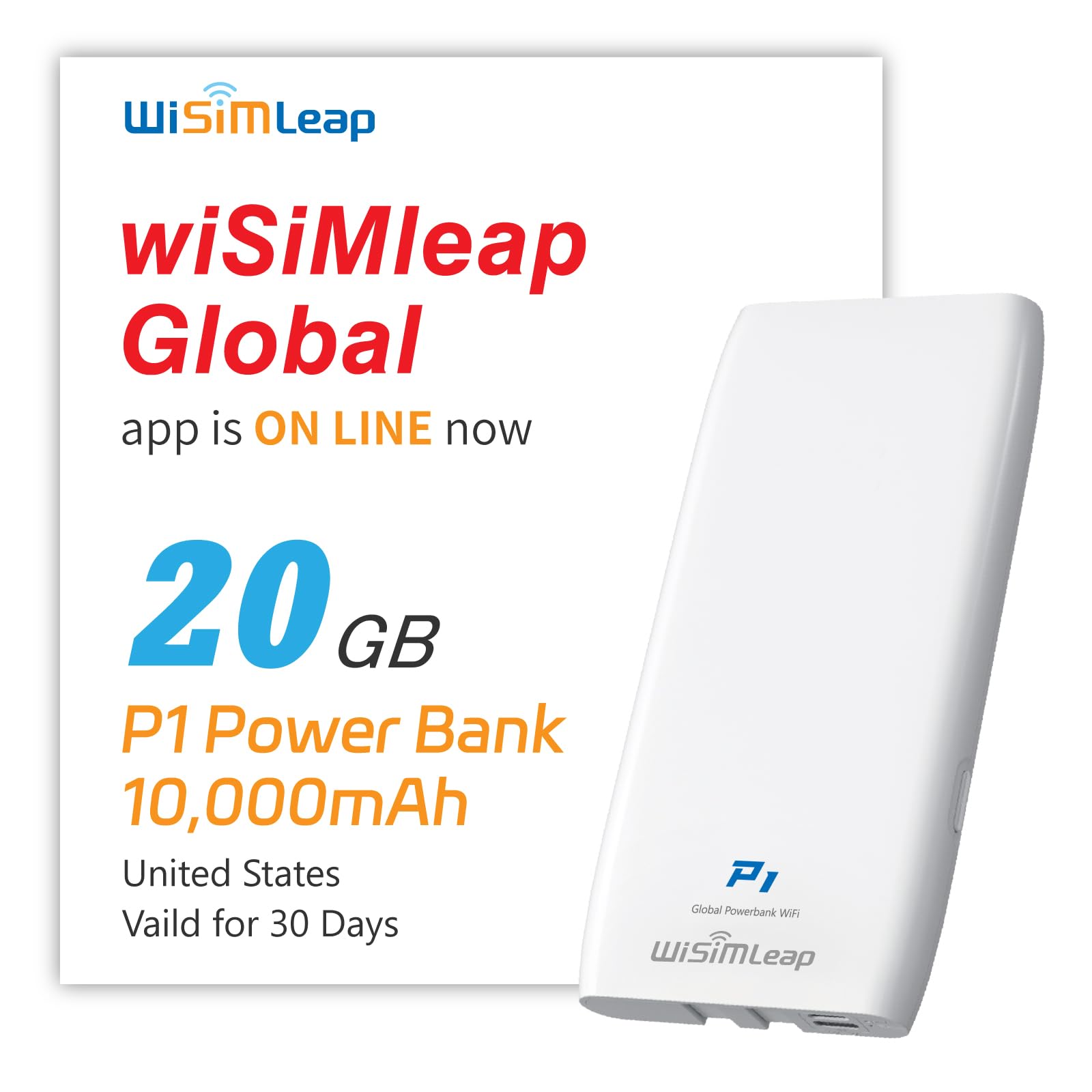
Credit: www.amazon.com
Safety Tips And Best Practices
Using a travel router with a power bank offers great convenience. It keeps your devices connected anywhere. Yet, safety matters most to protect your gadgets and battery life. Following simple safety tips helps avoid damage and ensures smooth operation. These best practices keep your travel router and power bank working well for a long time.
Avoiding Overheating
Heat can harm both the travel router and power bank. Avoid placing them in direct sunlight or hot areas. Keep the devices on a flat, hard surface for better airflow. Do not cover them with clothes or pillows while charging or in use. If you feel the devices getting too warm, unplug and let them cool down before using again.
Proper Charging Habits
Use the original cables and adapters for charging your travel router and power bank. Avoid charging the power bank and router at the same time from the same source. Charge the power bank fully before connecting the travel router for longer usage. Disconnect devices once fully charged to prevent battery stress. Avoid using cheap or damaged chargers to reduce risks.
Maintaining Device Longevity
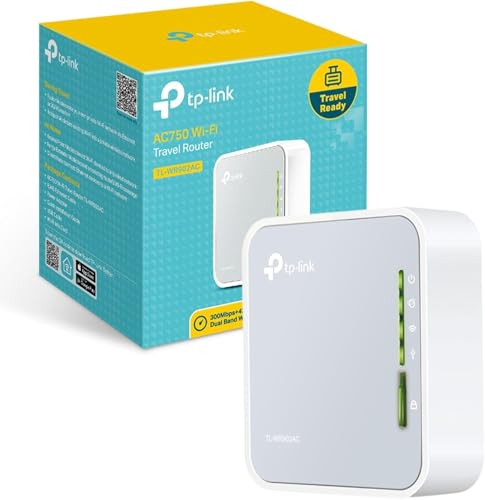
Store your travel router and power bank in a cool, dry place when not in use. Regularly clean charging ports to keep good connections. Avoid dropping or knocking the devices, as physical damage shortens lifespan. Use the travel router and power bank within the recommended temperature range. Update the router’s firmware to improve performance and security.
Credit: cybernews.com
Frequently Asked Questions
Can A Travel Router Work With A Power Bank?
Yes, a travel router can work with a power bank. The power bank supplies portable power, making the router functional without a wall outlet. This setup is ideal for travel, camping, or remote locations where power sources are limited.
How Long Can A Power Bank Run A Travel Router?
The runtime depends on the power bank’s capacity and router’s power consumption. Typically, a 10,000mAh power bank can power a travel router for 6-8 hours. Larger capacity power banks extend usage time, perfect for long trips or extended internet access.
What Power Bank Capacity Suits A Travel Router?
A power bank with at least 10,000mAh is recommended for travel routers. This capacity balances portability and sufficient power to keep the router running for several hours. Higher capacity power banks provide longer usage but may be bulkier to carry.
Does Using A Power Bank Affect Travel Router Speed?
No, using a power bank does not affect the travel router’s internet speed. The power source only supplies energy. Internet speed depends on the router’s specifications and the network connection quality.
Conclusion
A travel router can work well with a power bank. This setup helps you stay connected anywhere. Just check your devices’ power needs first. Using a power bank gives you flexibility on the go. It keeps your router running without a plug nearby.
This is great for travel, outdoor trips, or emergencies. Always carry a fully charged power bank for best results. Small steps like this make travel easier and more fun. Try it yourself and enjoy better internet access wherever you are.