Are you wondering if you can use a dual band router with a mesh system? If you want stronger Wi-Fi coverage without buying all new gear, this question is crucial.
Mixing devices might seem simple, but it can affect your connection’s speed and reliability. You’ll discover exactly how dual band routers work with mesh systems, what to expect, and how to get the best performance from your setup. Keep reading to unlock the secrets of a faster, smoother Wi-Fi experience in your home.
Dual Band Routers Basics
Understanding dual band routers is key to improving your home Wi-Fi. These routers operate on two frequency bands. This helps reduce interference and boosts internet speed. Dual band routers balance devices between bands for better performance.
What Is A Dual Band Router
A dual band router sends signals on two frequencies: 2.4 GHz and 5 GHz. The 2.4 GHz band covers a larger area but is slower. The 5 GHz band offers faster speeds but covers less distance. Devices can connect to either band depending on their needs.
Benefits Of Dual Band Routers
- Reduced interference from other devices
- Better connection for multiple devices
- Higher speeds on the 5 GHz band
- Improved coverage with the 2.4 GHz band
- More stable and reliable Wi-Fi

Credit: www.reddit.com
Mesh System Essentials
Understanding mesh system essentials helps you see how these networks improve Wi-Fi coverage. Mesh systems use multiple devices to spread internet signals evenly. This setup solves common Wi-Fi problems like dead zones and weak signals. Knowing how mesh networks work and their benefits makes choosing the right system easier.
How Mesh Networks Work
Mesh networks use several nodes that connect to each other. Each node acts as a small router, sharing the internet signal. Nodes communicate wirelessly or with cables to create a strong network. Your device connects to the nearest node for the best signal. The system adjusts automatically if one node fails, keeping the network stable.
Advantages Of Mesh Systems
- Wide coverage that removes Wi-Fi dead spots
- Simple setup using one network name (SSID)
- Automatic connection to the strongest node
- Scalable by adding more nodes easily
- Improved network reliability and speed
Compatibility Between Dual Band Routers And Mesh Systems
When you’re considering boosting your home network’s performance, understanding the compatibility between dual band routers and mesh systems is crucial. Many households are finding themselves in a position where their single router doesn’t cover the entire area, leading to dead zones and inconsistent connectivity. Mesh systems offer a solution, but how do they interact with your existing dual band router?
Can They Work Together
Yes, dual band routers can work with mesh systems, allowing you to expand your Wi-Fi coverage effectively. Dual band routers operate on two frequencies—2.4 GHz and 5 GHz—providing flexibility in managing network traffic. Mesh systems can complement this by creating a seamless network that covers every corner of your home.
Imagine you’re streaming a movie in the living room while someone else is gaming in the basement. A dual band router paired with a mesh system can handle these tasks without a hitch. The mesh nodes communicate with each other and the main router, ensuring consistent coverage.
Common Compatibility Issues
Despite their potential to work harmoniously, there are some compatibility hurdles you might face. One common issue is the interference between the existing router and mesh nodes, which can cause network instability. Ensuring both systems are on compatible channels can help mitigate this.
Another potential problem is the setup process. Some users find that integrating a mesh system with a dual band router requires more technical knowledge than expected. Checking for firmware updates and consulting the manufacturer’s guidelines can smooth out this process.
Have you ever wondered why your internet slows down despite having a top-notch router? It could be the placement of your mesh nodes. Proper positioning is key to maximizing compatibility and coverage.
By addressing these issues and making informed decisions, you can enjoy a robust and efficient home network. So, are you ready to enhance your connectivity experience by combining a dual band router with a mesh system?
Setting Up Dual Band Router With Mesh
Setting up a dual band router with a mesh system improves your home Wi-Fi coverage. It combines the router’s strength with mesh nodes to cover dead zones. This setup helps devices switch smoothly between bands and nodes for better speed.
Step-by-step Installation
- Place your dual band router in a central spot in the house.
- Connect the router to the modem using an Ethernet cable.
- Power on the router and wait for it to fully start.
- Unbox the mesh nodes and place them where Wi-Fi is weak.
- Power on each mesh node and connect them to the router’s network.
- Use the mesh system’s app or web interface to complete setup.
- Follow on-screen instructions to sync all mesh nodes with the router.
- Check each node’s signal strength to ensure good coverage.
Optimizing Network Performance
- Assign different SSIDs for 2.4 GHz and 5 GHz bands if possible.
- Place mesh nodes away from thick walls and metal objects.
- Keep firmware updated for both router and mesh system.
- Enable band steering to let devices switch bands automatically.
- Use the mesh app to monitor connected devices and signal strength.
- Limit the number of devices connected to the 2.4 GHz band.
- Restart the router and nodes regularly to maintain performance.
Performance Considerations
Performance is a key factor to consider when using a dual band router with a mesh system. The way these devices manage speed and coverage can greatly affect your overall internet experience. Understanding the potential trade-offs helps you set realistic expectations and optimize your network setup.
Impact On Speed And Range
Dual band routers operate on two frequencies: 2.4 GHz and 5 GHz. The 2.4 GHz band offers better range but slower speeds, while 5 GHz provides faster speeds but covers less distance. When combined with a mesh system, this dynamic can either help or hinder your network performance.
For instance, if your mesh nodes communicate over the 2.4 GHz band, you might notice slower speeds despite good coverage. On the other hand, using the 5 GHz band between nodes can boost speed but limit how far your mesh extends. Have you checked which band your mesh system prioritizes for backhaul communication?
Adjusting the placement of mesh nodes and understanding these frequency strengths can improve your network’s speed and range balance. Sometimes, adding an Ethernet backhaul can resolve speed drops caused by wireless limitations.
Handling Network Traffic
Network traffic management is crucial when multiple devices connect through a dual band router and mesh system. Each band handles different amounts of data, and the router’s ability to balance this traffic impacts your experience. Overloading one band can cause lag and slow response times.
Think about how many devices you have and what activities they perform simultaneously. Streaming 4K videos, online gaming, and video calls demand high bandwidth, usually on the 5 GHz band. Meanwhile, smart home devices and basic browsing can use the 2.4 GHz band.
- Some mesh systems automatically assign devices to the best frequency band.
- Others require manual adjustments to avoid congestion.
- Knowing your router’s traffic handling features helps in making these choices.
Have you tried monitoring your network traffic to see which devices consume the most bandwidth? This insight can guide you in optimizing your mesh setup for smoother performance.
Credit: www.netgear.com
Troubleshooting Tips
Troubleshooting your dual band router with a mesh system can feel tricky, but understanding common issues and knowing when to upgrade makes a big difference. Many problems stem from simple settings or placement, which you can fix without extra cost. However, sometimes your equipment might just be holding you back from a smooth Wi-Fi experience.
Common Problems And Fixes
One frequent problem is signal interference between the 2.4 GHz and 5 GHz bands. Make sure your router and mesh nodes are placed far enough from other electronics like microwaves or cordless phones. This reduces interruptions and improves connection quality.
Another issue is devices sticking to the slower 2.4 GHz band even when 5 GHz is available. You can address this by enabling band steering if your mesh system supports it. This feature pushes devices to connect to the faster band automatically.
Connectivity drops can also happen if the firmware on your router or mesh nodes is outdated. Check for updates regularly to keep your system running smoothly and fix bugs that cause disconnections.
- Restart your router and mesh nodes periodically to clear temporary glitches.
- Check cable connections to ensure nothing is loose or damaged.
- Run a speed test on different bands to spot which one may be underperforming.
When To Upgrade Equipment
If you notice persistent slow speeds or dead zones despite troubleshooting, it might be time to consider new hardware. Older dual band routers may not handle multiple devices well, especially with modern mesh systems designed for high demand.
Ask yourself: Are you getting the speeds your internet plan promises? If not, a router with better range and faster throughput can help. Mesh systems have evolved to support tri-band technology, which can handle traffic more efficiently than dual band setups.
Also, think about future needs. Adding smart home devices or streaming in 4K requires more bandwidth and stable connections. If your current setup struggles with these tasks, upgrading could save you frustration and improve your overall network experience.
Alternatives To Dual Band Routers In Mesh Networks
Dual band routers work with mesh systems but have some limits. Alternatives offer better speed and coverage. These options can improve your home network.
Using Tri-band Routers
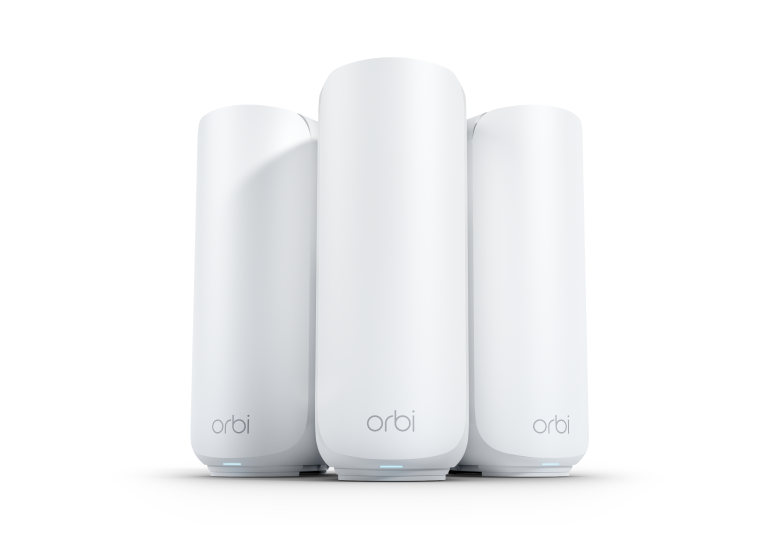
Tri-band routers add an extra 5 GHz band to the network. This helps keep devices from slowing each other down. One band handles device connections. Another band links mesh nodes. This setup reduces interference and boosts speeds. Tri-band routers work well in busy homes with many devices.
Standalone Mesh Systems
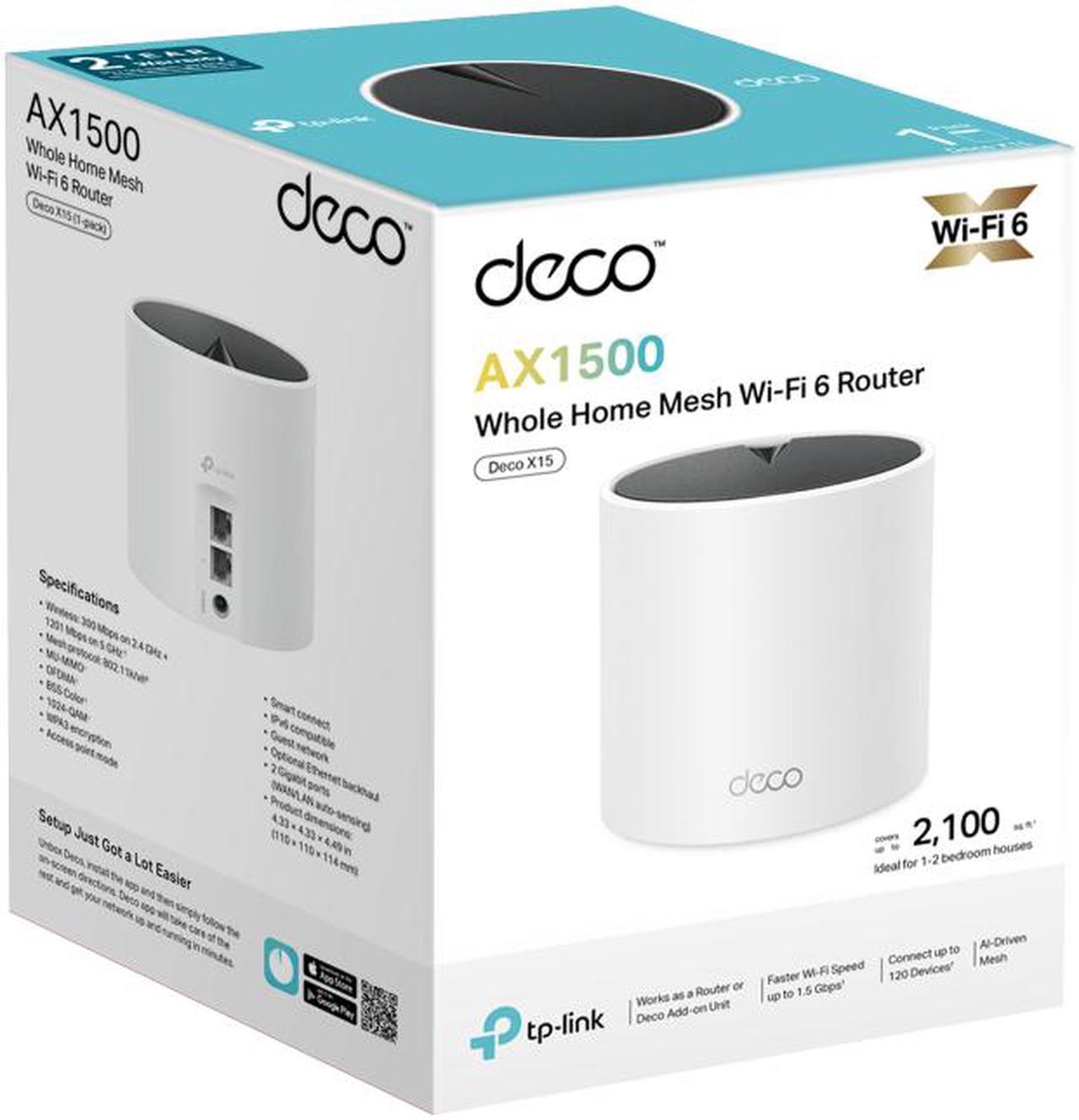
Standalone mesh systems come with multiple units made to work together. They use their own software to connect smoothly. Each unit talks to the others on dedicated bands. This design improves coverage and stability. You can add more units to cover large areas. These systems are simple to set up and manage.
Credit: just4ufitness.com
Frequently Asked Questions
Can I Connect A Dual Band Router To A Mesh System?
Yes, you can connect a dual band router to a mesh system. The mesh nodes extend your router’s Wi-Fi coverage. Ensure the mesh system supports dual band to optimize performance and avoid interference.
Will A Dual Band Router Improve Mesh Network Speed?
A dual band router can enhance mesh network speed by separating devices on 2. 4 GHz and 5 GHz bands. This reduces congestion and improves overall network efficiency.
Are Dual Band Routers Compatible With All Mesh Systems?
Most dual band routers are compatible with popular mesh systems. However, check the mesh system’s specifications for compatibility and supported frequency bands before purchasing.
How Does Dual Band Affect Mesh System Coverage?
Dual band improves mesh system coverage by offering two frequency options. 2. 4 GHz covers longer distances, while 5 GHz offers faster speeds in shorter ranges.
Conclusion
Using a dual band router with a mesh system can work well for many homes. It helps spread Wi-Fi signals across large areas. This setup can reduce dead zones and improve internet speed. Just make sure your devices support both bands for best results.
Keep your system updated to avoid connection issues. A simple network helps keep your internet strong and steady. Testing your setup can show if it meets your needs. Choosing the right equipment makes your Wi-Fi more reliable. Easy to set up and use, this combo fits most users.