Imagine enjoying lightning-fast internet speeds that make streaming, gaming, and working from home a breeze. You’ve invested in a high-end router, but now you’re wondering if it can connect directly via fiber to maximize your internet experience.
This question might be the missing piece to unlocking the full potential of your home network. Before you make any decisions, you need to understand how your router and fiber connection can work together. This article will guide you through the possibilities, dispel myths, and help you make an informed choice.
Stay with us, and discover whether your high-end router is ready to deliver the seamless connection you desire.
Fiber Connection Basics
High-end routers usually connect through Ethernet, not directly via fiber. Special media converters or fiber modems are needed to link fiber connections to routers. This setup helps deliver fast internet speeds using fiber technology.
Types Of Fiber Optic Cables
- Single-mode fibercarries light directly and works for long distances.
- Multi-mode fibercarries light in many paths and suits short distances.
- Fiber cables have a core, cladding, and protective jacket.
How Fiber Transmits Data
Fiber uses light pulsesto send data fast. The light moves inside the core by total internal reflection. This keeps the signal strong over long distances. Data moves as binary codeusing light on and off signals.
Fiber Vs Copper Connections
| Feature | Fiber Optic | Copper Cable |
|---|---|---|
| Speed | Very high | Lower |
| Distance | Long (up to km) | Short (up to 100 m) |
| Interference | Resistant | Susceptible |
| Cost | Higher | Lower |
High-end Routers And Fiber Compatibility
Some high-end routerscome with built-in fiber ports. These ports allow direct connection to fiber optic cables. This feature is useful for fast internet speeds and stable connections.
For routers without fiber ports, media converterscan help. These devices change fiber signals into signals that routers can use. They are simple to set up and cost-effective.
SFPand SFP+modules are small devices that plug into routers. They add fiber connection ability. SFP modules usually support speeds up to 1 Gbps, while SFP+ supports up to 10 Gbps. Many high-end routers have slots for these modules, making fiber connection easy and flexible.
Setting Up Direct Fiber Links
High-end routers can connect directly to fiber, but special hardwareis needed. A fiber optic network interface card (NIC)or SFP/SFP+ modulesare common parts. These let the router send and receive data over fiber cables. A compatible fiber cablemust also be used, matching the router’s port type.
Configuration involves setting the router to use the fiber interface. This means enabling the port and assigning an IP address. Sometimes, you must adjust speed and duplex settingsto match the fiber link. Proper routing protocolsensure data flows correctly through the new link.
Challenges include compatibility between devices and fiber types. Fiber connectors must match on both ends to avoid signal loss. Signal strength and distance can affect performance. Troubleshooting may require checking cables, settings, and hardware status.

Credit: www.reddit.com
Performance Benefits Of Fiber Connections
Fiber connectionsoffer much faster speeds than traditional cables. This means you can download and upload files quicker. High-end routers that connect directly to fiber can handle large bandwidtheasily. Streaming videos and online gaming become smoother without buffering.
Latencyis the delay before data starts moving. Fiber connections have very low latency. This makes online calls and games feel more real-time. High-end routers use this to improve your internet experience.
Reliabilityis better with fiber. These connections are less affected by weather or electrical noise. This means your internet stays stable and does not drop often. High-end routers keep your network strong and steady.
Choosing The Right Router For Fiber
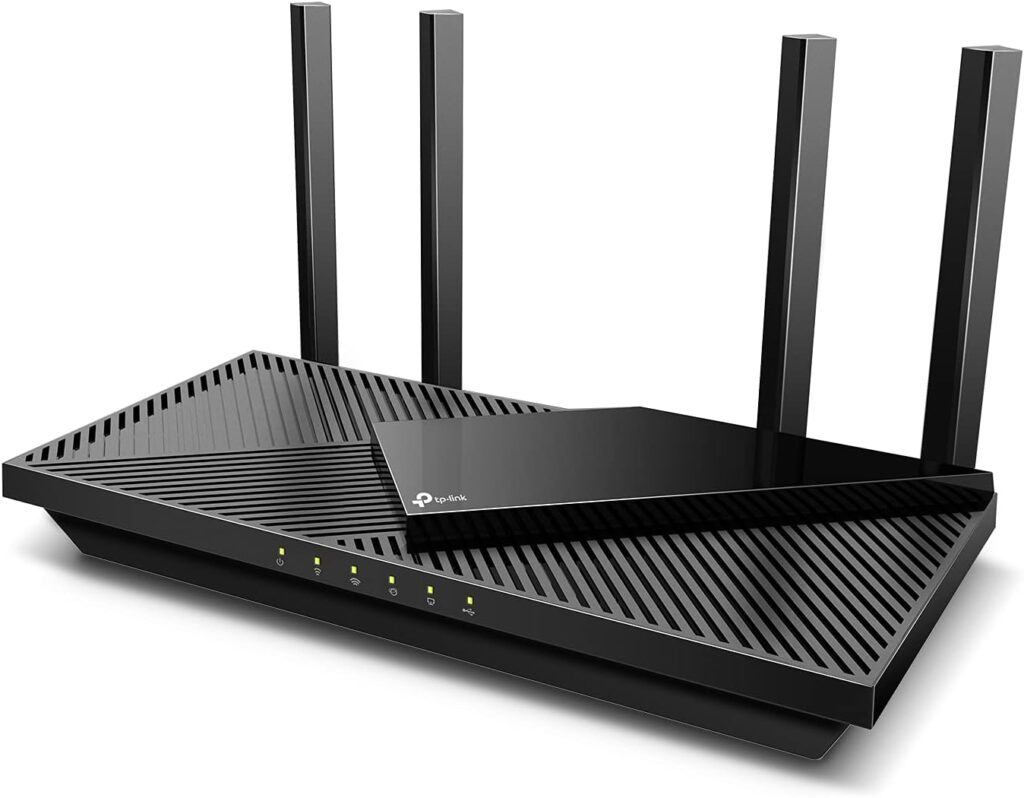
High-end routers usually connect through Ethernet, not fiber directly. To use fiber, a separate modem or ONT is often required. Choosing a router depends on compatibility with your fiber service and connection type.
Key Features To Look For
Fiber compatibilityis essential. The router should have a built-in SFP portor support an external fiber modem. Look for high-speed data transferand low latency. A good router offers strong security featureslike firewall protectionand regular updates. Also, check for easy setupand user-friendly interfaces.
Compatibility Checklist
- Router with SFP or SFP+ portfor fiber cables
- Supports gigabit or higher speeds
- Works with your Internet Service Provider (ISP)
- Allows firmware updatesfor security
- Offers QoS featuresto prioritize traffic
Popular Models With Fiber Support
| Model | Fiber Port | Speed | Security Features |
|---|---|---|---|
| Asus RT-AX86U | SFP slot | Up to 5700 Mbps | WPA3, Firewall |
| Netgear Nighthawk RAX120 | SFP+ port | Up to 6 Gbps | VPN, Firewall |
| Ubiquiti EdgeRouter 4 | SFP port | Up to 3.4 Gbps | Advanced Firewall |
Troubleshooting Fiber Connections
Checking fiber connection problems starts with simple tests. Ensure cables are firmly plugged in. Look for any visible damage on the fiber cable. Use a fiber tester to check signal strength. If lights on the router or ONT are off, this shows an issue.
Firmware and driver updates often fix bugs and improve performance. Download the latest firmware from the router maker’s website. Install updated drivers for any connected devices. Restart the router after updates for changes to take effect.
Some problems need expert help. Contact your internet service provider if issues continue. They can test the fiber line and replace faulty parts. Professional technicians have tools to fix complex issues quickly.
Future Trends In Fiber Networking
Router technologyis improving fast. High-end routers now have better support for fiber connections. They can handle higher speedsand more datatraffic directly from fiber cables. This means faster internet and fewer delays.
The fiber networkis growing in many cities and towns. More homes and businesses get fiber linesevery year. This expansion makes internet accessmore reliable and faster for many people.
With fiber, both home and business networksget big benefits:
- Faster downloadsand uploads
- Better video callsand streaming
- Stable connectionseven with many devices
- New opportunitiesfor smart home and office tech
Credit: www.highspeedoptions.com

Credit: www.reddit.com
Frequently Asked Questions
Can High-end Routers Connect Directly To Fiber Optic?
Yes, many high-end routers have SFP or SFP+ ports. These ports support direct fiber optic connections. This enables faster internet speeds and lower latency. However, you must ensure the router supports the specific fiber module type.
What Fiber Modules Are Compatible With High-end Routers?
High-end routers typically support SFP or SFP+ modules. Common types include single-mode and multi-mode fiber modules. Compatibility depends on the router’s specifications. Always check the manufacturer’s guidelines before purchasing fiber modules.
Do I Need Special Cables For Fiber Connection?
Yes, fiber optic cables like LC or SC connectors are required. These cables differ from traditional Ethernet cables. Using the correct cable ensures optimal speed and signal quality. Avoid using copper cables for direct fiber connections.
How Does Fiber Connection Improve Router Performance?
Fiber provides faster data transfer speeds than copper cables. It reduces latency and increases network reliability. High-end routers with fiber ports maximize these benefits. This results in smoother streaming, gaming, and large file transfers.
Conclusion
High-end routers can connect directly to fiber with the right setup. Not all routers support fiber connections without extra hardware. Fiber offers faster and more stable internet than copper cables. Choosing the correct router ensures you get the best speed.
Always check if your router has an SFP port or media converter. This helps link fiber cables to the router easily. For smooth internet, match your router’s features with your fiber plan. Fast, reliable connections depend on proper equipment and settings.
Direct fiber connection is possible but needs careful planning.