Want to know if your high-end router is really delivering the blazing-fast internet speeds it promises? Testing your router’s speed is easier than you think, and it can make a huge difference in how you experience streaming, gaming, or working from home.
You’ll discover simple, effective ways to check your router’s performance. By the end, you’ll have the confidence to ensure your internet is running at its best—and know exactly what to do if it’s not. Keep reading to unlock the full power of your high-end router!
Choosing The Right Tools
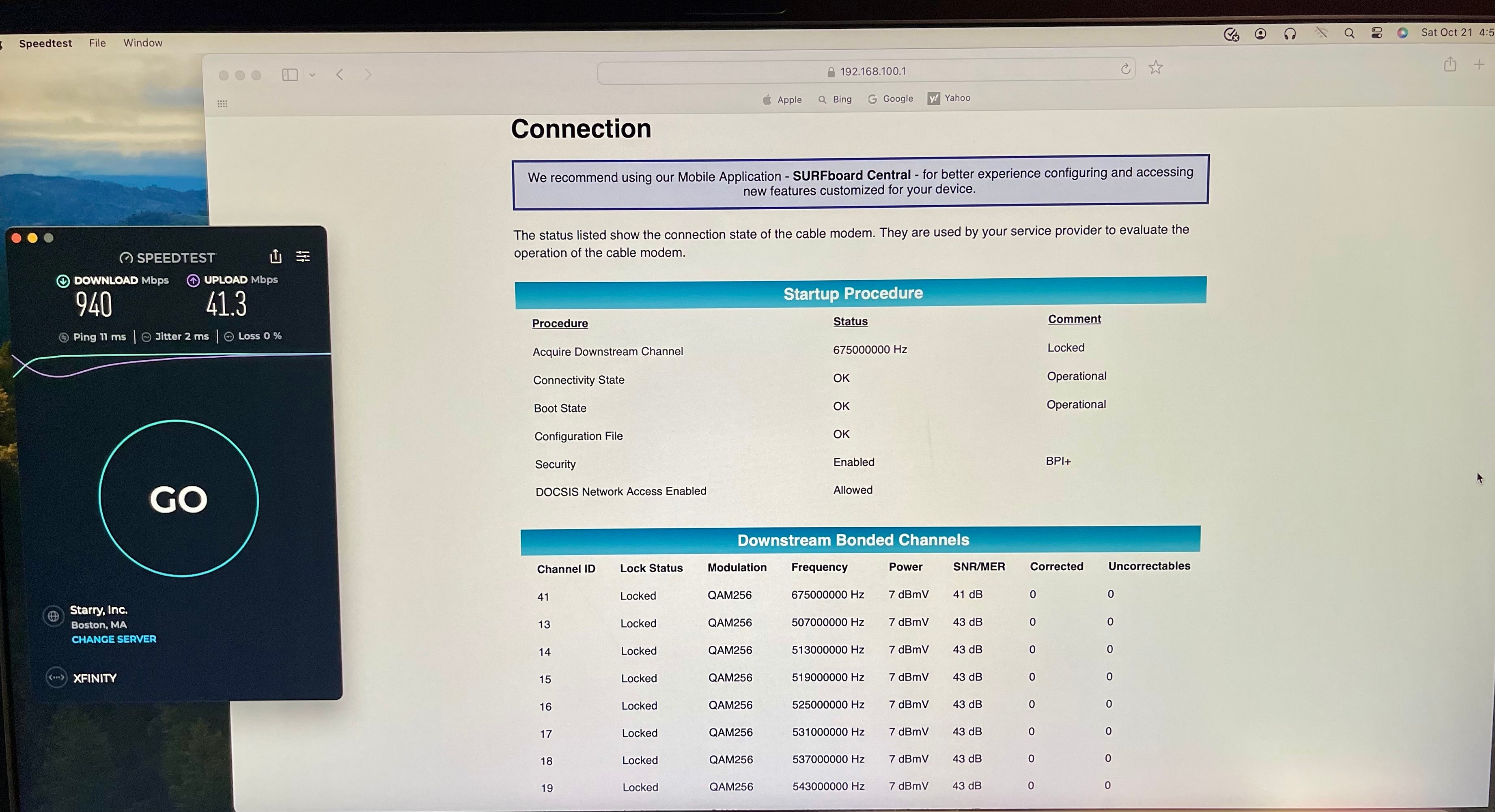
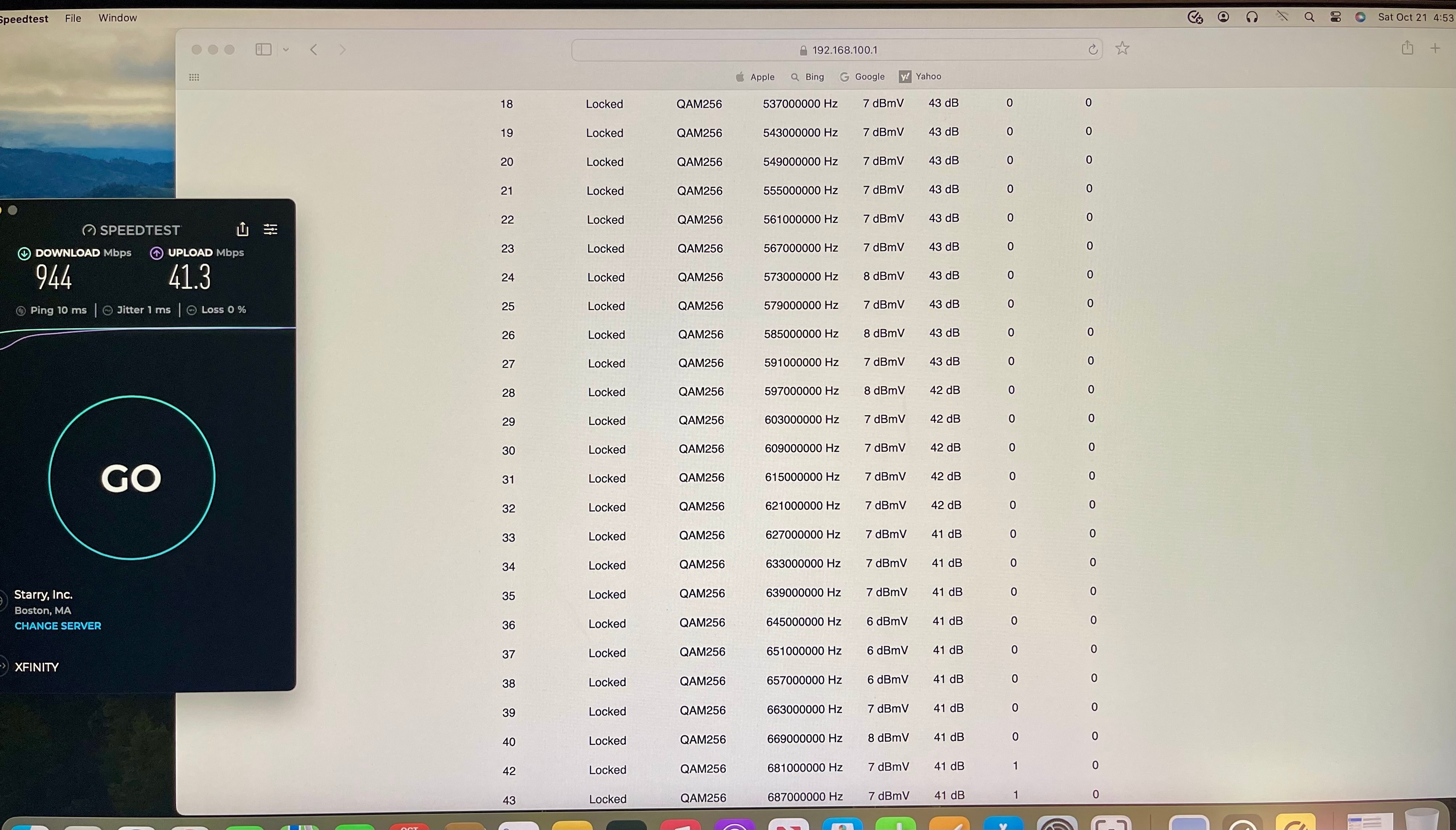
Speed test websitesprovide a quick and easy way to check your router’s internet speed. These sites measure download, upload, and pingtimes. Popular options include Speedtest.net and Fast.com. They work on any device connected to the router.
Router-specific appsare made by router brands. These apps give detailed info about your network speed and device connections. They can show real-time data and help identify slow devices. Examples include apps from Netgear, Asus, or TP-Link.
Command line utilitiesoffer advanced speed testing for those who like tech tools. Tools like ping, iperf, or speedtest-clirun tests from your computer’s terminal. These are useful for custom tests and troubleshooting network issues.

Credit: www.familyhandyman.com
Preparing Your Router
Firmware updatesimprove router performance and fix bugs. Check the router’s settings page for updates. Download and install the latest version to ensure smooth operation.
Placing the router in a central locationhelps spread the signal evenly. Avoid walls, metal objects, and electronic devices that block signals. Higher spots often give better coverage.
- Turn off features like guest networks when not needed.
- Disable unused ports or services to reduce interference.
- Limit bandwidth-heavy functions during speed tests.
Setting Up The Test Environment
Wired connectionsoffer more stable and faster speeds than wireless ones. Use an Ethernet cable to connect your device directly to the router. This reduces interference and gives a clearer speed test result.
Wireless tests show real-world speeds but can be affected by walls, distance, and other devices. Test both to understand your router’s performance fully.
Minimize network traffic by disconnecting other devices during the test. Pause downloads, streaming, or any heavy internet use. This helps avoid false low speed results.
Use devices that support your router’s maximum speed. Older devices can limit test results and cause confusion. Choose laptops or smartphones with updated network cards for best accuracy.
Credit: community.surfboard.com
Running Speed Tests
Selecting test servers close to your location helps get accurate speed results. Far servers may show slower speeds due to distance. Choose multiple servers to compare performance.
Run tests several timesto avoid random errors. Different times of day may show different speeds. Testing repeatedly gives a better average speed.
Look at download and upload speeds. Ping or latency shows how fast data travels. Low ping means better responsiveness. Consistent results across tests mean stable connection.
Advanced Testing Techniques
QoS impact analysishelps check how your router handles traffic priorities. Test by assigning different priority levels to devices or apps. Watch how speed changes under heavy load. This reveals if important tasks get faster speeds.
Simulating multiple devices shows real-life network use. Connect many devices or use software to mimic them. This helps find if router keeps speed stable with many users. Notice any slowdowns or lag during tests.
Network analyzers give detailed info on speed and traffic. Use tools to capture data packets and check flow. See which devices use most bandwidth. Identify possible bottlenecks or interference.
Troubleshooting Slow Speeds
Identifying bottlenecksis key to fixing slow speeds. Check if many devices use the network at once. Heavy downloads or streaming can slow things down. Sometimes, the router’s locationaffects speed—walls and distance block signals. Test speed near the router to compare results.
Resetting router settings can clear hidden issues. Use the reset button or router menu. This returns all settings to factory defaults. Remember to save your Wi-Fi name and password first. After reset, test speed again to see any changes.
Contacting ISP support helps with problems outside your control. They can check your line quality and speed limits. Sometimes, outages or maintenance affect your speed. Be ready to share your test results with them for quicker help.
Optimizing Router Performance
Adjusting channel settingscan reduce interference from other networks. Choose the least crowded channel to improve speed. Use router tools or apps to find free channels. Changing channels helps your router work faster and smoother.
Enabling Quality of Service (QoS)lets you prioritize important devices or apps. This means video calls or games get more bandwidth. QoS ensures critical tasks do not slow down when others use the network.
Upgrading hardware componentslike antennas or firmware can boost router performance. New antennas reach farther and give stronger signals. Firmware updates fix bugs and add features to keep your router fast and secure.
Credit: community.surfboard.com
Frequently Asked Questions
How Do I Measure Speed On A High-end Router?
Use online speed test tools like Ookla or Fast. com. Connect via Ethernet for accurate results. Check both download and upload speeds to assess router performance precisely.
What Affects Speed Test Accuracy On Routers?
Wi-Fi interference, distance from the router, and network congestion can skew results. Use a wired connection and test during low traffic times for reliability.
Can Router Firmware Impact Speed Test Results?
Yes, outdated firmware can reduce performance. Regularly update your router’s firmware to ensure optimal speed and stability during tests.
Should I Test Speed On Multiple Devices?
Testing on different devices helps identify if issues are device-specific or router-related. It ensures comprehensive speed assessment across your network.
Conclusion
Testing your high-end router’s speed ensures optimal performance. Begin with basic checks using online speed tests. Compare the results with your internet plan. Use different devices to spot inconsistencies. Adjust settings if needed to enhance speed. Regular testing helps identify issues early.
This keeps your internet experience smooth. Always update your router’s firmware. This boosts its efficiency and security. A fast, reliable connection makes online activities enjoyable. Happy surfing!