Choosing the right high-end router can feel overwhelming. You want fast, reliable internet, but how do you know which features really matter?
What should you look for to make sure your router keeps up with your busy home or office? You’ll discover the key features that make a difference. By the end, you’ll be confident in picking a router that delivers speed, security, and smooth connectivity for everything you do online.
Keep reading to find out what your next router must have.
Performance Specs
Processor and RAMare key for a router’s speed and multitasking. A strong processor helps manage many devices easily. More RAM means the router can handle more data smoothly. This keeps connections stable, especially with many users or smart devices.
Wi-Fi Standardsdefine how fast and far your wireless network can reach. The latest standard, Wi-Fi 6, offers better speed and works well in busy places. Older standards like Wi-Fi 5 are still good but not as fast or efficient.
| Wi-Fi Standard | Max Speed | Best Use |
|---|---|---|
| Wi-Fi 4 (802.11n) | Up to 600 Mbps | Basic web use |
| Wi-Fi 5 (802.11ac) | Up to 3.5 Gbps | Streaming, gaming |
| Wi-Fi 6 (802.11ax) | Up to 9.6 Gbps | Busy networks, smart homes |
Speed Ratingsshow the maximum data the router can send or receive. Look for routers with higher speeds if many devices connect at once. It helps avoid slowdowns during video calls or game play.
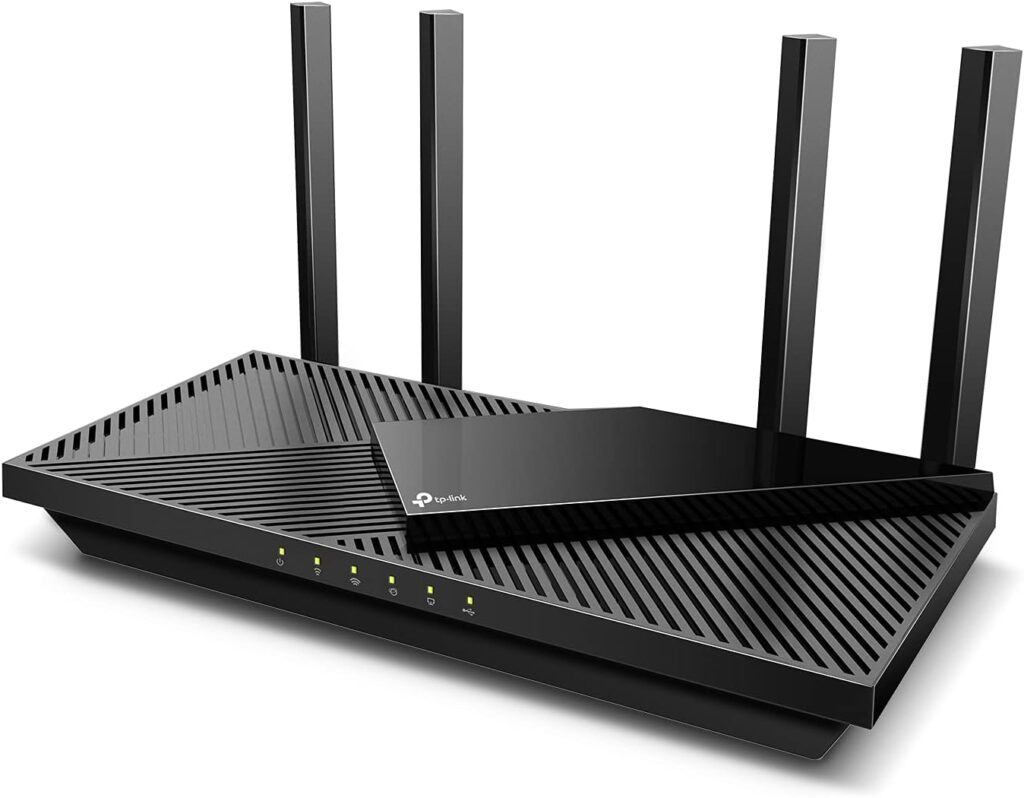
Credit: www.highspeedoptions.com
Coverage And Range
Antenna designplays a big role in router coverage. Routers with multiple antennas can send signals farther and cover more space. Some antennas can move or rotate to find the best signal path.
Beamforming technologyfocuses the Wi-Fi signal directly to your device. This helps improve speed and strength, especially in big houses or offices. It reduces dead zones where Wi-Fi is weak.
Mesh network supportlets you use multiple routers together. These routers work as one system to cover large areas without losing signal. Mesh networks are great for homes with many rooms or floors.
Security Features
Firewall capabilitieshelp protect your network from online threats. They block unwanted traffic and stop hackers from entering your system. A good firewall can be customized to suit your needs. It acts as a shield between your devices and the internet.
Encryption protocolskeep your data safe during transmission. Look for routers that support WPA3, the latest security standard. This protocol makes it harder for others to spy on your connection. Strong encryption protects passwords, messages, and other private data.
Parental controlsallow you to manage what your children can access online. You can set time limits and block harmful websites. This feature helps keep kids safe and teaches healthy internet habits. Easy-to-use controls make monitoring simple for parents.
Connectivity Options
Ethernet portsallow direct wired connections to devices. They provide stable and fast internet access. More ports mean you can connect many devices.
USB portslet you connect external drives or printers. This is useful for sharing files or printing over the network.
| Port Type | Purpose | Benefit |
|---|---|---|
| WAN | Connects router to the internet | Provides internet access for your network |
| LAN | Connects devices inside your network | Allows devices to communicate and share data |
User Interface
Mobile app controllets users manage the router from a phone or tablet. It is easy to change settings and check the network anytime, anywhere. Simple apps offer clear menus and quick responses. Look for apps that allow device blocking and parental controls.
The web dashboardis the router’s control center on a computer. It shows detailed information and advanced options. A clean design with organized tabs helps users find settings fast. Speed test tools and security status are useful features to have.
The setup processshould be quick and easy. Good routers guide users step-by-step with clear instructions. Some routers use QR codes to simplify setup. Automatic updates during setup ensure the router is secure from the start.
Advanced Features
Quality of Service (QoS)lets you control internet speed for devices. It helps keep video calls smooth and games lag-free. You can set priorities for important apps. This keeps your connection stable even when many devices use Wi-Fi.
VPN Supportis key for privacy and security. A high-end router can run VPNs directly. This protects all devices on the network without extra apps. It helps hide your online activity from hackers and trackers.
Guest Networkoffers a separate Wi-Fi for visitors. It keeps your main network safe from unknown devices. Guests get internet access but cannot see your files or devices. This adds a layer of security to your home or office.
Design And Build
The physical sizeof a high-end router affects where it fits in your home or office. Large routers offer more ports and antennas but need more space. Compact models save space but may have fewer features.
The cooling systemis key to keep the router working well. Good cooling stops it from getting too hot and slowing down. Many high-end routers have built-in fans or heat sinks to help air flow.
Aestheticsmatter since the router often sits in visible areas. Sleek, modern designs blend with home decor. Some routers have LED lights that show status but don’t distract.

Credit: www.expressvpn.com
Price And Warranty
Price and valuemust be balanced. A high-end router costs more but offers better speed and features. Check what you get for the price to avoid paying too much.
The warranty periodshows how long the company trusts its product. Longer warranties mean fewer worries about faults or damage. Typical warranties last from one to three years.
Customer supporthelps solve problems fast. Good support includes phone, chat, and email options. Quick and clear help saves time and stress.
| Aspect | What to Look For |
|---|---|
| Cost vs. Value | Features match price; avoid paying for extras you won’t use. |
| Warranty Period | 1-3 years; longer is better for peace of mind. |
| Customer Support | Multiple contact methods; fast and clear responses. |

Credit: www.youtube.com
Frequently Asked Questions
What Speed Should A High-end Router Support?
A high-end router should support at least Wi-Fi 6 or Wi-Fi 6E speeds. These standards offer fast, reliable connections for multiple devices, ensuring smooth streaming and gaming. Look for routers with gigabit Ethernet ports for wired connections and speeds up to several Gbps.
How Important Is Router Security In High-end Models?
Router security is critical in high-end routers to protect your network. Look for features like WPA3 encryption, automatic firmware updates, and built-in firewalls. These features prevent unauthorized access and keep your data safe from cyber threats and hacking attempts.
Should I Choose A Router With Multiple Bands?
Yes, multi-band routers (dual-band or tri-band) reduce interference and improve performance. They allow devices to connect on different frequencies, balancing traffic efficiently. This feature is essential for busy households or offices with many connected devices.
What Role Does Router Range Play In Performance?
Router range determines how far your Wi-Fi signal reaches. High-end routers use advanced antennas and beamforming technology to extend coverage. A larger range ensures stable connections in bigger homes or offices, reducing dead zones and improving overall network reliability.
Conclusion
Choosing a high-end router enhances your internet experience. Prioritize key features like speed, range, and security. They ensure seamless connectivity. Look for routers with advanced technologies. Dual-band or tri-band options are great. Consider user-friendly interfaces. They simplify setup and management.
Check compatibility with your devices. It’s crucial for optimal performance. Budget is also important. Balance cost with features. Investing wisely leads to better network efficiency. Keep these points in mind. Your home network will thank you.