Are you wondering if your high-end router should have USB ports? You might think these ports are just extra features, but they can actually change how you use your home network.
Imagine easily sharing files, backing up data, or connecting printers without extra devices. Knowing whether your router has USB ports and how to use them could save you time and make your tech setup much smoother. Keep reading to find out why USB ports on high-end routers matter and how they can benefit you.
Credit: www.techradar.com
High-end Routers And Usb Ports
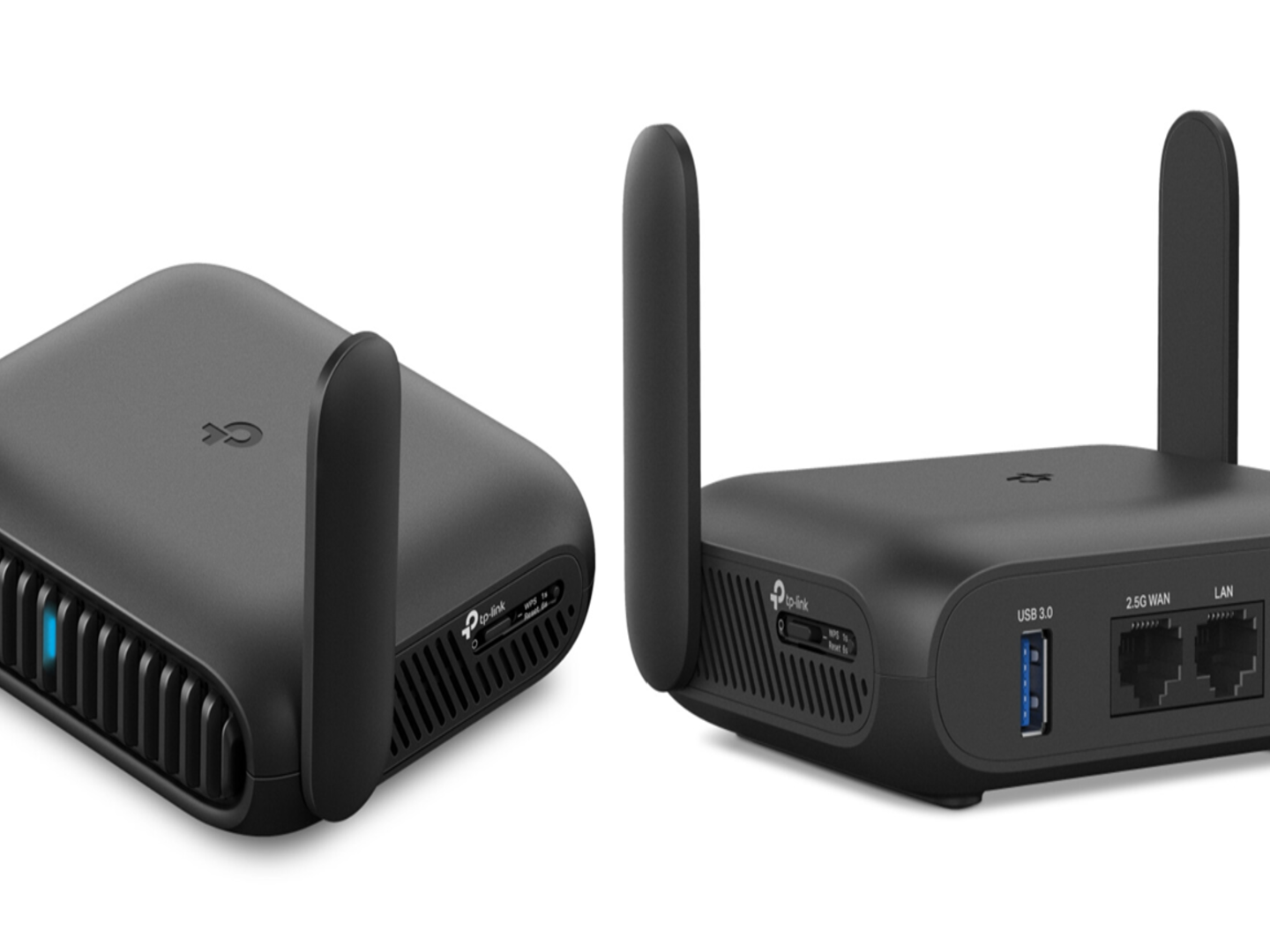
High-end routers often come with USB ports. These ports help connect devices like printers, external drives, or 4G modems. USB ports make sharing files or printers easy across the network. They also allow network storageby attaching external hard drives.
Many users find USB ports handy for backup and file sharingwithout extra hardware. Some routers support USB 2.0, while others have USB 3.0 for faster data transfer. The type of USB port affects speed and compatibility.
| Type of USB Port | Common Use | Speed |
|---|---|---|
| USB 2.0 | Printers, basic storage | Up to 480 Mbps |
| USB 3.0 | External hard drives, faster transfers | Up to 5 Gbps |
| USB-C (less common) | Newer devices, higher power delivery | Varies, often USB 3.1 or higher |

Credit: itnerd.blog
Benefits Of Usb Ports On Routers
High-end routers often include USB ports for easy file sharing and printer connections. These ports help turn your router into a simple media server for your home network. They also allow quick access to external storage devices without extra hardware.
File Sharing And Storage
USB ports on routers allow easy file sharingacross devices. Connecting a USB drive makes files available to everyone on the network. This setup saves time and avoids moving files manually. It is a simple way to share photos, documents, and videos with family or coworkers.
Printer Sharing
Connecting a USB printer to the router allows printer sharing. Multiple devices can print without plugging directly into the printer. This feature is useful in homes or small offices where several people need to print.
Media Streaming
USB ports enable media streamingfrom connected drives. Users can play music, videos, and photos on smart TVs or other devices. It helps turn a simple USB drive into a shared media library for all network users.
Compatibility And Performance
High-end routers often come with USB ports. These ports support various devices like external hard drives, printers, and USB modems. Compatibility depends on the router model and firmware.
Data transfer speeds can vary. USB 3.0 ports offer faster speeds than USB 2.0. This affects how quickly files move between your device and the router.
Firmware and software support matter. Routers with regular updates handle more devices and add new features. Some routers allow media sharingor network printingthrough USB.
| Feature | Details |
|---|---|
| Supported Devices | External drives, printers, USB modems |
| Data Speeds | USB 2.0 (up to 480 Mbps), USB 3.0 (up to 5 Gbps) |
| Firmware Support | Regular updates improve compatibility and features |
Credit: www.pocket-lint.com
Security Features Related To Usb Ports
High-end routers with USB portsoffer important security features. Access controlshelp limit who can use the USB devices. This stops unauthorized users from connecting to the router. You can set permissions for specific devices or users.
Data encryptionprotects the information shared through USB ports. It makes data hard to read if someone tries to steal it. Routers use strong encryption methods to keep files safe. This is key for keeping personal data private and secure.
Comparing Routers With And Without Usb Ports
High-end routers often include USB ports for connecting storage or printers to the network. Routers without USB ports lack this extra convenience and flexibility. Choosing between them depends on your need for sharing files or devices across your home network.
Cost Differences
Routers with USB ports usually cost a bit more than those without. The added USB feature lets users connect printers, storage drives, or other devices. This extra function adds value but raises the price slightly. Basic routers without USB ports tend to be cheaper and focus on core networking tasks. People on a budget often choose these simpler models. Those needing extra sharing options prefer routers with USB ports despite the higher cost.
Feature Set Comparison
| Feature | Router With USB Ports | Router Without USB Ports |
|---|---|---|
| File Sharing | Yes– Connect USB drives for sharing | No – No USB connection available |
| Printer Sharing | Yes– Supports USB printers | No |
| Price | Usually higher | Usually lower |
| Basic Networking | Included | Included |
| Ease of Use | May need extra setup for USB devices | Straightforward setup |
Popular High-end Routers With Usb Ports
Many high-end routers come with USB ports for easy file sharing and printer connections. These ports allow users to connect external drives directly to the network. USB support adds convenience for home and office setups.
Brand Examples
- Asus RT-AX88U
- Netgear Nighthawk RAX200
- TP-Link Archer AX6000
- Linksys WRT3200ACM
Key Specifications
| Router Model | USB Ports | WiFi Standard | Speed | Extra Features |
|---|---|---|---|---|
| Asus RT-AX88U | 2 x USB 3.1 | WiFi 6 (802.11ax) | Up to 6000 Mbps | Advanced security, AiMesh support |
| Netgear Nighthawk RAX200 | 2 x USB 3.0 | WiFi 6 (802.11ax) | Up to 10.8 Gbps | Tri-band, smart connect |
| TP-Link Archer AX6000 | 1 x USB 3.0, 1 x USB 2.0 | WiFi 6 (802.11ax) | Up to 5952 Mbps | 8 antennas, OFDMA technology |
| Linksys WRT3200ACM | 2 x USB 3.0 | WiFi 5 (802.11ac) | Up to 3200 Mbps | Open source ready, dual-band |
Future Trends For Usb Ports In Routers
High-end routers are starting to include USB portsmore often. These ports support new technologieslike faster data transfer and better power delivery.
USB ports allow routers to connect with external devicessuch as printers, storage drives, and mobile hotspots. This adds flexibilityand extra featuresto the network setup.
Some future trendsinclude:
- Support for USB 3.2 and USB-Cfor faster speeds and better power.
- Integration with smart home devicesthrough USB connections.
- Use of USB ports for backup internet connectionsvia 4G/5G dongles.
These developments make routers more useful for home and office networks.
Frequently Asked Questions
Do High-end Routers Usually Include Usb Ports?
Yes, many high-end routers feature USB ports. These ports allow file sharing, printer connections, and network storage. USB 3. 0 ports are common for faster data transfer. Including USB ports enhances router functionality and convenience for home or office networks.
What Can I Connect To A High-end Router’s Usb Port?
You can connect external hard drives, USB flash drives, and printers. This enables network-wide file sharing and printing. Some routers also support 4G USB modems for backup internet. The USB port adds versatility to your network setup.
Are Usb Ports On Routers Useful For Media Sharing?
Absolutely, USB ports on routers enable media sharing. You can stream videos, music, and photos stored on connected drives across your network. This makes accessing your media files easy on multiple devices like smart TVs or computers.
Do All High-end Routers Support Usb 3.0 Ports?
Not all but most high-end routers support USB 3. 0. USB 3. 0 offers faster data transfer than USB 2. 0. Check the router specifications before buying if high-speed USB connectivity is important for you.
Conclusion
High-end routers often feature USB ports. These ports enhance versatility. Users can connect storage devices or printers easily. This makes sharing files within a network simple. USB ports on routers provide convenient options. They support various devices without extra hardware.
Many routers also offer advanced features. Always check specifications before buying. Some models might not include USB ports. Choose based on your needs and budget. A high-end router with USB ports can be a valuable investment. It offers both functionality and ease of use.