Are you tired of dead zones and weak signals in your home, even with a high-end router? You’ve invested in quality equipment, but your Wi-Fi still doesn’t reach every corner.
What if you could unlock the full potential of your router and enjoy fast, reliable internet everywhere? You’ll discover simple, effective ways to extend your router’s range without spending a fortune. Keep reading to transform your Wi-Fi experience and stay connected wherever you are.
Credit: www.signalbooster.com
Assessing Your Current Router Setup
Place your router in a central locationof your home. Avoid hiding it in cabinets or behind furniture. Walls and floors can block signals, so keep it high and open. Check the signal strength in different rooms to find weak spots. You can use apps or built-in router tools for this.
Look for sources of interference around your router. Common culprits include:
- Microwaves
- Bluetooth devices
- Wireless phones
- Other Wi-Fi networks nearby
Move or turn off these devices to see if the signal improves. Sometimes, even metal objects near the router can cause issues. Keep the area clear for the best performance.
Optimizing Router Settings
Keeping your router’s firmware updatedis key to better performance. Updates fix bugs and add new features. Check the router’s website or app for updates.
Choosing the right channel and frequencyhelps reduce interference. Use 5 GHz for faster speeds but shorter range. Use 2.4 GHz for longer reach but slower speed. Switch channels to avoid crowded airwaves.
- Enable Quality of Service (QoS)to prioritize important devices.
- QoS helps keep video calls and streaming smooth.
- Set rules to give more bandwidth to devices you use most.
Using Range Extenders And Mesh Systems
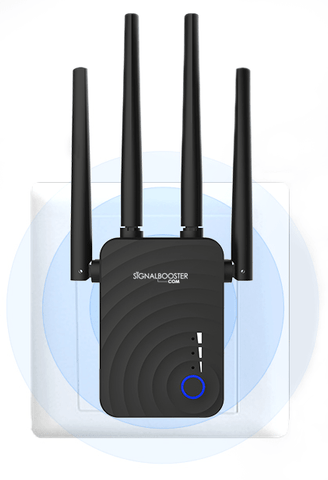
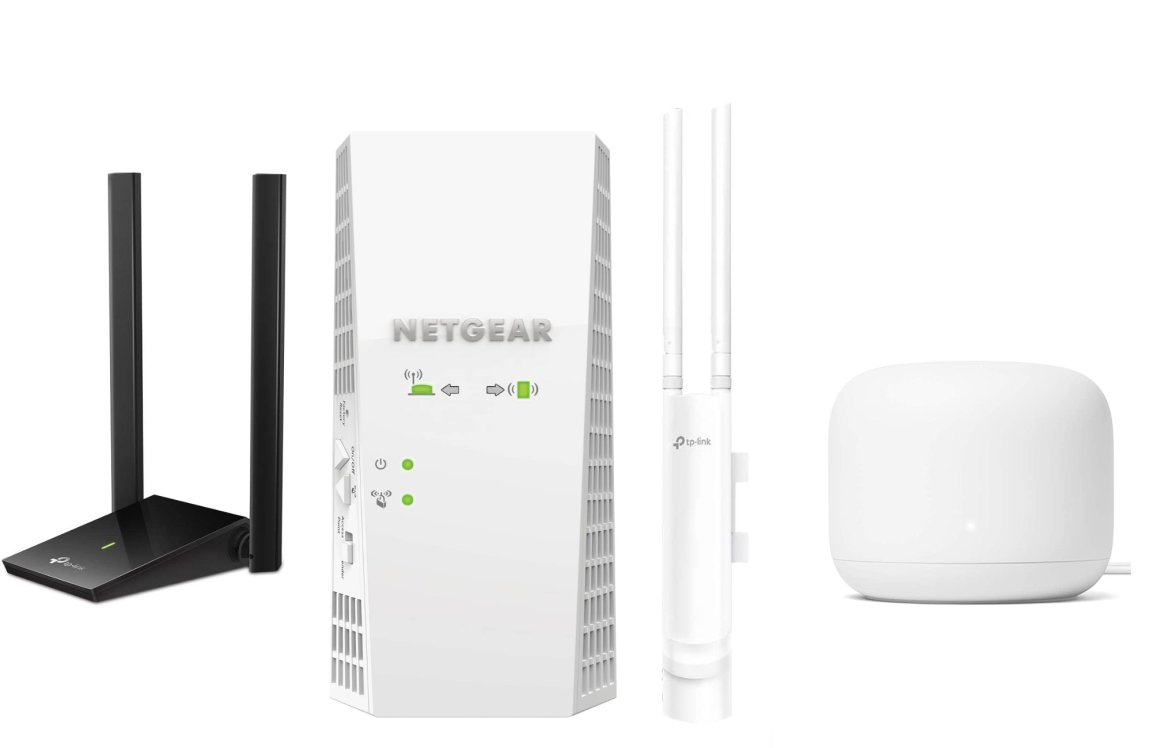
Choosing the right range extendermeans matching it with your router’s speed and tech. Look for extenders that support the same Wi-Fi standards as your main router. Place the extender where the router’s signal is still strong but can reach farther areas. Avoid placing it too far from the router or near walls that block signals. Some extenders use a separate band to connect to the router, which helps keep speeds higher.
Setting up a mesh networkis simple with many systems offering easy apps. Mesh systems use several units to cover a large area with one network name. Each unit talks to the others to send data smoothly. Place mesh units in spots where you need stronger Wi-Fi. The system will manage connections to give the best speed and coverage.
| Feature | Range Extender | Mesh System |
|---|---|---|
| Coverage | Good for specific dead spots | Wide, whole-home coverage |
| Setup | Usually simple plug-and-play | App-guided, few devices to place |
| Network Name | May create new Wi-Fi name | Single Wi-Fi name for all units |
| Speed | Slower if using same band for backhaul | Faster with dedicated communication bands |
| Cost | Lower upfront cost | Higher initial investment |
Credit: www.popsci.com
Upgrading Hardware Components
High-gain antennashelp focus the Wi-Fi signal in one direction. This focus improves signal strengthand extends coverage. Replacing your router’s antennas with high-gain ones is a simple upgrade. They come in various sizes and shapes to fit different routers.
Powerline adaptersuse your home’s electrical wiring to send internet signals. They help reach distant rooms without Wi-Fi dead zones. Just plug one adapter near your router and another where you want better coverage.
| Router Type | Benefits | Why Choose |
|---|---|---|
| Wi-Fi 6 | Faster speeds, better for many devices | Good for busy homes with many gadgets |
| Wi-Fi 6E | Uses new 6 GHz band, less interference | Ideal for very crowded networks and latest devices |
Minimizing Physical Barriers
Walls and large objects can block Wi-Fi signals. Thinner walls or open spaces help the signal travel far. Try to place your router where there are fewer walls. Moving furniture away from the router also reduces obstacles.
Reflectors can bounce Wi-Fi signalsaround corners or into hard-to-reach spots. They help direct the signal where it is needed most. Signal boosters catch weak signals and amplify them, making the range larger. These devices work well in big homes or offices.
| Technique | Effect | Best Use |
|---|---|---|
| Reducing Walls | Less signal blocking | Open spaces, fewer walls |
| Using Reflectors | Redirects Wi-Fi signals | Corners, blocked areas |
| Signal Boosters | Amplifies weak signals | Large homes, distant rooms |

Credit: www.youtube.com
Advanced Techniques For Range Extension
External amplifiersboost your router’s signal strength. They connect to the router and increase the signal power. This helps the Wi-Fi reach farther areas in your home or office. Choose amplifiers compatible with your router model for best results.
Custom firmwarechanges how your router works. It can unlock new features like better signal control and advanced settings. Popular options include DD-WRT and OpenWrt. Installing custom firmware can improve range but requires careful setup.
Secondary access pointscreate more Wi-Fi spots in large spaces. Place them where the main router’s signal is weak. They connect to the main router via cables or wireless links. This setup spreads Wi-Fi evenly across your area.
Frequently Asked Questions
How Can I Boost My High-end Router’s Signal Range?
To boost your router’s range, place it centrally and avoid obstructions. Use high-gain antennas or Wi-Fi extenders. Regularly update firmware and select less crowded Wi-Fi channels for better performance.
What Devices Help Extend Router Range Effectively?
Wi-Fi extenders, mesh systems, and powerline adapters effectively extend router range. They amplify or rebroadcast signals, reducing dead zones. Choose devices compatible with your router for seamless connectivity and improved coverage.
Does Router Placement Affect Wi-fi Range?
Yes, router placement greatly impacts Wi-Fi range. Position your router in an open, elevated spot away from walls and electronics. Central placement ensures even coverage and reduces signal interference for better range.
Can Firmware Updates Improve Router Range?
Firmware updates can enhance router performance and sometimes improve range. Updates fix bugs, optimize signal strength, and add new features. Regularly check the manufacturer’s site to keep your router’s firmware current.
Conclusion
Boosting your router’s range is simpler than it seems. First, position it wisely. Higher spots help signals travel further. Second, use a Wi-Fi extender for better coverage. Third, consider a mesh network for large spaces. These solutions enhance connectivity. Remember to regularly update your router’s firmware.
Updates fix bugs and improve performance. Lastly, check for interference from other devices. Reducing interference boosts signal strength. Reliable internet is within reach. Just follow these steps. Enjoy better connectivity at home.