Are you ready to unlock the full power of your multi-gig internet connection? If you’ve recently upgraded your plan or are thinking about it, you might be wondering if your high-end router can actually keep up.
Not all routers are built the same, and choosing the right one can make a huge difference in speed, reliability, and overall experience. You’ll discover whether top-tier routers truly support multi-gig internet—and how to make sure your setup delivers the blazing fast speeds you’re paying for.
Keep reading to find out what matters most when upgrading your home network.
Credit: www.highspeedoptions.com
Multi-gig Internet Basics
Multi-Gig Internetmeans internet speeds faster than 1 Gbps. It uses special cables and ports to handle these speeds. Many new homes and offices want this for better internet performance.
Devices like high-end routers often support these speeds. They have ports labeled as 2.5G, 5G, or 10G. This lets you connect multiple devices without slowing down your internet.
- Faster downloads:Big files transfer quickly.
- Smoother streaming:Watch videos without buffering.
- Better gaming:Less lag and faster response.
- More devices:Connect many gadgets at once.
- Future-proof:Ready for faster internet plans later.
High-end Router Features
High-end routersneed strong hardwareto support multi-gig internet. The processormust be fast enough to handle large data flows. Enough RAMhelps run many tasks smoothly at once. A good router also has efficient coolingto avoid overheating during heavy use.
Port types and speeds are very important. Multi-gig routers usually have 2.5 Gbps or 10 Gbps Ethernet ports. These ports connect to high-speed internet cables and devices. Some routers also offer multi-gig SFP+ portsfor fiber connections. The router’s ports must match your internet speed to avoid slowdowns.
| Port Type | Speed | Use |
|---|---|---|
| Gigabit Ethernet | 1 Gbps | Standard internet and devices |
| 2.5 Gbps Ethernet | 2.5 Gbps | Faster wired connections |
| 10 Gbps Ethernet | 10 Gbps | High-speed internet and data transfer |
| SFP+ Port | 1-10 Gbps | Fiber optic connections |
Multi-gig Support In Modern Routers
Many modern high-end routerscome with multi-gigabit (multi-gig) ports. These ports support speeds faster than the usual 1 Gbps. They help users take full advantage of internet plans above 1 Gbps. Multi-gig support means better network speedand reliable connections.
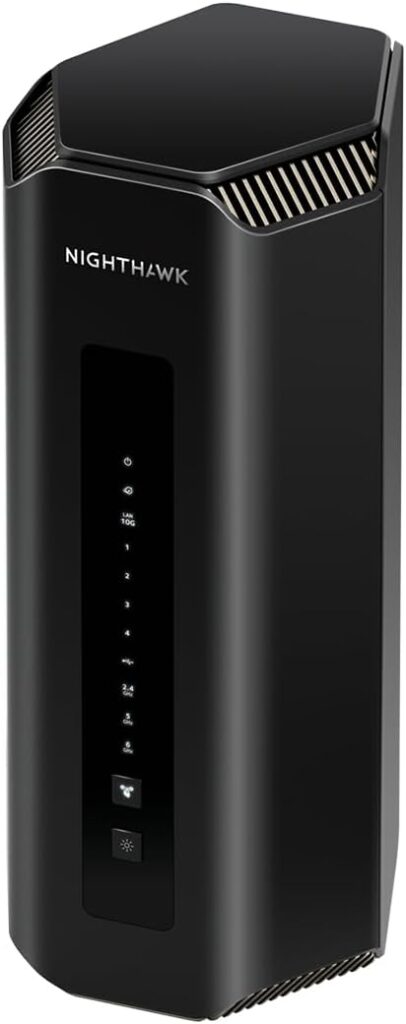
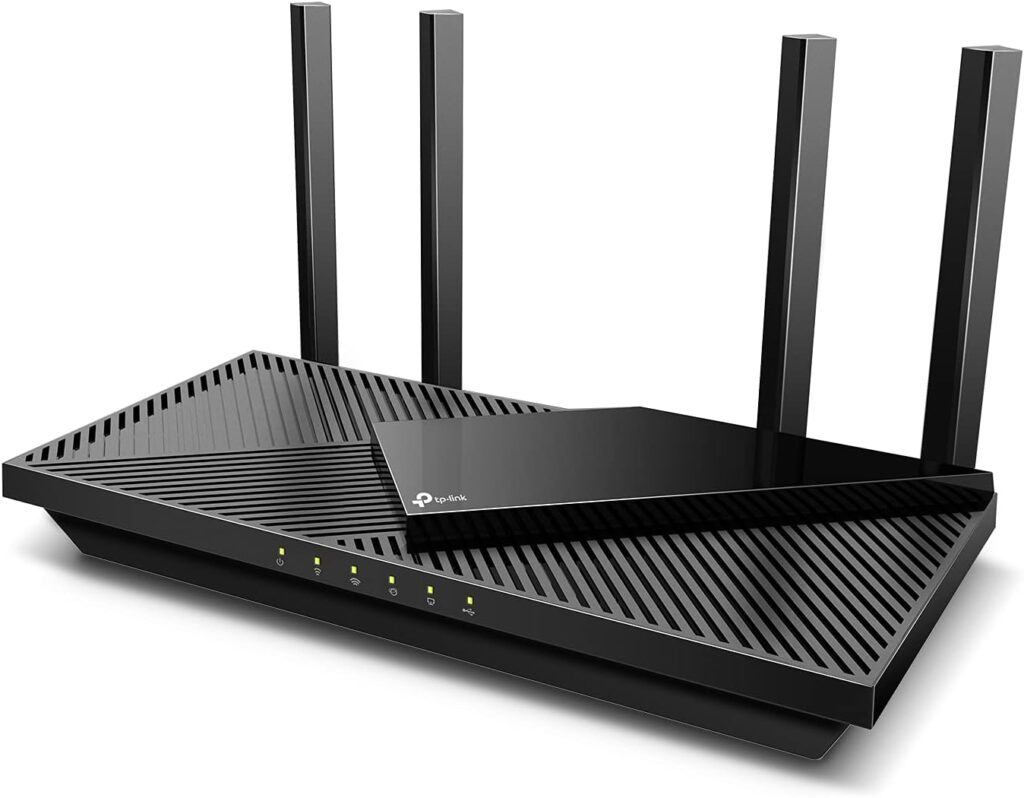
Here are some popular routers with multi-gig ports:
| Router Model | Multi-Gig Port Type | Max Speed Supported |
|---|---|---|
| Asus RT-AX89X | 10 Gbps LAN | 10 Gbps |
| Netgear Nighthawk RAXE500 | 2.5 Gbps WAN/LAN | 2.5 Gbps |
| TP-Link Archer AX11000 | 2.5 Gbps WAN/LAN | 2.5 Gbps |
Firmware and software must support multi-gig features. Router updates often improve speed and fix bugs. Check for regular updates to keep your device working well. Some routers allow users to configure port speeds easily. This helps match your internet speed for the best performance.

Credit: www.popularmechanics.com
Performance Factors
Wired connectionsoften provide faster and more stable speeds than wireless. High-end routers can support multi-gig speeds on Ethernet ports, but wireless speeds depend on Wi-Fi standards and interference. Many routers offer multi-gig Ethernet portsthat handle speeds up to 10 Gbps or more, while Wi-Fi speeds typically max out lower due to physical limits and signal strength.
Network congestion can slow down internet speed. Quality of Service (QoS) helps manage traffic by prioritizing important data like video calls or gaming. This keeps the connection smooth even when many devices use the network. Routers with advanced QoS settings can improve performance in busy networks.
Setting Up Multi-gig Internet
High-end routers often include multi-gig portsthat support speeds beyond 1 Gbps. These ports use 2.5G, 5G, or even 10G Ethernetto handle faster internet connections. Configuring these ports is simple. Access the router’s settings and assign the correct speed to each port. Some routers auto-negotiate speeds based on connected devices.
ISP compatibilityis key. The internet service provider must offer a plan that supports multi-gig speeds. Also, the modem and cables need to handle these speeds. Using old cables can limit speed performance.
| Requirement | Description |
|---|---|
| Router Ports | Support 2.5G, 5G, or 10G Ethernet |
| ISP Plan | Multi-gig internet service |
| Modem | Compatible with high-speed internet |
| Cables | Cat5e or higher for proper speed |
Troubleshooting Multi-gig Issues
Common problems with multi-gig internet often involve hardware limitsor cabling issues. Older Ethernet cables may not support speeds over 1 Gbps. Router settings can block higher speeds if not configured properly. Sometimes, firmware updates are needed to enable multi-gig features.
Diagnostic tools help find and fix these problems. Use a speed testto check your actual internet speed. Network analyzers can detect packet lossor signal interference. Router logs give clues about connection errors.
- Check Ethernet cable category (Cat5e, Cat6, Cat6a, or higher)
- Update router firmware regularly
- Run speed tests on wired connections
- Use network analyzer apps for deeper checks
- Review router logs for error messages
- Restart router and modem to refresh connections
Future Trends In Router Technology
Evolving standardsin router technology are driving faster internet speeds. Multi-gig internet support is becoming common in high-end routers. New Wi-Fi standards like Wi-Fi 6E and Wi-Fi 7 offer better performance and lower latency.
Home and business networks benefit from these advances. Faster routers handle more devices at once. This means smoother video calls, gaming, and streaming.
| Impact on Networks | Details |
|---|---|
| Speed | Supports internet speeds over 1 Gbps |
| Capacity | Connects many devices without slowing down |
| Reliability | Less interference and better signal strength |
| Future-proof | Ready for upcoming internet and device upgrades |
Credit: www.highspeedoptions.com
Frequently Asked Questions
Do High-end Routers Support Multi-gig Internet Speeds?
Yes, many high-end routers support multi-gig internet speeds up to 2. 5 Gbps or 10 Gbps. They use advanced Ethernet ports and technology to handle faster connections efficiently.
How Do Multi-gig Ports Improve Router Performance?
Multi-gig ports allow routers to handle internet speeds beyond 1 Gbps. This reduces bottlenecks and improves overall network performance for streaming, gaming, and large file transfers.
Can I Use Multi-gig Internet With Older Routers?
Older routers typically do not support multi-gig speeds. You need a newer high-end router with multi-gig Ethernet ports to fully utilize faster internet plans.
Are High-end Routers Expensive For Multi-gig Internet?
High-end routers with multi-gig support can be more costly than standard models. However, they provide better speed, reliability, and future-proofing for fast internet connections.
Conclusion
High-end routers can indeed support multi-gig internet. They offer faster speeds. This means smoother streaming and gaming. No more buffering or lag. These routers handle more devices at once. Great for families or shared spaces. Some models have advanced features.
Like enhanced security and better range. Investing in a high-end router can improve internet experience. But consider your needs first. Not everyone requires top-tier equipment. Do your research and choose wisely. Make sure it fits your budget. Enjoy the benefits of fast, reliable internet.
Your digital life will thank you.