Walk into any electronics store and you will see routers selling for $30 next to routers selling for $400. Both promise fast Wi-Fi, so why does the price gap still exist? The real difference between high-end and budget routers is not just speed. It is how much traffic they can handle, how far the signal reaches, how long the hardware lasts, and how much control you get over your network.
The right choice is not about how much you can spend. It is about your home size, internet plan, number of devices, and how you actually use the internet. This guide breaks down both categories so you can make a confident decision. For more on this, see our guide on best high range outdoor wifi booster.
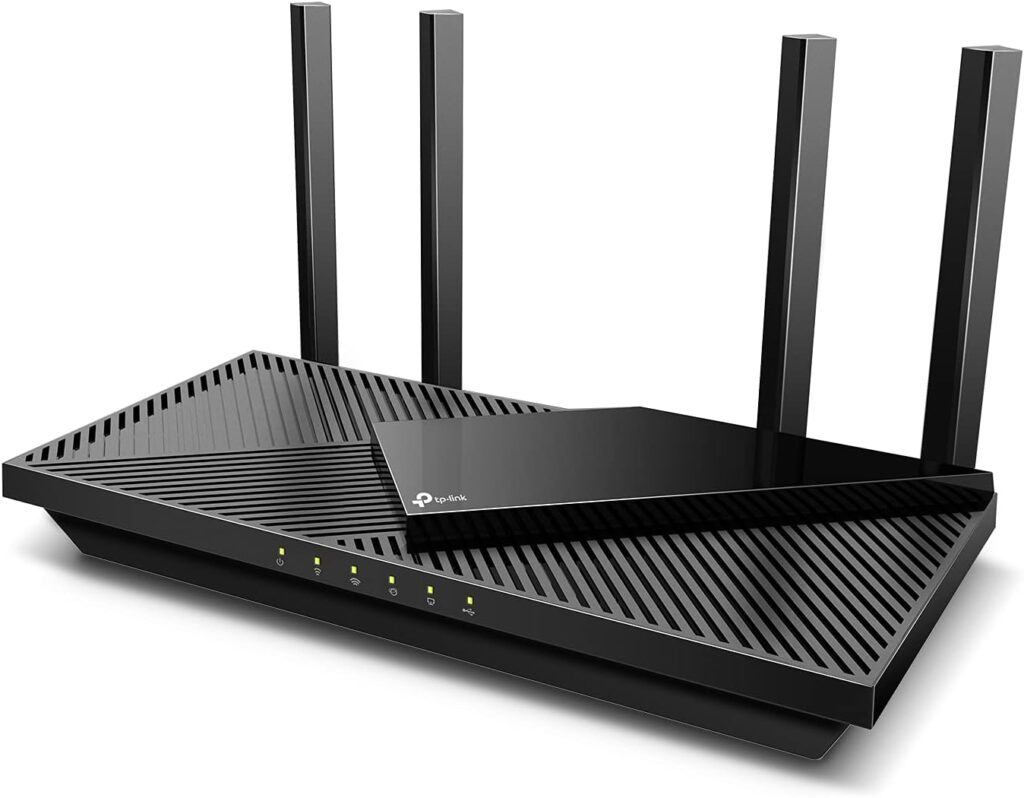
Image source: www.highspeedoptions.com
Router Basics
A router connects your modem to your devices. It sends data packets between your home network and the internet. It also assigns local IP addresses, blocks unwanted outside connections, and broadcasts your Wi-Fi signal.
Every router does the same basic job. The difference is how well it does that job under pressure. A budget router can handle light browsing. A high-end router can handle dozens of devices streaming, gaming, and video-calling at the same time. For more on this, see our guide on best high power outdoor wifi extender.
Your internet plan also matters. No router can make your connection faster than the speed your internet service provider delivers. A high-end router removes bottlenecks, improves stability, and keeps every device performing closer to the full speed available.
What Actually Drives the Price Difference
Processor and Memory
The router’s processor and memory control how quickly data moves through the network. Budget routers include entry-level processors that are fine for a few devices. High-end routers include faster multi-core processors and more memory so they can run traffic prioritization, VPN software, security scanning, and Wi-Fi radios without slowing down. For more on this, see our guide on best budget long range wifi extender.
Radio Bands and Antennas
Budget routers usually use one or two radios. High-end routers often use three or four, which allows separate data streams for gaming, streaming, and smart-home devices. More antennas also improve range and beamforming, meaning the router can focus the signal toward your devices instead of broadcasting in every direction.
Ethernet and USB Ports
Cheaper routers typically include a few Gigabit Ethernet ports. High-end routers often include 2.5G or even 10G ports for wired devices like NAS drives, gaming PCs, and high-speed internet plans. Many also include USB ports for shared storage or printer access. For more on this, see our guide on best high performance long range wifi extender.
Firmware and Support
Software matters more than most people think. High-end routers receive regular firmware updates with security patches, performance improvements, and new features. Budget routers often receive fewer updates, and that gap affects long-term security and reliability.
High-End vs Budget Routers: Side-by-Side Comparison
| Category | Budget Router | High-End Router |
|---|---|---|
| Typical price | $20 – $100 | $150 – $500+ |
| Best for | A few devices, light use | Many devices, heavy use |
| Wi-Fi standard | Wi-Fi 5 or Wi-Fi 6 | Wi-Fi 6E or Wi-Fi 7 |
| Coverage | Smaller homes, one level | Larger homes, better range |
| Security | Basic password and firewall | WPA3, VPN, advanced firmware protection |
| Device management | Very little control | Parental controls, QoS, guest networks |
| Mobile app | Limited or none | Full-featured companion app |
| Lifespan | Often shorter | Usually longer and more stable |
Performance: Speed, Range, and Stability
Speed and Bandwidth
Two routers can have the same speed rating and perform completely differently in real life. Raw speed matters, but sustained speed under load matters more. For more on this, see our guide on best outdoor wifi extender with high gain antenna.
High-end routers use tri-band or quad-band radios, which give devices more room to communicate. This helps when someone is gaming, another person is streaming 4K, and someone else is on a video call. Budget routers share one or two bands among all devices, so speeds drop quickly when the network gets busy.

Image source: www.expressvpn.com
Range and Coverage
Radio power, antenna design, and beamforming technology determine how far a router can reach. A budget router can cover a small apartment or a modest home. A high-end router is better suited to multi-level houses, thicker walls, and larger open layouts.
Still, no single router is perfect in every home. If your problem is a distant bedroom, an outbuilding, or a long hallway, even an expensive router may not solve it. Many homeowners add a separate solution designed for patchy rural coverage instead of spending more on the main router.
Stability and Reliability
Budget routers can become unstable under heavy use. They may overheat, drop connections, or require frequent reboots when many devices are active.
High-end routers are built with better internal cooling, more reliable components, and firmware that manages network congestion. That means fewer dropped calls, fewer buffering moments, and less time spent resetting the router.
Security and Software Features
Security is one of the biggest differences between the two categories.
Budget routers offer basic protection. They include a firewall and support encrypted connections. Many current models support WPA3, which is good. What they often lack is automatic firmware updates, advanced threat protection, and the ability to isolate smart-home devices.
High-end routers go further. They often include:
- Built-in VPN support
- Automatic security updates
- Guest networks with separate access
- Parental controls and content filtering
- Quality of Service controls to prioritize important traffic
- Protection for IoT devices like cameras, speakers, and smart locks
Before buying any router, make sure the basics are in place. Changing the default admin password, enabling WPA3 encryption, and keeping firmware updated protects your network more than any premium feature. For a simple starting point, the home network security guidance from NIST is a useful reference.
Hardware and Build Quality
High-end routers use stronger materials, larger heatsinks, and more carefully designed internal components. They can run for days without overheating, even in warm rooms or entertainment cabinets.
Budget routers are usually made from lighter plastic with fewer ventilation features. That is fine for casual use, but continuous heavy traffic can shorten their lifespan.
Build quality also affects placement options. Many high-end models include wall-mounting hardware, a stable base, and external antennas that can be repositioned. Budget models are simpler and more basic, but simplicity is not always a bad thing. Some budget routers are surprisingly reliable for homes with light internet use.
Setup and Everyday Usability
Installation
High-end routers usually include guided setup through a mobile app. The app walks you through connecting the router, detecting your internet type, updating firmware, and setting a Wi-Fi name and password.
Budget routers often rely on a traditional web browser interface. Setup can still be straightforward, but it may require more manual steps. Some budget routers now include useful mobile apps too, so the experience varies more by brand than by price.
Managing Your Network
A high-end router gives you a clear view of connected devices. You can pause someone’s internet, limit screen time, prioritize a work laptop, or check signal strength in different rooms.
Budget routers usually offer basic view-only dashboards. You can see connected devices, but advanced controls are missing. For families or home offices, that lack of control can be frustrating.
Price and Value: Total Cost of Ownership
The purchase price is only part of the story.
A $50 router might work fine for one person in a small apartment. But if you buy one for a busy household with thirty connected devices, you may end up replacing it within two years. A $200 router that stays reliable for five years can be cheaper in the long run.
For many homes, the sweet spot is between $100 and $200. At that price, you get solid Wi-Fi 6 performance, a good mobile app, and useful parental controls without paying for extreme gaming or enterprise features.
If your current router works but coverage is the problem, upgrading the router is not always necessary. You can extend both wireless bands with a separate booster for a fraction of the cost of a new high-end router.
Real-World Use Cases
Small Apartments and Light Users
A budget router is often enough for one or two people who mainly browse the web, check email, and stream on a television. There is no need to pay for advanced features you will never use.
Family Homes
Families usually have many devices: smartphones, tablets, laptops, TVs, game consoles, smart speakers, and security cameras. A mid-range or high-end router keeps everything connected without slowdowns. Parental controls alone can make the extra cost worthwhile.
Gaming and Streaming
Gamers and streamers benefit most from high-end routers. They offer lower latency, better bandwidth management, and stronger Wi-Fi performance. A budget router can support casual gaming, but online gaming sessions may suffer when other people use the network at the same time.

Image source: cybernews.com
Homes with Outdoor Living Spaces
Routers are designed for indoor use. Patios, pools, gardens, and backyards are hard for any router to cover, especially through walls and doors.
If you spend time outside, consider an outdoor extender rather than buying a more expensive indoor router. For reliable backyard Wi-Fi, a dedicated outdoor extender can solve the problem at a much lower cost.
Water is particularly hard on Wi-Fi signals. Poolside dead zones are common even around high-end routers, so many homeowners add an outdoor booster near the pool area instead of replacing the main router.
If you have a covered porch or deck where the signal always drops, adding an outdoor seating area extender is a simple and affordable solution.
Small Businesses and Renters
Small businesses need reliable connections, guest networks, and better security. A high-end router can support multiple employees, guest access, and VPN connections without breaking down.
Renters have different challenges. Since they cannot always install permanent networking hardware, a compact and portable rental-friendly extender is easier to move between apartments while improving coverage.
Future-Proofing Your Network
High-end routers are more prepared for the future. Today, premium models support Wi-Fi 7, the latest wireless standard, along with multi-gig Ethernet ports and mesh expansion options. Budget routers are more likely to stay on older Wi-Fi generations.
Wi-Fi naming can be confusing, but the Wi-Fi Alliance publishes the numbering system used on router boxes. Checking for the newest certified generation is a good way to compare devices quickly.
Firmware support is another part of future-proofing. High-end routers receive updates longer and more consistently. Budget routers may stop receiving updates sooner, which leaves potential security gaps.
Scalability also differs. High-end routers handle additional access points and mesh nodes more smoothly. Budget routers can become overloaded when you keep adding devices or extenders.
Should You Buy a Budget Router?
A budget router is a smart choice if:
- You have one to two people in a small space
- Your internet plan is under 100 Mbps
- You mostly browse, stream music, and send emails
- You are comfortable with basic setup and limited controls
- You expect to replace the router in a few years
Budget routers are not bad. They simply have limits. Stay within those limits and you can save a lot of money.
Is a High-End Router Worth It?
A high-end router is worth the price if:
- You have a large family with many connected devices
- You game online or stream a lot of 4K content
- You work from home and depend on video meetings
- You have smart home devices like cameras and sensors
- You want parental controls, guest networks, or VPN support
- You want regular firmware updates and a longer lifespan
For the right household, a high-end router pays for itself in fewer headaches, faster connections, and better security.
Frequently Asked Questions
How much should I spend on a router in 2026?
For small homes and light internet use, $50 to $100 is enough. For families, gamers, smart homes, and remote workers, expect to spend $150 to $300 for a router that will last several years.
Do high-end routers improve internet speed?
Only up to a point. Your internet plan sets the maximum speed. A high-end router will not make a 100 Mbps plan faster, but it can reduce slowdowns, improve stability, and keep more devices running smoothly at the same time.
Can a budget router handle gaming?
It can handle casual gaming with a handful of devices. Serious gaming and streaming require low latency and reliable bandwidth, which makes a high-end router a better fit.
Should I buy a mesh system instead of a high-end router?
A mesh system is ideal for large homes where a single router cannot provide full coverage. If your main issue is speed and device management, a high-end router is often enough. If coverage is the biggest problem, mesh or an outdoor extender makes more sense.
Do budget routers support WPA3?
Many budget routers released in recent years support WPA3. What they often lack is automatic firmware updates, VPN support, and advanced threat protection. Security at the most basic level can be strong, but software longevity is usually better on higher-end models.
Conclusion
The difference between high-end and budget routers comes down to real-world performance, coverage, security, and control. Budget routers work well for simple needs and smaller spaces. High-end routers offer more speed, stronger stability, better parental controls, and longer support.
Start with your internet plan, home size, and number of devices. Then decide how much convenience and long-term reliability matter to you. The best router is not the most expensive one. It is the one that fits the way you live, work, and play online.