Are you tired of your internet slowing down just when you need it the most? Whether you’re streaming movies, gaming online, or downloading large files, a slow connection can be frustrating.
You might wonder if investing in a high-end router can actually handle all that heavy downloading without breaking a sweat. This article will help you understand how these powerful devices work and whether they can truly keep up with your demanding internet needs.
Stick around—you’ll soon know if a high-end router is the upgrade your home network really needs.
Credit: www.popsci.com
High-end Routers Overview
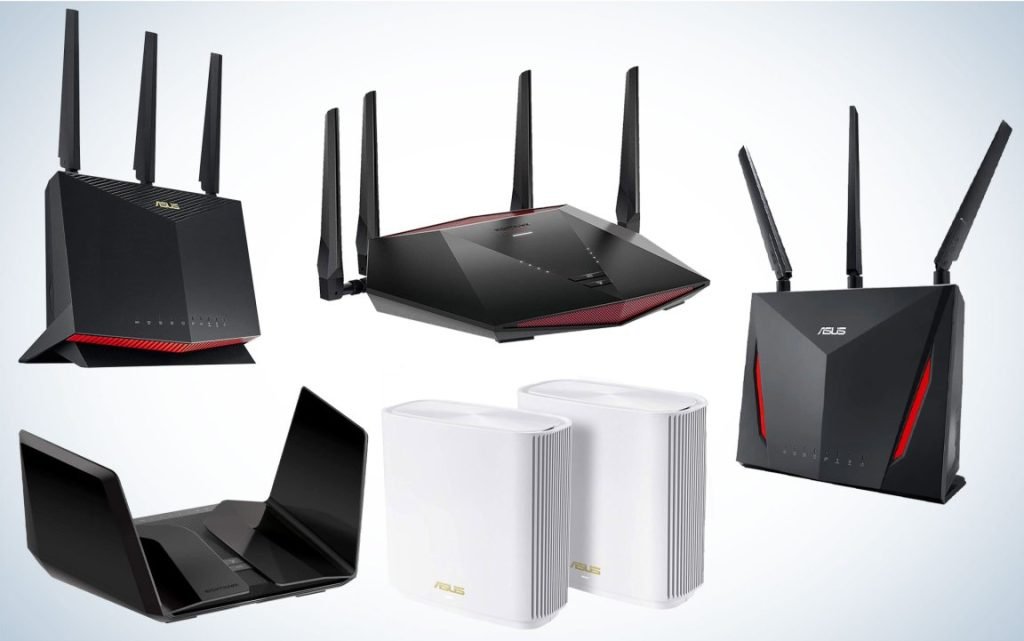
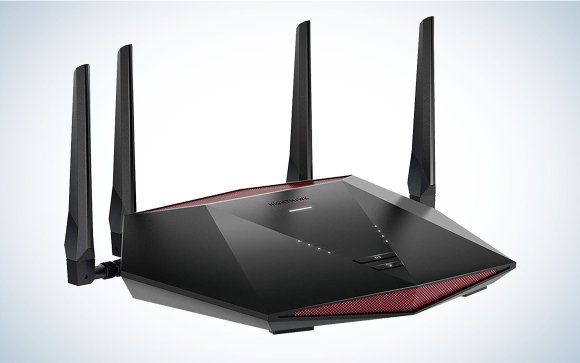
High-end routers come with strong processorsand large RAM. This helps them manage many devices and heavy downloads smoothly. They support high-speed Wi-Fi standardslike Wi-Fi 6, which offers faster data transfer. These routers usually have multiple antennasfor wider coverage and better signal strength.
Key features include:
- Multiple bands(dual or tri-band) to reduce congestion.
- Advanced securitylike WPA3 to protect your network.
- Quality of Service (QoS)to prioritize important traffic.
- Ports like Gigabit Ethernetfor fast wired connections.
| Hardware | Why It Matters |
|---|---|
| Processor | Handles many tasks without slowing down |
| RAM | Supports multiple devices and apps smoothly |
| Antennas | Improves signal strength and coverage |
| Ports | Allows fast wired connections for heavy downloads |
Heavy Downloads And Bandwidth
Large downloadsinclude many types of files. These can be movies, games, software updates, or even high-quality videos. Each uses a lot of internet data.
Heavy downloads can slow your network. They use most of the bandwidth. Other devices may face slower speedsor interruptions. This affects streaming, gaming, and browsingon the same network.
| Type of Download | Typical Size | Effect on Network |
|---|---|---|
| Movies (HD) | 1-5 GB | High bandwidth use, may cause lag |
| Games | 10-100 GB | Very high bandwidth use, long download time |
| Software Updates | 0.1-5 GB | Moderate bandwidth use, can slow other tasks |
| High-Quality Videos | 2-10 GB | High bandwidth use, streaming may buffer |
Speed Test Setup
Router Models Selectedinclude some of the top high-end brands. These routers have strong processors and lots of RAM. This helps them handle many downloads at once without slowing down.
Testing Environmentused a typical home setup with multiple devices connected. The routers were tested in a room with normal Wi-Fi interference. This setup mimics real-life use for most people.
Download Sources Usedwere popular and reliable servers. These sources offer fast, stable files to download. This ensures the speed test results are accurate and fair.
Performance Metrics
High-end routersoften deliver fast download speeds. They can reach close to the maximum speed your internet plan allows. Speeds can stay stable even during heavy downloads. This helps avoid slowdowns and buffering.
Latency, or delay, is usually low with these routers. This means data travels quickly between your devices and the internet. Stability is also strong, so connections stay steady without drops.
Handling many devicesat once is easier for high-end routers. They use advanced tech to split bandwidth well. This stops one device from slowing down others. Perfect for homes with many users or smart devices.
Comparing Router Results
High-end routers show different speedsduring heavy downloads. Some keep the speed steady, while others drop it a bit. This means not all expensive routers deliver the same speed.
Reliability is key. Many routers handle a few devices well, but struggle with many at once. The best ones manage large loadswithout slowing down or disconnecting.
| Router Type | Speed Stability | Reliability Under Load |
|---|---|---|
| Basic Router | Low | Poor |
| Mid-Range Router | Medium | Fair |
| High-End Router | High | Good |

Credit: www.popularmechanics.com
Factors Affecting Speed
Network congestionhappens when many devices use the same internet. This can slow down download speeds. Even a high-end router may struggle to keep up during peak times.
Firmware and software optimizationhelp routers run better. Updated firmware fixes bugs and improves speed. Using the latest software ensures the router works smoothly.
External interferencecomes from other wireless devices nearby. Things like microwaves, cordless phones, or other Wi-Fi networks can cause interference. This can reduce the router’s ability to handle heavy downloads.
Optimizing Router Performance
Adjusting router settingscan improve download speeds and stability. Changing the Quality of Service (QoS)prioritizes heavy downloads over other traffic. Enabling dual-band Wi-Fihelps balance the load between 2.4 GHz and 5 GHz frequencies. Updating router firmware keeps performance smooth and secure.
Turning off unused features like guest networksor WPSreduces interference. Setting a strong passwordprevents others from slowing your connection. Positioning the router in a central, elevated spotimproves signal strength.
- Prioritize devices using QoS settings
- Use both 2.4 GHz and 5 GHz bands
- Keep firmware up to date
- Disable features you don’t need
- Set a strong Wi-Fi password
- Place the router centrally and high

Credit: www.expressvpn.com
When To Upgrade Your Router
Slow internet speedsduring downloads or streaming show router limits. Frequent connection dropsor devices disconnecting also signal problems. Older routers may not support newer Wi-Fi standardsor handle many devices at once. Overheating or physical damage can reduce performance.
Choosing the right router depends on your internet speedand number of devices. Look for routers with dual-band or tri-bandto reduce traffic jams. Models with Quality of Service (QoS)help prioritize important downloads. Check for easy setup and good customer support.
| Feature | Why It Matters |
|---|---|
| Wi-Fi Standard (e.g., Wi-Fi 5, Wi-Fi 6) | Supports faster speeds and more devices |
| Number of Bands | Less interference, better device handling |
| Processor & RAM | Handles heavy downloads and many users |
| Security Features | Keeps your network safe |
Frequently Asked Questions
Can High-end Routers Improve Heavy Download Speeds?
Yes, high-end routers have advanced processors and better antennas. They manage bandwidth efficiently, reducing slowdowns during heavy downloads. This results in faster, more stable download speeds.
Do High-end Routers Support Multiple Heavy Downloads Simultaneously?
Absolutely. High-end routers use Quality of Service (QoS) to prioritize traffic. They handle multiple heavy downloads without significant speed drops or connection interruptions.
How Do High-end Routers Manage Network Congestion?
They use advanced traffic management and dual or tri-band technology. This reduces congestion by distributing devices across multiple frequencies, ensuring smoother heavy download experiences.
Are High-end Routers Worth The Investment For Gamers And Streamers?
Yes. High-end routers offer low latency, stable connections, and faster speeds. These features enhance gaming and streaming performance, especially during heavy download activities.
Conclusion
High-end routers manage heavy downloads with ease. Their advanced technology ensures smooth performance. This means fewer interruptions during large file transfers. Users experience faster speeds, even with multiple devices connected. High-end routers offer strong and reliable connections. They are a smart choice for homes with heavy internet usage.
Investing in one can improve your online experience. Faster downloads and stable connections make daily tasks easier. Consider your needs and budget when choosing. A good router enhances your internet life. Enjoy seamless connectivity and efficient downloads every day.


