Are you tired of buffering videos and weak Wi-Fi signals in certain areas of your home? If you’ve ever struggled with slow internet or dead zones, a dual band WiFi extender might be the solution you’ve been searching for.
Imagine streaming your favorite show in HD, video calling without interruptions, and enjoying seamless online gaming—all without a hitch. But what exactly is a dual band WiFi extender, and how can it transform your online experience? We’ll break down the concept of dual band WiFi extenders in simple terms and explore how they can enhance your connectivity.
Get ready to discover how to unlock the full potential of your home network and say goodbye to Wi-Fi woes for good!

Credit: www.amazon.ca
Dual Band Wifi Extender Basics
A dual band wifi extenderboosts your internet by using two frequency bands. These bands are the 2.4 GHzand 5 GHznetworks. The 2.4 GHz band covers a larger area but is slower. The 5 GHz band is faster but has a shorter range.
This helps devices connect to the best signal available. It reduces interference and improves overall wifi performance.
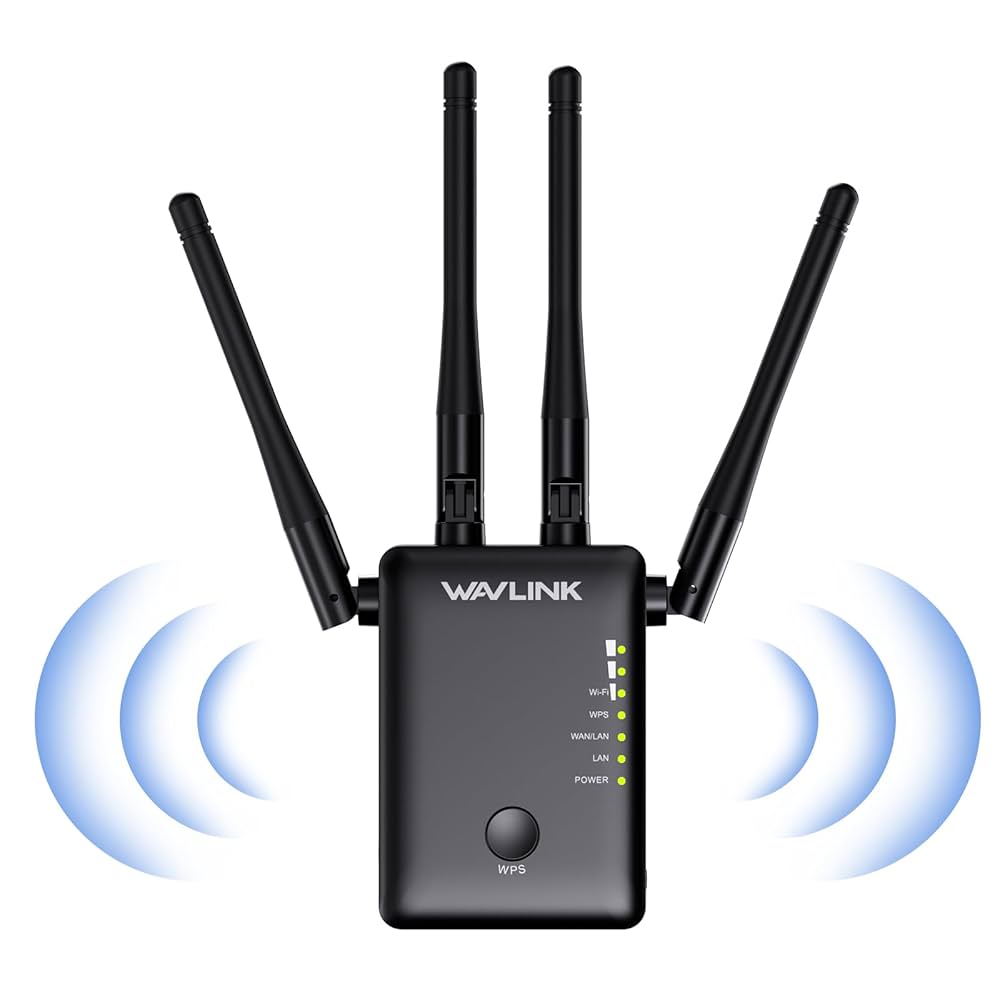
Wifi extenders work by receiving your router’s signal and sending it out again. This extends the wifi coverage to areas with weak or no signal. They connect to your existing network and create a stronger, wider wifi zone.
- Receive wifi signal from the router
- Boost the signal strength
- Transmit the stronger signal to dead zones
Credit: www.amazon.ca
Benefits Of Dual Band Extenders
Improved coveragemeans the wifi signal reaches more areas. Dual band extenders use two frequencies. This helps cover dead zones in homes or offices.
Reduced interferencehappens because dual band extenders separate signals. One band can be used for devices with heavy traffic. The other band stays free for less busy devices. This lowers signal clashes and keeps connections stable.
Faster speedscome from using both 2.4 GHz and 5 GHz bands. The 5 GHz band carries data quicker but covers less distance. The 2.4 GHz band travels farther but slower. Using both lets devices connect to the best signal for speed and range.
Choosing The Right Extender
Compatibilitywith your router is key. Check if the extender supports your router’s brand and WiFi standards. Most dual band extenders work with 802.11ac or 802.11n routers. This ensures smooth connection and better performance.
Consider your range and coverage needs. Extenders have different coverage areas. Measure the space where WiFi is weak. Choose one that covers that area fully. Large homes may need extenders with wider range.
Speed requirementsmatter too. Dual band extenders offer both 2.4 GHz and 5 GHz bands. The 2.4 GHz band is slower but covers longer distances. The 5 GHz band is faster but covers less area. Pick an extender that balances speed and range for your needs.
Setup And Installation Tips
Place the dual band WiFi extenderin a spot between your router and the weak signal area. Avoid walls and large metal objects that block signals. Keep it at eye level for better coverage.
- Plug the extender into a power outlet near your router first.
- Connect to the extender’s network using your phone or computer.
- Open a browser and enter the extender’s setup URL.
- Follow the on-screen instructions to link it with your main WiFi.
- Move the extender to the ideal spot after setup finishes.
| Issue | Solution |
|---|---|
| No connection to extender | Restart the extender and reconnect to its network. |
| Slow internet speed | Place extender closer to the router or remove obstacles. |
| Extender not showing in WiFi list | Reset the extender and try setup again. |
Comparing Dual Band With Single Band
Dual band WiFi extendersuse two frequencies: 2.4 GHz and 5 GHz. This helps reduce interference and improve speed. Single band extenders use only one frequency, usually 2.4 GHz. This can cause slower speeds and more interruptions.
Devices closer to the extender can use the faster 5 GHz band. Those farther away use the 2.4 GHz band for better range. This balance gives better performancefor many devices.
| Feature | Dual Band Extender | Single Band Extender |
|---|---|---|
| Frequency | 2.4 GHz and 5 GHz | Only 2.4 GHz |
| Speed | Faster for many devices | Slower and more interference |
| Range | Good balance of speed and range | Longer range but slower speed |
| Cost | Usually higher | Usually lower |
- Dual band extenders cost more but offer better performance.
- Single band extenders are cheaper but slower.
- Choose based on your budget and WiFi needs.
Maximizing Your Wifi Signal
Optimizing router settingscan improve WiFi coverage. Adjust the channel to avoid interference. Place the router in a central, open spot. Keep the firmware updated for better performance. Change the router’s frequency band to suit your needs.
Using multiple extendershelps cover larger areas. Place extenders where the signal is still strong. Avoid placing extenders too far from the router. Each extender creates a new coverage zone. This setup reduces dead spots in your home.
Other signal boosting techniquesinclude:
- Use WiFi antennas with higher gain.
- Remove obstacles like walls and metal objects.
- Limit devices that use too much bandwidth.
- Switch off unused devices to reduce traffic.

Credit: www.amazon.ca
Frequently Asked Questions
What Is A Dual Band Wifi Extender?
A dual band WiFi extender boosts both 2. 4 GHz and 5 GHz signals. It improves wireless coverage and reduces dead zones in your home or office.
How Does A Dual Band Wifi Extender Work?
It receives your router’s signal on one band and rebroadcasts it on both. This ensures stronger and faster WiFi across multiple devices.
Why Choose A Dual Band Over Single Band Extender?
Dual band extenders offer better speed and less interference. They handle more devices simultaneously, providing a more stable connection.
Can A Dual Band Wifi Extender Improve Gaming Performance?
Yes, it reduces lag by providing faster and more stable WiFi. The 5 GHz band is especially good for gaming.
Conclusion
A dual band WiFi extender improves your internet signal at home. It uses two frequency bands to reduce interference. This device helps connect more gadgets with better speed. Easy to set up and useful in large spaces. It makes your WiFi stronger and more reliable.
A smart choice for smoother streaming and browsing. Choose one to enjoy stable internet everywhere. Simple, effective, and helpful for your daily online needs.