Are you tired of weak WiFi signals when you head down to your basement? You’re not alone.
Many people struggle with slow internet or no connection at all in those lower floors. But what if you could fix that with a simple device that boosts your signal strong and steady? Using a tri band extender might be the answer you’ve been looking for.
It can help you enjoy fast, reliable WiFi in every corner of your home—especially in the basement where it usually struggles. Keep reading, and you’ll discover easy steps to extend your WiFi using a tri band extender, so you never miss a beat, whether you’re working, streaming, or gaming downstairs.
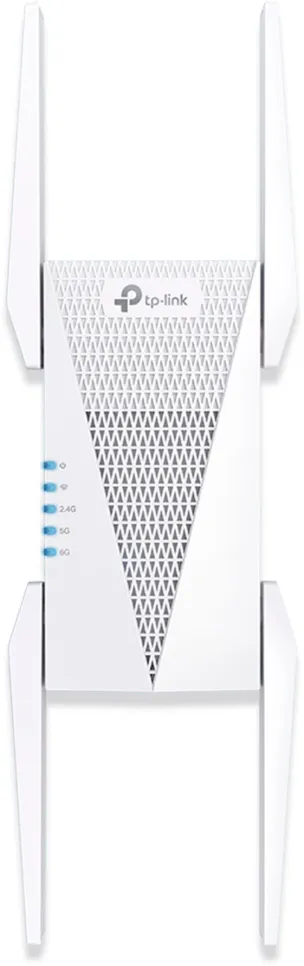
Credit: pocketables.com
Benefits Of Tri Band Extenders
Tri band extendersoffer faster internet speedsby using three separate bands. This helps many devices connect without slowing down. More bands mean better handlingof many users at once.
They reduce network congestionby spreading the load across bands. This prevents one band from getting too busy. The result is a smoother internet experience for all devices.
Tri band extenders improve coverage range. They reach areas that normal routers cannot, like basements or far rooms. This keeps your connection strong and stable in every corner.
Preparing For Installation
Choosing the right tri-band extender is key for strong basement WiFi. Look for an extender with three separate bandsto avoid signal slowdowns. Make sure it supports the same WiFi standard as your router.
Check your current WiFi coverage by testing signal strength in the basement. Use a phone or laptop to see where the WiFi gets weak. Note spots with very low or no signal.
Place the extender where it can catch a good signal from the main router. Usually, this is halfway between your router and the basement. Avoid walls or large objects that block signals.
- Choose a tri-band extender compatible with your router
- Test WiFi strength in the basement and near stairs
- Place extender where the WiFi signal is still strong
- Avoid metal, thick walls, and appliances near the extender
Setting Up Your Tri Band Extender
First, place the tri band extender near your main router. This helps a strong signal connection. Use the WPS button or connect via Ethernet cable to link the extender to your router.
Open the extender’s setup page using a web browser. Enter the IP address shown in the manual. Choose your main Wi-Fi network and enter its password. This connects the extender to your existing network.
Set a unique name (SSID) for the extended network. This helps you know which network you are using in the basement. Choose the same password or create a new one for easy access.
Turn on WPA2 or WPA3 security to protect your extended network. Avoid open or WEP security types as they are less safe. This keeps your basement Wi-Fi safe from unwanted users.

Credit: www.amazon.ca
Optimizing Wifi Performance In The Basement
Minimizing interferenceis key to better Wifi in the basement. Thick walls and metal pipes can block signals. Keep the extender away from microwaves, cordless phones, and large metal objects. These items cause signal noise and slow down your connection.
Using Ethernet backhaulhelps create a direct link between your router and extender. This wired connection is faster and more stable than wireless links. Run an Ethernet cable from your main router to the extender in the basement if possible.
Adjusting extender channelscan reduce Wi-Fi congestion. Choose a channel with less traffic. Many extenders let you pick 5 GHz or 2.4 GHz bands. Use 5 GHz for faster speeds but less range. Use 2.4 GHz for better range but slower speeds.
Troubleshooting Common Issues
Weak signalmay occur if the extender is too far from the main router. Walls and floors block signals. Move the extender closer to the stairs or basement entrance. Avoid placing it near thick walls or metal objects.
Connection dropsoften happen due to interference from other devices. Microwaves, cordless phones, and baby monitors can cause this. Change the extender channel or move other devices away.
Slow speedscan happen even after extending WiFi. Check if the extender supports your internet speed. Try connecting devices closer to the extender for better speed. Restart the extender and router to refresh connections.
Alternative Methods To Extend Wifi
Powerline adaptersuse your home’s electrical wiring to send internet signals. Just plug one adapter near your router and connect it with an Ethernet cable. Plug the second adapter in the basement to get internet there. It’s easy to set up and works well in houses where WiFi signals struggle to reach.
Mesh WiFi systemsconsist of multiple devices that work together to cover your whole home. Place a main unit near your router and additional units in the basement. These units talk to each other to create one strong network. This avoids dead spots and gives you steady internet everywhere.
Wired access pointsconnect to your router using Ethernet cables. You can run a cable from your router to the basement and plug in an access point there. This creates a new WiFi signal in the basement with strong and stable connection. It needs some cable work but offers the best speed and reliability.

Credit: www.reddit.com
Frequently Asked Questions
What Is A Tri-band Wifi Extender?
A tri-band WiFi extender uses three frequency bands to improve coverage. It enhances signal strength by reducing congestion. This makes it ideal for extending WiFi to basements. By efficiently managing traffic, it ensures fast and reliable connections. It’s especially beneficial for homes with multiple devices.
How Does A Tri-band Extender Benefit Basements?
A tri-band extender boosts WiFi signals into basements. It minimizes signal interference, ensuring strong connectivity. This ensures consistent internet speed for streaming or gaming. Its design efficiently handles multiple devices. By extending coverage, it makes the basement a functional space for internet use.
Can I Install A Tri-band Extender Myself?
Yes, installing a tri-band extender is user-friendly. Most extenders come with easy setup instructions. Typically, you’ll plug it in and connect it to your network. Many have apps or web interfaces for guidance. This makes extending WiFi to your basement straightforward without needing professional help.
Do Tri-band Extenders Work With All Routers?
Most tri-band extenders are compatible with modern routers. They generally work with popular brands and models. Always check compatibility before purchasing. This ensures seamless integration with your existing network. A compatible extender will provide optimal performance in extending WiFi coverage.
Conclusion
Extending WiFi to your basement improves your home’s internet reach. A tri-band extender helps reduce signal loss and speeds up connections. Place the extender where the original WiFi signal is still strong. This setup ensures better coverage and fewer dead zones.
You can enjoy smooth streaming, gaming, and browsing downstairs. Small steps make a big difference in WiFi quality. Keep your devices updated and check the signal regularly. Now, your basement can have reliable internet like the rest of your home.