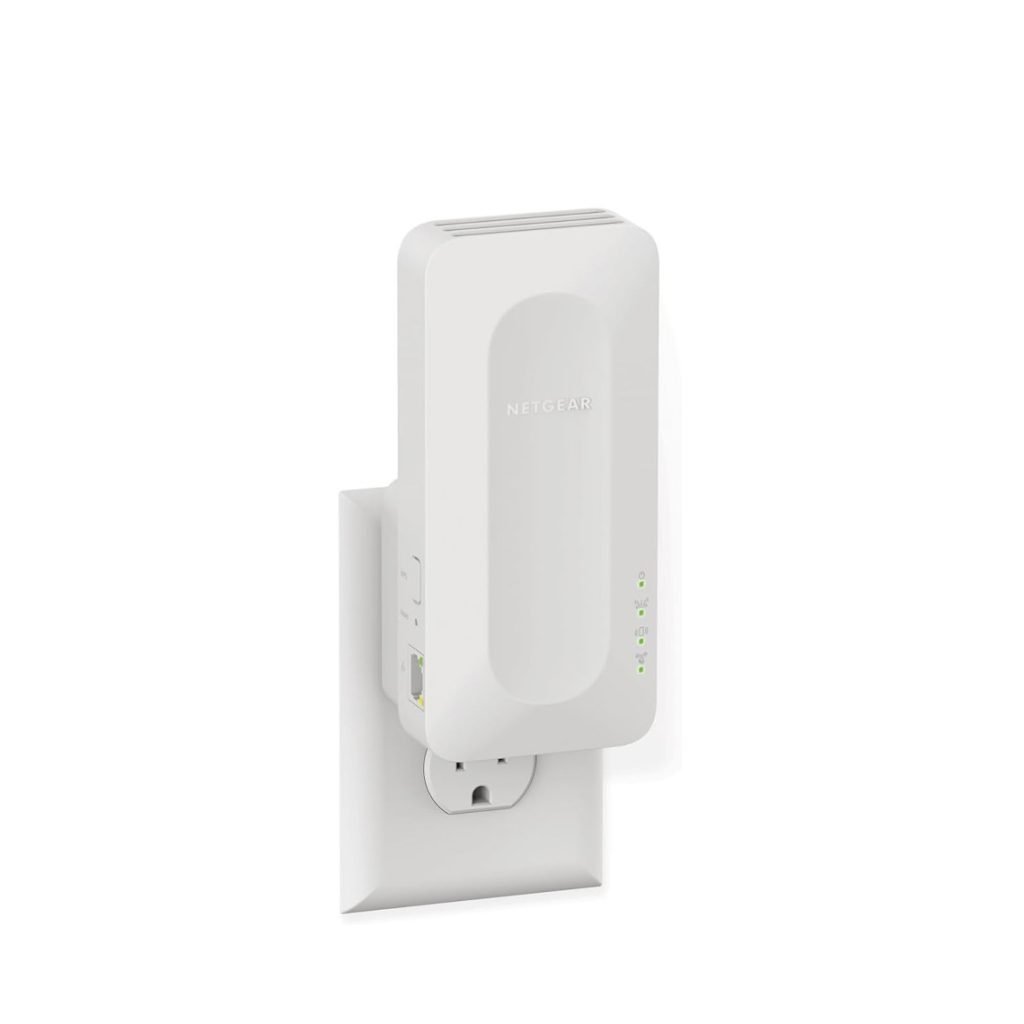
Are you tired of buffering and slow videos when streaming in certain rooms of your home? You might be wondering if a long range WiFi extender is the solution you need.
But do these devices really work for streaming, or will they just make things worse? You’ll discover how long range WiFi extenders affect your streaming experience and what you can do to get smooth, uninterrupted playback. Keep reading to find out if investing in one is worth it for your setup.
How Long Range Wifi Extenders Work
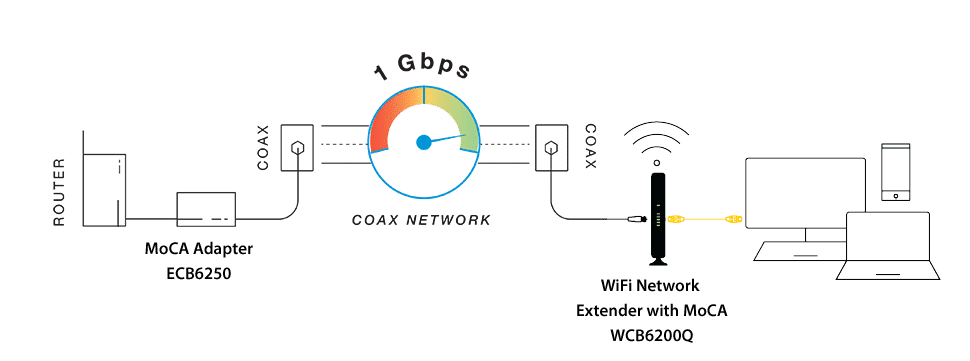
Long range WiFi extendershelp increase your WiFi signal reach. They catch the WiFi signal from your router and send it further. This helps devices far from the router connect better.
Types of extendersinclude:
- Plug-in extenders that connect to power outlets.
- Mesh systems that use multiple units for wide coverage.
- Outdoor extenders designed for open spaces.
Placement matters. Extenders work best placed where the router’s signal is still strong. Avoid spots with walls or metal objects blocking the signal. Midway between the router and far devices is ideal.
Credit: www.screenbeam.com
Factors Affecting Streaming Performance
Bandwidth and speedare key for smooth streaming. High bandwidth allows more data to pass at once. Low speed causes buffering and poor video quality. Streaming needs a stable, fast connection.
Interference and obstaclescan weaken the wifi signal. Walls, furniture, and electronics block or reduce signal strength. Long range extenders may face more interference, affecting streaming quality.
Device compatibilitymatters for good performance. Some extenders work better with certain routers or devices. Older devices may not support higher wifi speeds, causing slower streams or drops.
Pros And Cons For Streaming
Long range WiFi extendershelp bring internet to far places. They boost the WiFi signal to reach rooms or yards that are far from the router. This can improve streaming qualityon devices that are far away. Extenders are easy to set up and usually cost less than new routers. They can reduce buffering and improve video clarity in some cases.
Still, extenders have some common limits. They may lower the internet speed because they repeat the signal. Walls and furniture can block the signal, causing weak WiFi in some spots. Sometimes, extenders cause slight delays or lag during streaming. Also, if the extender is too far from the router, it won’t work well. Choosing the right spot for the extender is very important.
Choosing The Right Extender
Choosing the right extenderis important for smooth streaming. Look for strong signal strengthto avoid buffering. Check if the extender supports dual-band WiFi(2.4 GHz and 5 GHz) for better speed. A fast data ratehelps stream videos without lag. Choose extenders with easy setupand compatibility with your router.
Top models for streamingoffer features like MU-MIMOtechnology. This allows many devices to connect at once without slowing down. Some extenders have Ethernet portsfor wired connections, which are faster and more stable.
| Model | Frequency Bands | Speed | Extra Features |
|---|---|---|---|
| Netgear Nighthawk | Dual-band | Up to 1900 Mbps | MU-MIMO, Ethernet port |
| TP-Link RE650 | Dual-band | Up to 2600 Mbps | Beamforming, Ethernet port |
| Linksys RE7000 | Dual-band | Up to 1900 Mbps | Seamless roaming |
Setup And Optimization Tips
Place the extender near your main router but close to the weak signal area. Plug it in and power it on. Connect to the extender’s network using a phone or laptop. Follow the setup instructions on the device app or website. Choose the same network name and password as your main WiFi to avoid confusion.
Improve signal strengthby moving the extender to a higher spot, like a shelf. Keep it away from metal objects and thick walls. Avoid placing it near microwaves or cordless phones. Adjust the antenna direction if your extender has one. Test the signal by streaming a video in the weak area to check for better speed.
Troubleshoot common issues by restarting the extender and router. Check for firmware updates on the extender’s app or website. Reset the extender to factory settings if it won’t connect. Make sure the extender supports your router’s WiFi standard (like 802.11ac). If the signal is still weak, try a different extender location.

Credit: www.reddit.com
Alternatives To Wifi Extenders
Long range WiFi extenders can help boost signal but may cause delays during streaming. Mesh WiFi systems or powerline adapters offer smoother connections for video and gaming. These alternatives often provide more stable and faster internet coverage throughout the home.
Mesh Wifi Systems
Mesh Wifi Systemsuse multiple devices to spread wifi evenly. They create one big network instead of many small ones. This helps to reduce dead spotsand gives a stable connection. Good for large homes or places with thick walls.
Powerline Adapters
Powerline Adapterssend internet signals through your home’s electrical wiring. Just plug one adapter near your router and another where you need internet. It gives a stronger and more reliableconnection than wifi extenders in some cases.
Wired Connections
Wired Connectionslike Ethernet cables provide the most stable internet. No signal loss or interference. Best for streaming high-quality videoswithout buffering. Can be tricky to install but worth it for steady speed.

Credit: www.amazon.ca
Frequently Asked Questions
Do Long Range Wifi Extenders Improve Streaming Quality?
Yes, long range WiFi extenders can improve streaming quality. They boost signal strength, reduce buffering, and enhance connectivity. By extending coverage, they allow stable connections, even in hard-to-reach areas. This results in smoother streaming experiences and fewer interruptions. Choose a high-quality extender for optimal results.
Can Wifi Extenders Handle Multiple Streaming Devices?
Yes, WiFi extenders can handle multiple streaming devices. They distribute bandwidth evenly across devices, maintaining stable connections. Ensure your extender supports the required bandwidth for simultaneous streams. Investing in a dual-band extender can further enhance performance by reducing interference.
Are Long Range Wifi Extenders Easy To Install?
Yes, most long range WiFi extenders are easy to install. They usually come with step-by-step instructions or an app. Simply plug them in, connect to your existing network, and configure settings. Some models offer plug-and-play functionality, making the setup process straightforward for users.
Do Wifi Extenders Reduce Internet Speed?
WiFi extenders might slightly reduce internet speed due to signal retransmission. However, they improve coverage and connection stability. The speed impact varies by model and distance. To minimize speed loss, place the extender strategically between the router and the dead zone.
Conclusion
Long range WiFi extenders can help improve streaming quality. They boost the signal to reach far corners of your home. This means fewer interruptions and smoother video playback. Still, factors like distance and obstacles affect performance. Choosing the right extender and placing it well matters a lot.
Keep expectations realistic for the best results. Overall, these devices offer a simple way to enhance your streaming experience at home. Worth trying if your current WiFi feels weak or spotty.


