Are you tired of buffering and poor video quality when streaming your favorite 4K shows? You might be wondering if a Tri Band WiFi extender is the solution you need.
Can it truly handle the heavy demand of 4K streaming without slowing down your connection? You’ll discover how this technology works, what makes it different, and whether it’s the right choice to upgrade your home network. Keep reading to find out how you can enjoy smooth, high-quality streaming without interruptions.

Credit: www.amazon.ca
Tri Band Wifi Extender Basics
A Tri Band Wifi Extenderuses three separate frequency bands to boost your network. One band connects to your router, while the other two send signals to your devices. This helps keep the connection fast and stable.
Compared to Dual Band Extenders, tri band models can handle more devices at once. They reduce congestion, so your video streams and downloads stay smooth. This is key for activities like 4K streamingthat need strong, steady internet.
- Tri band extenders split traffic across three bands.
- They offer better speed and less interference.
- Ideal for busy homes with many gadgets.
- Work well for streaming, gaming, and video calls.
Bandwidth Needs For 4k Streaming
4K streamingneeds a lot of data. It usually requires about 25 Mbpsof internet speed for smooth playback. Lower speeds can cause buffering and reduce video quality.
Multiple devicesusing the same network reduce available bandwidth. Streaming on several devices at once can slow down your connection. Each device needs its own share of data.
| Device Count | Approximate Bandwidth Needed (Mbps) |
|---|---|
| 1 device streaming 4K | 25 |
| 2 devices streaming 4K | 50 |
| 3 devices streaming 4K | 75 |
Tri-band WiFi extendersoffer three separate frequency bands. This helps split the traffic and reduce congestion. It can support multiple devices better than single or dual-band extenders.
Performance Factors Of Tri Band Extenders
Signal strengthaffects how well a tri band extender works. Strong signals cover larger areas and support smooth 4K streaming. Walls and furniture can weaken signals, so placing the extender in an open spot helps.
Rangedepends on the extender’s power and antenna design. Tri band extenders usually offer better range than dual band models. This means fewer dead zones and better streaming quality in big homes.
- Interferencefrom other devices like microwaves or cordless phones can slow down the network.
- Network congestionhappens when many devices use the same WiFi. Tri band extenders reduce this by spreading devices over three bands.
- Less congestion means faster speedsand fewer pauses during 4K videos.

Credit: www.amazon.ca
Setting Up For Optimal 4k Streaming
Place the tri-band WiFi extender near your routerbut not too close. This helps it catch a strong signalto share. Avoid walls or metal objects that can block the signal. Put it higher up, like on a shelf, for better reach. Keep it away from devices that can cause interference, like microwaves or cordless phones.
Keep the extender’s firmware and software up to date. Updates often fix bugs and improve performance. Check the manufacturer’s website or app regularly to download the latest version. This keeps the device running smoothly and supports 4K streamingwithout interruptions.
Common Challenges And Fixes
Latency issuescan cause delays in streaming 4K videos. This results in slow response times and poor video quality. A tri-band WiFi extenderhelps by splitting data traffic across three bands. This reduces congestion and lowers latency. Placing the extender closer to the router and streaming device also improves speed.
Buffering and dropoutsdisrupt smooth viewing. These happen due to weak signals or network interference. Using the 5GHz band on a tri-band extender can reduce interference. Ensuring the extender firmware is up to date also fixes bugs causing dropouts. Strong signal strength and clear line of sight to devices help reduce buffering.
Comparing Tri Band Extenders To Alternatives
Tri band WiFi extendersoffer better speed by using three channels. This reduces traffic and helps with 4K streaming. They work well in large homes where many devices connect at once.
Mesh networksuse many nodes to cover your whole house with WiFi. They create a single network with strong signals everywhere. This helps avoid buffering during 4K streaming. Mesh systems are easy to expand by adding more nodes.
| Type | Speed | Coverage | Setup | Best Use |
|---|---|---|---|---|
| Tri Band Extender | High | Medium to Large | Moderate | Boost WiFi in large homes |
| Mesh Network | High | Whole Home | Easy | Seamless coverage |
| Wired Solutions | Very High | Whole Home | Harder | Stable 4K streaming |
Wired solutionslike Ethernet cables offer the most stable and fastest connections. They are best for 4K streaming but need more work to install. These connections avoid WiFi interference and keep speed steady.
Future Trends In Wifi Extenders
Tri band WiFi extenders offer more bandwidth, helping reduce buffering during 4K streaming. They manage multiple devices better, ensuring smoother video quality at home.
Wifi 6 And Beyond
WiFi 6offers faster speeds and better support for many devices. It helps reduce delays during 4K streaming. Newer WiFi standards will improve signal strengthand network stability. This means smoother video and less buffering. Future extenders will likely support these advanced standards for better home networks.
Integration With Smart Home Devices
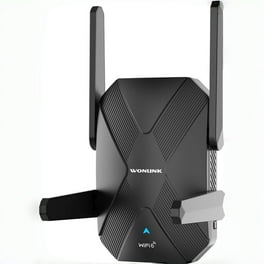
Smart homes need strong WiFi to work well. Extenders are being designed to connect with smart lights, security cameras, and other devices easily. This helps control everything from one place. A good extender can keep all devices online and responsive. This makes smart homes more reliable and easier to use.
Credit: www.walmart.com
Frequently Asked Questions
What Is A Tri-band Wifi Extender?
A tri-band WiFi extender enhances your network’s coverage by utilizing three frequency bands. It offers better performance for multiple devices. This makes it ideal for handling high-bandwidth tasks like 4K streaming. By reducing interference, it ensures a stable and fast connection, improving your overall internet experience.
Can A Tri-band Extender Improve 4k Streaming?
Yes, a tri-band WiFi extender can significantly improve 4K streaming. It allocates bandwidth efficiently, ensuring smooth, uninterrupted video playback. By reducing network congestion and interference, it provides a stable connection. This ensures that your 4K content streams seamlessly, without buffering or quality loss.
How Does A Tri-band Extender Work?
A tri-band extender works by using three separate frequency bands to enhance WiFi coverage. It connects to your router and distributes the signal more efficiently. This reduces interference and improves overall network performance, making it suitable for tasks like 4K streaming and online gaming.
Is A Tri-band Extender Worth It For Streaming?
Yes, a tri-band extender is worth it for streaming. It provides a more stable and faster connection. This ensures smooth and uninterrupted 4K streaming. By efficiently distributing bandwidth, it minimizes buffering and enhances your viewing experience. It’s a valuable investment for streaming enthusiasts.
Conclusion
A tri-band WiFi extender can support 4K streaming well. It offers better speed and less interference than single or dual-band models. This means smoother videos and fewer pauses. Placement matters a lot for the best signal. Choose a spot close to your router and device.
Keep in mind, other factors like internet speed also affect streaming quality. Overall, tri-band extenders are a good choice for clear, high-quality 4K streaming in larger homes.