Are you tired of slow internet in certain rooms of your home? You’ve probably heard about dual band WiFi extenders and powerline adapters as solutions.
But which one is really right for you? Choosing between these two can be confusing, especially when you want the best speed and reliability without spending too much. This article will break down the key differences, so you can make the smart choice and enjoy a strong, steady connection wherever you need it.
Keep reading—your perfect home network setup is closer than you think.

Credit: wifi-guy.net
Dual Band Wifi Extender
A dual band WiFi extenderboosts your wireless signal in two frequency bands: 2.4 GHz and 5 GHz. It connects to your main router wirelessly and repeats the signal to cover dead spots.
The 2.4 GHz band travels farther but is slower. The 5 GHz band is faster but covers less distance. This helps devices choose the best signal for their needs.
- Easy to set upwith no wires needed.
- Improves WiFi coveragein larger homes or offices.
- Supports many deviceson both bands simultaneously.
- Signal strength may drop the further you are from the extender.
- Performance depends on the main router’s quality.
- Some walls or floors can weaken the wireless signal.
Powerline Adapter
Powerline adapters use your home’s electrical wiring to extend internet signals. They offer a stable connection but may vary in speed. Unlike dual band WiFi extenders, they don’t rely on wireless signals, reducing interference in some cases.
Technology Basics
A powerline adapteruses the electrical wiringin a home to send internet signals. You plug one adapter near your router and connect it with a cable. Then, plug another adapter in a different room to get internet access. This makes it easy to extend your network without new wires. It works well in buildings with good wiring.
Pros
- Easy to set upwith no extra wiring needed.
- Stable and fast connectioncompared to some WiFi extenders.
- Works well through walls and floors where WiFi is weak.
- Good for devices that need wired internet like smart TVs or PCs.
Cons
- Performance depends on electrical wiring quality.
- Not ideal if adapters are on different electrical circuits.
- Can be slower than direct Ethernet connections.
- Some models may have interferencefrom other electronics.
Performance Comparison
Dual band WiFi extendersprovide faster speeds on both 2.4 GHz and 5 GHz bands. They offer good wireless connectionfor devices far from the router. Powerline adaptersuse home wiring to send internet signals, often giving more stable speedsbut depend on electrical wiring quality.
Dual band extenders cover larger areas wirelessly. Powerline adapters work best in homes with good wiring. Extenders can lose speed over long distances. Powerline adapters keep speed steady if wiring is good.
WiFi extenderscan face interference from walls and other electronics. Powerline adapters are less affected by wireless interference but can have issues with old or noisy electrical wiring. Stability depends on your home’s setup.

Credit: www.amazon.ca
Installation And Setup
Dual band WiFi extendersplug into power outlets and connect wirelessly to your router. Setup usually involves pressing a WPS button or using a smartphone app. This makes the process simple and quickfor most users.
Powerline adaptersneed to be plugged into electrical outlets in different rooms. One adapter connects to the router by Ethernet cable, while the other extends the network through your home’s wiring. Setup requires pairing the adapters, often by pressing buttons on each device.
- Place WiFi extenders halfway between router and dead zones.
- Keep extenders away from large metal objects and microwaves.
- Powerline adapters work best on the same electrical circuit.
- Avoid plugging adapters into power strips or surge protectors.
- Test different outlets for the best signal with powerline adapters.
Use Case Scenarios
Dual band WiFi extenders boost wireless signals in large homes, ideal for open spaces. Powerline adapters use electrical wiring to deliver stable internet in buildings with thick walls or multiple floors. Each suits different home layouts and connection needs.
Best For Streaming And Gaming
Dual Band Wifi Extendersoffer better wireless speeds and lower latency. They help reduce lag in games and buffering in streams. Powerline adapters rely on electrical wiring, which can cause slower speeds in some homes. For smooth streaming and gaming, dual band extenders usually perform better.
Ideal For Large Homes
Powerline adapters work well in large homes with thick walls. They use electric wiring to carry internet signals, bypassing walls that block WiFi. Dual band extenders may struggle with distance and obstacles. Combining both can cover all areas effectively.
Suitability For Office Use
| Feature | Dual Band Wifi Extender | Powerline Adapter |
|---|---|---|
| Connection Stability | Good for wireless devices | More stable, less interference |
| Setup Ease | Simple, just plug and connect | Needs compatible electrical wiring |
| Speed | High, but can drop with distance | Consistent, depends on wiring quality |
Cost And Value
Dual Band Wifi Extendersusually cost less upfront than Powerline Adapters. They are easy to set up and work well in small to medium homes. Powerline Adapters need a bit more money at first but can offer more stable connections in larger houses or with thick walls.
Over time, Powerline Adapters might save money by reducing connection problems. They often provide better speeds and less dropouts. Wifi Extenders may need replacing sooner if the signal weakens or tech changes.
| Feature | Dual Band Wifi Extender | Powerline Adapter |
|---|---|---|
| Initial Cost | Lower | Higher |
| Setup | Simple | Moderate |
| Long-term Value | Less stable, may need upgrades | More stable, longer lifespan |
Final Verdict
Dual Band Wifi Extendersboost wireless signals in large homes. They work well in open spaces and provide faster speeds on both 2.4GHz and 5GHz bands. Best for those who want easy setup and better wifi in dead zones.
Powerline Adaptersuse home wiring to send internet signals. They are good for thick walls or floors where wifi signals weaken. Great choice for stable connections in separate rooms or basements.
| Feature | Dual Band Wifi Extender | Powerline Adapter |
|---|---|---|
| Signal Type | Wireless | Wired through electric cables |
| Best Use | Open spaces, faster wifi | Thick walls, stable connection |
| Installation | Plug and play, easy setup | Plug into power sockets |
| Speed | Higher on 5GHz band | Depends on home wiring quality |
Think about your home layout and internet needs. Choose the device that fits your space and devices. Both options help future-proof your networkby improving coverage and speed.
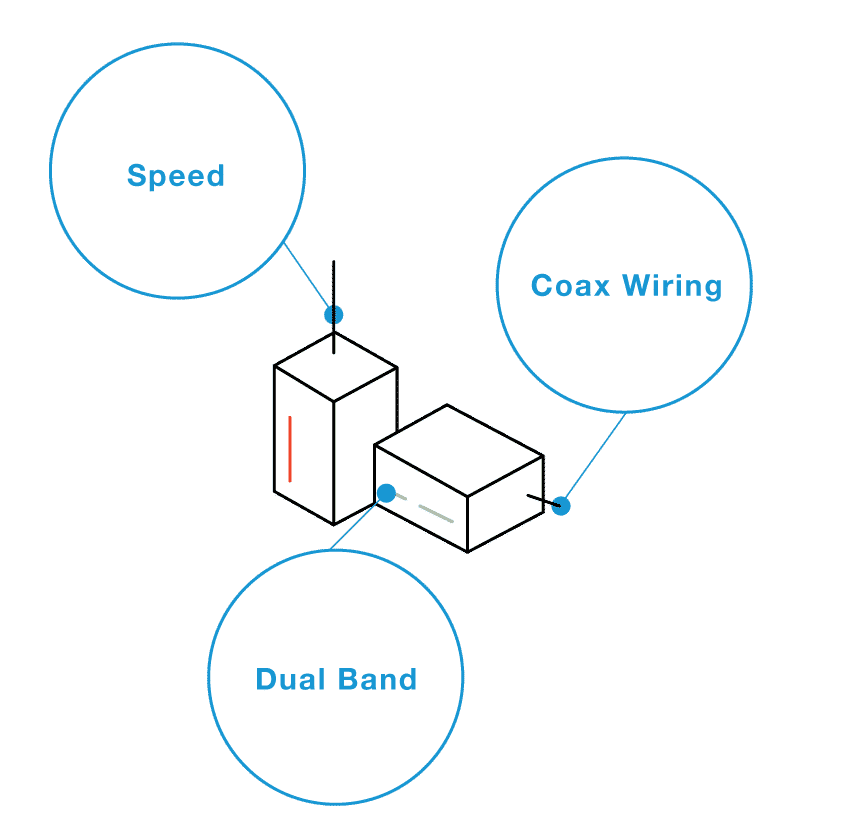
Credit: www.screenbeam.com
Frequently Asked Questions
What Is A Dual Band Wifi Extender?
A dual band WiFi extender boosts your existing wireless signal. It uses two frequency bands, 2. 4 GHz and 5 GHz, for better speed and coverage. It helps eliminate dead zones by repeating your WiFi signal to reach distant areas in your home.
How Does A Powerline Adapter Work?
A powerline adapter uses your home’s electrical wiring to transmit internet signals. It plugs into wall sockets and connects devices via Ethernet. This provides a stable wired connection without running new cables. It’s ideal for areas where WiFi signals are weak or unreliable.
Which Is Better For Large Homes: Extender Or Powerline?
For large homes, powerline adapters often provide more stable connections over long distances. WiFi extenders can suffer speed loss and interference. However, extenders offer wireless convenience. The best choice depends on your home’s layout and internet usage needs.
Can Dual Band Extenders Improve Gaming Performance?
Yes, dual band extenders can improve gaming by reducing lag and buffering. The 5 GHz band offers faster speeds and less interference. This creates a smoother online gaming experience in rooms far from the router.
Conclusion
Choosing between a dual band WiFi extender and a powerline adapter depends on your home setup. WiFi extenders boost wireless signals, good for open spaces. Powerline adapters use electrical wiring, ideal for thick walls. Both improve internet reach but work differently.
Think about your space and internet needs first. Each device has strengths and limits. Pick what fits your home best for a steady connection. Simple and smart choices lead to better WiFi at home.