Is your dual band WiFi extender blinking and leaving you wondering what it means? That flashing light can be confusing and even frustrating, especially when you rely on your internet every day.
But don’t worry—understanding why your extender is blinking can help you fix the problem quickly and get your connection back to normal. Keep reading, and you’ll discover the simple reasons behind those blinking lights and easy steps you can take to stop them for good.

Credit: manuals.plus
Common Reasons For Blinking Lights
Blinking lightson a dual band wifi extender often show power or connectivity issues. A loose power cable or weak electrical connection can cause this. Sometimes, the extender fails to connect properly to the router, leading to blinking signals.
Firmware and software glitchesare common causes too. Outdated or corrupted software may confuse the device, causing the lights to blink. Resetting or updating the firmware often fixes these problems.
- Signal interferencefrom other devices can disrupt the wifi extender’s performance. Microwaves, cordless phones, and walls can block or weaken signals.
- Hardware malfunctionslike damaged antennas or internal faults may also cause blinking lights. These issues sometimes need professional repair or replacement.
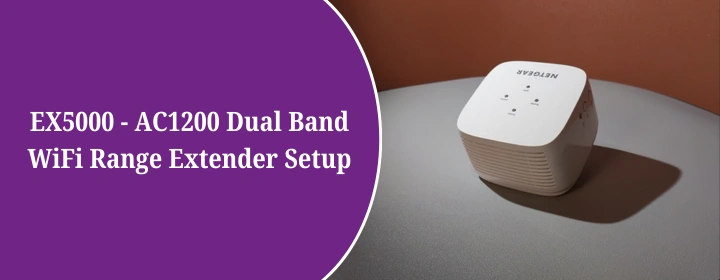
Credit: mywi-fiext.net
Interpreting Blinking Patterns
Blinking lights on a dual band WiFi extender often signal its status or issues. Different patterns may show connection strength, errors, or setup progress. Understanding these signals helps identify and fix common network problems quickly.
Slow Blinking
Slow blinkingoften means the extender is searching for a WiFi network. It tries to connect to your router. Wait a few minutes for it to finish. If slow blinking lasts too long, check the router or move the extender closer.
Rapid Blinking
Rapid blinkingusually shows a connection problem. The extender may have lost signal or is unable to link with the router. Try restarting both devices. Also, check for interference from other electronics.
Alternating Colors
When the light switches between colors, it tells you about different statuses. For example, blue may mean a good connection, while red means no signal. Consult your extender’s manual to understand each color meaning clearly.
Quick Fixes To Try
Restarting the extendercan fix many blinking issues. Unplug it, wait 30 seconds, then plug it back in. This helps clear temporary glitches.
Check the power supply. Make sure the extender is properly plugged in and the outlet works. A loose or faulty power source can cause blinking.
Resetting to factory settingsrestores the device to its original state. Press the reset button for 10 seconds until the lights blink rapidly. This clears all custom settings.
Updating firmwareensures your extender runs the latest software. Visit the manufacturer’s website, download the update, and follow instructions. This can fix bugs and improve performance.
Repositioning for better signalhelps stop blinking caused by weak connections. Place the extender halfway between your router and the area needing Wi-Fi. Avoid walls and metal objects.

Credit: www.amazon.ca
Preventing Future Blinking Issues
Keep your wifi extender working well by updating its firmware regularly. Updates fix bugs and improve performance. Check the manufacturer’s website for new versions. Install updates as soon as possible.
Place your extender in a central location. Avoid walls and metal objects that block signals. High places often work better. This helps your devices connect without problems.
Wireless interference can cause blinking lights. Keep the extender away from microwaves, cordless phones, and thick walls. Use different wifi channels if needed. This reduces signal overlap and improves stability.
Clean your extender and check cables often. Dust and loose connections can cause issues. Restart the device sometimes to clear memory and refresh the connection. Regular care helps prevent blinking problems.
When To Contact Support
Persistent blinkingafter trying fixes may mean a deeper issue. Support can help find the problem.
Sometimes, a hardware replacementis needed if the extender is faulty or broken. Check if your device is still under warranty before buying a new one.
| Service Type | Details |
|---|---|
| Warranty | Covers repairs or replacement within a set time period |
| Out of Warranty | Repairs may cost extra or replacement might be needed |
| Customer Support | Helps with troubleshooting and service information |
Have your model numberand purchase info ready when contacting support. This speeds up help.
Frequently Asked Questions
Why Is My Wifi Extender Blinking?
A blinking light on your WiFi extender often indicates a connectivity issue. It might be struggling to maintain a stable connection with the router. This could be due to interference, distance from the router, or incorrect settings. Ensure it’s within range and check for firmware updates to resolve the issue.
What Does A Blinking Light Signify On Extenders?
A blinking light typically signals an issue with the extender’s operation. It might be trying to establish a connection or facing an error. Check the user manual to understand specific blinking patterns. Ensure your extender is positioned correctly and configured properly to maintain a stable connection.
How To Fix A Blinking Wifi Extender?
To fix a blinking WiFi extender, start by rebooting the device. Ensure it’s placed within the router’s range and free from obstructions. Check your extender’s settings and update the firmware if needed. If the problem persists, consider resetting it to factory settings and reconfiguring.
Is A Blinking Extender A Sign Of Malfunction?
Not necessarily, a blinking extender doesn’t always mean malfunction. It often indicates a connection issue or setup error. Check the manual for specific blinking codes. Try repositioning the extender or updating its firmware to resolve the blinking issue. If it continues, consult customer support.
Conclusion
A blinking dual band WiFi extender shows important signals. It might mean connection issues or power problems. Check the device’s manual for specific light codes. Restart your extender to fix temporary glitches. Place the extender near your router for better signal.
Keep firmware updated to avoid common bugs. Simple steps can often solve blinking light troubles. Stay patient and follow easy fixes to restore your WiFi. A steady light means your network works well again.