Are you tired of weak WiFi signals in certain areas of your home or office? Long range WiFi extenders might seem like a perfect solution, but do they connect automatically?
Imagine the ease of setting up your device and instantly enjoying seamless internet access without any hassle. You deserve to know if these devices can truly make your life easier. We’ll dive into the world of long range WiFi extenders and uncover whether they provide the effortless connectivity you need.
Get ready to discover if these gadgets can revolutionize your internet experience, making every corner of your space a stronghold of connectivity. Curious? Keep reading to find out!

Credit: www.reddit.com
How Long Range Wifi Extenders Work
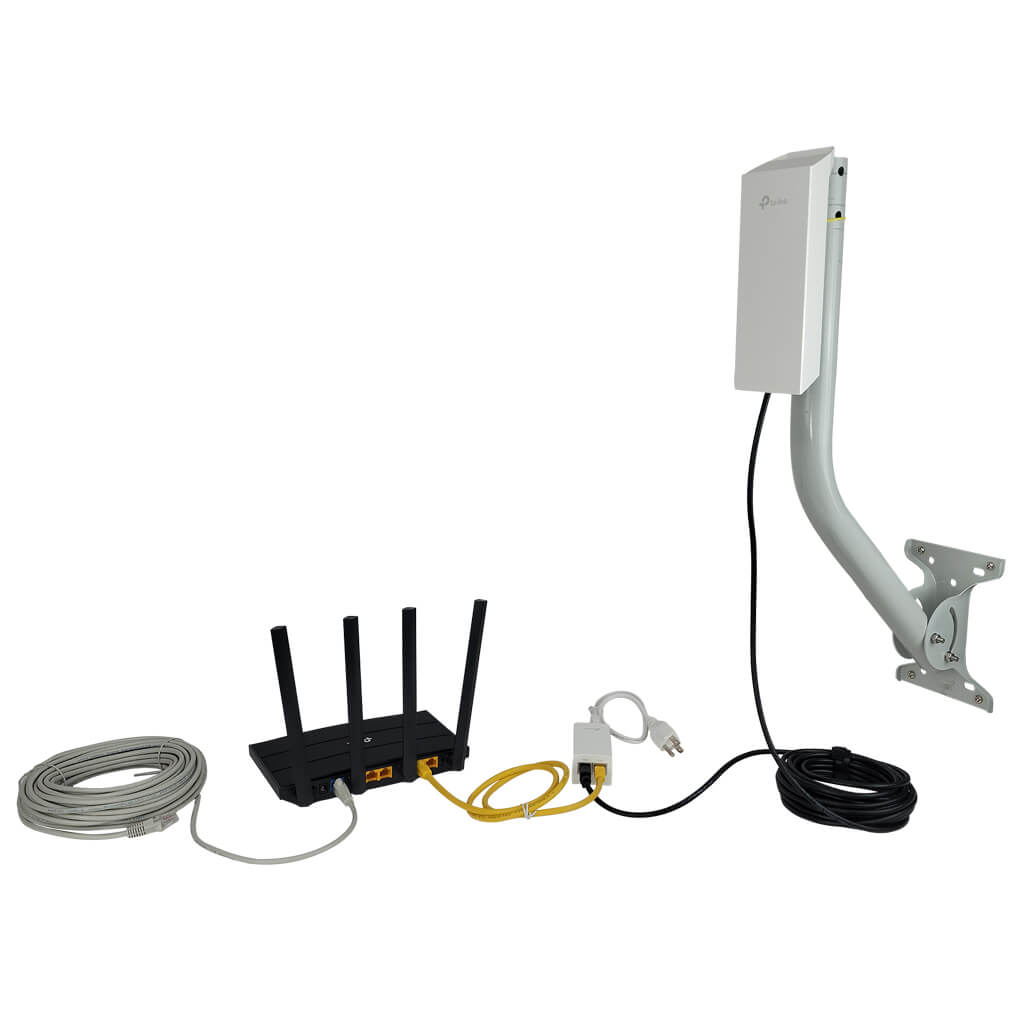
Long range WiFi extenderscatch signals from your main router. They then boost these signalsto cover larger areas. This helps reduce dead zonesin your home or office.
Placement is very important. Extenders work best when placed halfway between the router and the area with weak signal. Too far, and the extender won’t get a strong signal to boost. Too close, and it won’t extend the range effectively.
| Router Type | Compatibility | Notes |
|---|---|---|
| Dual-band | Usually compatible | Works with most extenders |
| Single-band | Compatible | May limit speed |
| Mesh Systems | May not be compatible | Check manufacturer details |
Credit: simplewifi.com
Automatic Connection Features
Smart roaming technology helps devices switch to the strongest WiFi signal. It lets your phone or laptop move between the main router and extender without losing connection. This works well in homes with long-range extenders.
SSID and password sharing means the extender uses the same network name and password as your router. This way, devices connect automatically without asking you to log in again. It makes the network simple and easy to use.
The device handoff process is smooth and fast. Your device senses which signal is better and connects to that one. This happens quietly in the background, so you do not notice any break or delay in internet service.
Setup Requirements For Auto Connection
Long range WiFi extenders need a few steps for auto connection. First, they require initial pairingwith your main router. This pairing creates a trusted link between devices. Usually, pressing a WPS button on both devices helps them connect quickly. Without this step, they won’t join the network automatically.
Keeping the extender’s firmware and software updatedis very important. Updates fix bugs and improve performance. Check for updates regularly to ensure smooth auto connection.
Network configuration must match between the router and extender. The extender should use the same network name (SSID)and password. Proper IP settings and channel selection help avoid conflicts. This setup allows devices to switch smoothly between router and extender.

Credit: www.amazon.ca
Common Issues With Auto Connection
Signal interferencecan stop wifi extenders from connecting automatically. Devices like microwaves, cordless phones, and walls block signals. This makes the connection weak or lost. Extenders need a clear path to the main router for a good link.
Many people place extenders too far from the router. Extender placement errorscause poor signals. Too close or too far both cause problems. The best spot is halfway between the router and the area with weak wifi.
Compatibility problemshappen when the extender and router don’t work well together. Different brands or old models may not connect smoothly. Check if both devices support the same wifi standards and frequencies for automatic connection.
Tips To Ensure Seamless Auto Connection
Place the extender where the main router’s signal is still strong. Avoid walls or metal objects blocking the signal. A good spot helps the extender connect automaticallyand keeps your WiFi stable.
Mesh systems use multiple devices that work as one network. They allow your devices to switch easily between points without losing connection. This makes long-range WiFi seamless and fast.
- Check for software updates regularly to keep the extender working well.
- Restart the extender sometimes to clear errors and improve connection.
- Clean the extender from dust to avoid overheating and signal loss.
When Manual Connection Is Needed
Sometimes, a long range WiFi extender does not connect automatically. This can happen due to weak signals or network changes. Resetting the extenderoften helps fix connection issues. Press the reset button for 10 seconds to restore factory settings.
Alternative connection methods include using the WPS button or connecting via Ethernet cable. The WPS button connects devices quickly without a password. An Ethernet cable can link the extender directly to the router for a stable connection.
- Check if the extender is within the router’s range.
- Restart the router and extender to refresh connections.
- Update the extender’s firmware through its settings page.
- Place the extender in an open area to avoid signal blocks.
Frequently Asked Questions
Do Long Range Wifi Extenders Connect Automatically?
Most long range WiFi extenders connect automatically after initial setup. They remember your network and reconnect when in range. Manual connection is rarely needed unless settings change. This ensures seamless internet access across extended areas without repeated configuration.
How Does Automatic Connection Improve Wifi Extender Use?
Automatic connection eliminates manual reconnection each time you move. It provides smooth transitions between your router and extender. This enhances user experience by maintaining stable internet without interruptions. It also reduces setup time and technical hassles for everyday users.
Can I Control When Wifi Extenders Connect Automatically?
Yes, you can manage automatic connection settings on most extenders. This is done via the extender’s app or web interface. You may enable or disable auto-connect features based on your preferences. Controlling this helps optimize your network performance and security.
Why Might A Long Range Wifi Extender Fail To Connect Automatically?
Failures often occur due to signal interference or changed network passwords. Extenders also need firmware updates to maintain connectivity. Sometimes, incorrect placement causes weak signals, preventing automatic connections. Regular maintenance and proper setup ensure reliable auto-connection.
Conclusion
Long range WiFi extenders often connect automatically to known networks. Still, some setup may be needed for smooth connection. They help extend WiFi signals to reach distant areas. Keeping your devices updated improves automatic connection chances. Check extender settings if connection fails or is slow.
Simple steps can ensure your network stays strong. Choose an extender that fits your home and needs. This helps keep your internet stable and fast everywhere.