Are you tired of dealing with weak Wi-Fi signals that just can’t reach the far corners of your home or office? You’re not alone.
Many people struggle with dead zones that disrupt their online activities. That’s where long-range Wi-Fi extenders come into play. But here’s a question that often pops up: Do these extenders come with antennas? And if they do, how do these antennas impact performance?
Understanding this can be the key to supercharging your internet connectivity. Stick around to find out how the right equipment could transform your digital experience, and why the presence of antennas might be the game-changer you’ve been searching for.
Credit: www.amazon.com
What Are Long Range Wifi Extenders
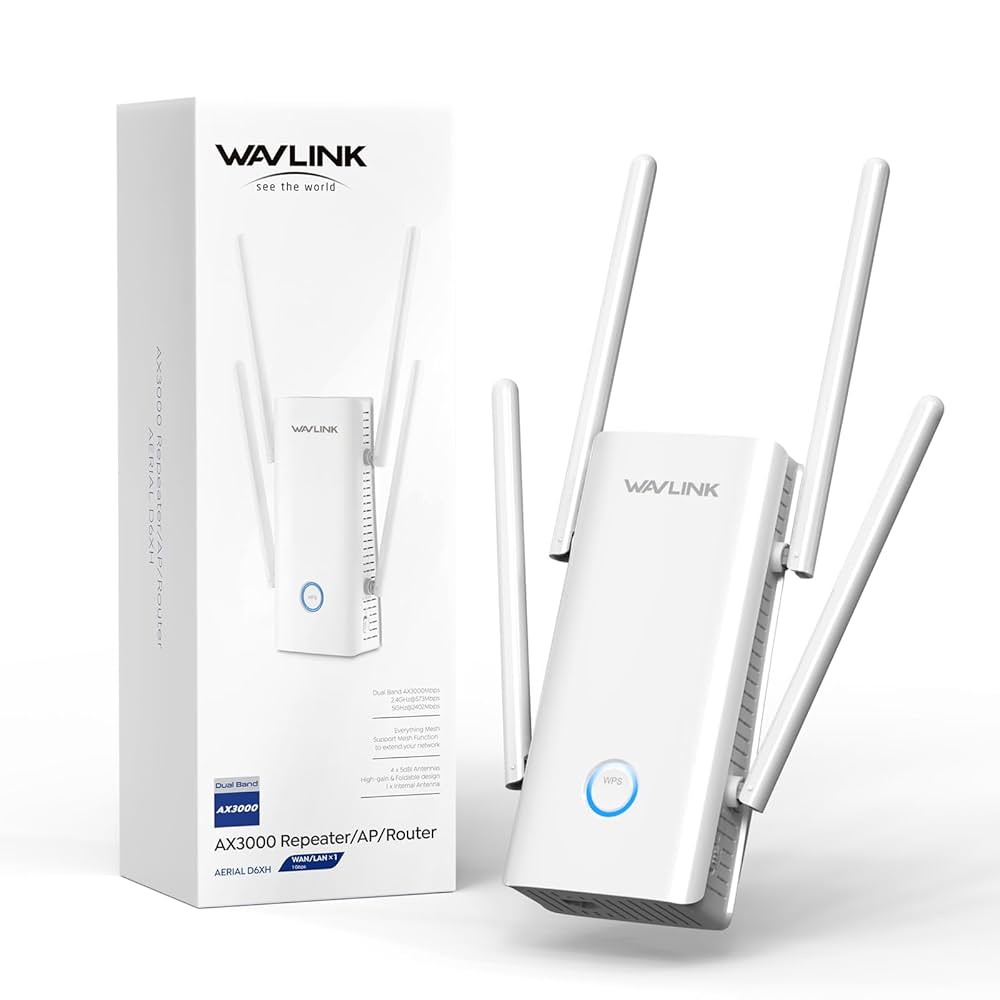
Long range WiFi extendersboost your wireless signal to far places. They help connect devices in rooms far from the main router. These extenders catch the WiFi signal and send it further. Some models have built-in antennasto improve range and strength. Others have external antennasyou can adjust for better coverage.
Antennas help focus the WiFi signal in specific directions. This makes the connection stronger and faster. Extenders without antennas use internal parts to spread the signal. These may work well but might have shorter reach.
Choosing the right extender depends on your home size and layout. Walls and floors can block WiFi signals. Extenders with antennas often perform better in bigger homes or spaces with obstacles.
Role Of Antennas In Wifi Extenders
Antennasare key parts of long range WiFi extenders. They send and receive wireless signals. This helps to reach far corners of your home or office.
External antennasoften improve signal strength. They can be pointed in different directions for better coverage. Some extenders have internal antennas, which are hidden but less flexible.
Good antennas reduce signal loss. This means faster internet and fewer dropouts. They work by focusing the WiFi signals toward your devices.
- Extend WiFi range by boosting signals
- Improve connection quality and speed
- Help cover large areas with fewer dead zones
- Some models allow antenna upgrades for better performance
Types Of Antennas Found In Extenders
Internal antennasare built inside the extender’s body. They are small and neat. These antennas do not stick out. They work well for indoor use and keep devices looking tidy. The signal range might be less than with external antennas.
External antennasare visible outside the extender. They can be moved or adjusted to get better signal direction. These antennas often offer stronger and wider coverage. They help reach places far from the main router.
| Type | Description | Best Use |
|---|---|---|
| Directional Antennas | Send signals in one main direction. | Good for targeting specific rooms or areas. |
| Omnidirectional Antennas | Send signals in all directions equally. | Best for spreading WiFi in open spaces. |
Credit: simplewifi.com
Do Long Range Extenders Include Antennas
Long range WiFi extenders often come with built-in antennas to boost signal strength. Some models also offer external antennas for better coverage and flexibility. Choosing the right extender depends on your space and connection needs.
Factory Installed Antennas
Most long range WiFi extenders come with built-in antennas. These antennas are set by the manufacturer. They are fixed and cannot be removed. The antennas help the extender catch and send WiFi signals. This makes your WiFi reach farther. Built-in antennas are good for simple setups.
Detachable Antennas
Some extenders have detachable antennas. You can take them off and replace them. This allows users to upgrade to stronger antennas. Detachable antennas help improve WiFi range and signal strength. You can adjust the direction of these antennas for better coverage. They are useful for users who want more control over their WiFi.
Benefits Of Having Antennas On Extenders
Antennason wifi extenders boost the signal strength. They catch signals better from the router. This helps in sending a stronger signal to your devices. A strong signal means faster internet and fewer drops. Antennas work like ears, listening well and sending clear signals.
With antennas, the coverage areais much bigger. The wifi can reach rooms far from the router. It also works well through walls and floors. This means you get internet in more places at home or office. Antennas help cover dead zones where wifi was weak before.
How To Choose Extenders Based On Antenna Features
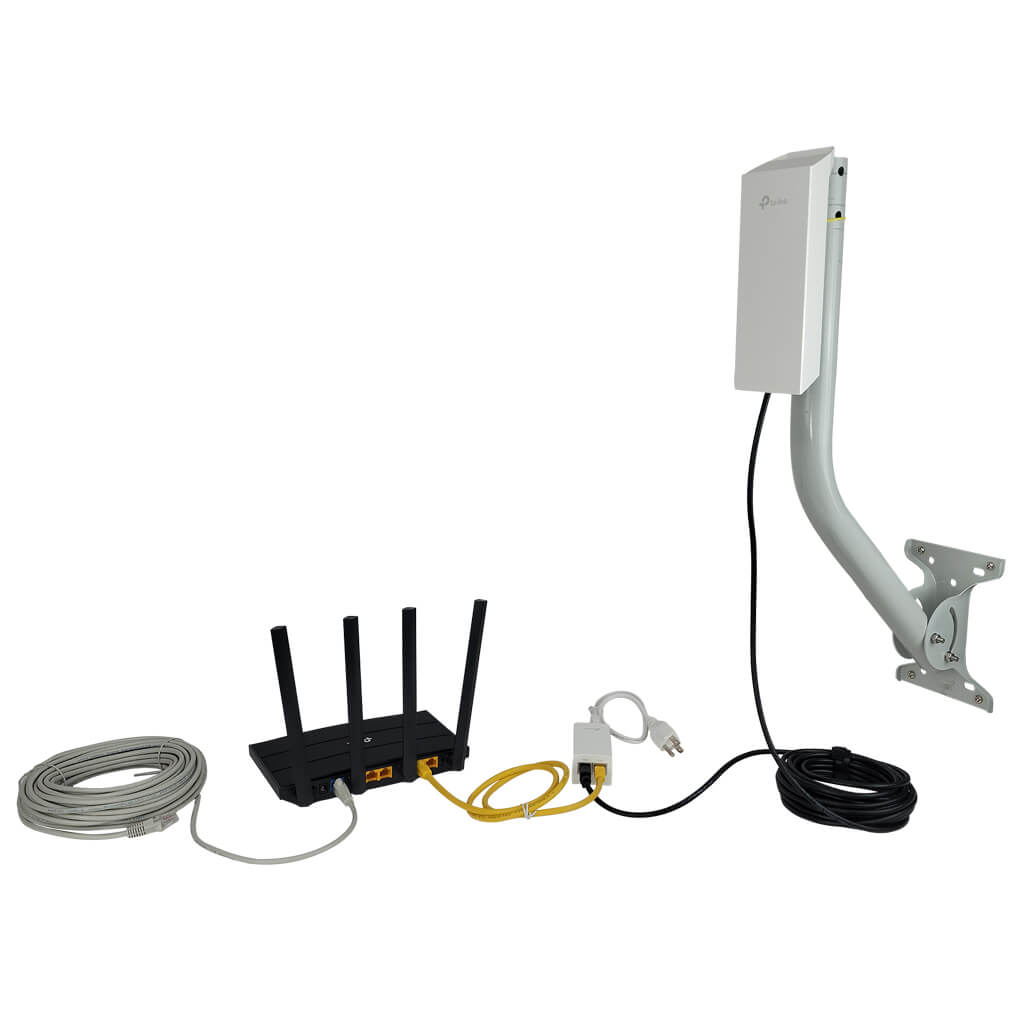
Coverage needs affect the choice of extenders with antennas. Large areas need extenders with strong, high-gain antennas. Smaller spaces can use extenders with standard antennas. Walls and furniture may block signals, so choose antennas that boost signal strength. Outdoor use requires antennas that resist weather.
Compatibility with your current setup is important. Check if the extender’s antennas match your router’s frequency bands, like 2.4 GHz or 5 GHz. Some extenders have detachable antennasfor upgrades. Also, verify if the extender supports your router’s Wi-Fi standards, such as 802.11ac or 802.11n.
Installation Tips For Antenna-equipped Extenders
Place the extender where the signal is still strong but near the weak area. Antennas should point outward or upward for best coverage. Avoid walls and metal objects that block signals. Keep the extender away from other electronics to reduce interference. Use the extender’s app or web page to check signal strength. Adjust the antennas slightly to find the best position. Make sure the extender’s firmware is up to date for better performance. Test the connection in different rooms to confirm improved WiFi.

Credit: www.amazon.com
Common Myths About Wifi Extender Antennas
Many people think all long range WiFi extenderscome with antennas. This is not always true. Some models have internal antennas, which you cannot see. Others come with external antennasyou can adjust for better signal.
Antennas help to boost WiFi signals. But having antennas does not always mean better performance. The design and qualityof the extender matter more.
- Some extenders use omnidirectional antennasthat send signal in all directions.
- Others use directional antennasthat focus signal in one way.
- Internal antennas are hiddenand good for simple setups.
- External antennas can be movedto get the best signal.
Choosing the right extender means checking featuresand reviews. Antennas are just one part of the story.
Frequently Asked Questions
Do Long Range Wifi Extenders Usually Include Antennas?
Most long range WiFi extenders come with built-in antennas. Some models feature external antennas for better signal strength and coverage. It depends on the design and brand of the extender. External antennas often improve range and performance significantly.
Can External Antennas Improve Wifi Extender Range?
Yes, external antennas can boost WiFi extender range. They enhance signal strength and reduce dead zones. Extenders with detachable antennas allow upgrades for better coverage. This feature benefits users needing longer-distance connections.
Are Built-in Antennas Less Effective Than External Ones?
Built-in antennas are compact but usually less powerful than external antennas. External antennas offer stronger signals and better range. However, built-in antennas provide a sleek design and easy setup. The choice depends on your coverage needs.
Do All Long Range Extenders Support Antenna Upgrades?
Not all extenders support antenna upgrades. Models with detachable antennas allow users to replace or upgrade them. Fixed-antenna extenders do not offer this flexibility. Check product specifications before purchasing if upgrades matter.
Conclusion
Long range WiFi extenders often include antennas for better signal reach. These antennas help boost your internet connection across large areas. Some models have built-in antennas, while others use external ones. Choosing the right extender depends on your space and needs.
Antennas play a key role in improving WiFi performance. Remember, a good extender can reduce dead zones and keep your devices connected. Check the product details to know about antenna types before buying. Strong signals make online activities smoother and more reliable.