Are you tired of wrestling with weak Wi-Fi signals and dead zones in your home or office? You’re not alone.
Many people face this frustrating issue, and often the solution seems just out of reach. Long range Wi-Fi extenders promise to blanket every corner with a strong, stable signal, but there’s a burning question you might have: Do these devices support a guest network?
Imagine the convenience of offering your visitors their own secure connection without compromising your main network. Understanding whether long range Wi-Fi extenders can handle this feature might just be the game-changer you need. Stick around, because you’re about to uncover the truth behind these powerful devices and how they can enhance your connectivity experience. You won’t want to miss the insights that could transform your daily internet usage.
Long Range Wifi Extenders Basics
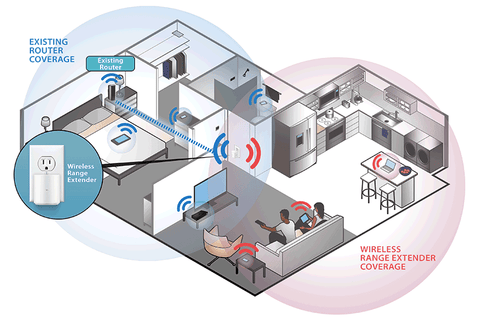
Wifi extendershelp increase the reach of your wireless signal. They catch the signal from your main router and send it farther. This helps cover areas with weak or no wifi.
How wifi extenders work:They receive the wifi signal, then amplify and rebroadcast it. This creates a new network area, extending the original coverage. Devices connect to the extender’s network instead of the router directly.
There are different types of wifi extenders:
- Repeater:Simply repeats the wifi signal to extend range.
- Access Point:Connects to the router by cable and creates a new wifi zone.
- Mesh Extender:Works with a mesh wifi system to spread signal smoothly.

Credit: www.amazon.ca
Guest Network Features
Long range WiFi extenders often support guest networks, allowing visitors to connect separately from your main network. This feature keeps your personal devices safe while providing internet access to guests. Check your extender’s settings to enable and manage guest network options easily.
Purpose Of Guest Networks
Guest networkslet visitors use the internet without accessing your main network. This keeps your personal data and devices safe. It also stops guests from changing your settings or seeing private files. Many wifi extenders support guest networks to extend this feature in larger areas. This helps keep your home or office network secure while offering internet access to guests.
Benefits Of Guest Networks
- Improved security:Keeps your main network private and safe.
- Easy access:Guests get internet without needing your main password.
- Limits usage:Controls guest access to prevent unwanted activities.
- Network management:Separates devices to avoid network slowdowns.
- Peace of mind:You can share internet safely with visitors.
Compatibility With Guest Networks
Long range WiFi extenders often support guest networks, allowing visitors to connect without accessing your main network. This feature helps keep your personal data safe while providing internet access to guests. Check the extender’s settings to enable guest network support.
Support In Common Extenders
Many popular long-range WiFi extenders do support guest networks. This means they can extend the WiFi signal while keeping the guest network separate from the main one. Some brands allow easy setup of guest networks on the extender. This helps keep privacy and securityintact for the main network users.
Limitations To Expect
Not all extenders support guest networks equally well. Some may only repeat the main networkwithout creating a separate guest network. Others might limit the speed or range for guest users. Also, some extenders need manual setup to enable guest networks. Always check the extender’s specifications before buying to avoid surprises.
Setting Up Guest Network On Extenders
Most long range WiFi extenders allow setting up a guest network. This helps keep your main network safe. Start by logging into the extender’s admin panel. Look for the guest networkoption in settings. Turn it on and set a different name(SSID) for the guest network. Create a strong passwordto protect it.
Save the settings and restart the extender. The guest network will now be active. Guests can connect without accessing your main devices or files.
Here are some quick tips for troubleshooting:
- Check if the extender firmware is updated.
- Ensure the guest network option is enabled.
- Verify the password is entered correctly.
- Restart the extender if changes don’t apply.
- Place the extender where signal is strong enough.
Choosing The Right Extender
Choosing a long-range WiFi extender that supports a guest network keeps your main WiFi secure. Many extenders offer this feature, but checking before buying is important. This helps separate guests from your private devices easily.
Key Features To Look For
Guest network supportis important for sharing WiFi safely. It keeps your main network secure. Look for extenders with easy guest network setup. Check if the extender supports dual-band WiFifor better speed and range. A good extender should have strong signal strengthto cover large areas. Also, consider easy installationand compatibilitywith your router. Features like automatic firmware updateshelp keep security strong.
Top Models With Guest Network Support
| Model | Guest Network | Frequency Bands | Range |
|---|---|---|---|
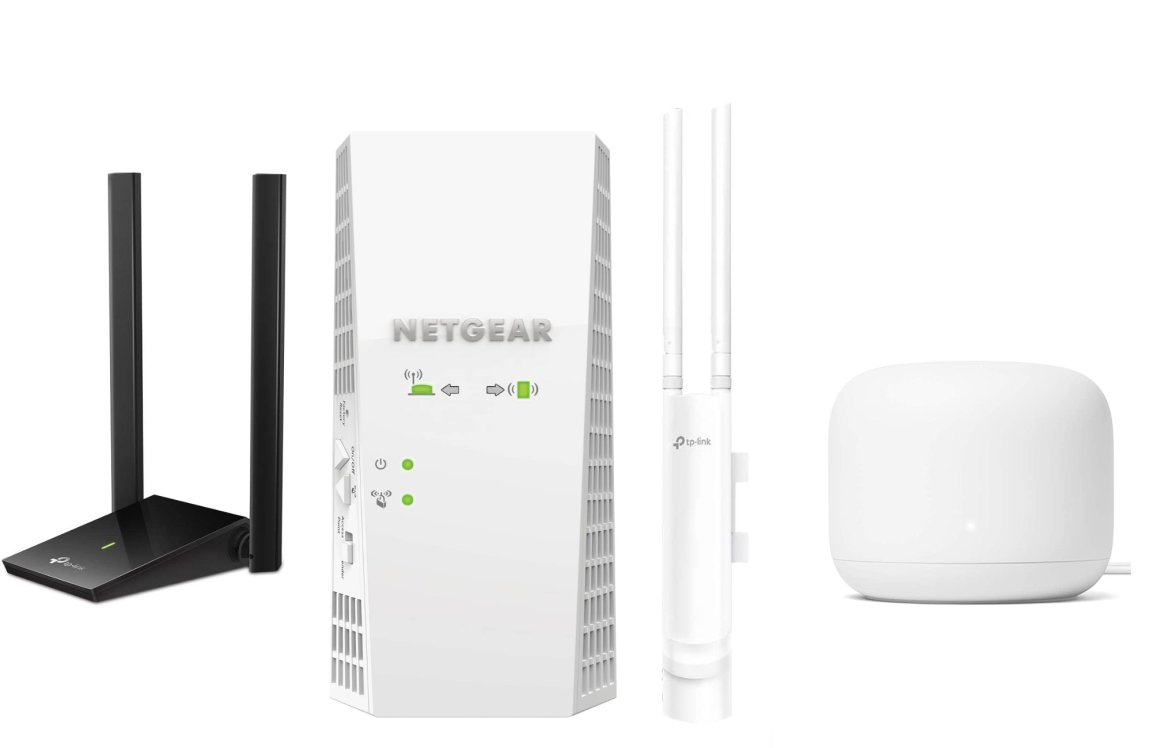
| Netgear Nighthawk X6 | Yes | Tri-band | Up to 2,500 sq ft |
| TP-Link RE650 | Yes | Dual-band | Up to 14,000 sq ft |
| Linksys RE7000 | Yes | Dual-band | Up to 10,000 sq ft |
Credit: www.popsci.com
Security Considerations
Guest network accessmust be protected from main network risks. Use a separate SSIDfor guests to keep your private data safe. Enable strong encryptionlike WPA3 or WPA2 on guest networks. Set a different passwordthan your main network. Limit guest access to only the internet, blocking access to home devices.
Regularly update firmwareon your long range wifi extender. This ensures security patches fix known vulnerabilities. Disable network sharingoptions on guest networks to reduce risks. Use firewall rulesto control traffic between guest and main networks.
- Change guest network password often
- Turn off guest network when not needed
- Monitor connected devices for unknown users
- Limit bandwidth to avoid network slowdowns
Credit: www.wavlink.com
Frequently Asked Questions
Do Long Range Wifi Extenders Support Guest Networks?
Most long range WiFi extenders do support guest networks. They replicate both main and guest SSIDs for extended coverage. However, not all models have this feature. Check product specs to confirm guest network compatibility before purchasing.
How To Enable Guest Network On Wifi Extenders?
To enable guest networks, access the extender’s admin panel via its IP address. Navigate to wireless settings and enable the guest SSID option. Save changes and reboot the extender for the guest network to activate.
Can Guest Networks Affect Wifi Extender Performance?
Guest networks usually run separately from the main network, minimizing interference. However, heavy guest usage can still reduce overall bandwidth. Proper extender placement and bandwidth management help maintain optimal performance.
Are Guest Networks Secure On Long Range Extenders?
Yes, guest networks on extenders are typically isolated from the main network. They use WPA2 or WPA3 encryption for security. Always update extender firmware to protect against vulnerabilities.
Conclusion
Long range WiFi extenders often support guest networks, but it depends on the model. Check the device features before buying to ensure guest access. Guest networks help keep your main network safe and private. Using extenders can boost WiFi signal far from your router.
This makes internet access easier for guests in larger spaces. Always read product details to know what functions are available. With the right extender, managing a guest network is simple and secure. Choose wisely to keep your home or office network running smoothly.


