Have you ever wondered if a tri-band WiFi extender can work seamlessly with powerline adapters in your home network? You’re not alone.
As you seek the most reliable and efficient ways to boost your internet connection, it’s crucial to understand how different technologies can complement each other. Imagine enjoying uninterrupted streaming and gaming, without those frustrating dead zones. This article will unravel the mystery and guide you through the compatibility and performance of using a tri-band WiFi extender alongside powerline adapters.
Stick around to discover how you can transform your home network into a powerhouse of connectivity.
Tri Band Wifi Extenders Explained
Tri band WiFi extenders can work well with powerline adapters to boost internet signals. They use different frequencies to reduce interference and improve speed. Combining both helps extend coverage in large or thick-walled homes effectively.
How Tri Band Technology Works
Tri band wifi extendersuse three separate frequency bands to send data. Two bands usually work on 5 GHz, and one on 2.4 GHz. This setup helps reduce traffic on each band. One 5 GHz band connects to your main router, while the other two bands serve your devices. This way, your network stays fast and stable.
Benefits Over Dual Band Extenders
- More capacity:Three bands carry more data than two.
- Less interference:Separate bands mean less crowding.
- Better speed:Devices get faster connections.
- Improved range:Covers larger areas with strong signal.
- Smoother streaming:Less buffering on videos and games.
Credit: www.makeuseof.com
Powerline Adapters Basics
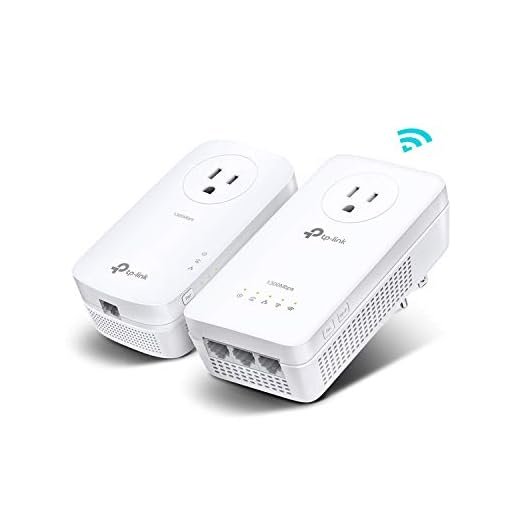
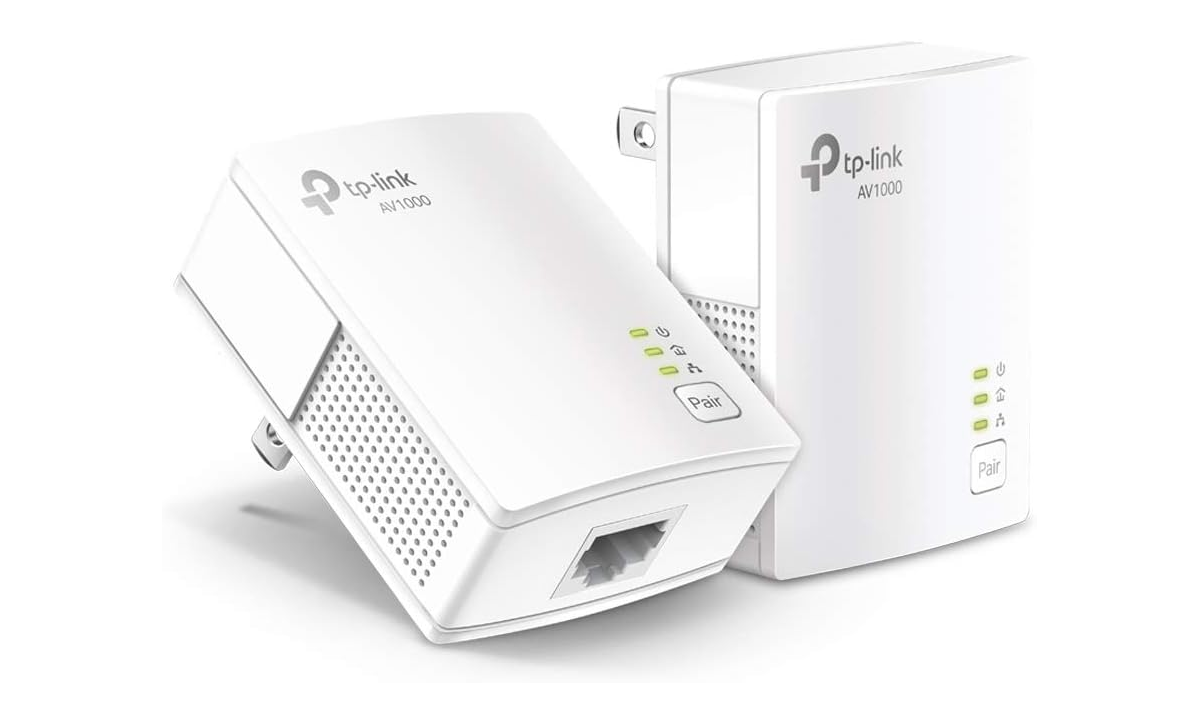
Powerline adaptersuse your home’s electrical wiring to send internet signals. They plug into wall outlets and connect to your router with a cable. The signal travels through the wires to another adapter in a different room. This adapter then shares the internet through Ethernet or Wi-Fi.
This technology is useful when Wi-Fi signals are weak or cannot reach certain areas. It creates a wired connection without running new cables. The speed depends on your home’s wiring quality and distance between adapters.
- Extending internet to rooms far from the router
- Connecting devices like smart TVs, gaming consoles, or PCs
- Improving connection in houses with thick walls
Compatibility Between Devices
Tri Band WiFi extenders can work with powerline adapters. Powerline adapters use your home’s electrical wiring to send internet signals. Tri Band extenders boost WiFi signals on three bands, providing better speed and less interference.
Connecting them is simple. First, plug the powerline adapter near your router and connect it via Ethernet. Then, plug the other adapter in the room where you want better WiFi. Finally, place the Tri Band extender close to the second adapter and connect it.
Some compatibility issuesmay arise, such as:
- Signal loss if electrical wiring is old or faulty
- Interference from other electrical devices
- Distance limits between adapters
- Different network settings causing connection drops
Checking your devices’ manuals helps avoid problems. Most modern Tri Band extenders and powerline adapters work well together.

Credit: www.reddit.com
Performance Insights
Tri-band WiFi extenderscan work with powerline adapters, but performance varies. Speed depends on the quality of both devices and your home’s wiring. Powerline adapters rely on electrical circuits, which can cause signal dropsor interferencein some cases.
Using a tri-band extender may improve wireless speed by separating devices across different bands. This reduces network congestionand helps keep connections stable. Yet, powerline adapters can limit the maximum speed if the wiring is old or noisy.
Real-world tests show mixed results:
- Speed is faster on 5 GHz bands than 2.4 GHz.
- Signal strength is stronger near the extender, weaker farther away.
- Some homes experience latency or dropouts due to wiring quality.
- Best performance occurs when powerline adapters and extenders both support high speeds.
Setup Tips For Best Results
Place the Tri Band WiFi Extendernear the powerline adapter but away from thick walls. Keep it in an open area to avoid signal loss. Avoid placing devices near microwaves or cordless phones, as they cause interference. Ensure the extender is within the main router’s WiFi range for stable connection.
Configure your network settings to improve performance. Set the extender to use the same SSID as your router or a different one to avoid confusion. Assign a fixed IP address to the extender to prevent IP conflicts. Enable the correct security type (WPA2 or WPA3) for safe connections.
| Device | Placement Tip | Network Setting |
|---|---|---|
| Powerline Adapter | Plug into a wall socket, not extension cords | Use same network band (2.4 GHz or 5 GHz) |
| Tri Band WiFi Extender | Near powerline adapter, avoid thick walls | Assign fixed IP, match router security |
Troubleshooting Common Problems
Connection dropshappen often with WiFi extenders and powerline adapters. Check if both devices use the same WiFi channel. Change channels to avoid overlap. Place the extender closer to the powerline adapter for a stronger signal. Restart both devices to clear temporary faults.
Interference comes from walls, microwaves, and other electronics. Keep devices away from thick walls and metal objects. Use the 5GHz band on the tri-band extender to lower latencyand avoid interference. Update the firmware on both devices to fix bugs that cause lag.
| Problem | Solution |
|---|---|
| Connection Drops | Match WiFi channels, move devices closer, restart devices |
| Interference | Keep away from thick walls, use 5GHz band, update firmware |
| Latency | Use wired connections if possible, reduce electronic noise |
Alternatives To Consider
Tri-band WiFi extenders may not always pair well with powerline adapters due to signal interference. Consider using dual-band extenders or mesh WiFi systems for better compatibility and stable connections. These alternatives often provide easier setup and reliable network coverage.
Mesh Networks Vs Tri Band Extenders
Mesh networkscreate a seamless WiFi system with multiple nodes. They use one network name for all devices. This keeps your connection steady as you move around. Tri band extendersadd extra bands to reduce traffic. They can help with speed but may cause network splits. Mesh is easier to set up and manage. Extenders might need manual switching between networks. Mesh systems often work better with powerline adapters.
Other Wired Backhaul Options
- Ethernet cables provide the fastest and most stable connection.
- Powerline adapters use home wiring to send internet signals.
- MoCA adapters use coaxial cables, common in many homes.
- Using wired backhaul reduces WiFi interference and improves speed.

Credit: www.amazon.ca
Frequently Asked Questions
Does A Tri Band Wifi Extender Improve Powerline Adapter Speed?
Yes, a tri band WiFi extender can enhance speed by reducing WiFi congestion. It works alongside powerline adapters to improve wireless coverage and performance in your home.
Can Tri Band Extenders And Powerline Adapters Be Used Together?
Absolutely. Tri band extenders boost WiFi signals, while powerline adapters use electrical wiring. They complement each other for better network reach and stability.
Are Tri Band Wifi Extenders Compatible With All Powerline Adapters?
Most tri band WiFi extenders are compatible with standard powerline adapters. However, check device specs to ensure seamless integration and optimal network performance.
Will Using A Tri Band Extender With Powerline Adapters Reduce Network Lag?
Yes, this combination can reduce lag by improving signal strength and network stability, especially in larger homes or areas with WiFi dead zones.
Conclusion
Tri band WiFi extenders can work well with powerline adapters. They help spread your internet signal further in your home. Powerline adapters use your electrical wiring to carry the internet. This combination can reduce dead zones and improve speeds. Keep devices updated and place extenders wisely for best results.
Together, they create a stronger, more reliable network. Simple tools, better coverage. Easy setup, smoother streaming. This pairing suits many home networks.


