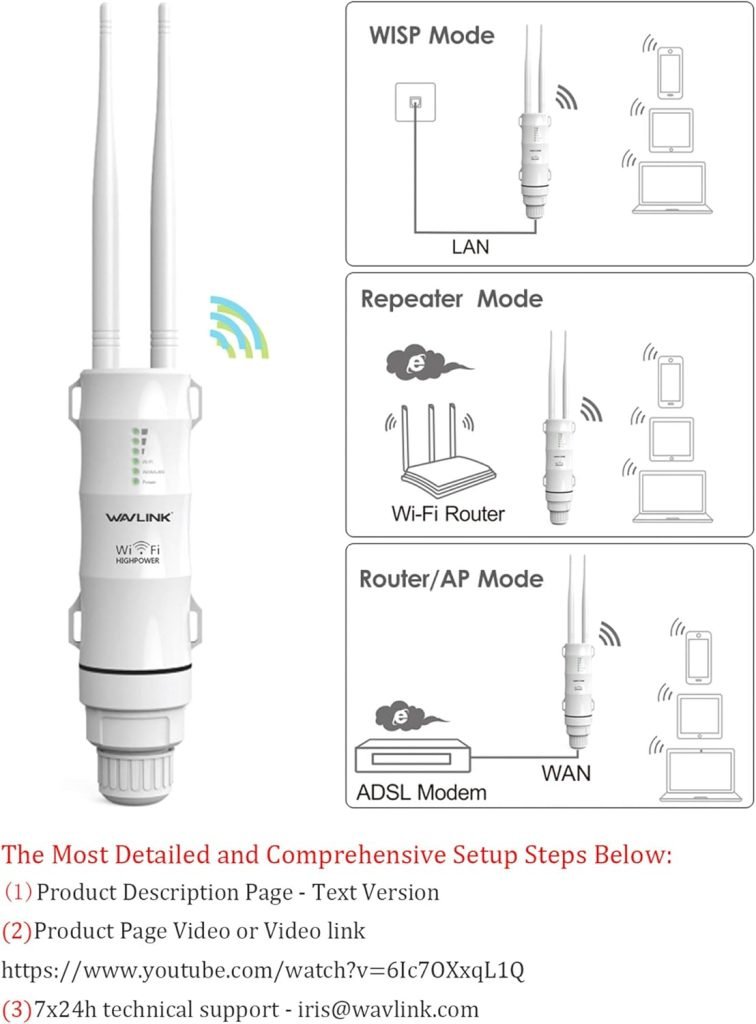
Imagine stepping into your backyard and enjoying seamless WiFi connectivity while streaming your favorite shows, or perhaps working on your laptop without a hitch. Sounds like a dream, right?
But when your WiFi signal struggles to reach every corner of your outdoor space, frustration can quickly set in. That’s where multiple outdoor WiFi extenders come into play. You might be wondering how to effectively connect these devices to ensure a strong and reliable connection throughout your property.
This guide is designed with you in mind, promising clear, step-by-step instructions to help you enhance your outdoor WiFi experience. Stay with us, and you’ll discover how easy it can be to transform your outdoor area into a connectivity haven.

Credit: simplewifi.com
Benefits Of Multiple Outdoor Wifi Extenders
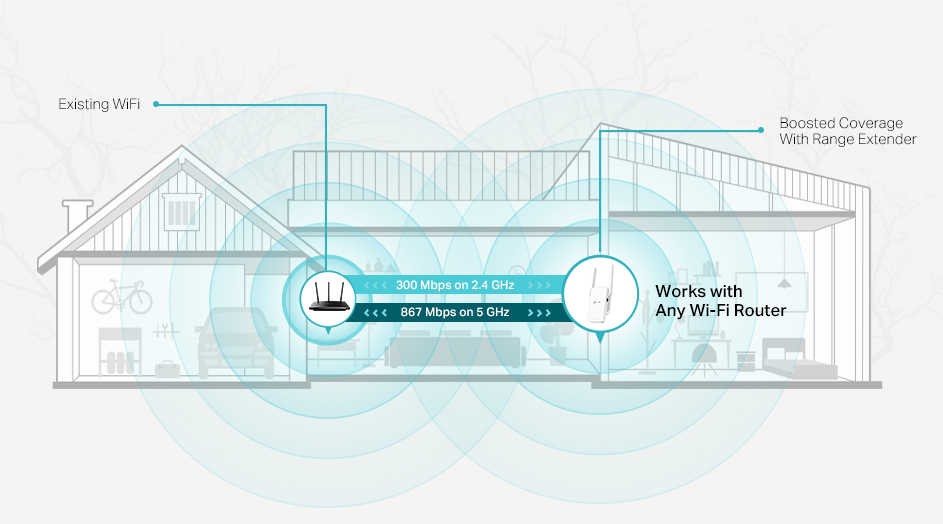
Using multiple outdoor WiFi extenders helps expand your coverage area. This means your WiFi can reach far corners of your yard or garden.
Improving signal strengthis another benefit. Multiple extenders boost the WiFi signal so devices get faster and more stable connections.
They also help in reducing dead zones. These are spots where WiFi usually does not work well or stops completely. With more extenders, fewer places have weak or no signal.
Choosing The Right Extenders
Choose extenders that match your main router’s brandor support the same standards. This ensures better compatibilityand fewer setup issues. Check if the extender supports your router’s WiFi type like WiFi 5 or WiFi 6.
Outdoor extenders must have weatherproof featuresto survive rain, snow, and heat. Look for IP65 or higher ratings. This protects the device from dust and water damage.
| Feature | What to Look For |
|---|---|
| Signal Range | Extenders with longer range cover more outdoor area |
| Speed | Choose extenders that support high speeds to avoid slowdowns |
Planning Extender Placement
Start by drawing a simple map of your outdoor area. Mark where your main router is located. Note spots where you want better WiFi coverage. This helps see where extenders fit best.
Keep extenders away from devices that cause signal interference. These include microwaves, metal objects, and thick walls. Trees and water can also block WiFi signals.
| Distance Factor | Recommended Range |
|---|---|
| Main Router to First Extender | 50-100 feet |
| Between Extenders | 30-50 feet |
| Extender to Outdoor Device | Up to 50 feet |
Extenders should be close enough to receive a strong signal but far enough to cover new areas. Keep a balance to avoid weak or overlapping signals.
Credit: www.youtube.com
Setup Methods For Multiple Extenders
Using wired backhaul connectionshelps improve speed and stability. Connect each extender to the main router with Ethernet cables. This reduces interference and keeps the signal strong. Wired backhaul is ideal for outdoor areas with thick walls or long distances.
Wireless mesh networks create a seamless WiFi system. Each extender acts as a node that shares the same network name. Devices switch automatically to the strongest signal. This setup is easy to manage and good for large outdoor spaces.
Cascade modelinks extenders in a chain. The first extender connects to the router, the second one connects to the first, and so on. This method works well when cables are not an option but may reduce speed at farther points.
Step-by-step Installation Process
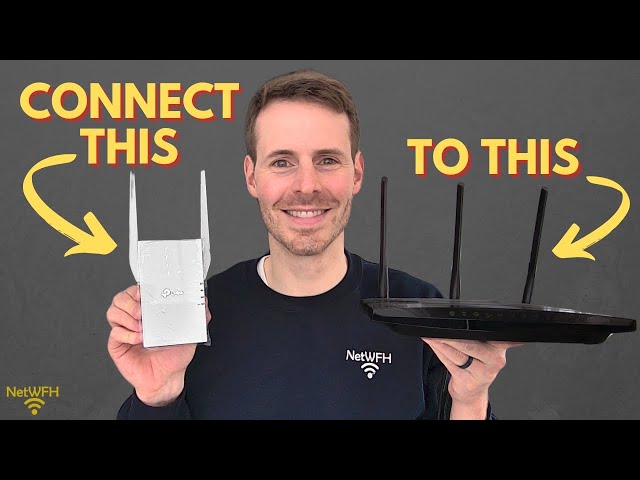
Place the first extender near your main router for a strong signal. Connect it to power and turn it on. Use your phone or computer to find the extender’s network name. Open a web browser and enter the extender’s setup address. Follow the simple instructions to link it to your main Wi-Fi. Choose a new name for the extended network or keep the same name for easy use. Make sure the connection is stable before moving on.
To add more extenders, place each one where the signal is still strong but near the area with weak Wi-Fi. Repeat the setup process for each extender. Connect each to the previous extender’s network instead of the main router. This helps cover larger areas. Keep extenders within good range of each other to avoid signal loss.
Test the Wi-Fi signal in different spots around your home or yard. Use a phone or laptop to check speed and connection. Move extenders slightly if some areas still have weak signal. Adjust placement until you get smooth coverage everywhere you need.
Troubleshooting Common Issues
Check the signal strength between extenders to avoid weak connections. Ensure all devices use the same network name and password for smooth linking. Restart extenders and routers to fix common connection problems quickly.
Dealing With Signal Overlap
Signal overlapcan cause slow internet and confusion between extenders. Place devices far enough apart to reduce overlap. Change channels on each extender to avoid interference. Use a WiFi analyzer app to find less crowded channels. Avoid placing extenders near metal objects or thick walls. This helps keep signals clear and strong.
Fixing Connection Drops
Connection drops often happen due to weak signals or too many devices. Move extenders closer to the main router but not too close. Restart extenders and router regularly to refresh connections. Keep firmware updated for better stability. Limit the number of devices connected to each extender to prevent overload.
Resolving Ip Address Conflicts
| Problem | Cause | Solution |
|---|---|---|
| IP address conflict | Two devices share the same IP | Assign static IPs or enable DHCP on main router |
| Extender not connecting | IP conflict between extenders | Set extenders to different IP ranges |
| Network slowdown | IP conflicts cause traffic jams | Restart devices and check IP settings |
Maintaining And Updating Extenders
Regular firmware updateskeep your extenders secure and fast. Check for updates on the manufacturer’s website or app. Install updates as soon as they are available. This fixes bugs and improves performance.
Cleaning and physical maintenancehelp your extenders work well. Dust and dirt can block signals. Use a soft cloth to clean the devices gently. Make sure vents and antennas are free from dirt. Place extenders in dry, shaded spots to avoid damage.
Monitoring network performancehelps spot problems early. Use apps or router tools to check signal strength and speed. Look for slow connections or drops. Adjust extender positions if needed. Regular checks keep your network smooth and reliable.
Credit: www.tp-link.com
Frequently Asked Questions
How Do I Connect Multiple Outdoor Wifi Extenders?
To connect multiple outdoor WiFi extenders, place them within the main router’s range. Configure each extender with the same SSID but different channels. Use wired or wireless backhaul depending on your setup. This ensures seamless coverage and minimal interference in outdoor areas.
Can Multiple Extenders Improve Outdoor Wifi Range?
Yes, using multiple extenders strategically increases outdoor WiFi range. Each extender boosts signal strength in different zones, covering dead spots. Proper placement and configuration help extend reliable connectivity across large outdoor spaces efficiently.
What Is The Best Placement For Outdoor Wifi Extenders?
Place extenders in areas with strong signal from the main router. Avoid physical obstructions like walls or trees. Position extenders evenly to cover desired outdoor zones. Good placement ensures optimal signal strength and stable network performance.
Do Multiple Outdoor Extenders Cause Wifi Interference?
Multiple extenders can cause interference if placed too close or on the same channel. Use different non-overlapping channels for each extender. Maintain adequate distance to reduce signal overlap and avoid network slowdown or connectivity issues.
Conclusion
Connecting multiple outdoor WiFi extenders helps cover larger areas. Place each extender where the signal is still strong. This keeps your network fast and reliable. Use the same network name for easier device connection. Regularly check and update extender settings for best results.
Small steps make big differences in your WiFi coverage. Enjoy smooth internet outside without dead zones or slow spots. Stay connected wherever you need it most.


