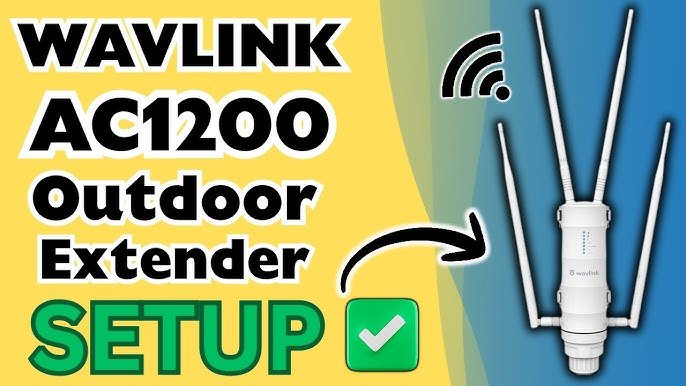
Are you tired of weak WiFi signals interrupting your outdoor activities? Imagine enjoying a seamless internet connection in your backyard, by the pool, or even at the far end of your garden.
With a Tri Band Extender, you can transform this dream into reality. This blog post will reveal how you can boost your outdoor WiFi using this powerful tool, ensuring you stay connected wherever you are. Dive into the article to discover practical tips and solutions that will keep your internet running smoothly, no matter how far you wander from your router.
Your outdoor oasis is about to get a major connectivity upgrade!

Credit: www.amazon.com
Benefits Of Tri Band Extenders
Tri band extendersoffer better coverageby using three separate bands. This helps reach outdoor areas more effectively. Devices connect to the strongest band, improving signal strength.
They provide improved speedbecause each band handles different devices. This reduces traffic on any single band. It means faster internet for all connected devices.
Reduced interferenceis another key benefit. Tri band extenders separate signals, avoiding overlap. This leads to a more stable and reliable connection outside.
- Better reach to outdoor spaces
- Faster internet for multiple devices
- Stable connection with less signal clash
Choosing The Right Extender
Choosing the right tri-band extender is important for better outdoor WiFi. Ensure the extender is compatible with your current router. This helps devices connect smoothly without trouble.
Look for weather resistanceto protect the extender from rain, wind, and sun. This feature keeps your device working well outside for a long time.
| Key Features | Why It Matters |
|---|---|
| Compatibility with Router | Ensures easy setup and strong connection |
| Weather Resistance | Protects extender from outdoor elements |
Optimal Placement Tips
Placing your tri band extenderin the right spot is key. Find an area with good signalfrom your main router. The extender should be close enough to catch a strong signal but far enough to cover the outdoor area.
The heightof the extender matters. Mount it at least 6-10 feet high for better reach. Adjust the angleof antennas if possible, pointing them towards the area that needs coverage.
Keep the extender away from objects that block signals. Thick walls, metal fences, and big trees can cause interference. Also, avoid placing it near devices like microwaves or cordless phones that use similar frequencies.
- Choose a clear line of sight for better signal flow.
- Place the extender in a dry, sheltered outdoor spot.
- Test different positions to find the strongest signal.
Setup And Configuration
Connect the tri-band extender to your main WiFi network first. Use the extender’s app for easy setup. The app guides you step-by-step through the connection process.
Open the app and select your home WiFi name. Enter your WiFi password carefully. The app will link the extender to your network.
Adjust settings to improve performance. Choose the best channel for each band. This avoids interference and keeps the signal strong.
Set the extender’s location near the outdoor area needing better WiFi. Avoid walls or big objects that block the signal. Test different spots to find the best coverage.
- Use the app to monitor signal strength.
- Enable smart roaming for smooth device switching.
- Update the extender firmware for latest features.
Troubleshooting Common Issues
Signal dropsand weak spotsoften happen due to distance or obstacles. Thick walls, trees, or metal objects block signals. Place the extender where signals are still strong. Avoid hiding it in closets or behind furniture. Use a WiFi analyzer app to find the best spot. Keep the extender away from other electronics that cause interference.
Check for firmware updatesregularly. Updates fix bugs and improve performance. Visit the extender’s official website or app to download the latest version. Always follow instructions carefully during updates to avoid problems.
Resetting the extendercan solve many issues. It restores factory settings and clears errors. Press and hold the reset button for about 10 seconds. After resetting, set up the extender again using the manual or app. This can help if the extender stops working or connection is unstable.
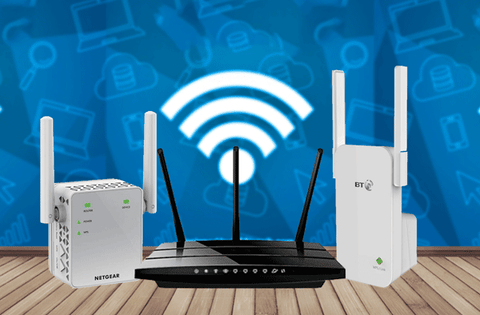
Credit: www.signalbooster.com
Maximizing Outdoor Wifi Performance
External antennas help extend the wifi signal farther outdoors. They boost signal strength and reduce dead spots. Position antennas away from walls and metal objects. Point them toward the area needing better coverage. Using high-gain antennas improves the extender’s reach significantly.
Choosing the right channel avoids interference with nearby networks. Tri band extenders offer multiple channels on 2.4 GHz and 5 GHz bands. Pick less crowded channels to get a faster and stable connection. Use wifi analyzer apps to find the best channel for your area.
| Security Step | Description |
|---|---|
| Change Default Password | Replace extender’s default password with a strong one. |
| Enable WPA3 or WPA2 | Use latest encryption to protect your network. |
| Disable WPS | Turn off WPS to prevent easy hacking. |
| Regular Firmware Updates | Keep firmware updated for latest security fixes. |

Credit: www.youtube.com
Frequently Asked Questions
What Is A Tri Band Wifi Extender?
A tri band wifi extender uses three separate frequency bands. It enhances wifi coverage and reduces network congestion. This improves outdoor wifi speed and stability significantly.
How Does A Tri Band Extender Boost Outdoor Wifi?
It dedicates one band to connect with your router. The other two bands deliver fast wifi to outdoor devices. This setup minimizes interference and maximizes signal strength outside.
Can I Install A Tri Band Extender Outdoors?
Most tri band extenders are designed for indoor use. However, you can place them near outdoor areas like patios or garages. For direct outdoor use, choose extenders with weatherproof features.
Does A Tri Band Extender Improve Wifi Speed?
Yes, by reducing bandwidth competition between devices. Tri band extenders allocate separate channels for smooth data flow. This results in faster and more reliable outdoor wifi connections.
Conclusion
Boosting your outdoor WiFi with a tri-band extender is simple. This device improves speed and coverage for better connection outside. Place the extender where the signal is still strong. It balances multiple devices without slowing down your network. Enjoy smoother streaming, gaming, and browsing outdoors.
A stronger WiFi means less frustration and more fun. Try these tips and see the difference yourself. Good WiFi makes outdoor time more enjoyable.


