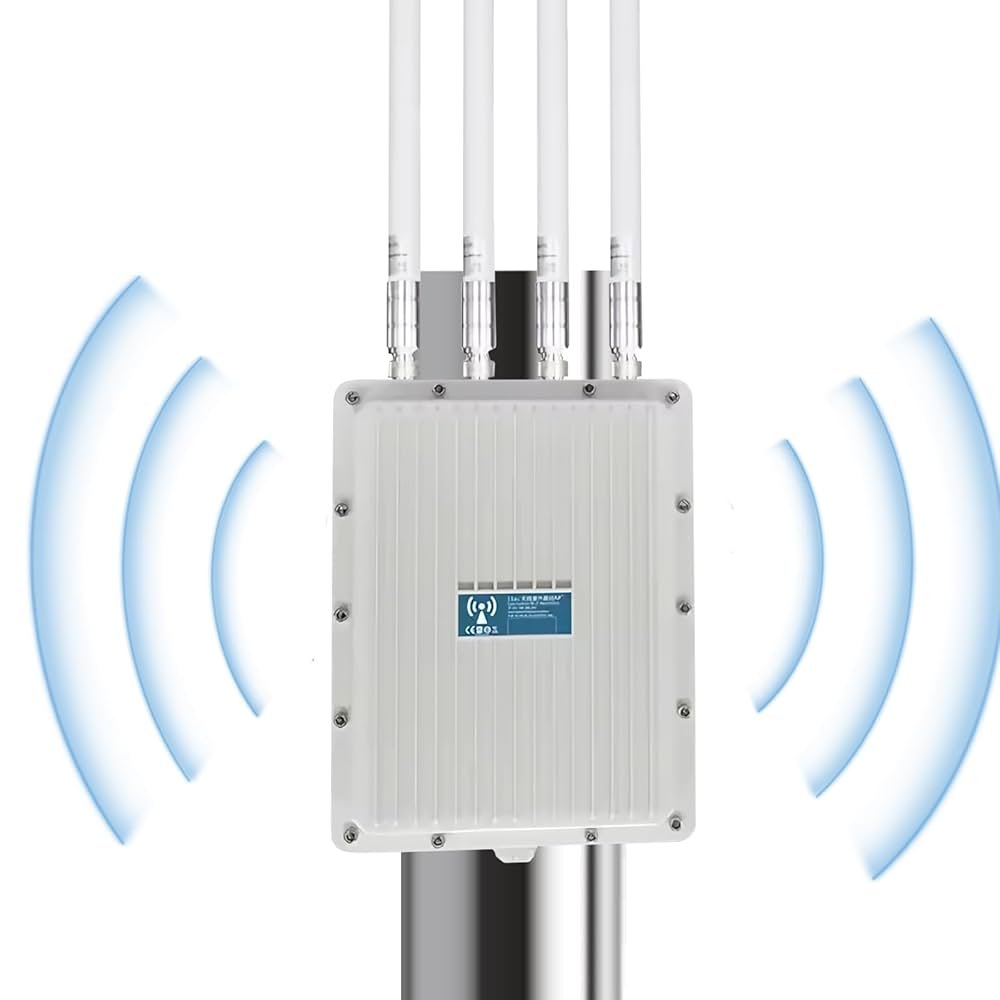
Have you ever experienced the frustration of weak WiFi signals interrupting your online activities? If so, you’re not alone.
Many people turn to long-range WiFi extenders to solve this issue and enjoy seamless internet connectivity throughout their homes or offices. However, a question often arises: do these devices need a firewall for optimal security? Understanding how your WiFi extender interacts with your network’s security can be crucial for protecting your personal information and ensuring a safe browsing experience.
We’ll delve into the world of long-range WiFi extenders and their relationship with firewalls, equipping you with the knowledge to make informed decisions for your digital safety. Stay tuned to uncover whether your WiFi extender is safeguarding your internet connection or leaving it vulnerable.

Credit: manuals.plus
Why Security Matters For Wifi Extenders
Unsecured WiFi extenderscan open doors for many threats. They often lack strong protection, making networks easy to attack. Attackers can steal personal dataor cause connection problems. Using a firewall helps block unwanted access and keeps devices safe.
Extended networks face common risks such as:
- Unauthorized accessfrom outsiders nearby
- Data interceptionduring wireless transmission
- Malware injectionthrough weak points
- Network hijackingto misuse your connection
Adding a firewall to your WiFi extender creates a barrier. It filters traffic and stops harmful data. This strengthens your network securityand protects your devices better.
Role Of Firewalls In Wifi Networks
Firewallsact as a shield between your devices and the internet. They stop bad trafficand unauthorized access. This helps keep your devices safe from hackers and viruses.
Firewalls check the data coming in and out. They block harmful connectionsand allow safe ones. This control is important for wifi networksto maintain security.
| Firewall Type | Description | Suitability for Extenders |
|---|---|---|
| Hardware Firewall | A physical device between your network and internet. | Works well with extenders for strong network protection. |
| Software Firewall | Installed on individual devices to filter traffic. | Good for device-level security alongside extenders. |
| Cloud Firewall | Managed online to protect multiple devices remotely. | Useful for large networks with many extenders. |
Assessing Firewall Needs For Extenders
Long range WiFi extenders boost your signal but don’t replace firewalls. Protect your network by keeping firewall security active alongside extenders. Extenders simply extend coverage without adding extra security layers.
Factors Influencing Security Requirements
Long range WiFi extendersincrease your network’s reach but also expose it more. Extenders that connect to public or shared networks face greater risks. Devices handling sensitive data or business traffic should have extra protection. The type of internet connection and router setup matters. A strong firewall helps stop hackers and unwanted access. Simple home setups with trusted devices might not need extra firewalls. Still, keeping firmware updated is very important.
When A Firewall Is Essential
- Network covers a large area with many users
- Extender connects to open or public WiFi
- Handling personal or business confidential data
- Using older extenders lacking built-in security
- Frequent connection to unknown devices
Firewalls act as a barrier, controlling traffic in and out. They help protect against attacks and data leaks. Adding a firewall to your extender setup can improve network safetysignificantly in risky environments.

Credit: spy-shop.com
Configuring Firewalls With Wifi Extenders
Long-range WiFi extenders boost signal but do not need their own firewall. The main firewall on your router protects all connected devices. Configuring firewalls on extenders is usually unnecessary and may cause network issues.
Basic Firewall Setup Steps
Start by accessing your router’s firewall settings. Allow the wifi extender’s IP address to connect through the firewall. Check that the firewall does not block the extender’s signal. Save your changes and restart both devices. Test the connection to confirm the extender works properly.
Best Practices For Firewall Rules
- Allow only trusted devices to connect through the extender.
- Block unusual or unknown traffic to keep the network safe.
- Keep firewall software updated for better protection.
- Regularly review and adjust rules as needed.
Additional Security Measures
Strong passwordsprotect your WiFi extender from unwanted access. Use a mix of letters, numbers, and symbols. Avoid easy words like “password” or “123456”.
Encryptionhelps keep data safe. Use WPA3 or at least WPA2 for your network security. This stops others from reading your info.
Keep your device safe with regular firmware updates. These updates fix bugs and close security holes. Check your extender’s settings often for updates.
Network segmentationmeans dividing your network into parts. Separate your extender from main devices. This limits damage if one part is hacked.
Troubleshooting Common Issues
Firewall conflictswith long range WiFi extenders can cause connectivity issues. Firewalls block or limit data packets that extenders need to work properly. This leads to slow speeds or dropped connections.
Performance impacts include:
- Reduced signal strength
- Intermittent connection drops
- Slow internet speeds
Simple solutions help fix these problems:
- Check firewall settings and allow extender traffic
- Add the extender’s IP address to the firewall whitelist
- Disable firewall temporarily to test connection
- Update firewall software for compatibility

Credit: www.amazon.com
Frequently Asked Questions
Do Long Range Wifi Extenders Require A Firewall?
Long range WiFi extenders do not have built-in firewalls. However, your main router’s firewall protects the entire network, including extenders. It’s important to keep your router’s firewall active to secure all connected devices, including those using extenders.
Can A Firewall Improve Wifi Extender Security?
Yes, a firewall adds an essential security layer by blocking unauthorized access. It helps protect your network from external threats and hackers. Using a firewall ensures that data passing through your WiFi extender remains safe and private.
How To Configure Firewall For Wifi Extenders?
To configure firewall settings for extenders, access your main router’s admin panel. Adjust firewall rules to allow extender traffic while blocking suspicious activity. Regularly update firmware and review settings to maintain optimal network security.
Are Wifi Extenders Vulnerable Without Firewalls?
WiFi extenders can be vulnerable if the main router’s firewall is disabled. Without firewall protection, attackers can exploit network weaknesses. Always enable firewall features on your router to safeguard extended networks effectively.
Conclusion
Long range WiFi extenders can improve your internet reach. They also bring some security risks. A firewall helps protect your network from unwanted access. It blocks harmful traffic and keeps your data safe. Always check if your extender has a built-in firewall.
If not, consider adding one for better security. Simple steps can prevent big problems later. Stay safe and enjoy a stronger WiFi connection.


