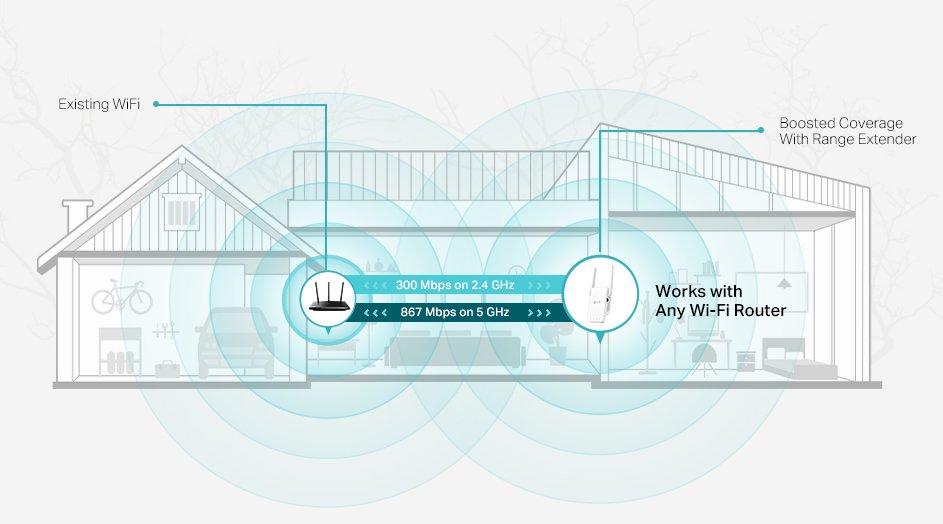
Have you ever experienced the frustration of a weak WiFi signal in certain areas of your home? It’s like the internet is teasing you, right?
You’re not alone. Many people struggle with dead zones where the WiFi just doesn’t reach. This is where a tri-band WiFi extender can be a game-changer. But how exactly does it work to boost your connectivity? Understanding this could mean the difference between endless buffering and seamless streaming.
Dive into this article to uncover the magic behind tri-band WiFi extenders and discover how they can transform your online experience. You won’t want to miss out on the secret to perfect WiFi coverage throughout your home.
Tri Band Wifi Extender Basics
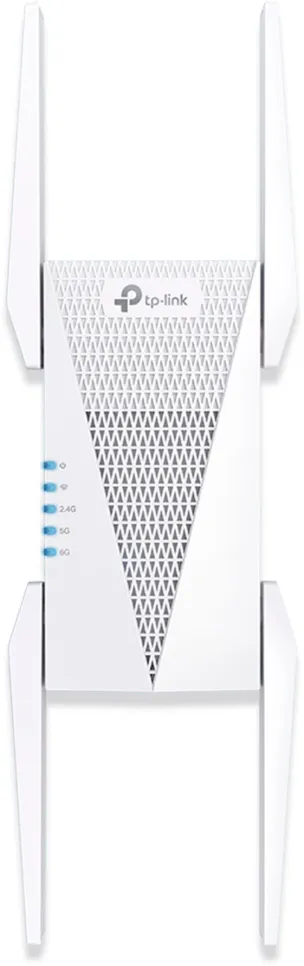
A Tri Band WiFi Extenderuses three separate frequency bands to boost your network. It offers one band to connect to your router and two bands to connect to your devices. This setup helps reduce network congestionand keeps speeds higher. Devices can work on different bands, so fewer slowdowns happen.
Compared to dual band extenders, which have only two frequency bands, tri band extenders provide better performance. Dual band extenders share one band for both router connection and device connection, causing more traffic and delays. Tri band extenders split these tasks, allowing smoother data flow.
| Feature | Dual Band Extender | Tri Band Extender |
|---|---|---|
| Number of Bands | 2 | 3 |
| Router Connection | Shared with devices | Dedicated band |
| Device Connection | Shared band | Two separate bands |
| Speed & Performance | Lower during heavy use | Higher and stable |
Credit: pocketables.com
Signal Boosting Mechanics
Tri band WiFi extendersuse three frequency bands to boost signal strength. This setup helps in better coverageand faster speeds across your space. One band connects to your main router. The other two bands send the signal to your devices, avoiding traffic jams on the network.
This arrangement reduces interferenceand keeps the connection smooth even with many devices. It can cover a larger area than single or dual band extenders.
| Frequency Band | Role |
|---|---|
| 2.4 GHz | Long range, slower speed, good for walls and obstacles |
| 5 GHz (First band) | Faster speed, medium range, less crowded |
| 5 GHz (Second band) | Dedicated backhaul channel between extender and router |
Setup And Placement Tips
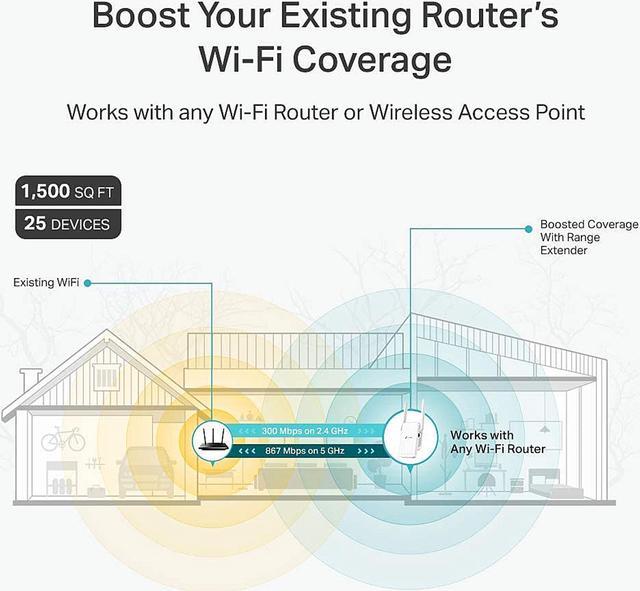
Place the wifi extender where the signal from the router is still strong. Walls and metal objects can block signals. Avoid putting the extender in corners or behind furniture. Keep it away from microwaves and cordless phones to reduce interference.
Choose a spot that is halfway between your router and the area with weak wifi. This helps the extender catch and boost the signal better. Higher locations, like shelves, often work best.
- Keep the extender away from thick walls and large metal items.
- Place it in open areas for better signal flow.
- Ensure the extender is near a power outlet.
- Try different spots and test the signal strength.
| Location | Effect on Performance |
|---|---|
| Near Router | Strong signal, easy to extend |
| Far from Router | Weak signal, poor extension |
| Obstructed by Walls | Signal loss, slow speeds |
| Open Space | Good coverage, stable connection |
Credit: www.newegg.ca
Benefits Of Tri Band Extenders
Tri band extendersprovide faster internet speeds by using three separate bands. This helps reduce interferencefrom other devices and networks.
One band connects to your router. The other two bands serve your devices. This setup keeps your internet stable and quick.
- Supports more devices without slowing down.
- Less signal drop and better coverage.
- Helps with streaming, gaming, and video calls.
Devices can work at the same time without waiting. This makes it easier to handle many users in one home or office.
Common Challenges And Fixes
Connectivity problemswith tri-band WiFi extenders often come from weak signals or wrong placement. Moving the extender closer to the main router can help. Walls and large objects block signals, so avoid placing the extender in such areas. Restarting both the router and extender may fix temporary glitches.
Firmware updateskeep the extender working well and fix bugs. Check the manufacturer’s website or app for new updates often. Using outdated firmware can cause compatibility issueswith newer devices.
| Issue | Fix |
|---|---|
| Weak signal | Place extender closer to router |
| Slow speed | Restart devices and check channels |
| Firmware outdated | Update firmware regularly |
| Device not connecting | Check compatibility and reset extender |
Comparing Popular Models
Tri band WiFi extenders boost your internet by using three bands. One band connects to your router. The other two bands send strong signals to your devices. This setup cuts down slow speeds and keeps WiFi fast.
| Model | Speed | Range | Price | Extra Features |
|---|---|---|---|---|
| Netgear Nighthawk | Up to 3Gbps | Up to 2300 sq ft | High | Ethernet Port, Smart Roaming |
| TP-Link RE650 | Up to 2.6Gbps | Up to 1400 sq ft | Medium | Beamforming, LED Signal Indicator |
| Linksys RE9000 | Up to 3Gbps | Up to 1500 sq ft | Medium-High | MU-MIMO, Seamless Roaming |
- Speed:Choose one that matches your internet plan.
- Range:Make sure it covers your whole home.
- Easy Setup:Look for quick and simple installation.
- Extra Features:Ethernet ports and smart roaming help a lot.
- Price:Balance features with what you can spend.
Credit: www.screenbeam.com
Frequently Asked Questions
What Is A Tri Band Wifi Extender?
A tri band WiFi extender uses three separate bands to boost wireless coverage. It improves speed and reduces interference. One band connects to the router, while the other two serve devices. This setup delivers better performance in large homes or offices.
How Does A Tri Band Wifi Extender Improve Wifi?
It dedicates one band solely for router communication, freeing the other bands for devices. This reduces congestion and boosts speed. The extender provides stable connections and wider coverage by balancing network traffic effectively.
Can A Tri Band Extender Fix Wifi Dead Zones?
Yes, it can. Tri band extenders amplify signals to hard-to-reach areas. Their multiple bands ensure strong, uninterrupted coverage in dead zones. This results in fewer dropouts and better overall WiFi experience.
Is A Tri Band Extender Better Than Dual Band?
Generally, yes. Tri band extenders offer an additional band, reducing network congestion. This leads to faster, more reliable connections, especially with many devices. However, benefits depend on your specific network setup and device compatibility.
Conclusion
A tri-band WiFi extender helps boost your internet signal clearly. It uses three separate bands to reduce traffic and improve speed. This keeps your connection stable even with many devices. You get better coverage in areas far from your router.
Setting it up is usually simple and quick. Choosing the right extender can solve common WiFi problems at home. Now, you can enjoy smoother streaming and faster downloads everywhere. Simple technology making your internet work better.


