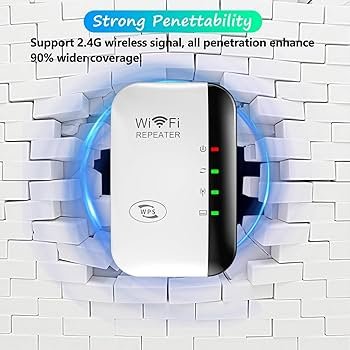
When you’re struggling with weak WiFi signals, a long-range WiFi extender can be a game-changer. But before you rush to buy one, it’s crucial to ensure it’s compatible with your existing setup.
Imagine investing in a device only to find out it doesn’t work with your network. Frustrating, right? To avoid this, you need to know exactly how to check compatibility. In this guide, we’ll walk you through the simple steps to ensure your new WiFi extender will seamlessly integrate with your current system.
Let’s eliminate the guesswork and make sure your online experience remains smooth and uninterrupted. Ready to boost your connectivity with confidence? Keep reading.

Credit: www.amazon.com
Key Factors For Compatibility
The frequency bandsof the extender must match your router’s bands. Most routers use 2.4 GHzand 5 GHz. Choose an extender that supports both for better range and speed.
Check the WiFi standardssupported by your devices and extender. Common standards include 802.11n, 802.11ac, and 802.11ax. Matching these ensures faster and stable connections.
Router compatibilityis essential. Some extenders work only with specific brands or models. Look for extenders labeled as universalor check the compatibility list on the product page.
Device supportmeans the extender must handle all devices on your network. Ensure it supports smartphones, laptops, and smart home gadgets. This helps maintain a smooth and strong WiFi connection everywhere.

Credit: www.theardor.com.au
Assessing Your Current Network
Check your router’s specificationsto see its range and frequency bands. Most routers work on 2.4 GHzor 5 GHz. A long range WiFi extender must support these bands for better compatibility.
Test your current network speedby running a speed test near your router and in other areas. This helps find how fast your internet is and where it slows down.
- Note slow spots in your home or office.
- Mark areas with weak WiFi signals.
- Check walls or floors that block signals.
Knowing these details helps pick a WiFi extender that fits your network speedand covers weak spots well.
Types Of Long Range Wifi Extenders
Repeater Extenderscatch your existing WiFi signal and send it farther. They are easy to install and cost less. But, they can reduce the internet speed a bit because they share the same channel.
Access Point Extendersconnect to your router using a cable. They create a new WiFi hotspot in a far area. This keeps the speed strong and stable. They are good for big houses or offices.
Mesh Network Systemsuse many devices called nodes. These nodes work together to cover large areas with WiFi. The signal moves smoothly from one node to another. It feels like one big WiFi network with no breaks.
Testing Extender Compatibility
Check for the latest firmware and software updateson your WiFi extender’s website. Updates fix bugs and improve compatibility with routers. Make sure both devices run the newest versions for best performance.
Test signal strength and rangeby placing the extender at different spots. Use a signal meter app or device settings to see if the extender boosts coverage well. Watch for areas with weak or no signal.
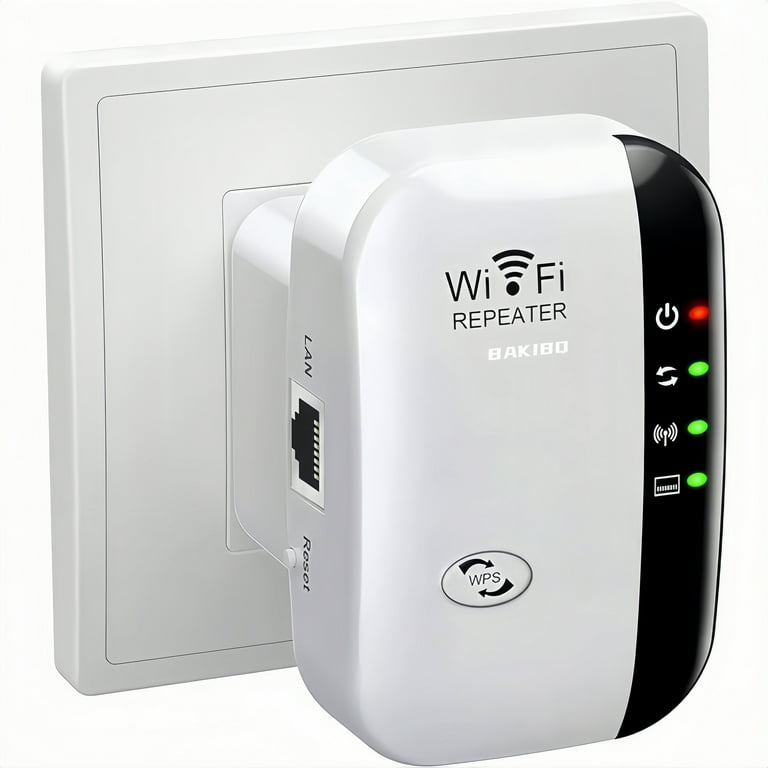
Follow the device pairing procedurescarefully. Use the WPS button or manual setup as per the extender’s guide. Confirm the extender connects to your router without errors. Proper pairing ensures stable and fast connections.
Common Compatibility Issues
Interferencecan cause weak signals and slow speeds. Devices like microwaves, cordless phones, and other WiFi networks may create signal loss. Walls and floors also block or weaken WiFi signals.
Incompatible frequenciesmean the extender and router use different bands. Most routers use 2.4 GHz or 5 GHz. The extender must support the same frequency to work properly.
Security protocol mismatchesoccur when the extender and router use different protections. Common types include WPA2 and WPA3. Both devices must use the same protocol for a secure connection.
Tips For Optimal Performance
Place the WiFi extenderin a spot with a clear line of sight. Avoid walls and thick furniture that block signals. Keep it halfway between your router and the area with weak WiFi.
Updating the extender’s firmwarehelps fix bugs and improve speed. Check for updates regularly on the manufacturer’s website. Updated firmware keeps your device running smoothly.
- Limit the number of devices on the network to reduce congestion.
- Use 5 GHzband if possible for faster speeds and less interference.
- Avoid placing the extender near microwaves or cordless phones.
Credit: www.walmart.com
Frequently Asked Questions
How Do I Know If My Wifi Extender Is Compatible?
Check the extender’s frequency bands match your router’s bands. Verify supported WiFi standards like 802. 11ac or 802. 11n. Review device manuals or manufacturer websites for compatibility details.
Can I Use Any Long Range Wifi Extender With My Router?
Not all extenders are universal. Ensure your router and extender use the same WiFi standards and frequency bands for optimal performance.
What Frequency Bands Should A Compatible Wifi Extender Support?
A compatible extender should support 2. 4 GHz and/or 5 GHz bands. Match these with your router’s frequency bands to ensure seamless connectivity.
Does My Internet Speed Affect Extender Compatibility?
Yes, your extender must support speeds close to your internet plan. Check the extender’s max speed rating to avoid bottlenecks.
Conclusion
Checking compatibility of a long range WiFi extender saves time and effort. Know your router’s frequency and standards first. Match these with the extender’s features for best results. Also, consider the distance and obstacles in your space. A good fit ensures better signal and faster internet.
Take simple steps to avoid connection problems later. This helps you enjoy stable WiFi everywhere in your home or office. Stay smart and choose wisely for smooth online experiences.


