Are you struggling with weak WiFi signals on your farm? Imagine being able to check emails, monitor equipment, or even stream your favorite shows, all without leaving the comfort of your barn or field.
It’s frustrating when your internet doesn’t reach where you need it most. But don’t worry, you’re not alone, and there’s a solution! In this guide, we’ll show you how to extend your WiFi to every corner of your farm. You’ll discover simple, effective steps that transform your internet experience, making your daily tasks smoother and more efficient.
Ready to unlock the full potential of your farm’s connectivity? Keep reading to find out how.
Assessing Your Farm’s Wifi Needs
Start by walking around your farm with a wifi device. Take note of areas where the signal is weak or lost. These are the dead zonesthat need attention.
Create a simple map showing where your wifi works well and where it does not. This helps to see how far the signal reaches and where to place extra equipment.
| Device Type | Usage | Quantity Needed |
|---|---|---|
| Smartphone | Checking signal and control | 2-3 |
| Tablet | Field management apps | 1-2 |
| Security Cameras | Farm safety | 4-6 |
| IoT Sensors | Soil and weather data | 5-10 |
Credit: www.brostrend.com
Choosing The Right Equipment
Routersand access pointshelp send wifi signals far. Routers connect to the internet and share wifi. Access points add more wifi spots on your farm. They work well in buildings or barns.
Wifi range extenderscatch the wifi signal and send it farther. They are easy to install and cost less. Good for small farms but may slow wifi speed.
Mesh network systemsuse many devices that talk to each other. They cover big areas with strong wifi. Better for large farms with many buildings or fields.
Improving Signal Strength
Place the router in a central spot on the farm. Higher spots work best for clear signal paths. Avoid placing it near thick walls or metal objects. This helps the WiFi reach farther without losing strength.
- High-gain antennasfocus the signal in a specific direction.
- They extend the WiFi range more than regular antennas.
- Replace your router’s antenna with a high-gain one for better coverage.
Keep the router away from devices that cause interference. Microwaves, cordless phones, and large metal objects can block WiFi signals. Use channels that have less traffic. This reduces signal clashes and improves speed.

Credit: www.amazon.com
Wired Solutions For Stability
Wired connections offer reliable internet across large farm areas. Running Ethernet cables ensures a strong, steady signal without interruptions. This method suits farms needing constant, fast wifi for devices and smart systems.
Powerline Adapters
Powerline adaptersuse your farm’s existing electrical wiring. They send internet signals through power lines. This avoids running new cables outside. Setup is simple: plug one adapter near your router and the other where you need internet. Speeds can be good but depend on wiring quality.
Ethernet Cable Deployment
Running Ethernet cablesprovides a stable and fast connection. Cables like Cat6 can reach long distances with minimal speed loss. Bury cables in protective tubing to prevent damage. This method is reliable but may need professional help for long runs.
Fiber Optic Options
Fiber optic cablesoffer the best speed and distance. They resist interference and work well in harsh environments. Installation costs more but benefits last longer. Great choice for large farms needing strong, steady internet.
Outdoor Wifi Enhancements
Outdoor wifi gear must be weatherproof. Rain, wind, and sun can damage regular devices. Use equipment with water and dust resistance. This keeps your connection stable in all weather.
Directional antennashelp focus wifi signals to specific areas. They send signals farther than regular antennas. Point them toward the part of the farm that needs coverage. This improves wifi range and strength.
- Mount antennas high, like on poles or rooftops
- Avoid obstacles such as trees and buildings
- Use sturdy mounts to keep devices steady in wind
- Angle antennas for best signal direction
Alternative Connectivity Options
Cellular hotspotsuse mobile networks to share internet. They are easy to set up and move around. Coverage depends on mobile signal strength. Good for small areas or temporary use.
Satellite internetworks everywhere, even in remote farms. It uses satellites in space to send data. Speed can be slower and latency higher than other types. Useful where no other options exist.
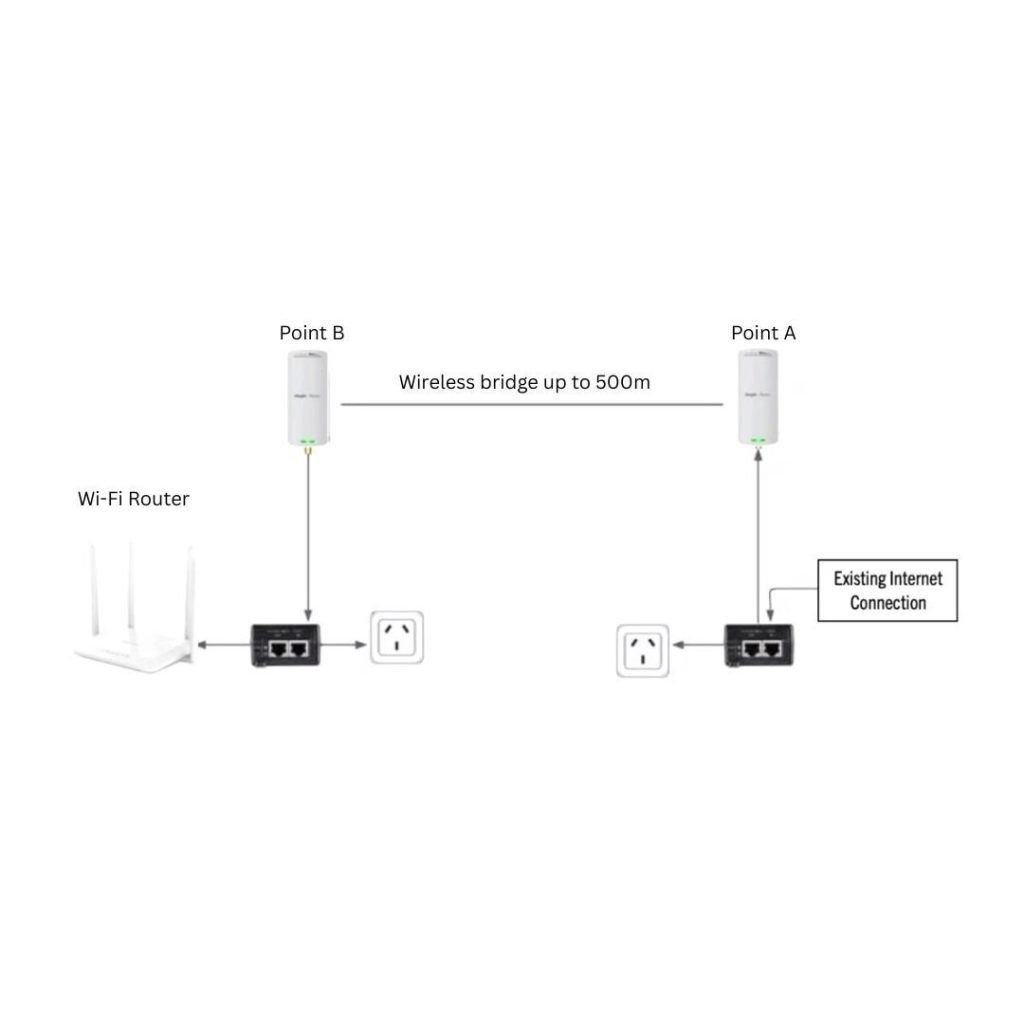
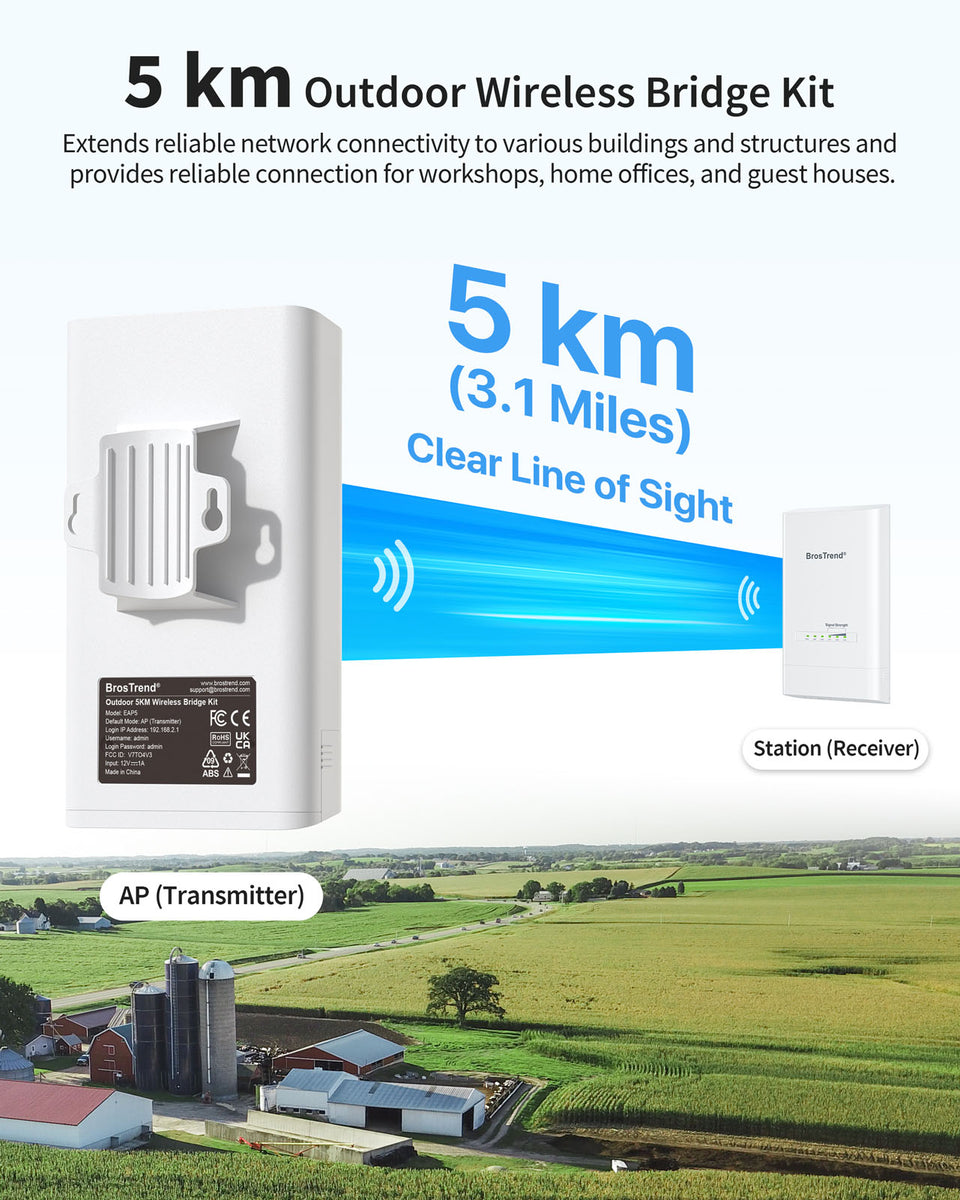
Long-range WiFi systemsconnect buildings far apart using special antennas. They send signals over miles without cables. These systems need clear line-of-sight and careful setup. Great for linking large farm areas.
Maintaining And Troubleshooting
Keeping your wifi equipment updatedhelps avoid connection problems. Regularly check for firmware updateson your router and range extenders. Updates improve securityand performance. Old devices may not work well with new tech.
Use signal testing toolsto find weak spots. These tools show where the wifi signal is strongor weak. Move extenders or antennas to improve coverage. Testing helps avoid dead zones on your farm.
| Common Issue | Fix |
|---|---|
| Slow internet speed | Restart router, move closer to extender |
| Intermittent connection | Check for interference, update firmware |
| No signal in some areas | Reposition extenders, test signal strength |
| Device not connecting | Forget network and reconnect, check password |

Credit: simplewifi.com
Frequently Asked Questions
How Can I Extend Wifi Coverage To My Farm?
Use WiFi range extenders or mesh networks to boost coverage. Place devices strategically for optimal signal across the farm area.
What Equipment Is Best For Farm Wifi Extension?
Choose outdoor-rated routers, long-range antennas, or mesh systems designed for large areas. Ensure devices are weather-resistant and reliable.
How Do I Improve Wifi Signal Strength On A Farm?
Position antennas higher and avoid obstructions like trees. Use directional antennas and reduce interference from other electronics for stronger signals.
Can I Use Existing Internet For Farm Wifi Extension?
Yes, connect extenders or mesh nodes to your current router. Ensure your internet plan supports the extended coverage and additional devices.
Conclusion
Extending WiFi to your farm improves work and daily life. Choose the right tools and place devices carefully. Keep signals strong by removing obstacles and using boosters. Test your connection often to fix issues quickly. A steady internet helps with farming tasks and communication.
Small steps can bring better coverage across your land. Stay patient and adjust settings as needed for best results. Good WiFi makes farming easier and more efficient.


