Are you struggling with a slow or spotty WiFi connection at home? A dual band WiFi extender might seem like the perfect solution to boost your internet speed and eliminate those pesky dead zones.
But, have you ever wondered if using one could lead to interference with your other devices? It’s a common concern that many overlook. We’ll delve into whether dual band WiFi extenders can cause interference, and what it means for your home network.
By understanding the potential pitfalls and how to avoid them, you can make the most of your WiFi setup. Stick around to discover how to maintain a smooth, uninterrupted connection and ensure all your gadgets work in harmony.
Credit: www.pocket-lint.com
Dual Band Wifi Extenders Basics
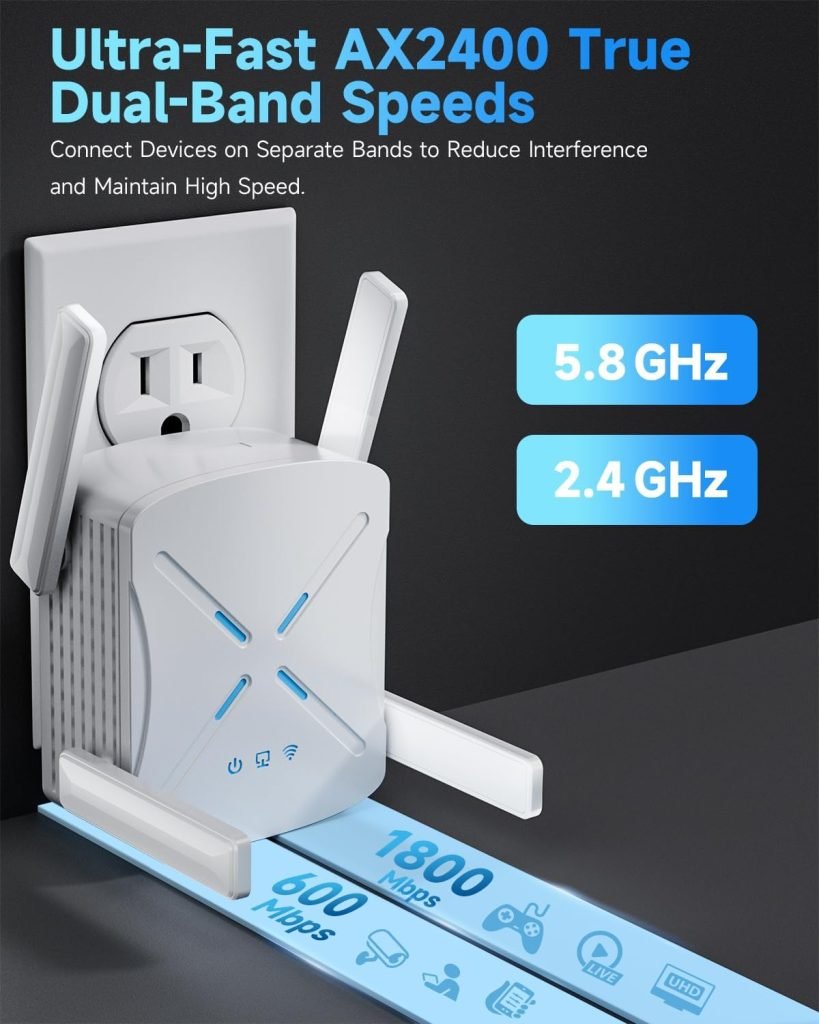
Dual band WiFi extendersuse two frequency bands: 2.4 GHzand 5 GHz. The 2.4 GHz band covers longer distances but has slower speeds. The 5 GHz band offers faster speeds but covers a smaller area. This helps provide better coverage and speed in different parts of your home or office.
The 2.4 GHz band is common for devices like smart bulbs and older gadgets. The 5 GHz band suits high-speed needs like streaming and gaming. Extenders pick up your router’s signal and boost it, making WiFi available in weak spots.
- Extends WiFi range to dead zones
- Supports multiple devices at once
- Improves internet speed in large areas
- Works with both old and new devices
Credit: www.amazon.ca
Sources Of Wifi Interference
Other wireless devicescan cause wifi interference. Devices like cordless phones, baby monitors, and Bluetooth gadgets use the same 2.4 GHz or 5 GHz bands. This overlap can make your wifi signal weak or spotty.
Physical obstaclessuch as walls, floors, and furniture block wifi signals. Thick walls or metal objects reduce the signal strength and speed. Keep extenders in open spaces for better coverage.
Electronic applianceslike microwaves and refrigerators also interfere with wifi. These devices produce signals that overlap with wifi channels, causing interruptions. Place your wifi extender away from such appliances for better performance.
Can Extenders Cause Interference?
Dual band WiFi extenders can sometimes cause interference by overlapping signals on the same channels. Proper placement and channel selection help reduce this issue and improve your network’s performance.
Signal Overlap Issues
Dual band wifi extenderscan cause signal overlapif placed too close to the main router. This overlap makes devices switch signals often, leading to connection dropsor slow speeds. Proper placement helps reduce this problem.
Channel Congestion
Both the extender and the router use channels to send data. If they use the same or nearby channels, it creates channel congestion. This slows down the wifi for all connected devices. Changing channels can ease congestion.
Impact On Network Performance
Interference from extenders can cause:
- Slower internet speeds
- Frequent disconnections
- Increased latencyor delay
- Unstable wifi connections
Avoiding Signal Problems
Dual band WiFi extenders can sometimes cause signal interference if placed too close to the router or other devices. Keeping a good distance helps reduce overlap and ensures a stronger, clearer connection. Proper setup improves overall WiFi performance without interruptions.
Optimal Extender Placement
Place the extender where the WiFi signal is strong. Avoid walls and large metal objects that block signals. Keep it away from microwaves and cordless phones. Position it at a height, like on a shelf or table. This helps spread the signal better and reduces interference.
Choosing The Right Channel
Use channels that have less traffic. Crowded channels cause slow speeds and dropped connections. Use tools or apps to check which channels are free. Switch between 2.4 GHz and 5 GHz bands for better performance. Choosing the right channel reduces interference and improves WiFi quality.
Firmware And Software Updates
Keep your extender’s firmware updated. Updates fix bugs and improve connection stability. Check the manufacturer’s website or app for the latest version. Regular updates help your extender run smoothly and avoid signal problems.
Improving Wifi Stability
Quality hardwarehelps keep your WiFi stable and strong. Cheap extenders can cause signal interferenceand drop speeds. Choose devices from trusted brandsto reduce problems.
Managing network load is key. Too many devices connected at once can slow WiFi. Limit devices or use bandwidth controlfeatures on your router. This keeps the network smooth for everyone.
Alternative solutions include using a mesh WiFi systemor wired access points. These options avoid interference better than some extenders. They spread the signal evenly across your home or office.

Credit: m-grill.com
Frequently Asked Questions
Can Dual Band Wifi Extenders Cause Signal Interference?
Yes, dual band WiFi extenders can cause interference if placed too close to routers or other devices. Proper placement and channel selection reduce this risk and improve network performance.
How Does Dual Band Extender Interference Affect Wifi Speed?
Interference from dual band extenders can lower WiFi speed by causing signal overlap and congestion. Using separate channels for 2. 4GHz and 5GHz bands helps maintain optimal speeds.
Which Band Is Less Prone To Interference, 2.4ghz Or 5ghz?
The 5GHz band is less prone to interference due to fewer devices using it and more available channels. However, its range is shorter than 2. 4GHz.
How To Minimize Interference From Dual Band Wifi Extenders?
Place extenders away from thick walls and electronics. Use distinct channels for each band and update firmware regularly to reduce interference and improve connectivity.
Conclusion
Dual band WiFi extenders can sometimes cause interference. This happens when signals overlap or devices are too close. Choosing the right channel and placing the extender well helps reduce problems. Using both 2. 4 GHz and 5 GHz bands smartly keeps your connection stable.
A good setup means fewer interruptions and better speed. Keep your devices updated and test different spots for best results. Remember, small changes can make a big difference in your WiFi experience.


