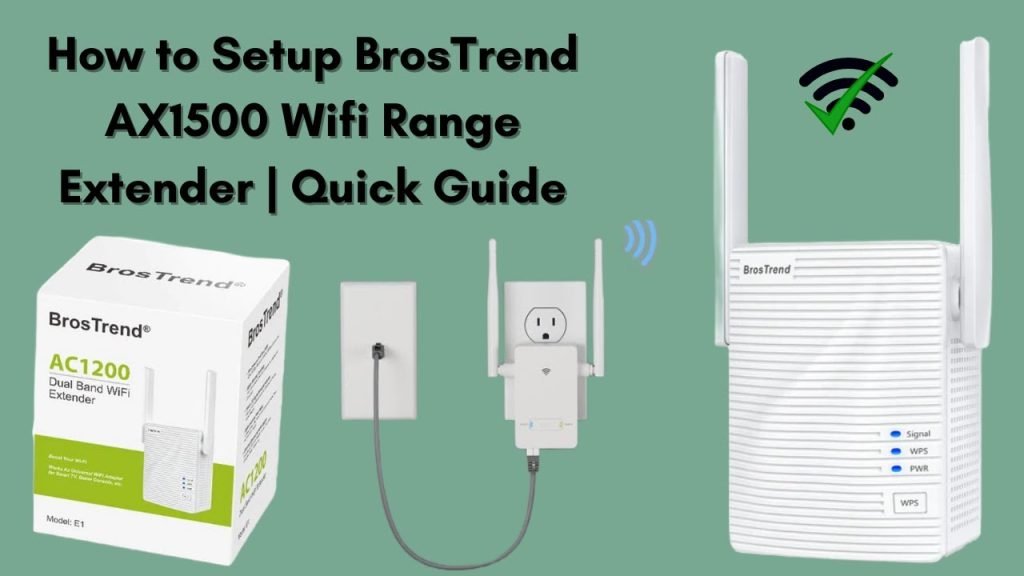
Are you tired of dead zones and slow internet in parts of your home? A dual band WiFi extender could be the simple fix you need.
But placing it in the right spot is key to boosting your WiFi signal effectively. You’ll learn exactly how to position your dual band WiFi extender for the best coverage and fastest speeds. Keep reading, and you’ll soon enjoy a stronger, more reliable connection wherever you are in your house.
Credit: www.screenbeam.com
Choosing The Right Location
Check the signal strengthnear the spot for the extender. A strong signal from the router helps the extender work well. Use a phone or laptop to test the signal in different places. Pick a place where the signal is not too weak and not too strong.
Keep the extender away from things that cause interference. Common sources include microwaves, thick walls, and cordless phones. These can block or weaken the WiFi signal. Choose a clear area with fewer obstacles.
Place the extender at a balanced distance. It should be far enough from the router to cover new areas. But not so far that it loses the original signal. A good spot is usually halfway between the router and the weak signal zone.
Optimal Height And Position
Placing a dual band WiFi extender at the right heightimproves signal strength. The extender should be elevatedabove the floor, like on a shelf or table. This helps the signal travel further and avoids interference from furniture or other objects.
Keep the extender away from thick walls, metal objects, and appliances. These can block or weaken the WiFi signal. Open spaces and higher locations give better coverage.
- Place the extender at mid-level height for best reach.
- Avoid placing it near microwaves, refrigerators, or thick walls.
- Keep it in a clear line of sight to your main router and devices.
- Choose spots with minimal barriers for better signal flow.
Considering Dual Band Features
Dual band WiFi extenders work on two frequencies: 2.4 GHzand 5 GHz. The 2.4 GHz band covers longer distances but is slower. The 5 GHz band is faster but covers less area. Keeping these bands separate helps devices connect to the best signal.
Using both bands well can maximize bandwidth efficiency. For example, smart home devices use 2.4 GHz for better range. Streaming and gaming devices use 5 GHz for speed. This reduces congestion and speeds up the network.
| Band | Range | Speed | Best For |
|---|---|---|---|
| 2.4 GHz | Long | Slower | Smart home devices, general browsing |
| 5 GHz | Short | Faster | Streaming, gaming, video calls |

Credit: m.tvcmall.com
Using Signal Mapping Tools
Signal mapping tools help find the best spot for your dual band WiFi extender. These tools show where the signal is strongor weakaround your home. Apps and software make this easy to see using heatmaps.
Some apps to try include:
- NetSpot– good for both Windows and Mac.
- WiFi Analyzer– simple and useful on Android devices.
- Ekahau HeatMapper– great for detailed maps on Windows.
Heatmaps use colors to show signal strength. Redmeans strong signal, yellowor orangeshows medium, and blueor greenmeans weak. Place your extender where colors are yellow or orangeto boost weak spots without losing connection to the router.
Testing And Adjusting Placement
Test the WiFi extender’s speedand connection stabilityin different spots. Use a speed test app or website to check the signal strength. Walk around and note areas with weakor strongsignals. This helps find the best location.
Adjust the extender’s position by moving it closer or farther from the router. Avoid walls or large objects that block signals. Try a few spots to see where speed stays high and connection is steady.
- Place the extender halfway between router and weak signal area
- Keep it away from microwaves or cordless phones
- Check speed at different times of day for consistency
- Reposition if connection drops or slows down
Small moves can make a big difference in performance. Keep testing until the best spot is found.
Common Mistakes To Avoid
Placing the extender too far from the router means weak signal reception. Too close, and it won’t extend coverage effectively. Find a spot midway where the signal is still strong.
Physical barriers like walls, floors, and furniture can block WiFi signals. Thick walls or metal objects reduce the signal strength. Place the extender where there are fewer obstacles between it and the router.
| Common Mistake | Effect | Tip to Avoid |
|---|---|---|
| Placing Extender Too Far | Weak signal, poor connection | Choose a location closer to the router |
| Placing Extender Too Close | Limited coverage area | Place in the middle of coverage zone |
| Ignoring Physical Barriers | Signal blockage, slow speeds | Place in open space with fewer obstacles |

Credit: www.youtube.com
Frequently Asked Questions
Where Is The Best Place To Install A Dual Band Wifi Extender?
Place the extender halfway between your router and WiFi dead zone. Ensure it receives a strong signal from the router. Avoid walls and electronic interference for optimal performance.
How Do I Connect A Dual Band Wifi Extender?
Plug in the extender and press the WPS button on your router. Then, press the WPS button on the extender. Wait for the connection to establish and check the extender’s LED status.
Can A Dual Band Wifi Extender Improve Signal Speed?
Yes, dual band extenders use both 2. 4GHz and 5GHz bands. This reduces congestion and improves speed. Proper placement further enhances the WiFi signal’s overall speed and reliability.
Should I Place The Extender Closer To The Router Or Dead Zone?
Place the extender closer to the router but within range of the dead zone. This balance ensures the extender gets a strong signal and effectively boosts coverage.
Conclusion
Placing a dual band WiFi extender boosts your internet reach. Follow our guide for optimal placement and setup. Test different locations in your home. Ensure fewer obstacles between the router and extender. This helps in achieving strong connections. Consider your home’s layout and materials.
These factors affect signal strength. Regularly update your extender’s firmware. This keeps it performing well. Enjoy seamless browsing and streaming without interruptions. A properly placed extender makes a difference. Reliable internet is within reach with these simple steps. Happy surfing!


